Reserialize
A downloadable tool
Your rename hasn't happened yet
You did what the docs say:
[FormerlySerializedAs("moveSpeed")]
public float speed = 5f;
Everything still works. Every value is still there. And nothing has migrated. The attribute is a load-time fallback — the old key is still physically written in your scenes, prefabs and assets, and Unity quietly remaps it on every load.
So the attribute becomes permanent scaffolding. Delete it — because it looks redundant, because your IDE offers to, because the rename was two years ago — and every value that never re-saved is gone. Silently. No error, no failed import.
"the actual asset file still holds the old field names!" … "if I now follow the official step (4) and remove the now-supposedly-useless [FormerlySerializedAs] attributes, the values are lost."
— Unity Discussions, a developer following the official procedure
Reserialize closes the loop
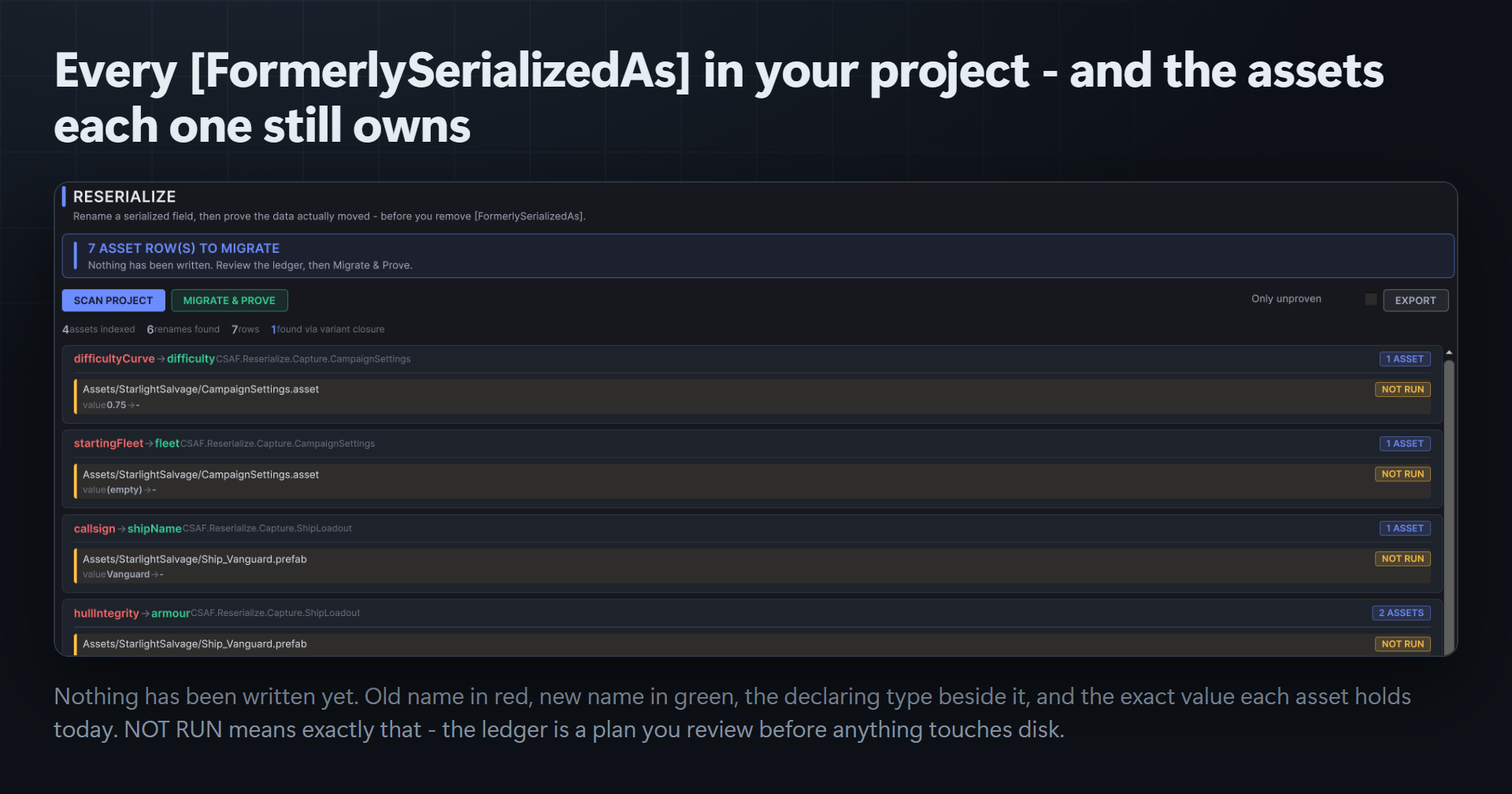
- Finds every asset still holding an old key.
- Migrates it — force-reserialization, so the data physically moves.
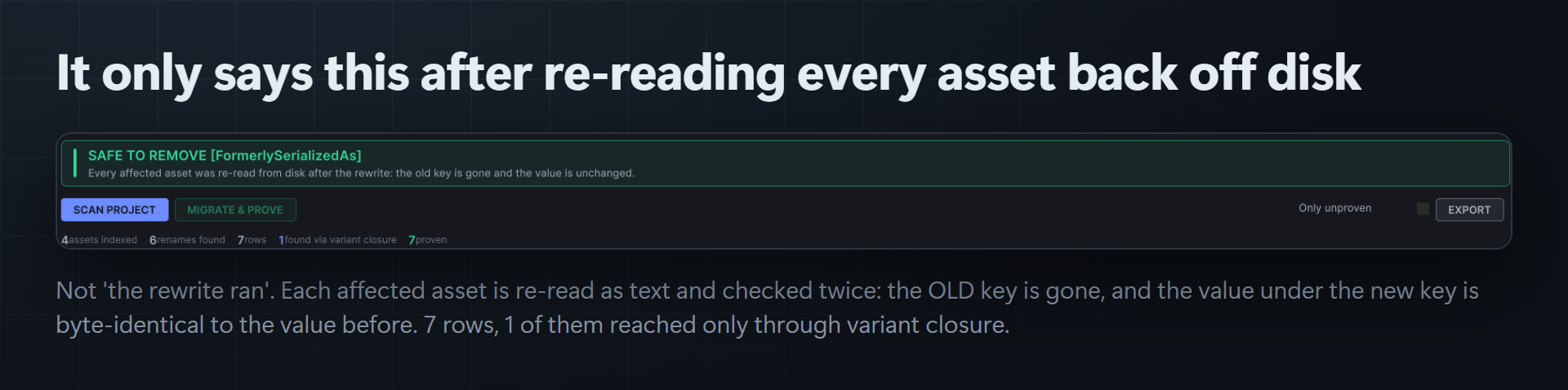
- Proves it — re-reads the YAML from disk and checks, per asset, that the old key is gone and the value is byte-identical to what was there before.
- Tells you it's safe to remove the attribute only when every row passed.
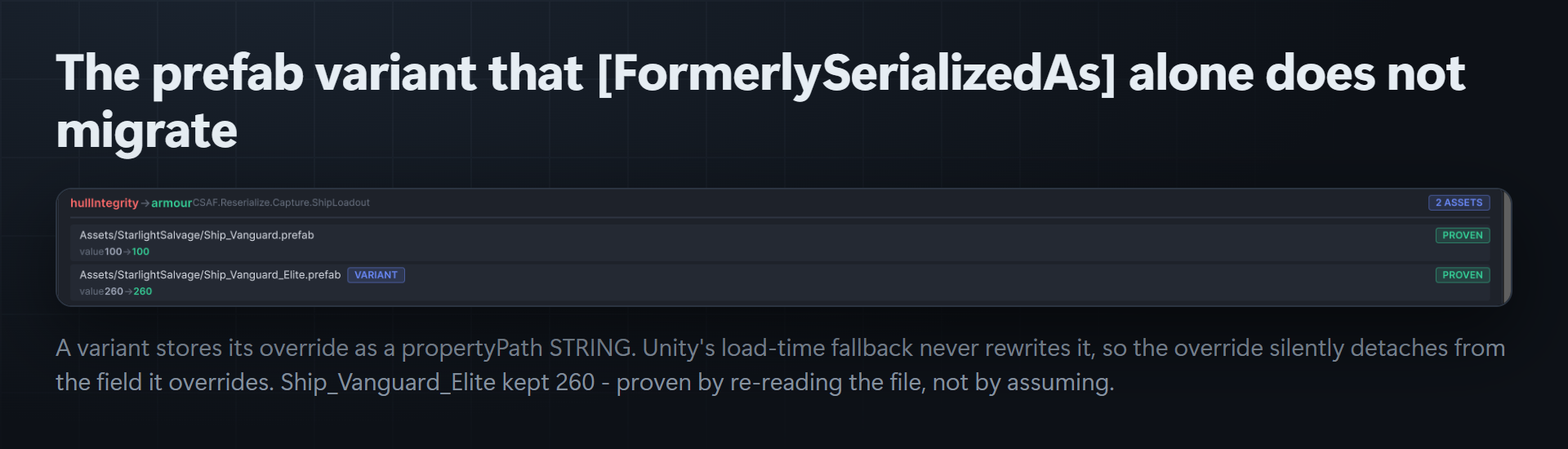
The part nobody else does: prefab variants
A prefab variant doesn't store an overridden field as a key — it stores an override row keyed by a propertyPath string. Unity's load-time fallback never rewrites that string, so the override silently detaches from the field it overrides. Reserialize repairs those paths, and reaches variants through a reference closure rather than a GUID filter that misses them.
It refuses to guess
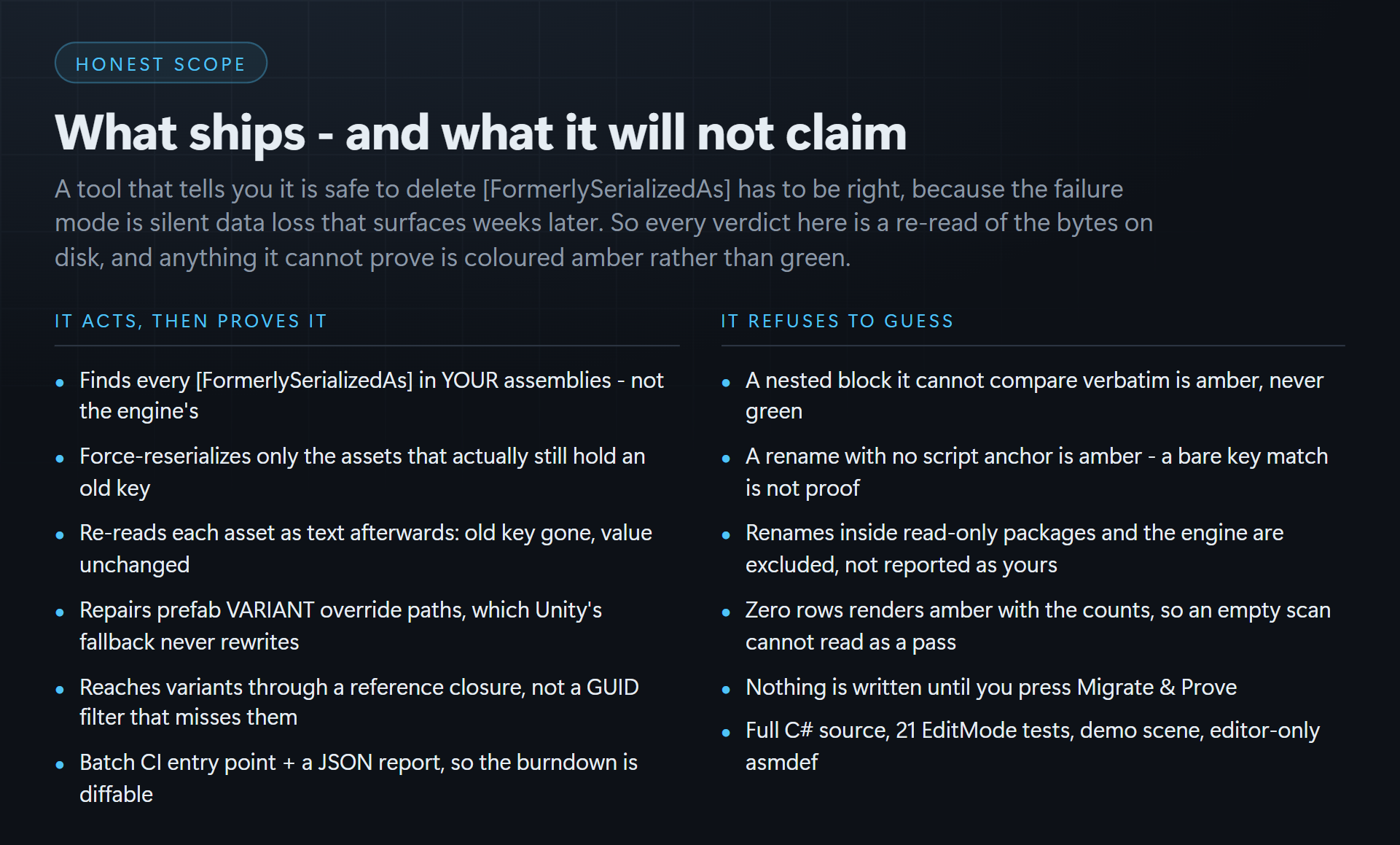
- A nested block it can't compare verbatim is amber, never green.
- A rename with no script anchor is amber — a bare key match is not proof.
- Renames inside read-only packages and inside Unity itself are excluded, not reported as yours.
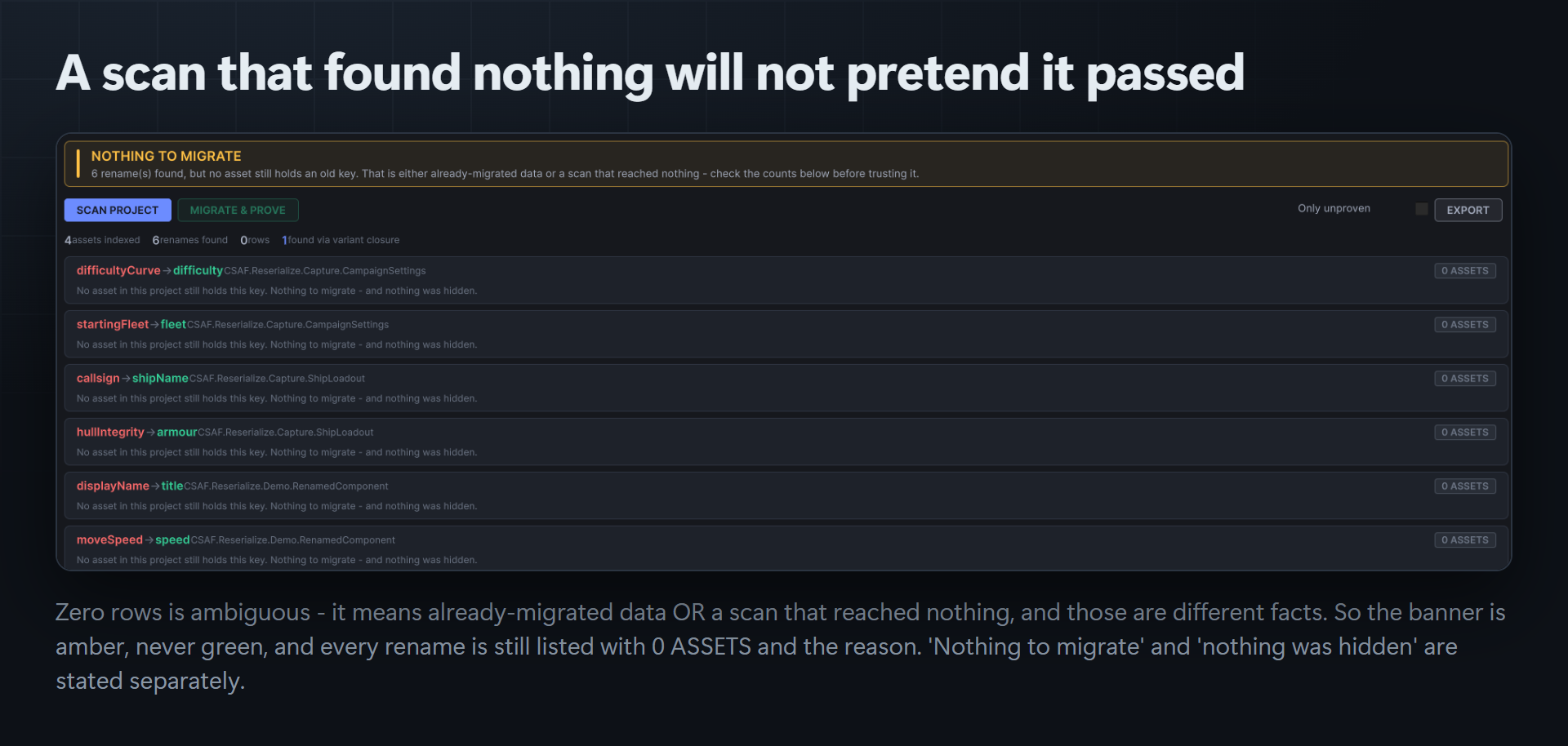
- Zero rows renders amber with the counts, so an empty scan can't read as a pass.
- Nothing is written until you press Migrate & Prove.
What ships
- Full, readable C# source — no DLLs, no minification.
- Editor-only assembly definition. Nothing enters your build. No
Resources/folder. - A demo scene you can open and press Play on.
- A batch-mode CI entry point and a JSON report, so the burndown is diffable.
- 21 EditMode tests.
- Unity 2022.3+ / Unity 6. Built and verified on 6000.5.7f1.
More Unity editor tooling from CSAF
Assembly Warden — assembly-definition layering, enforced, with a verified apply pipeline: dry-run, diff, write, recompile, auto-rollback, plus a CI gate.
GUID Warden — restore a lost .meta from git history with its original GUID and every reference to it intact, and resolve duplicate GUIDs explicitly rather than silently. The guard Unity doesn't ship.
CoreCLR Migration Scanner — Unity drops Mono entirely in 6.8. Find every P/Invoke, thread, assembly-load and reflection call in your project that will not survive CoreCLR, with a burndown a producer can actually read.
Play Compliance — the Google Play policy gates that fail a release build, checked in the editor before you upload rather than after Google tells you.
Other engines: we build editor tooling beyond Unity too — Asset Sentinel, Migration Ledger, Config Warden, Plugin Cleaner and Duplicate Mesh Consolidator for Unreal; Kinetic UI, Trove, Meridian, Pliant and Loom for GameMaker; and our RPG Maker MZ plugin catalogue. Everything at csaf.itch.io.
Purchase
In order to download this tool you must purchase it at or above the minimum price of $19.99 USD. You will get access to the following files:
Development log
Leave a comment
Log in with itch.io to leave a comment.