CoreCLR Migration Scanner for Unity
A downloadable tool
Unity is removing Mono in 6.8.
Unity calls the move to CoreCLR the most significant change to its C# layer in over a decade. Every commercial project has to audit for it, there is a hard deadline, and the official migration guidance is a forum thread.
This is that audit, as a tool you run in the editor and in CI.
What it does
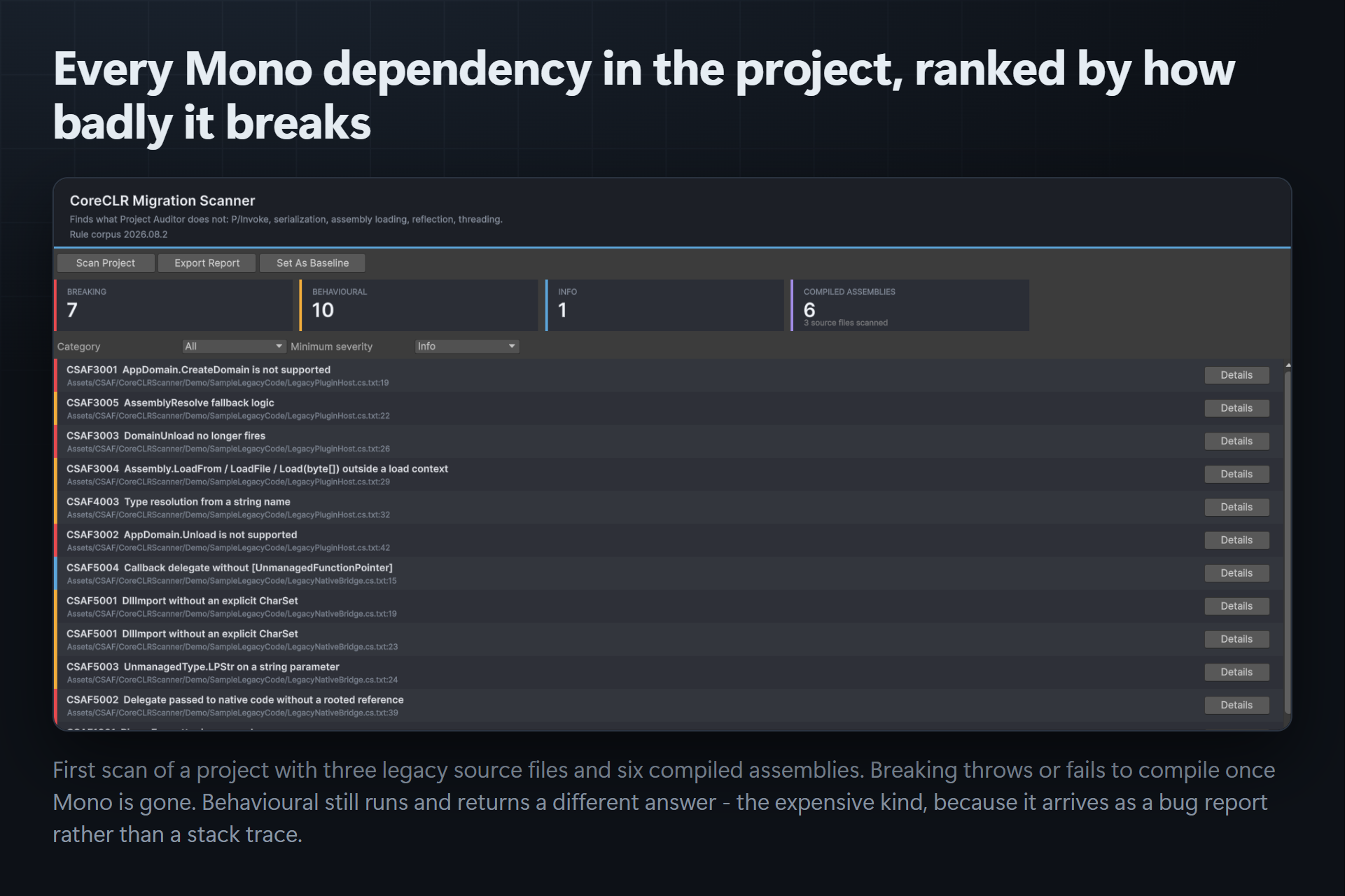
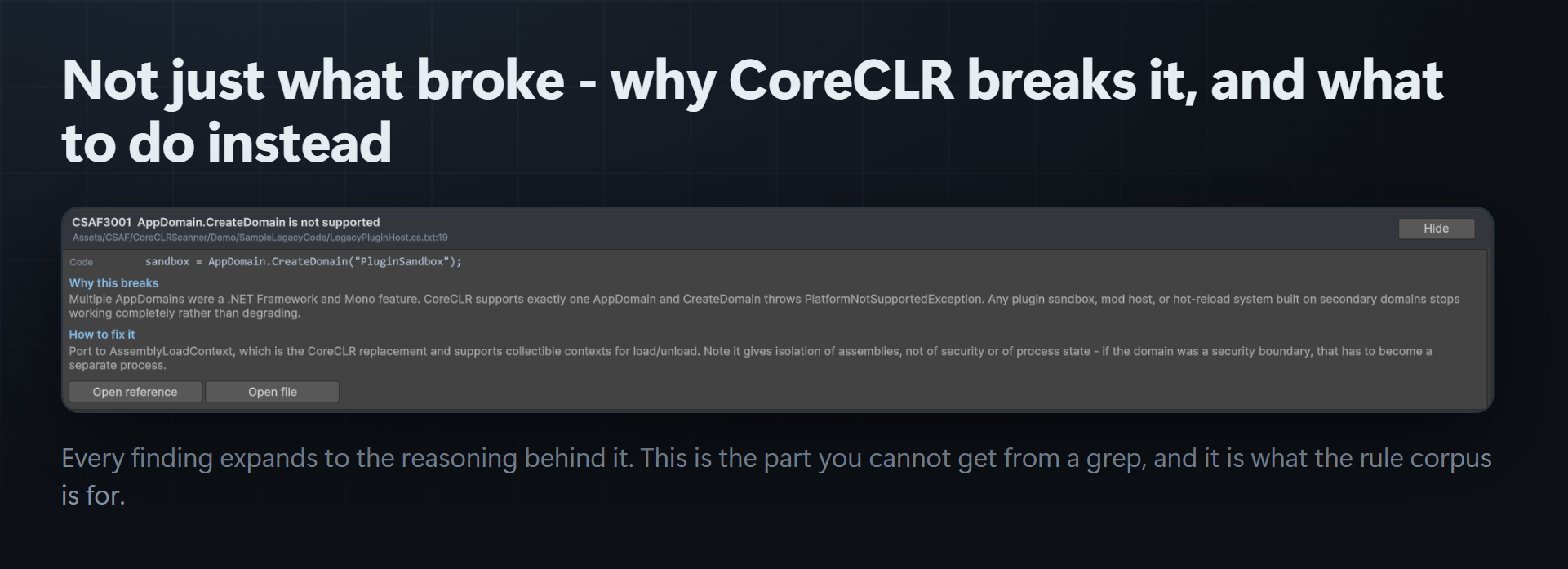
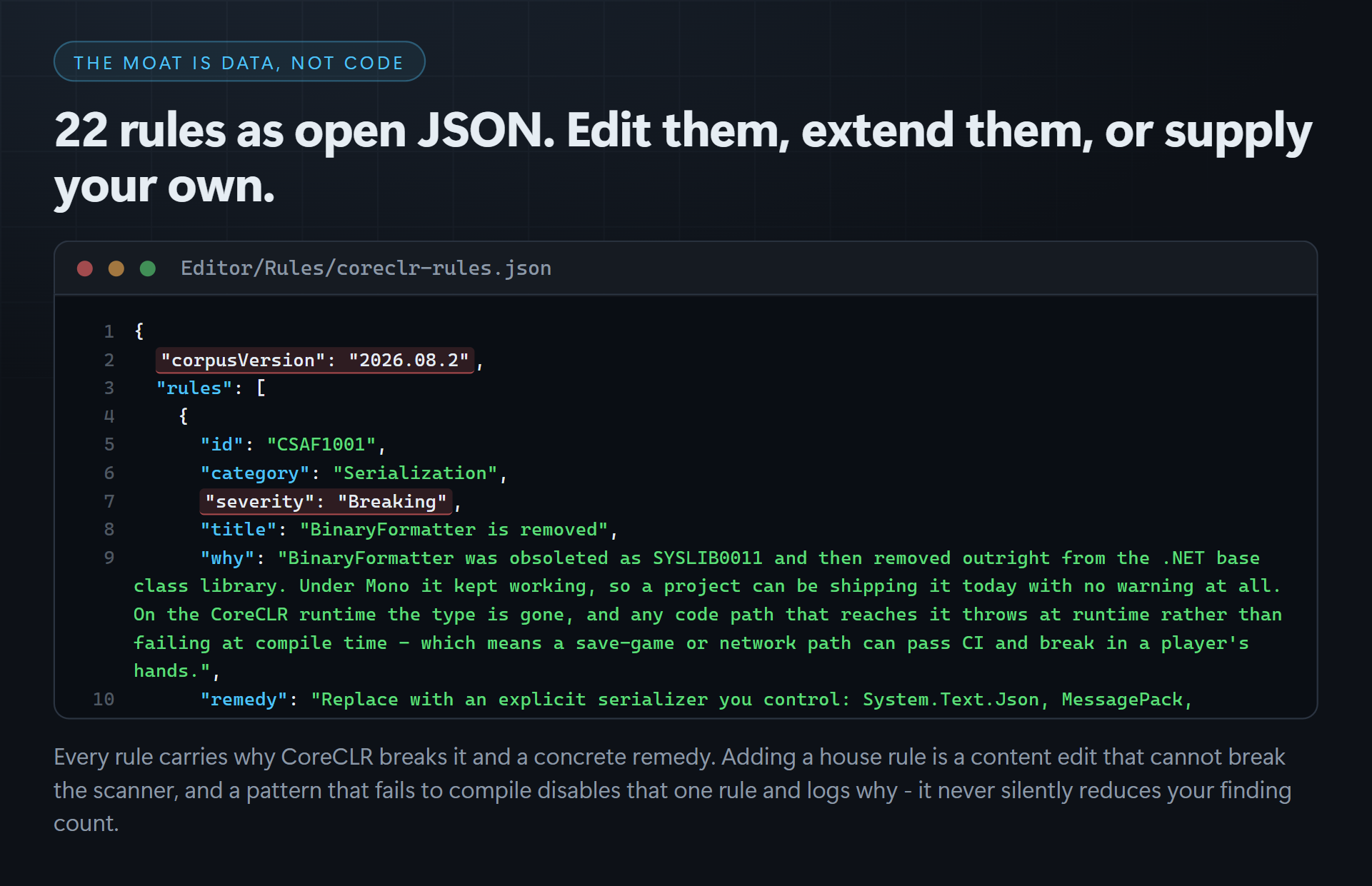
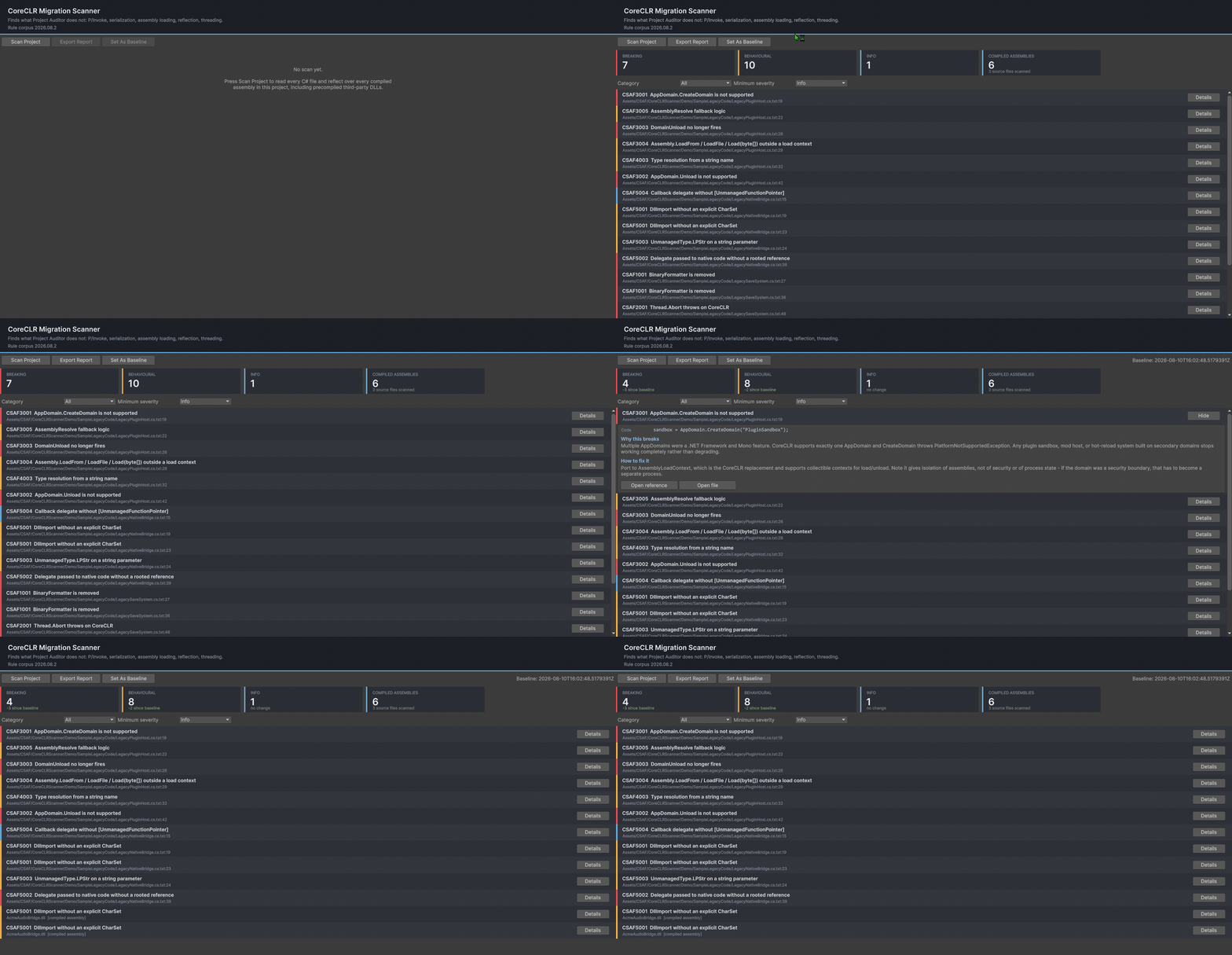
Scans every C# file and reflects over every compiled assembly in your project against a 22-rule corpus covering the five categories that break: serialization, threading, assembly loading, reflection and P/Invoke. Each finding tells you why CoreCLR breaks it and what to do about it — the part you cannot get from a grep.
The compiled-assembly half is the reason to buy it
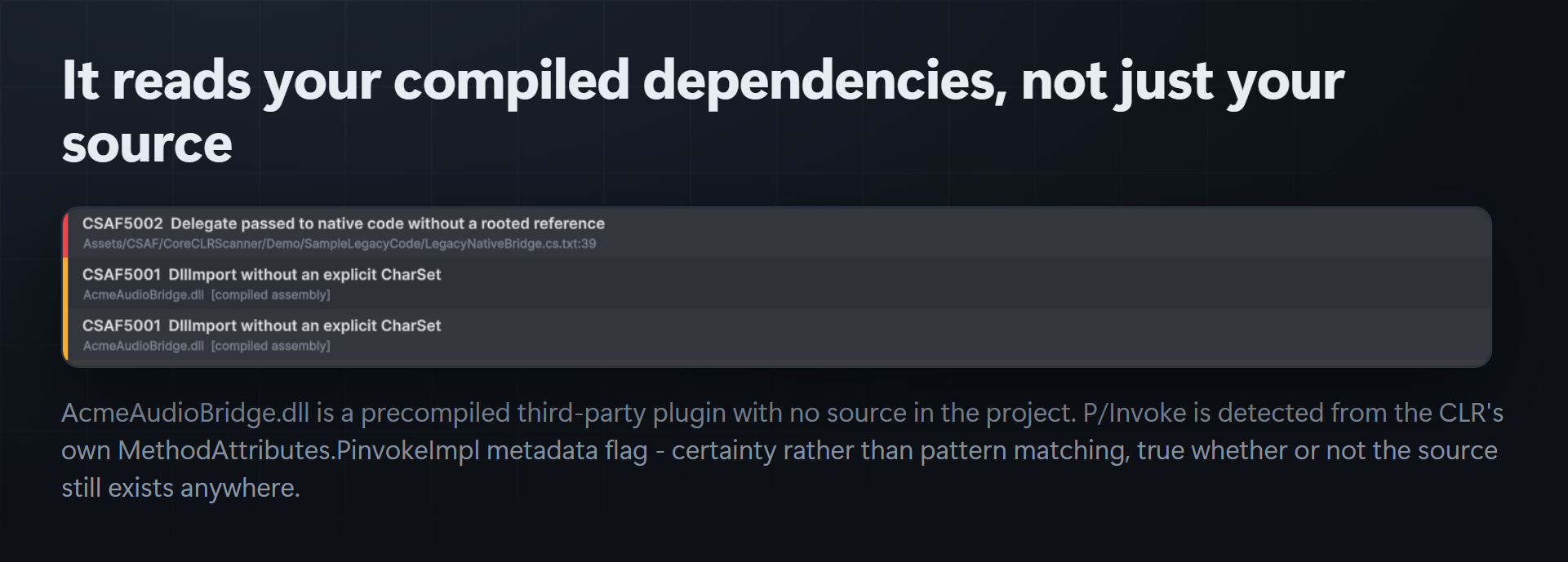
A text search finds what you wrote. Your real exposure is usually in the plugins you bought, shipped as DLLs, whose vendors may be long gone. There is no source to search — so a source-only audit reports a clean project and you find out at runtime.
This detects platform-invoke methods inside compiled assemblies using the CLR's own MethodAttributes.PinvokeImpl metadata flag. Certainty, not pattern matching, and it works whether or not the source exists anywhere on earth. Those findings are tagged [compiled assembly].
Track the burndown
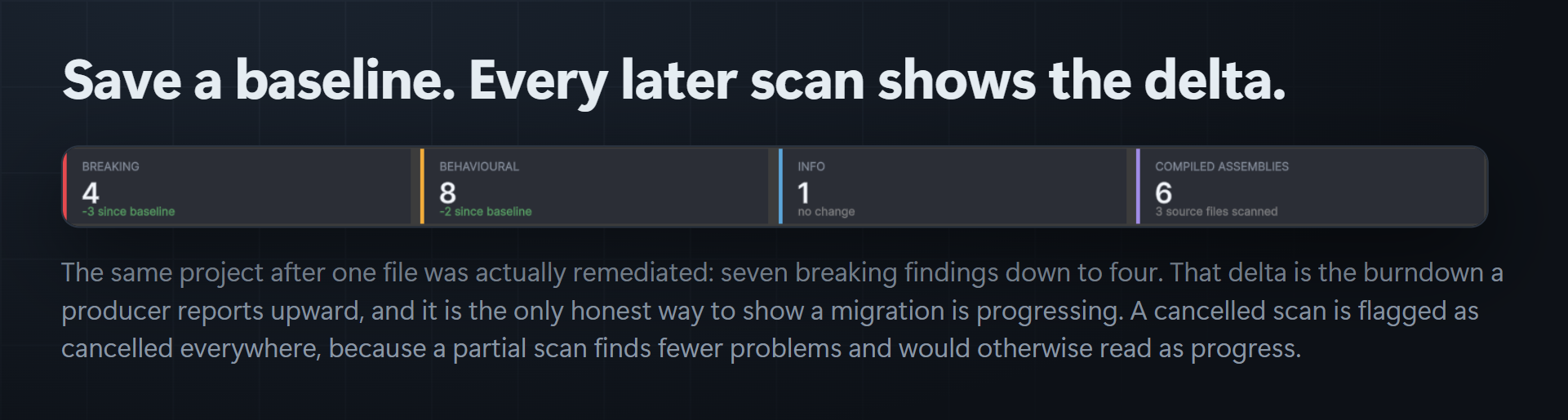
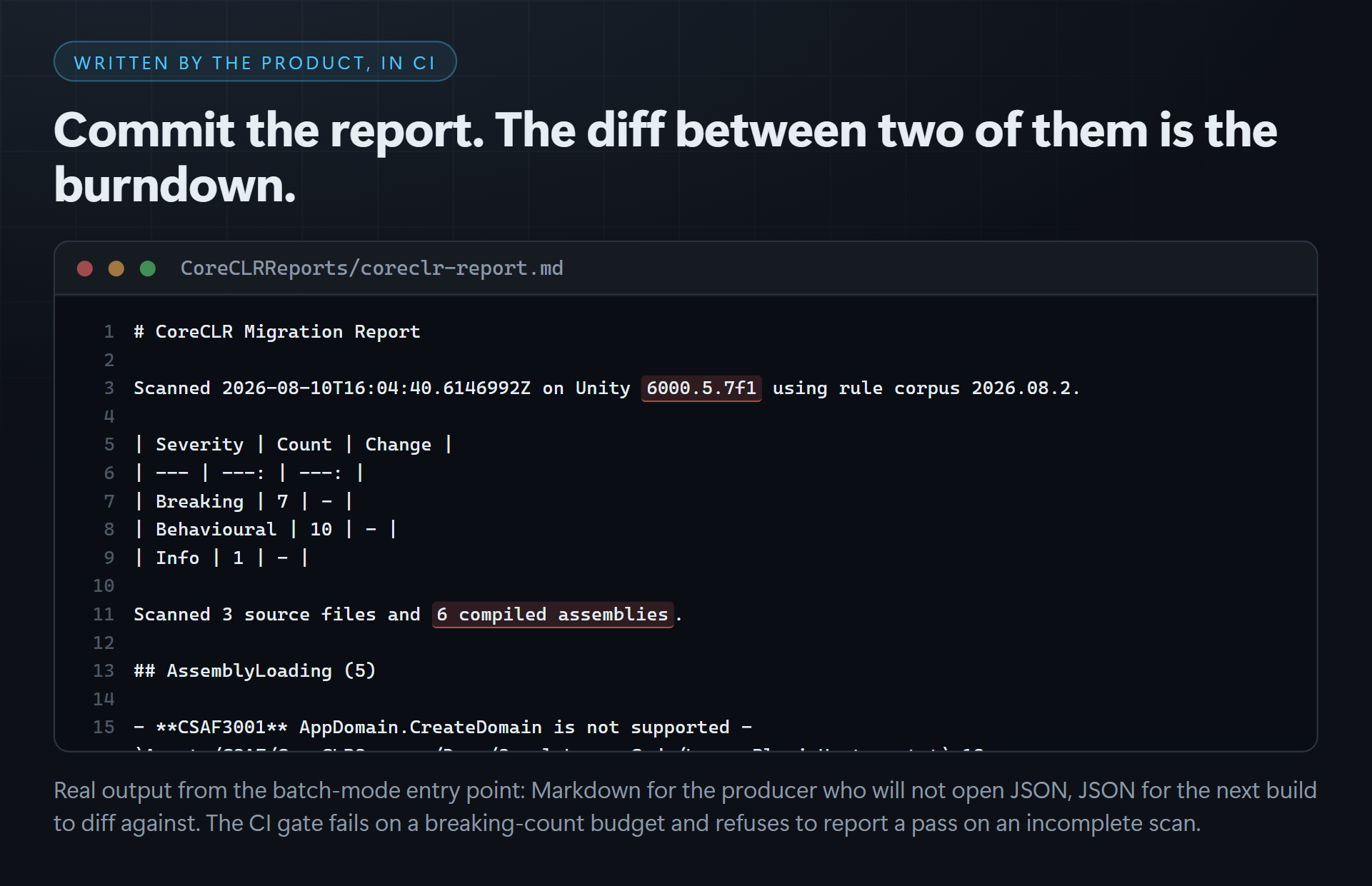
Save a baseline; every later scan shows the delta against it. "-3 since baseline" is the number a producer reports upward. A cancelled scan is marked cancelled everywhere, because a partial scan finds fewer problems than a complete one and would otherwise read as progress.
Runs in CI
Unity.exe -batchmode -quit -nographics -projectPath <proj> \
  -executeMethod CSAF.CoreCLRScanner.BatchMode.Run \
  -csafOutDir CoreCLRReports -csafMaxBreaking 0
Writes JSON and Markdown, fails the build on a breaking-count budget, and refuses to report a pass on an incomplete scan. Commit the JSON — the diff between two reports is the burndown.
What it deliberately does not do
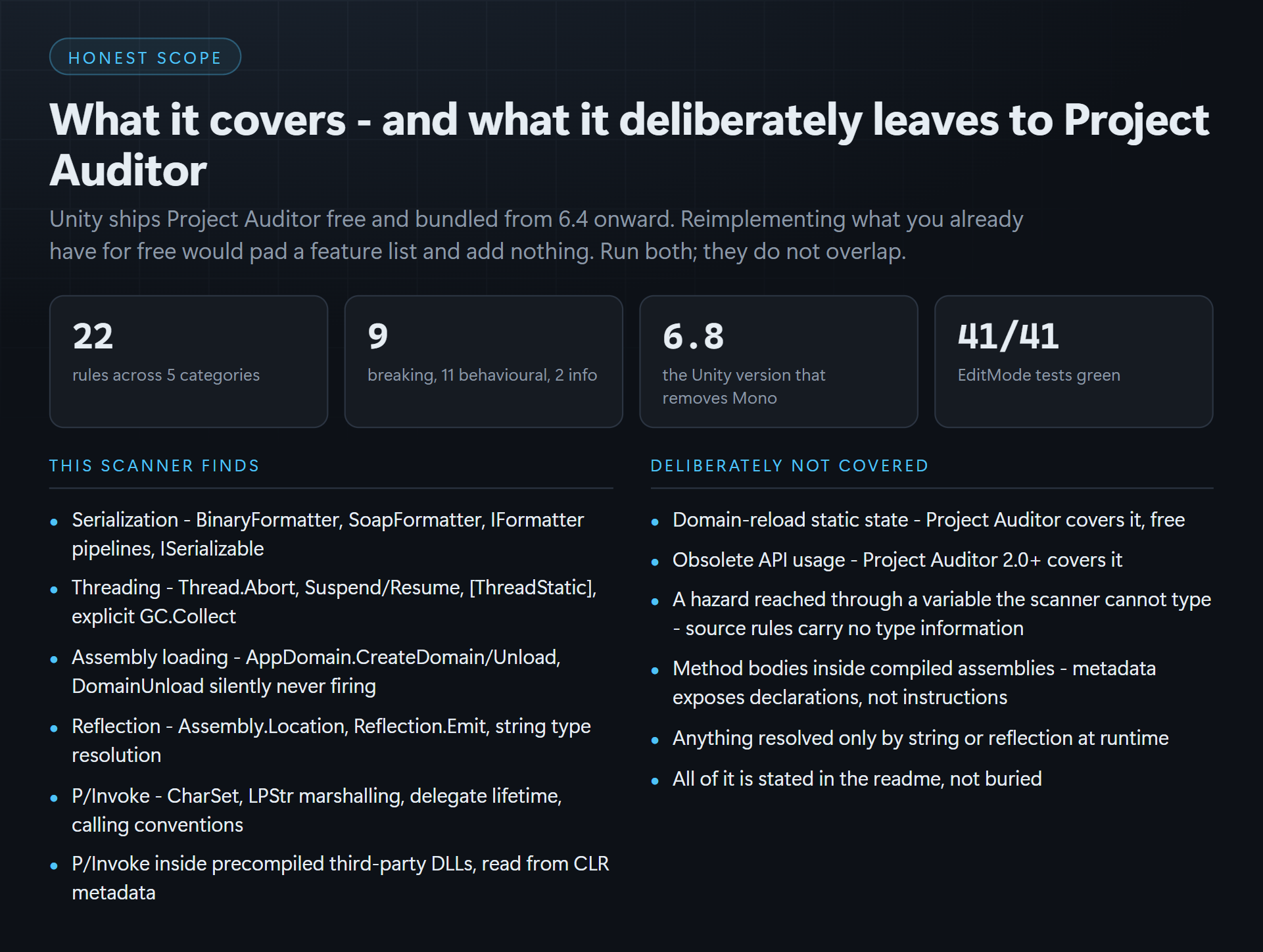
Unity ships Project Auditor free and bundled from 6.4 onward, covering domain-reload static state and, since 2.0.0, obsolete API. This does not reimplement either. Run both; they do not overlap. The included readme states the scope limits in full, including the known false negatives — a line-oriented rule carries no type information, and the assembly half reads metadata rather than method bodies.
What you get
- 10 raw, readable C# files under an Editor-platform assembly definition
- The 22-rule corpus as plain JSON — edit it, extend it, or supply your own
- A demo scene and three deliberately non-compliant samples, so you get real findings immediately
.unitypackage(GUIDs preserved) plus the raw source tree, and the licence- No
Resources/folder, no dependencies, nothing added to your runtime build
Verified, not asserted
Unity 6000.5.7f1. Batch-mode compile with -warnaserror: 0 errors, 0 warnings. 41/41 EditMode tests green, including P/Invoke detection inside a precompiled third-party DLL.
Built by CSAF — Corey & Stephanie's Asset Factory.
More from CSAF
Pipeline and CI tooling for engine teams, all shipping raw readable source under the same terms — unlimited commercial use, no royalties.
- Asset Sentinel (Unreal Engine 5) — naming conventions, texture and mesh budgets, folder policy and material limits as editable data assets, enforced in-editor and headless in CI.
- The full catalogue — editor tooling for Unity, Unreal, GameMaker and RPG Maker MZ.
Purchase
In order to download this tool you must purchase it at or above the minimum price of $79 USD. You will get access to the following files:
Development log