Duplicate Mesh Consolidator
A downloadable tool for Windows
A Revit → 3ds Max → Datasmith import lands ten thousand meshes, and most of them are the same wall. This is the top result on the Unreal forums for the problem, from a developer with exactly that project: "The number of Meshes to delete from the project is more than 10,000. This cannot be done manually." Six separate developers piled into that thread over six months. Nobody posted a tool. The closing note is "So yeah... it is not a one-click fix (yet)."
Unreal already ships the second half of the answer. Consolidate Assets replaces every reference and deletes the redundant copies, and it works perfectly — on two assets you selected by hand. Epic's own documentation walks you through four identical materials that you had to spot first. That is fine for four. It is not a plan for ten thousand.
The missing half is deciding which meshes are actually interchangeable, and being right about it. That is what this does.
It groups them for you, then makes you look before it acts
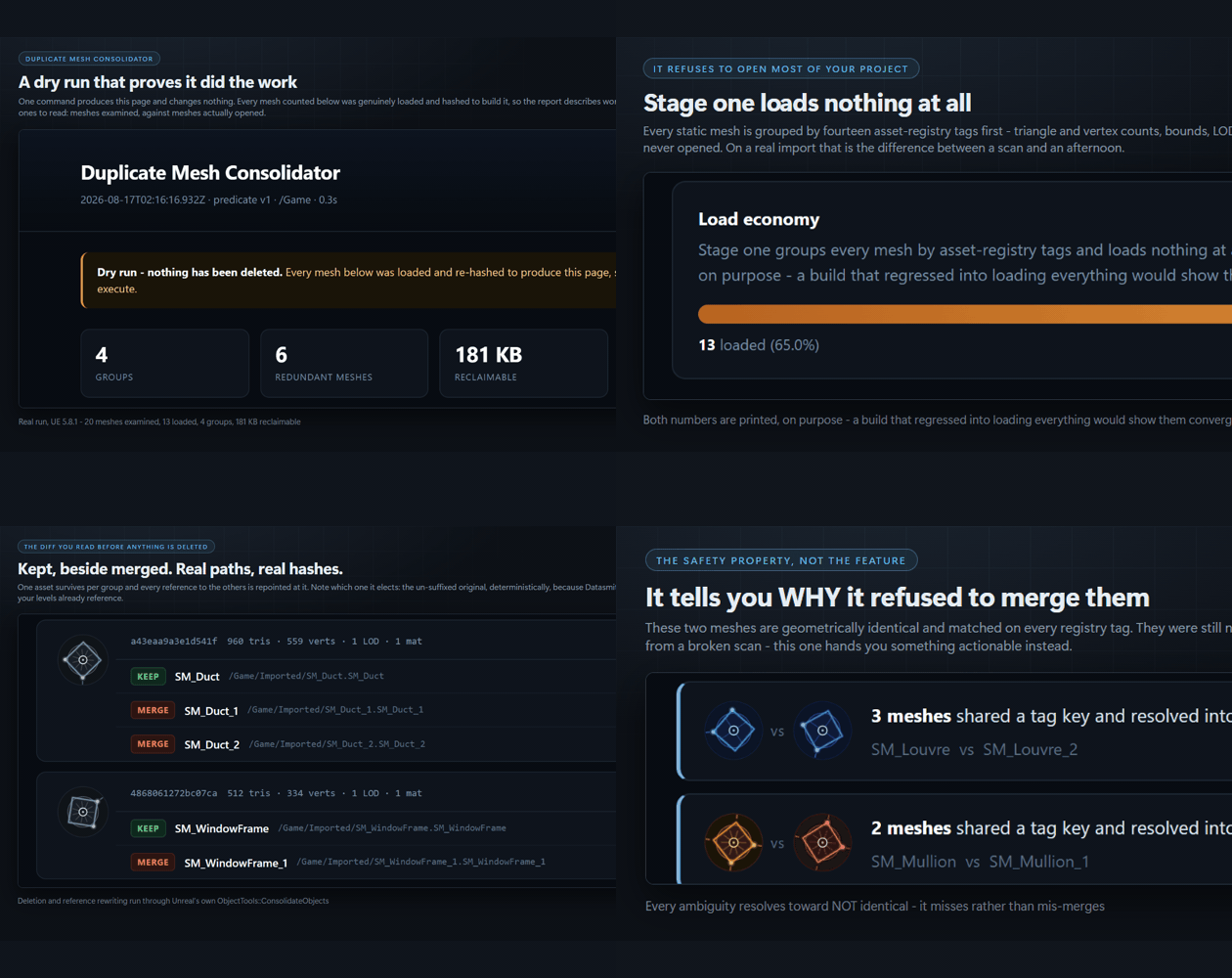
One command produces a designed HTML diff and changes nothing:
UnrealEditor-Cmd.exe MyProject.uproject -run=MeshConsolidator -Path=/Game
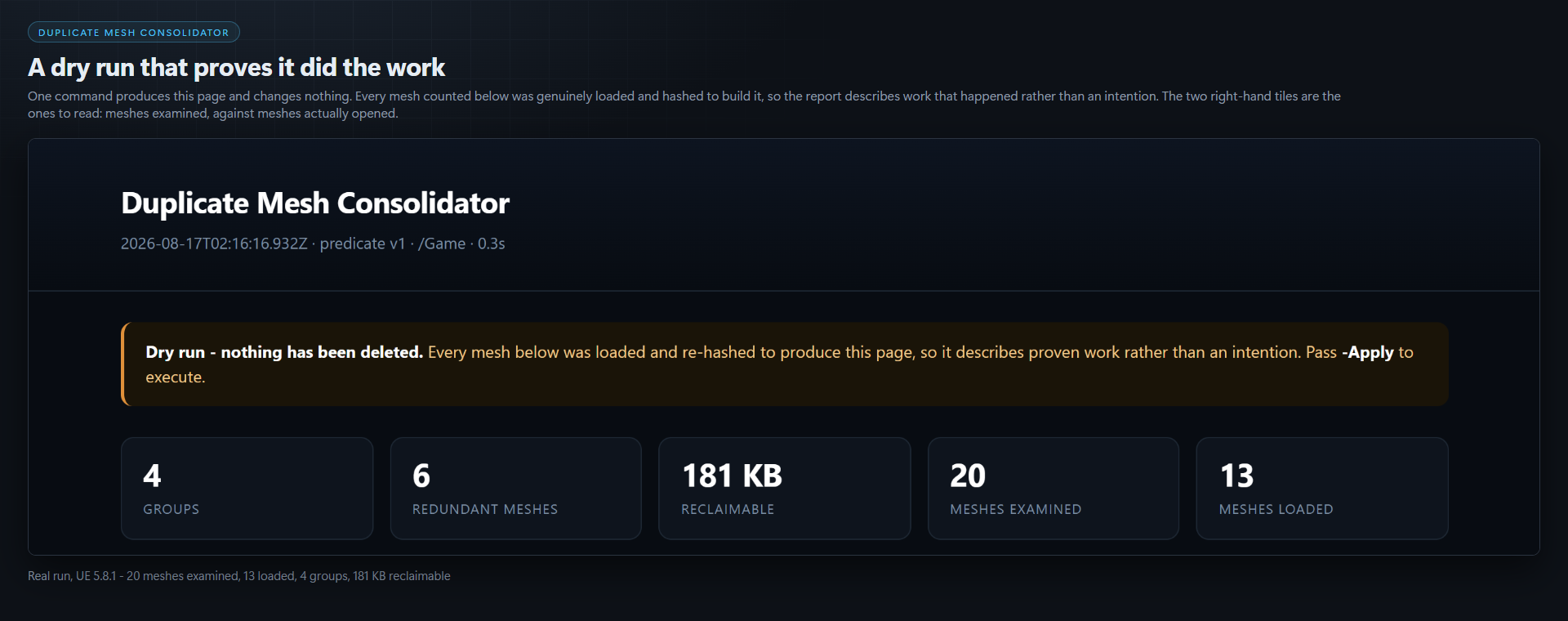
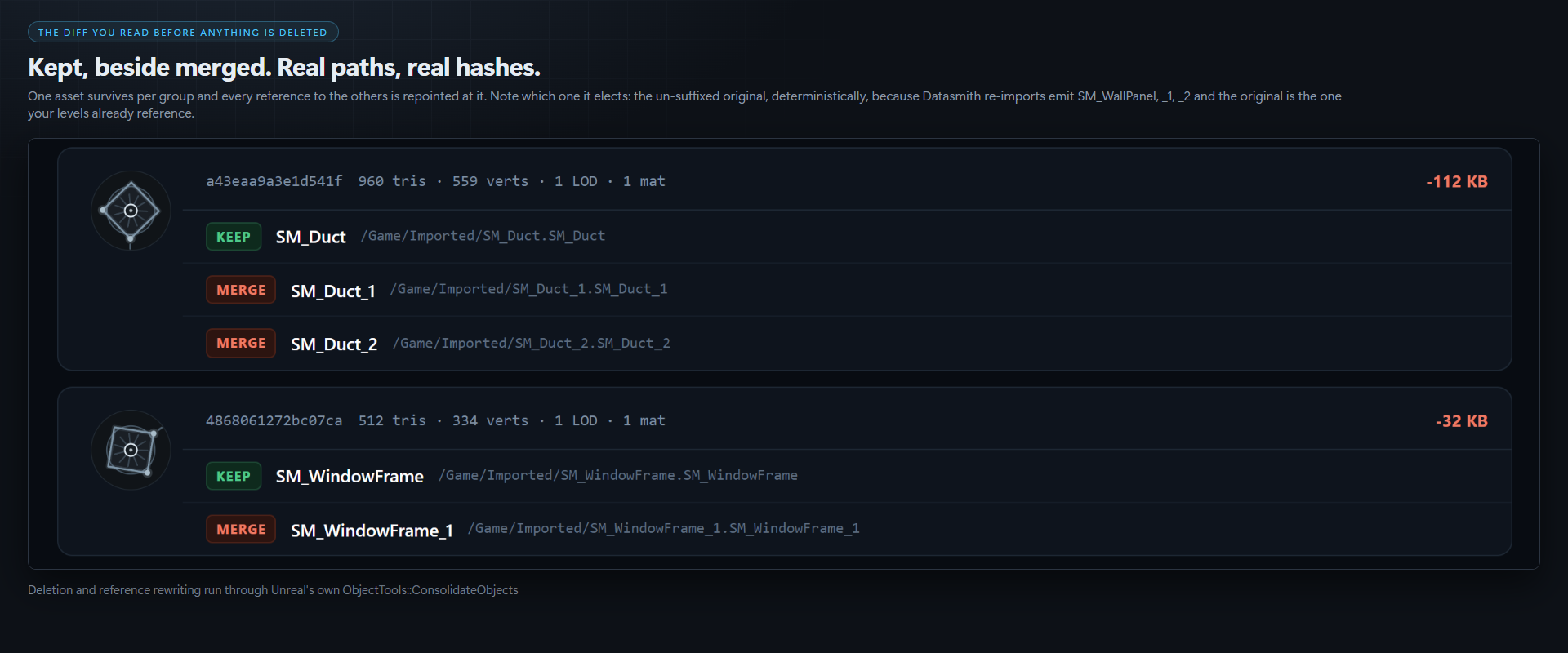
You get a page showing, per group, the asset that will be kept beside the assets that will be merged into it, the bytes each group reclaims, and the two numbers that matter most: meshes examined against meshes loaded. Read it. Then run it again with -Apply.
-Apply consumes the plan the scan wrote. It does not re-scan. A person reads the report between those two commands, and an apply that quietly re-derived its own list would make that review decorative.
Fast because it refuses to open most of your project
Hashing geometry means loading meshes, and loading forty thousand meshes to compare them is not a scan, it is an afternoon.
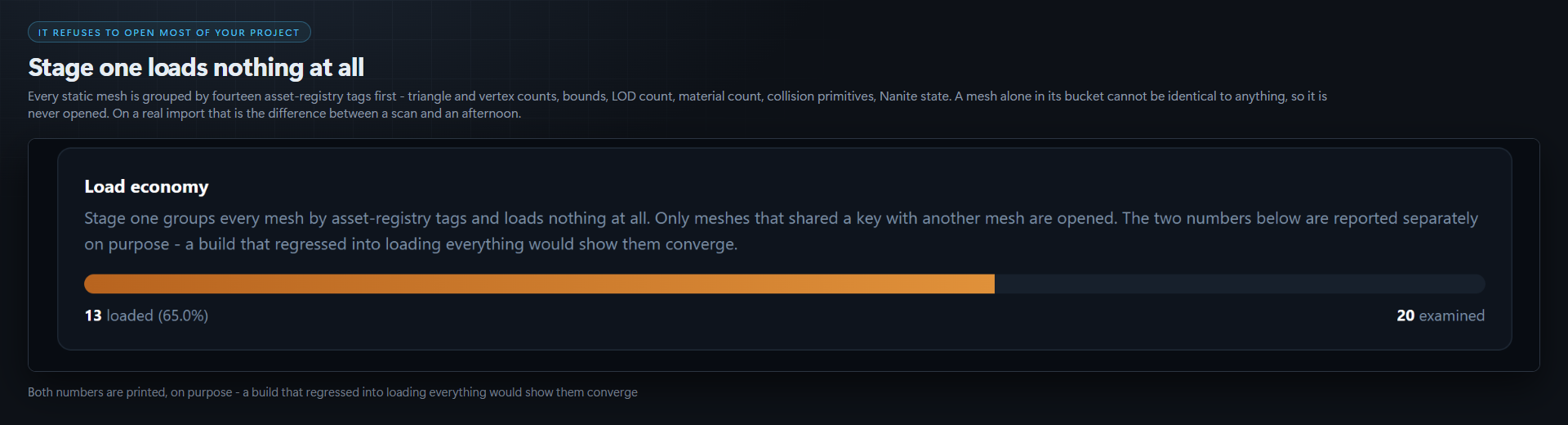
So the scan runs in two stages. Stage one groups every static mesh by its asset-registry tags and loads nothing at all — triangle and vertex counts, bounds, LOD count, material count, collision primitives, Nanite state, and eight more. Only meshes that share a key with at least one other mesh are ever opened.
The report prints examined and loaded as separate figures, on purpose. You can see the economy working, and a regression into loading everything would be visible in the output rather than only in the wall clock.
Every ambiguity resolves toward NOT identical
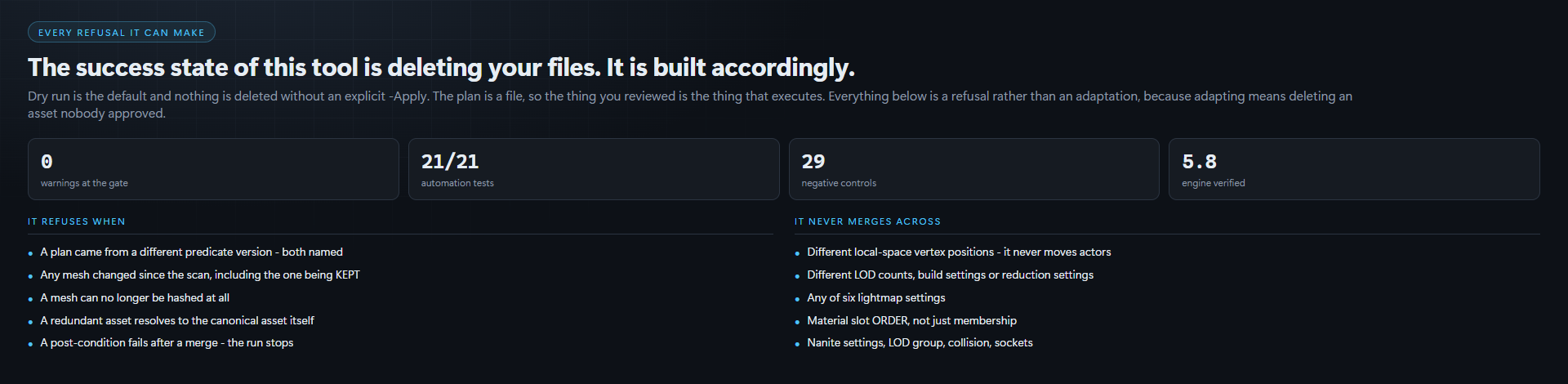
The success state of this tool is deleting thousands of files from a paying client's project. It is built accordingly.
Two meshes merge only when every one of these matches: every vertex position, normal, tangent, colour and UV at every LOD, compared as exact bits · the triangle list including winding order · LOD count, build settings and reduction settings · lightmap settings, all six of them · material slots including their order · Nanite settings · LOD group · every collision primitive, its transform, the trace flag and the profile · every socket and its transform.
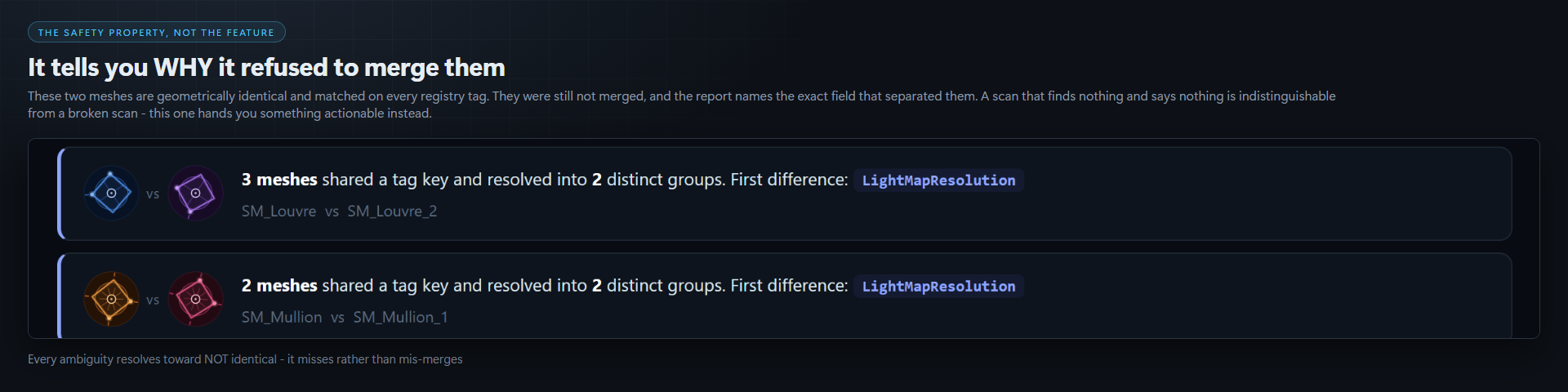
If anything cannot be read, the mesh is skipped, not matched. There is no fuzzy-match mode and there will not be one. The tool sometimes misses a redundant mesh, and that is the deliberate trade: a miss costs you disk space you already had, a bad merge costs you a deliverable.
It never moves your actors
Datasmith exports often bake world position into the mesh, so two identical walls arrive as two meshes whose vertices differ by a translation. They are the same wall — but swapping one for the other moves the model, unless you also rewrite the actor's transform.
This tool does not rewrite actor transforms, at all. Positions are compared in local space with no normalisation, so those meshes never group and are reported as separate. It is a real limitation and it is stated here rather than discovered after purchase.
Near misses tell you why it found nothing
A scan that reports four groups in a forty-thousand-mesh project and says nothing else is indistinguishable from a broken scan.
When meshes match on every registry tag and still do not merge, the report names the exact field that separated them — "400 meshes differ only in DstLightmapIndex". That is usually actionable: it normally means an import setting drifted between batches.
Safety, concretely
- Dry run is the default. Nothing is deleted without an explicit
-Apply. - The plan is a file, so the thing you reviewed is the thing that executes.
- Every mesh is re-loaded and re-hashed at apply time, including the one being kept. If an artist re-imported something between your scan and your apply, that group is refused — not adapted.
- A plan from a different version of this tool is refused outright, naming both versions. It is never reinterpreted.
- Post-condition check after every group: the surviving asset must still load and still hash to the recorded value, or the run stops.
- Deletion and reference rewriting are done by Unreal's own
ObjectTools::ConsolidateObjects— the exact code path the editor's Consolidate Assets command uses. Nothing here hand-rolls asset deletion. -MaxGroups=10so you can try ten before trusting it with four thousand.
CI
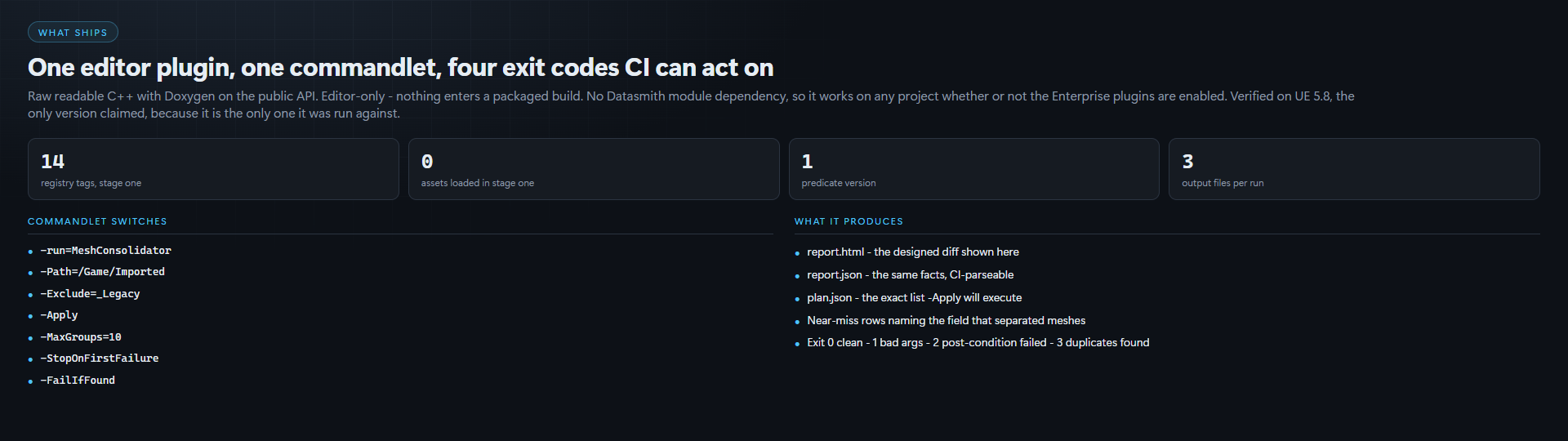
UnrealEditor-Cmd.exe MyProject.uproject -run=MeshConsolidator -Path=/Game -FailIfFound
Exits non-zero when duplicates exist, and writes a JSON report beside the HTML one. Catch the re-import that doubled your mesh count on the commit that caused it.
Verification
Packaging gate clean on Unreal Engine 5.8 — RunUAT BuildPlugin -Rocket, 0 errors and 0 warnings across 11 compile and 2 link actions — and 17/17 automation tests green, cross-checked against the engine's own tally.
Most of those tests are negative controls: pairs of meshes identical except for one attribute, asserted to hash differently, and asserted to differ on that specific attribute. The suite was then proven to work by deliberately deleting one hashed field from the predicate and watching it go red — the compiler stayed perfectly happy throughout, which is exactly why both checks are run.
5.8 only. That is the engine it was built and verified against on the machine that shipped it. No other version is claimed, because no other version was run.
What you get
- Full C++ source, raw and readable — no obfuscation, no precompiled blobs
- Headless commandlet: scan, dry run, apply, CI gate
- The designed HTML diff report, plus a machine-readable JSON report
- Documentation covering every hashed field and every deliberate exclusion
Editor-only. Nothing ships in your packaged build.
More UE5 pipeline tools from CSAF
- Plugin Cleaner — find the engine plugins nothing in your project references, and turn them off, safely.
- Migration Ledger — your upgrade compiled clean and parts of it silently stopped working. Find them, and write the fix.
- Config Warden — deletes the dead lines in your UE5 config, then re-resolves every value to prove nothing moved.
- Asset Sentinel — author naming, budget and folder standards as data, then enforce them headless in CI with JUnit output.
Purchase
In order to download this tool you must purchase it at or above the minimum price of $14.99 USD. You will get access to the following files:
Development log