Play Compliance
A downloadable tool
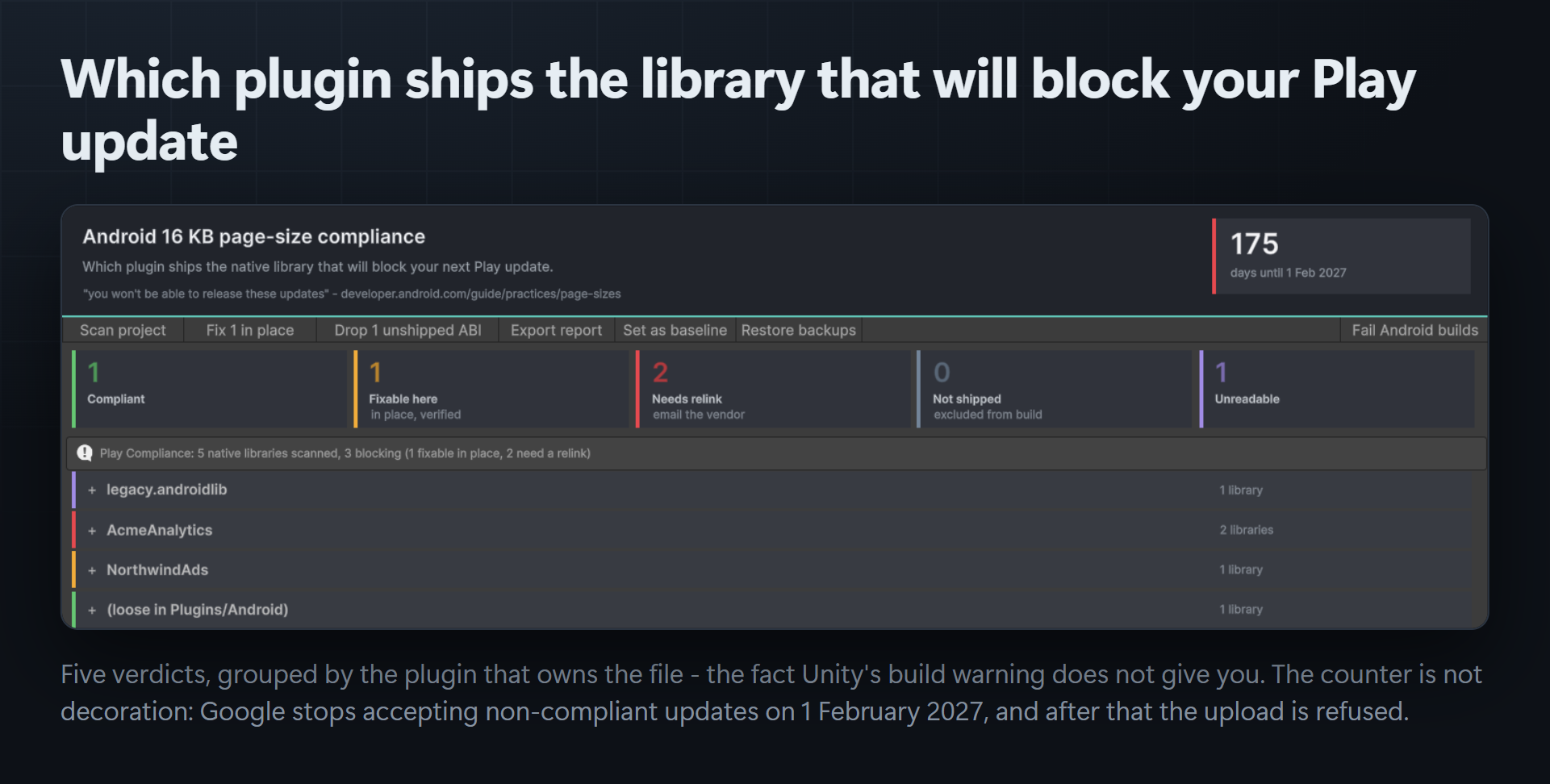
Google stops accepting Android app updates without 16 KB memory page support on 1 February 2027. Not a warning — you cannot ship the update.
"Starting February 1, 2027, if your app updates don't support 16 KB memory page sizes, you won't be able to release these updates." — developer.android.com
Unity's entire remedy is a build warning telling you to "contact the plug-in creators" — without naming a plug-in. Google's tooling is command-line scripts pointed at a finished APK, and check_elf_alignment.sh is bash, so on Windows it does not run at all.
So the loop most teams are in today is: build, upload to the Play Console, read the rejection, guess which of forty SDKs caused it.
Play Compliance names the plugin — and then acts on it.
1 · It names the plugin
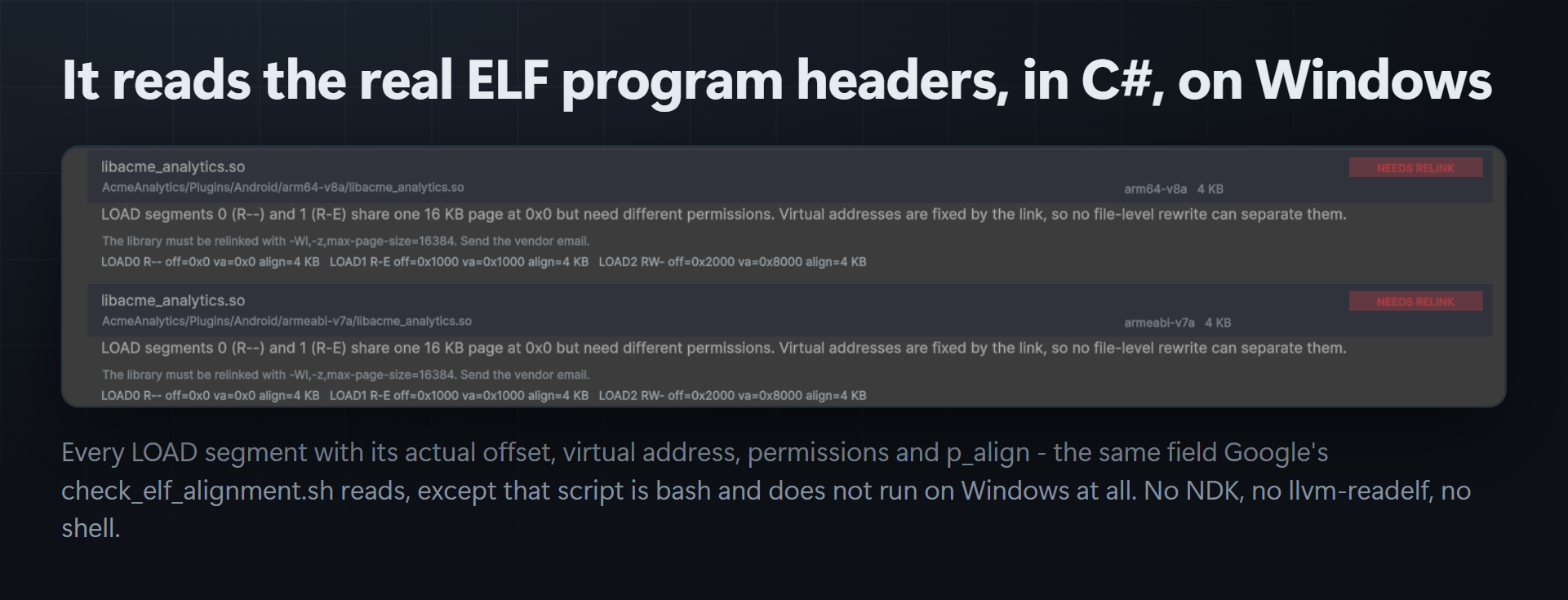
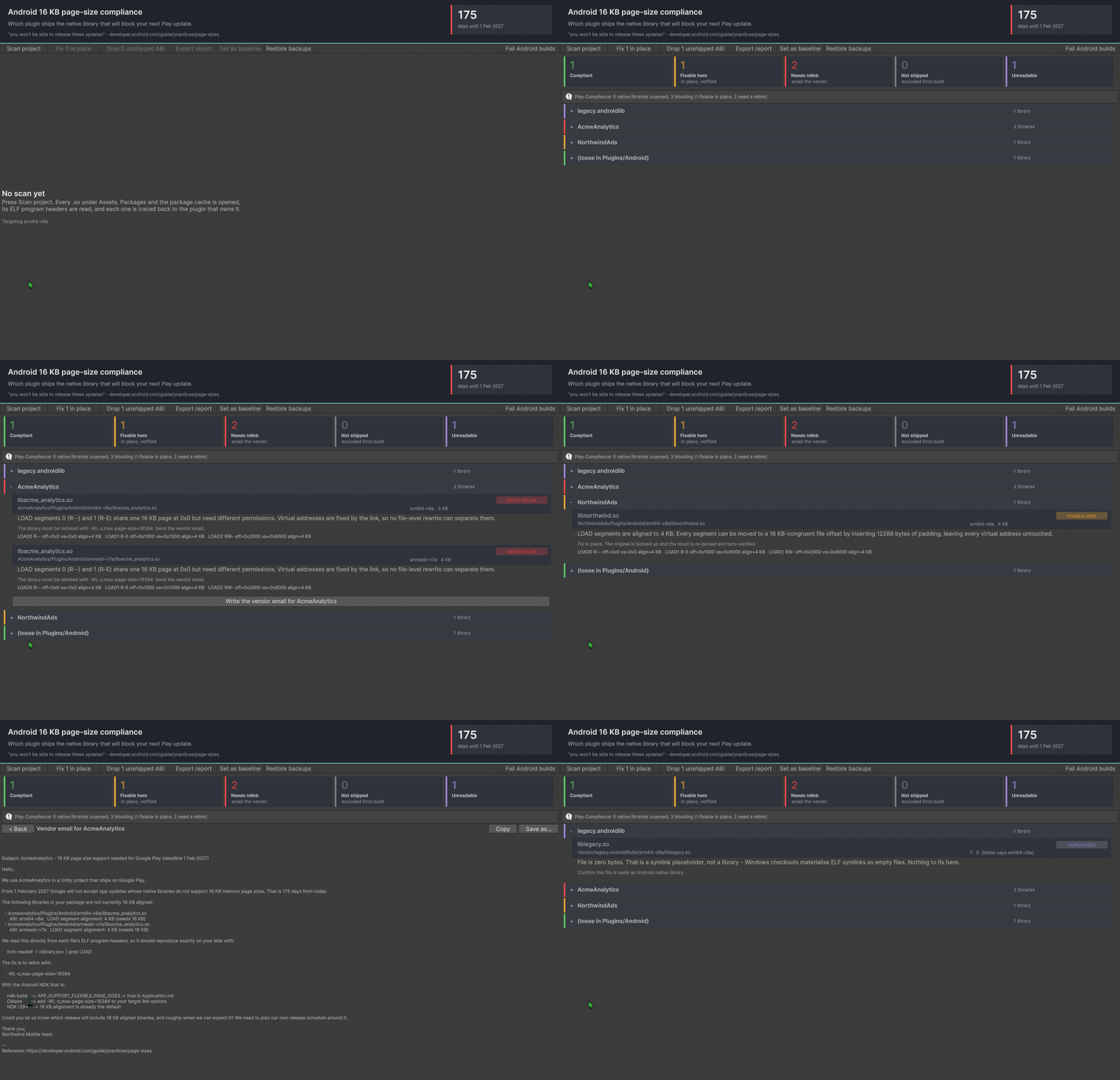
Every .so under Assets/, Packages/ and the UPM package cache is opened and its ELF program headers read directly — the same p_align field Google's own script checks, in pure C#, no NDK, no shell, works on Windows. Each library is traced back to the plugin folder that owns it: a UPM package, an .androidlib, an extracted .aar, or a vendor folder.
The ABI comes from the ELF header, not the folder name. A folder is a convention a vendor can get wrong; e_machine is what the loader reads. When they disagree, the dashboard says so.
2 · It drops the ABIs you never ship
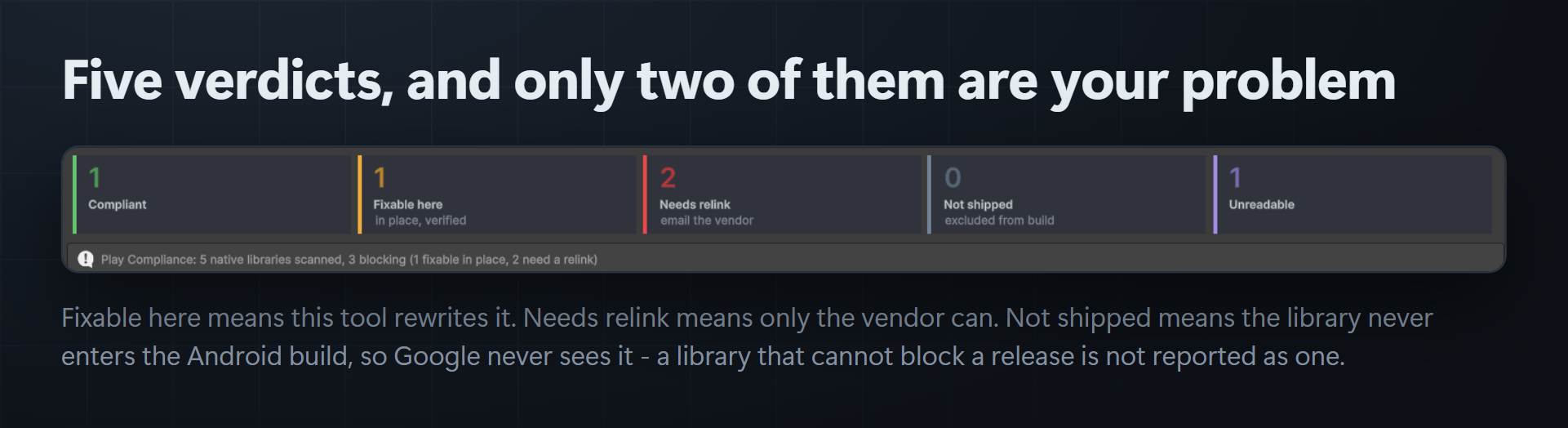
Building arm64-v8a only? Every armeabi-v7a copy of every SDK is payload you ship and never load — and each one is a rejection waiting to happen. One button excludes them from the Android build. Nothing is deleted. Ctrl+Z puts it back.
3 · It re-aligns what can be re-aligned — in place, no relink
The safety argument is one sentence: virtual addresses do not change.
Relocations, the dynamic table, the GOT and PLT and every symbol reference a virtual address. The only fields in an ELF that reference a file offset are e_phoff, e_shoff, each p_offset and each sh_offset — a closed, enumerable set. Play Compliance pads file offsets until every LOAD segment is 16 KB-congruent, updates exactly those fields, and raises p_align to 16384.
Before it writes anything it copies the original outside Assets/, re-parses its own output from scratch, and compares the whole file byte for byte against the original at its shifted position. If one byte outside those four fields differs, your file is never touched. There is a Restore button.
4 · It refuses what it cannot safely fix — and writes the email
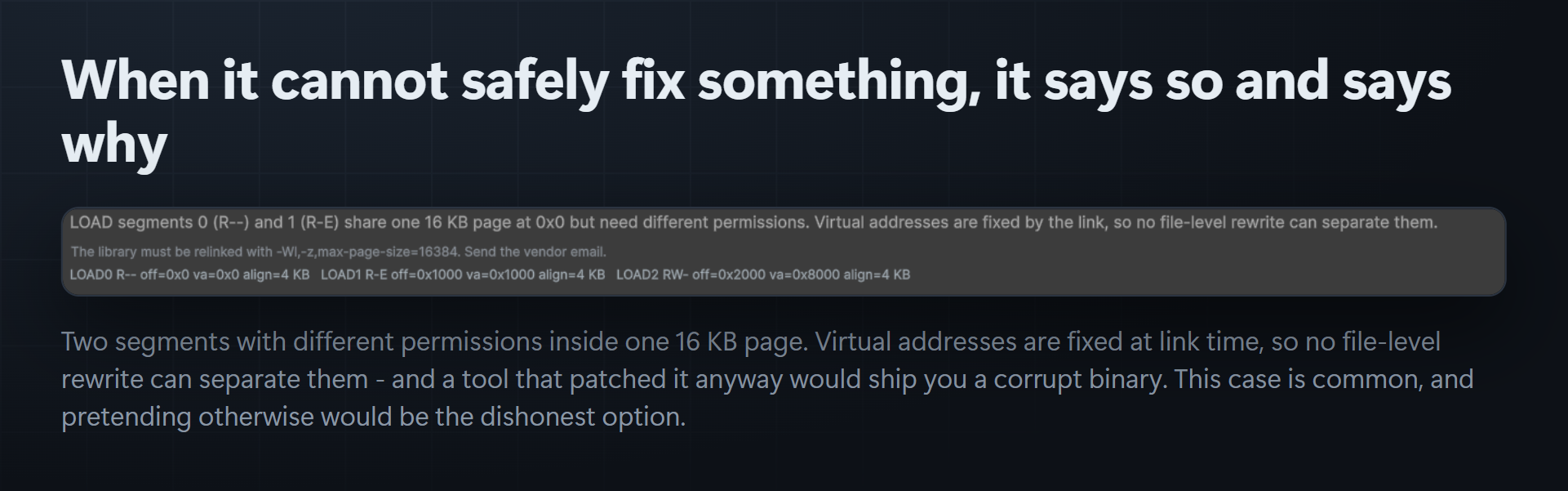
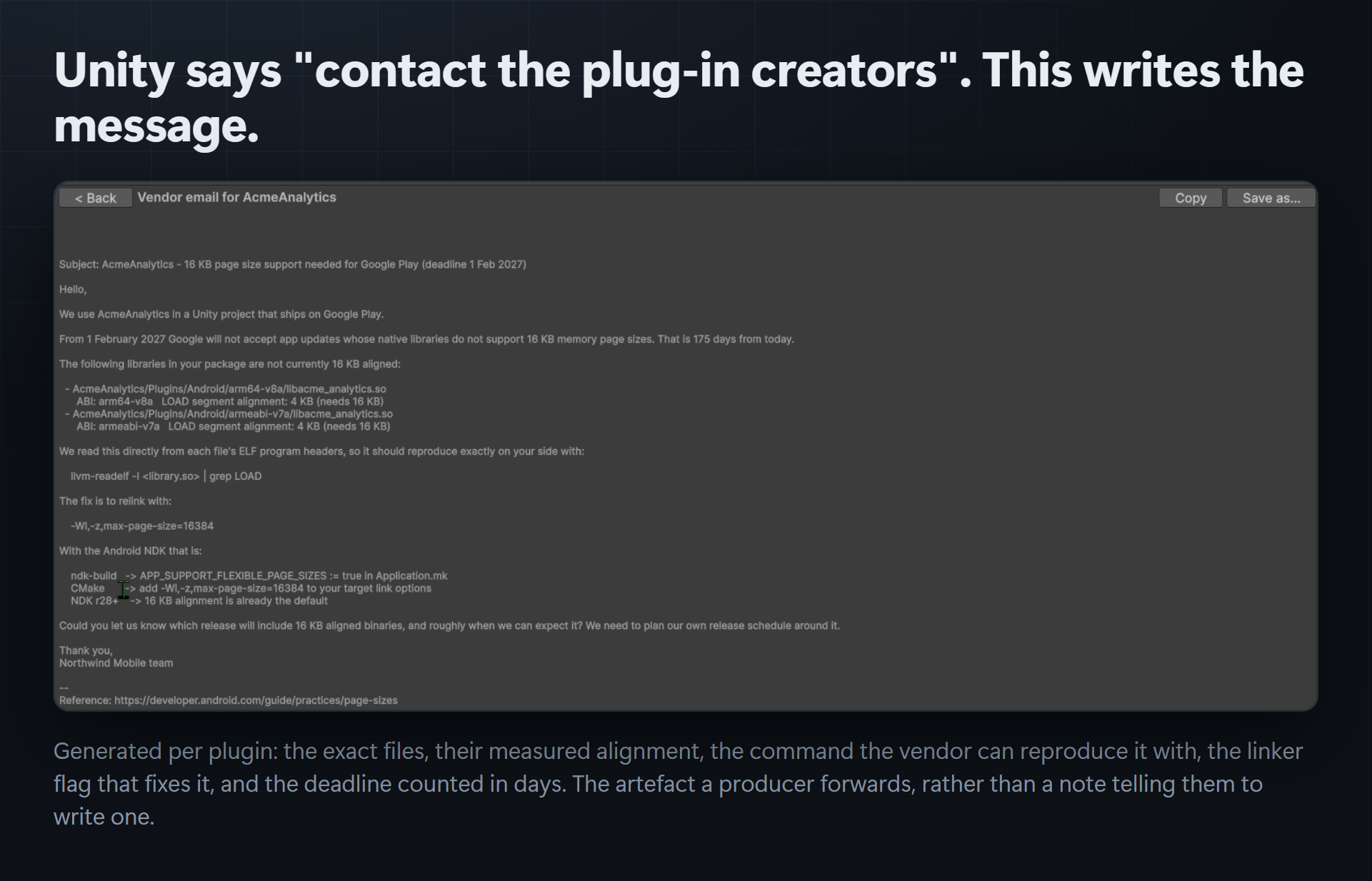
When two LOAD segments with different permissions share one 16 KB page, their addresses were fixed at link time and no file rewrite can separate them. This is common, and the tool says so plainly rather than pretending. It names the two segments and the address, then generates a complete vendor email: the exact files, their measured alignment, the reproduction command, the linker flag, and the deadline in days.
Relinking with -Wl,-z,max-page-size=16384 is the gold standard and Play Compliance says so everywhere. The in-place fix exists for the libraries you cannot rebuild, because you did not build them.
5 · It fails the build before you waste an upload
An opt-in pre-build check stops an Android build that would produce a package Google refuses, and names the offending plugins in the error. Off by default — a tool that silently breaks your existing builds on import is a tool you uninstall.
Runs headless
Unity.exe -batchmode -quit -nographics -projectPath <project> \
          -executeMethod CSAF.PlayCompliance.BatchMode.Scan \
          -playComplianceJson  Build/play-compliance.json \
          -playComplianceFailOn 0
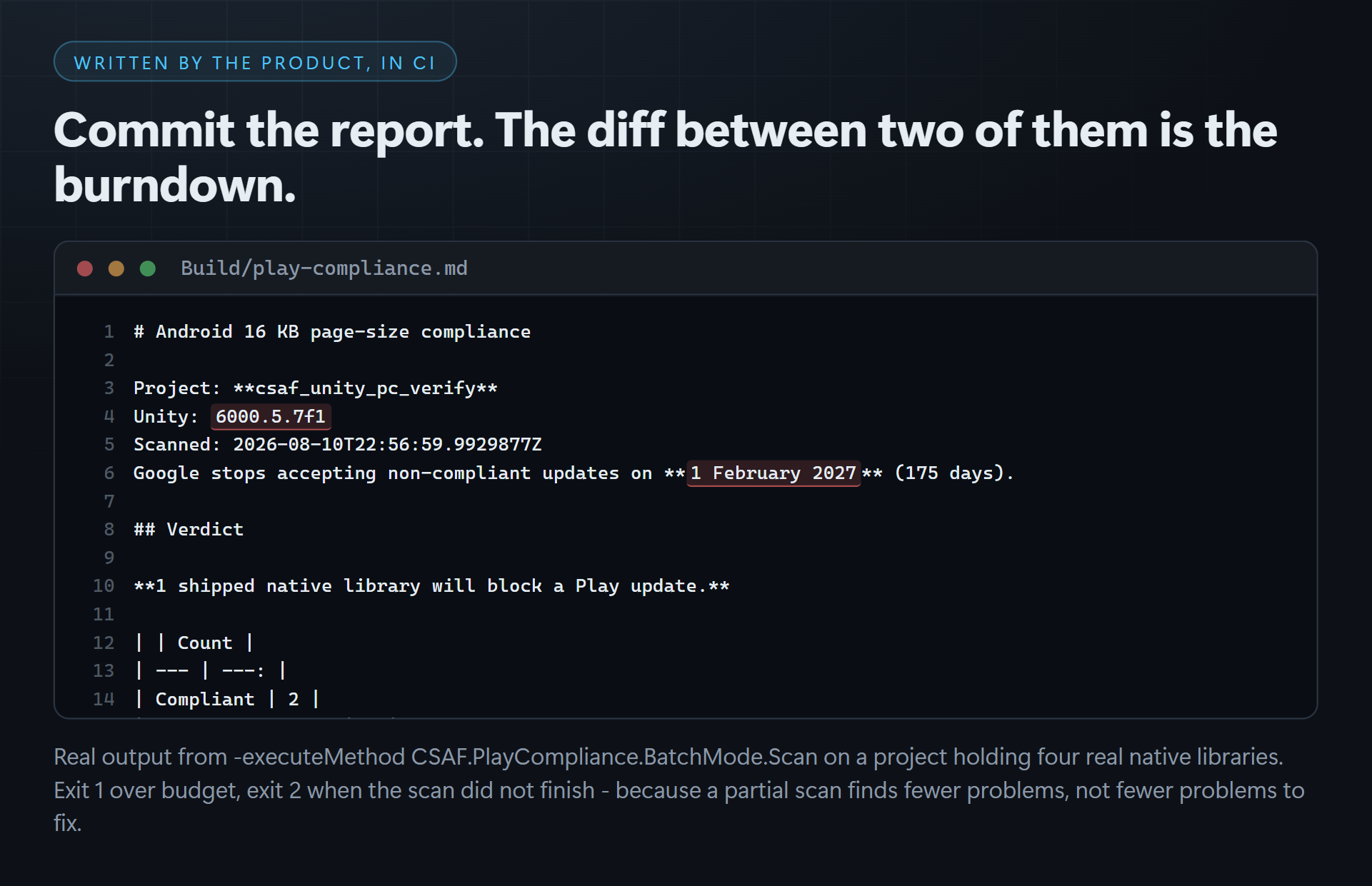
JSON for the burndown, Markdown for the producer, exit 1 over budget — and exit 2 when the scan did not complete, because a partial scan finds fewer problems, not fewer problems to fix.
What is in the box
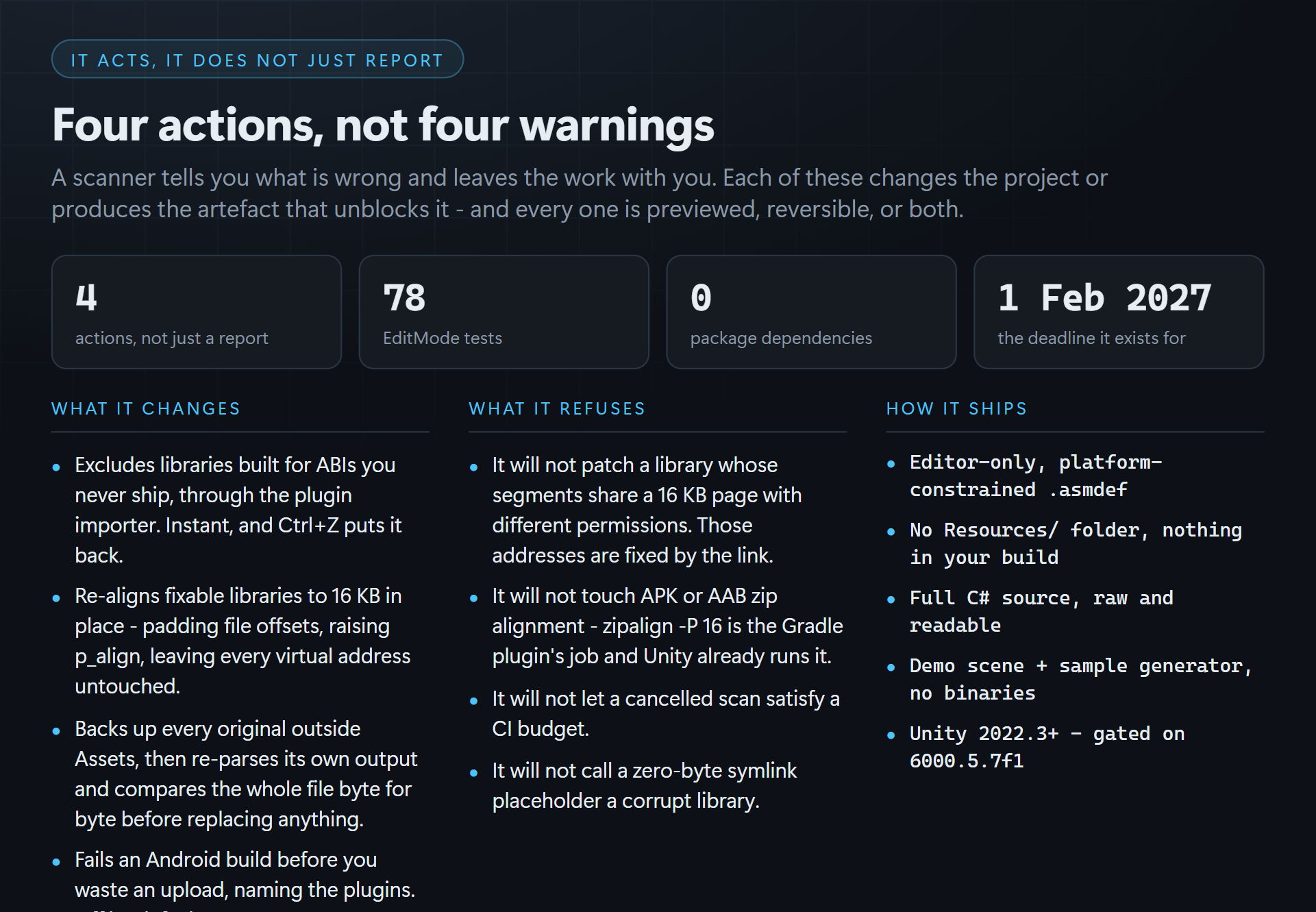
- Full C# source, raw and readable. Editor-only, in a platform-constrained
.asmdef. NoResources/folder, nothing shipped into your build. - A demo scene you press Play on, plus a sample generator so the tool has something to show in a project with no Android plugins yet. No binaries in the package.
- 78 EditMode tests, including a full in-place re-align round trip asserting every LOAD segment's payload and every virtual address survives unchanged.
- Unity 2022.3+ · built and gate-verified on Unity 6 (6000.5.7f1) with warnings as errors.
What it deliberately does not do
It does not touch APK/AAB zip alignment — zipalign -P 16 is the Android Gradle Plugin's job and Unity already runs it. This is about the contents of each .so, which is the half nothing in your toolchain will fix for you.
Built by CSAF — Corey Gallant and Stephanie Thomason. Developed with AI assistance; store artwork is generated. Declared truthfully on every store that asks.
More from CSAF
CoreCLR Migration Scanner — the same shape of problem one layer up: Unity is replacing the Mono runtime with CoreCLR, and this finds every construct in your project that will not survive it. If you are auditing native plugins for Android, you are about to audit managed code for CoreCLR.
For Unreal we build Asset Sentinel (asset standards and budgets enforced headless in CI) and Migration Ledger (find and fix what an engine upgrade silently broke). For GameMaker, Kinetic UI and Trove.
Everything ships raw readable source with unlimited commercial use and no royalties. The whole catalogue is at csaf.itch.io.
Purchase
In order to download this tool you must purchase it at or above the minimum price of $39 USD. You will get access to the following files:
Development log