Trove - Procedural Item Icons & Inventory for GameMaker
A downloadable asset pack
Every inventory asset for GameMaker ships the box and expects you to bring the pictures. The most expensive one says so in its own store text. So you buy an inventory, then you buy an icon pack, and then you find the pack has sixty icons in one style at one pixel size — and your game needs a copper version, and a cursed version, and one at 64px for the detail panel.
Trove ships both halves, and the pictures are code.
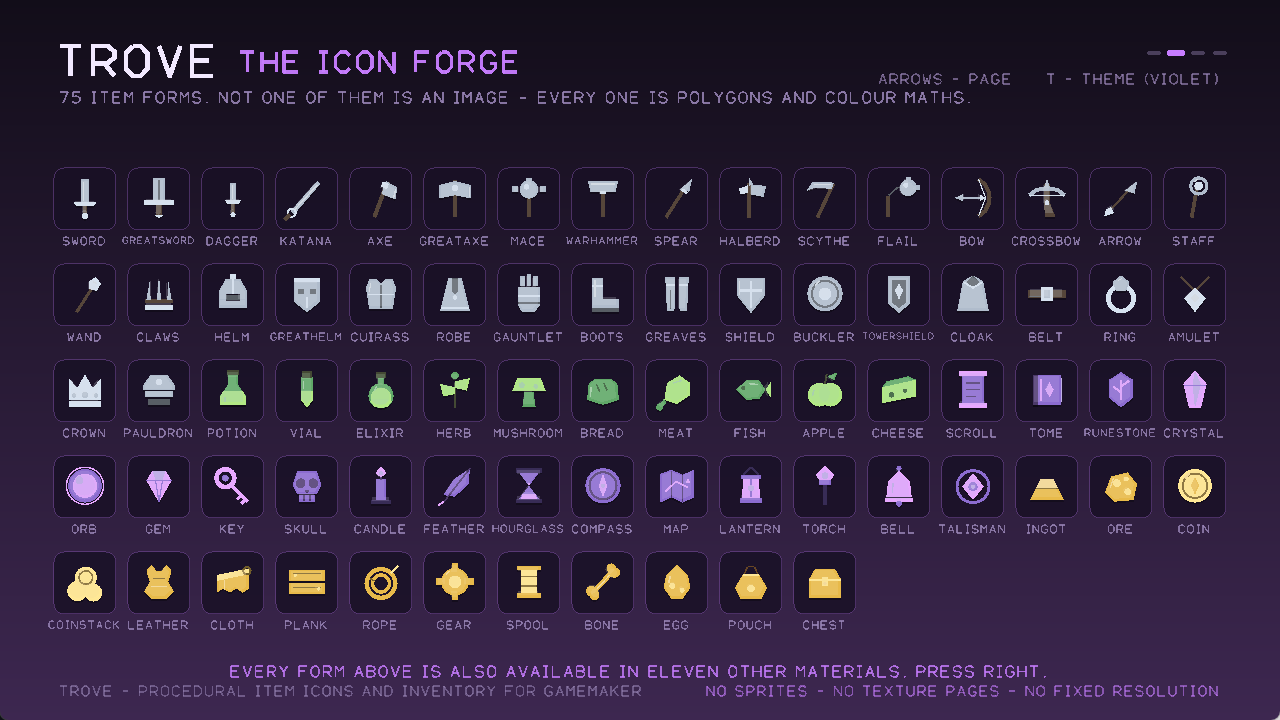
An icon here is not an image. It is a short list of polygons, discs and strokes on a ten-by-ten grid, coloured by role — blade, grip, accent, shade, light — with a material palette supplying the actual colours at draw time.
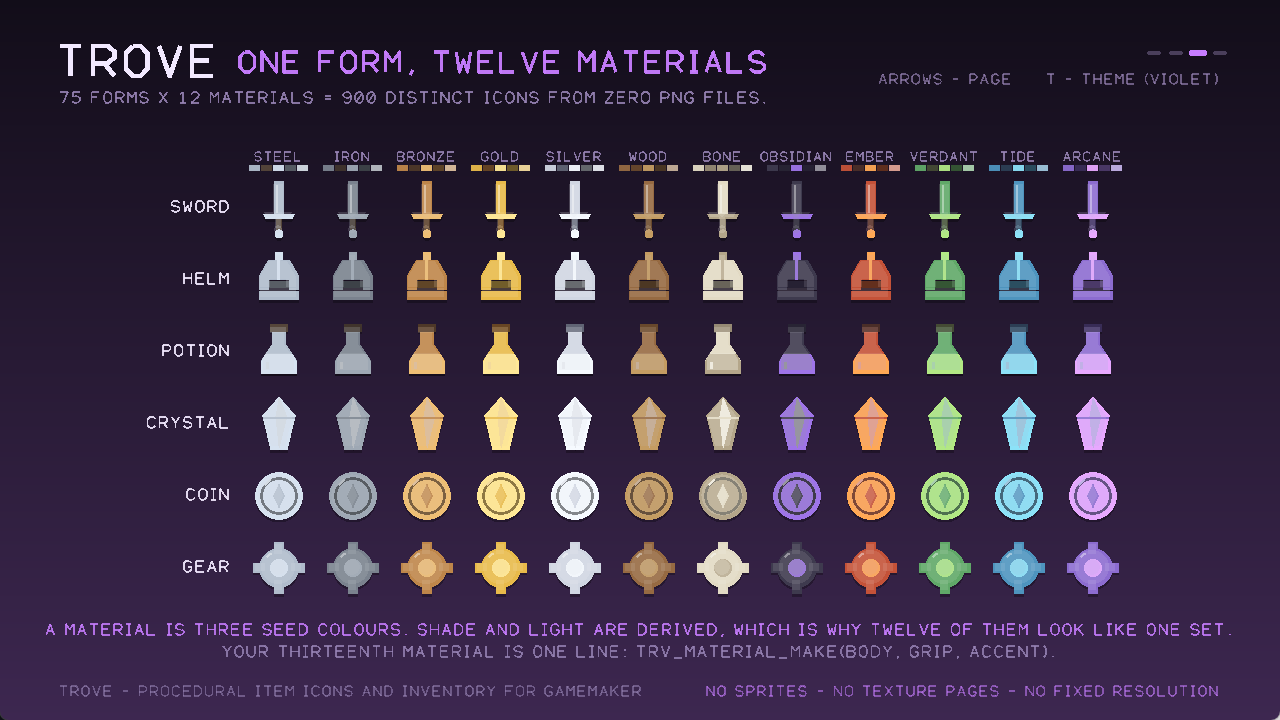
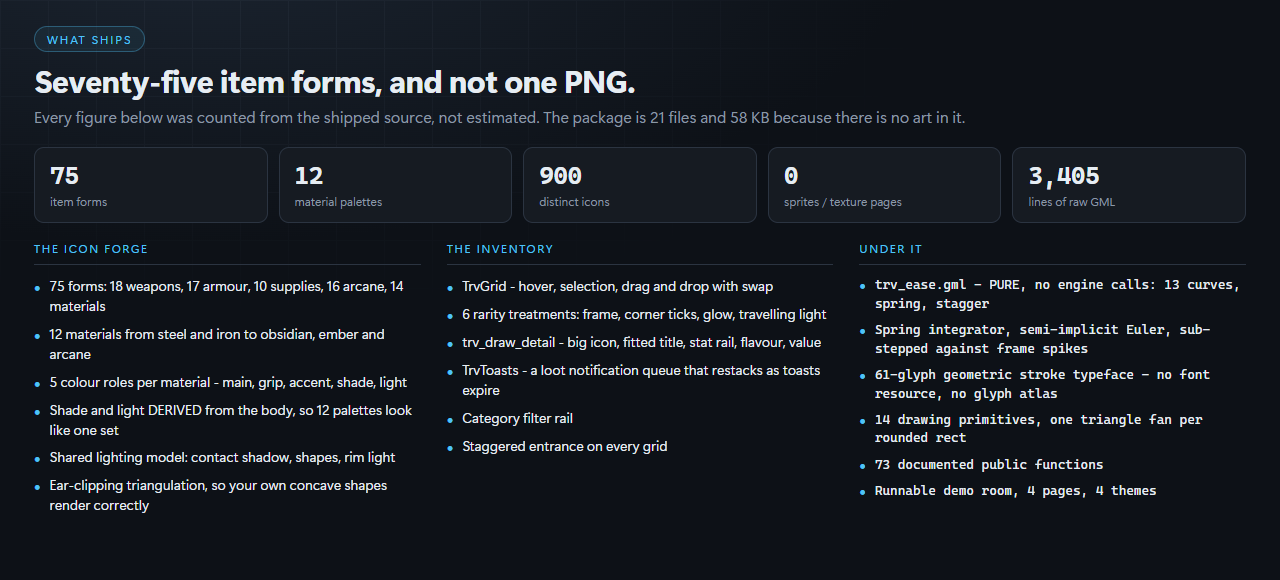
75 item forms × 12 material palettes = 900 distinct icons
Weapons, armour, supplies, arcane and materials. An iron sword and a gold sword are the same nine polygons. Your thirteenth material is one line of code.
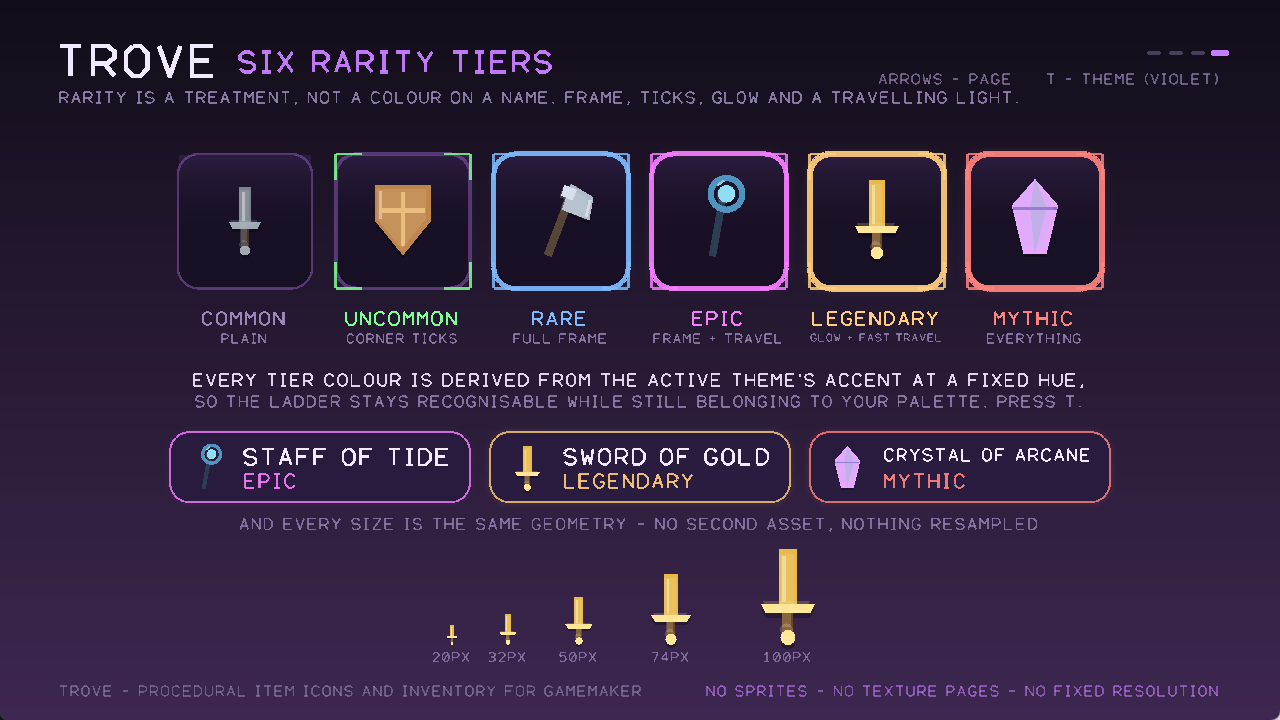
- Exact at any size. The same geometry is crisp at 18px in a hotbar and at 512px on a shop banner. There is nothing to resample, and no second asset anywhere in the package.
- Nothing on your texture page. No PNG, no atlas, no sprite. Dropping Trove into an existing project cannot disturb that project's atlas packing, because it adds nothing to it.
- Recolour at runtime. Rarity tints, cursed variants, damaged states and procedurally generated loot can all pick colours while the game runs. A spritesheet cannot.
- Author your own. A new form is a handful of coordinates. Concave shapes are triangulated by ear clipping, so what you draw is what renders.
And a complete inventory on top of them
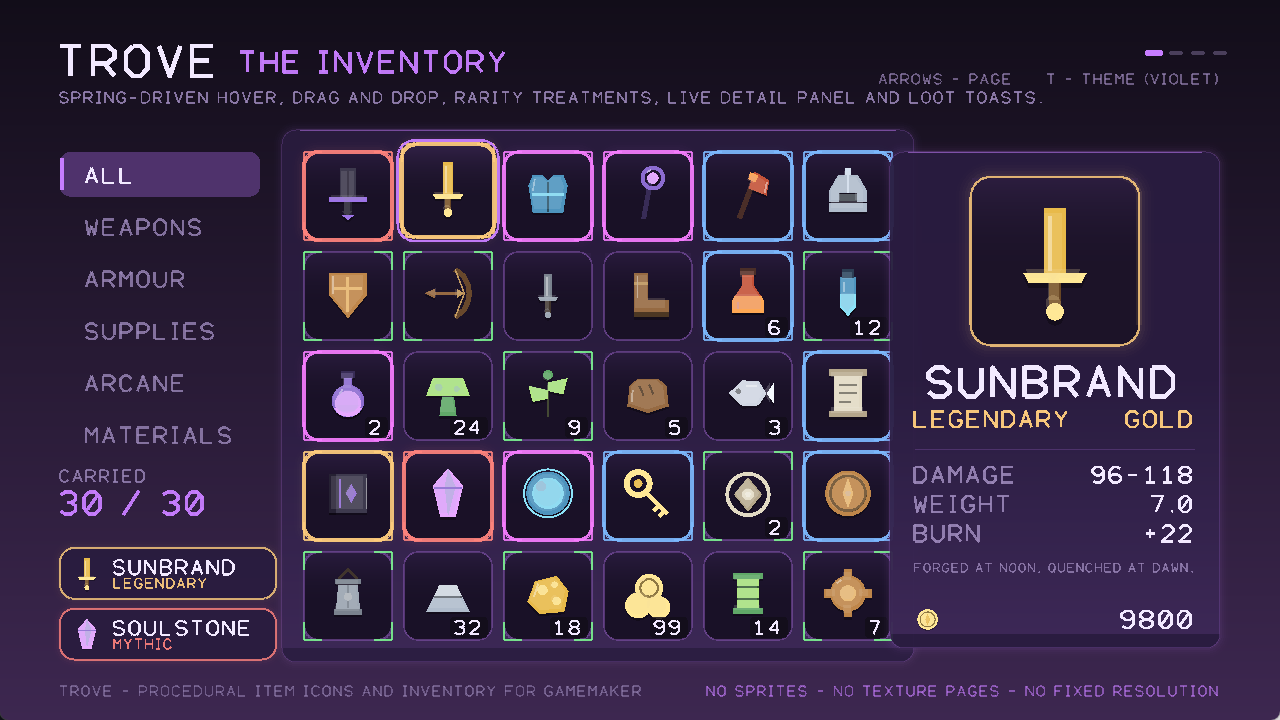
- A grid with spring-driven hover and drag-and-drop — dropping onto an occupied slot swaps, as players expect.
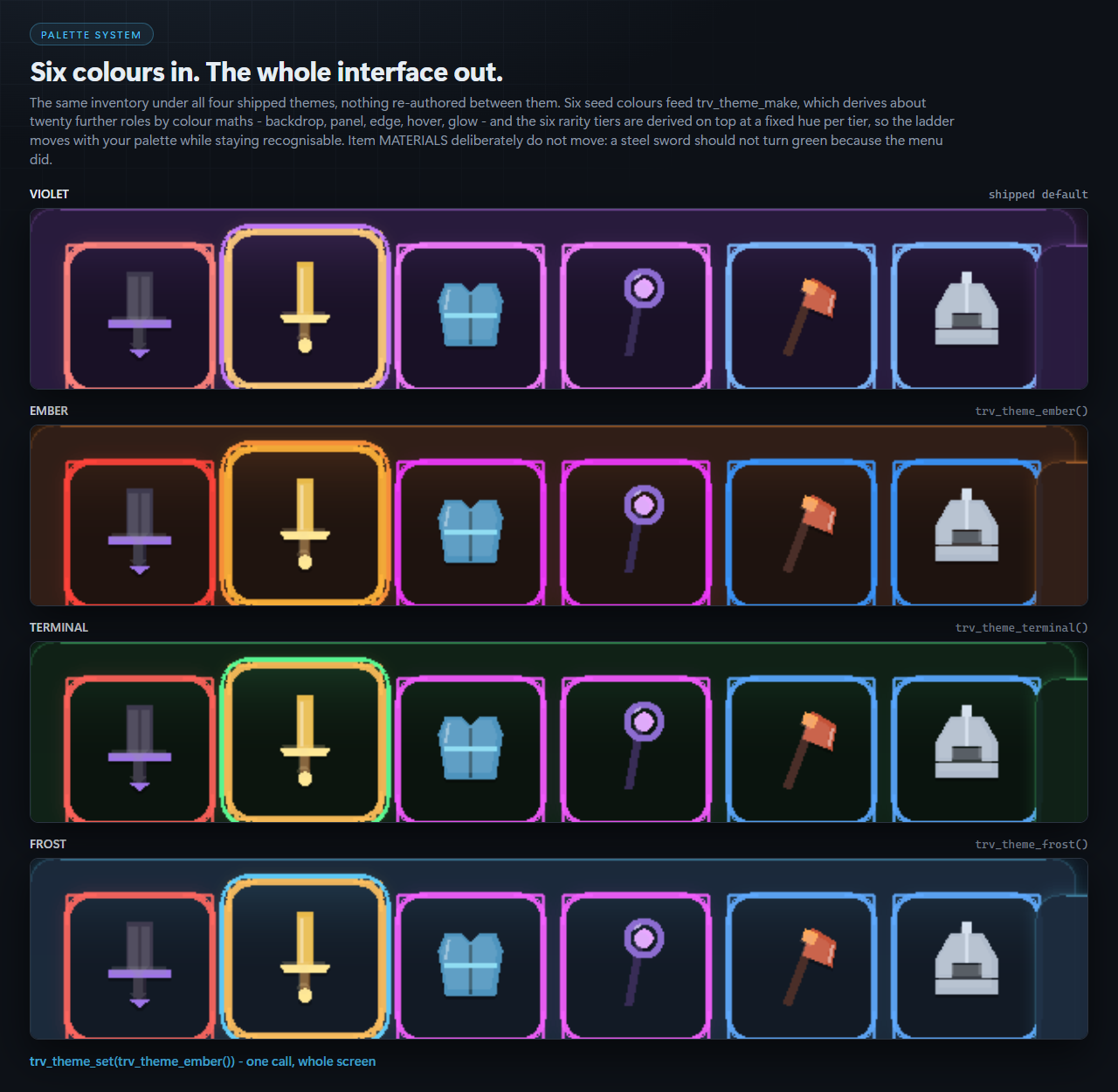
- Six rarity treatments, not six colours on a name: plain, corner ticks, a full frame, a light that travels the perimeter, an outer glow, and all of it at once for mythic.
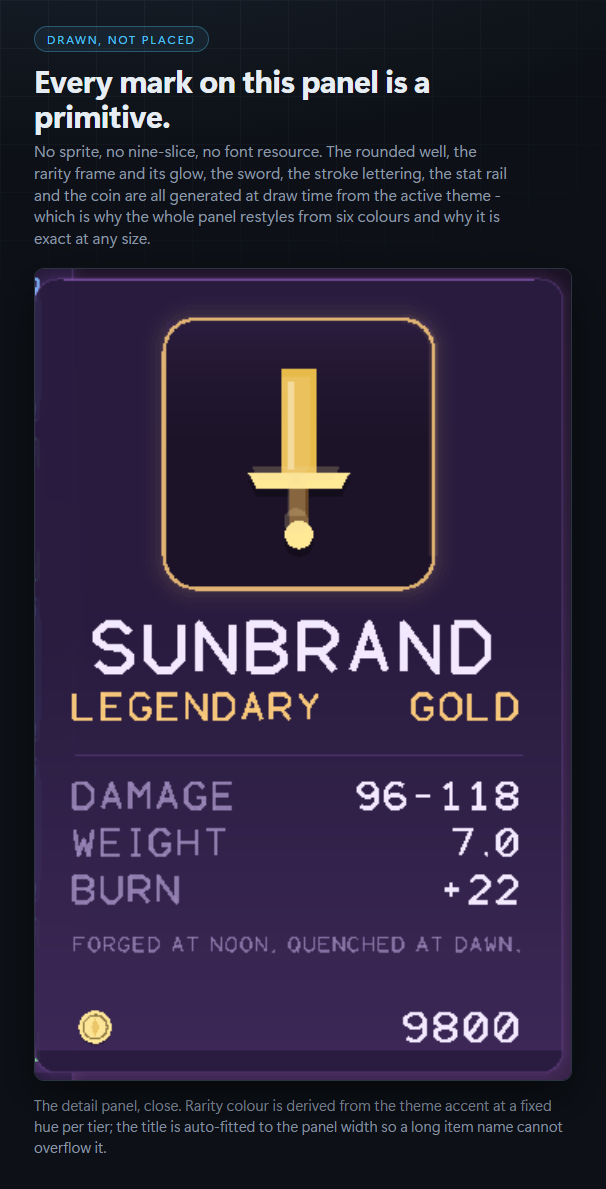
- A live detail panel that renders the identical geometry at 150px that the slot renders at 64 — big icon, auto-fitted title, stat rail, flavour line and a currency footer.
- A loot-toast queue that restacks smoothly as toasts expire.
- A category filter rail, and a staggered entrance on every grid.
Why springs, and not GameMaker's Animation Curves
Animation Curves are excellent and you should use them for many things. They cannot do this one. A curve is a fixed schedule over a known duration, so retargeting it mid-flight means restarting it. An inventory is the one screen a player pokes at continuously — hover, hover, drag, drop, hover again — so mid-flight retargeting is the normal case, and every restart is a visible hitch. Sweep the cursor quickly across a row of hand-rolled slots and the highlight stutters.
A spring has no duration and no schedule. It holds position and velocity and is simply given a new target each frame. One continuous motion, every time.
Themed from six colours
Six seed colours feed trv_theme_make, which derives about twenty further roles by colour maths — and the six rarity tiers are derived on top of that at a fixed hue per tier, so the ladder stays instantly recognisable while still belonging to your palette. Four themes ship. Item materials deliberately stay put: a steel sword should not turn green because the menu did.
It works with what you already have
Trove owns pixels and pointer state. It does not own your item database, your save format, your equip rules or your crafting. Already using Magpie, or your own struct-based inventory? Keep it — build views of your data and hand them over. Pointer coordinates are passed in rather than read from mouse_x, so a scaled viewport, a surface or a gamepad all work.
What is in the box
Trove.yymps— Tools → Import Local Package, and you are running.- Seven raw, readable, fully documented GML scripts. 3,100 lines. Nothing minified.
- A runnable demo room: four pages, four themes, mouse and keyboard.
trv_ease.gmlis pure — no engine calls at all, so the maths is reviewable in isolation.
Requires GameMaker 2023.x or newer. Built and verified against runtime 2024.14.4.268.
Honest limits, stated up front
- It is not pixel art and does not pretend to be. This is a clean geometric look, chosen because it is what survives arbitrary scaling. If your game is 16×16 pixel art, a pixel icon pack will match it better than Trove will.
- Verified by compiling and by looking, not by a unit-test suite. GML cannot be unit-tested outside the engine, and saying otherwise would be a lie. What was actually done: a real headless Igor build (exit 0, 0 errors, 0 warnings, 290 resources), the
.yympspayload extracted and compiled again on its own, and every demo page rendered from the real executable and inspected. Five visual defects were found that way and fixed — including three icons a triangle-fan renderer was silently mangling. - Compiled and captured on Windows. No platform-specific function is used, but other targets are untested by us.
Built by CSAF — Core Systems Asset Factory. The code in this package is AI-written and the store images are generated; both are disclosed in the tags above and in the readme.
More from CSAF
Kinetic UI — the spring-animated interface toolkit Trove is built on. Same draw core, same integrator, same “drawn, not blitted” argument, aimed at panels, bars, gauges and menus rather than items. Neither contains the other, so they stack.
We also build editor tooling for Unity (CoreCLR Migration Scanner, Play Compliance), Unreal (Asset Sentinel, Migration Ledger) and a set of RPG Maker MZ plugins. Everything ships raw readable source. The whole catalogue is at csaf.itch.io.
Purchase
In order to download this asset pack you must purchase it at or above the minimum price of $14.99 USD. You will get access to the following files:
Development log