Constellation Atlas
A downloadable asset pack
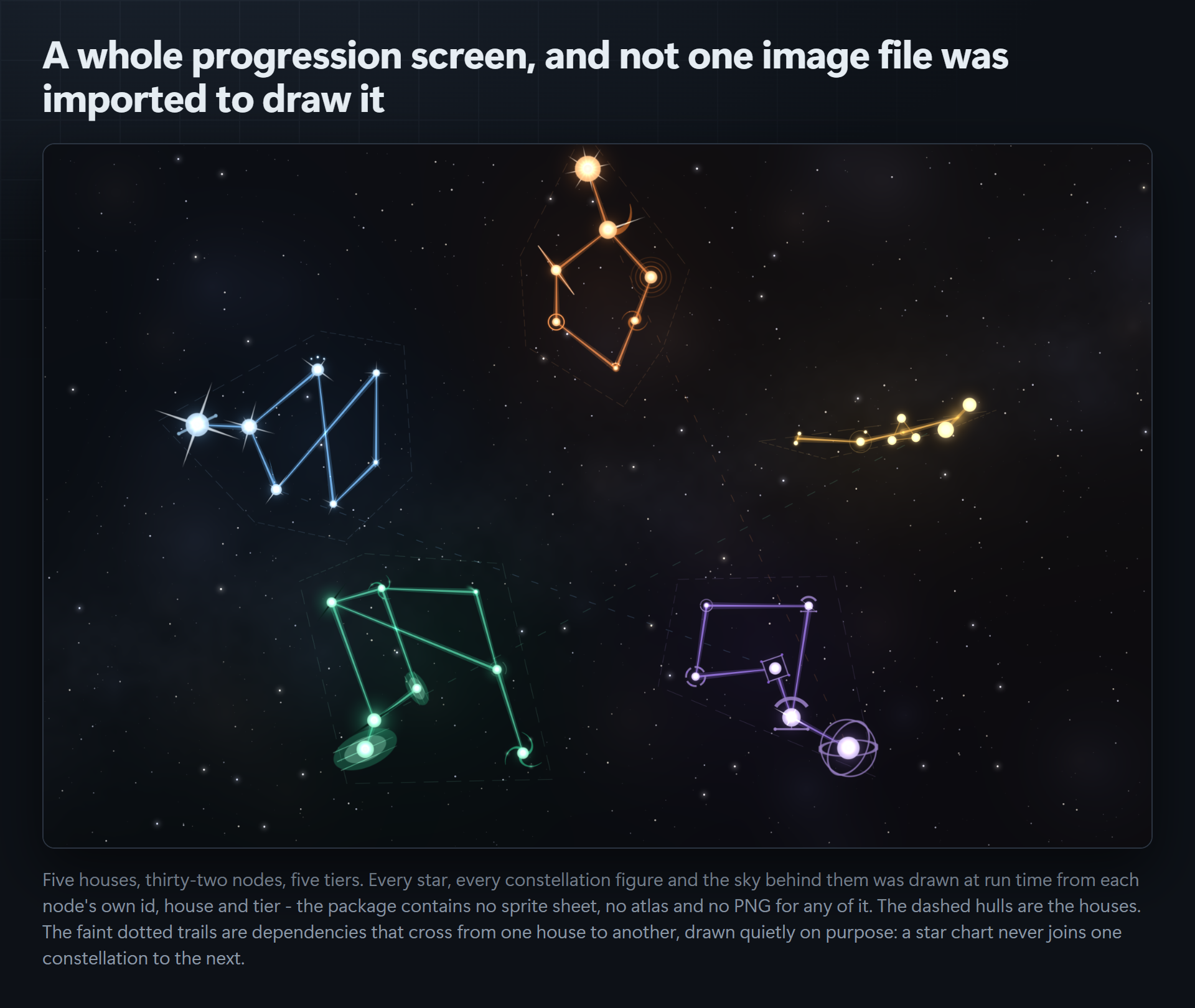
Your progression screen, drawn as a star chart — computed from your own chart data, not assigned to it.
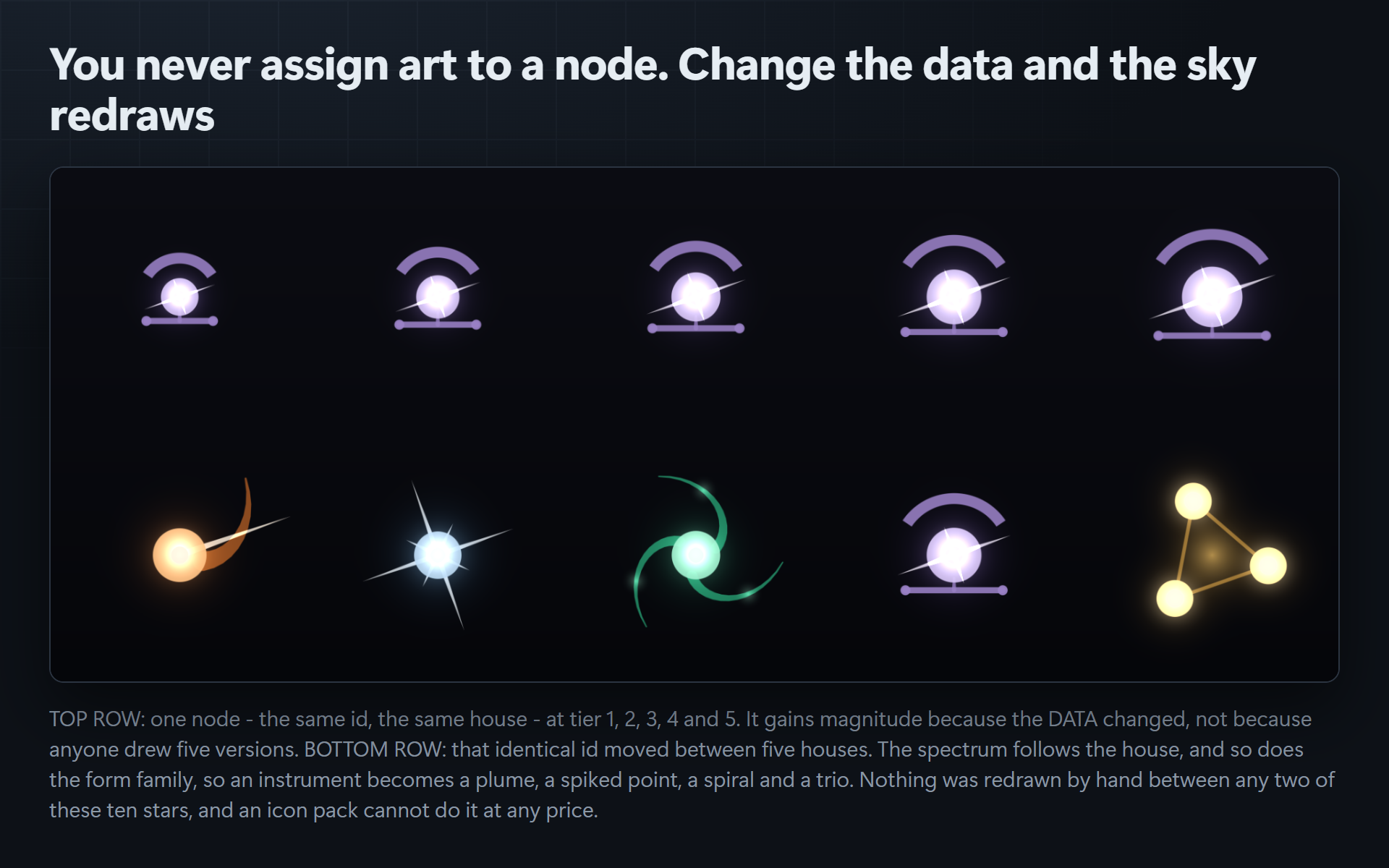
You never pick art for a node. You write down what the node is — an id, a house, a tier, what it depends on — and the Atlas derives the star: which of forty hand-authored stellar forms it takes, how bright it burns, what colour it is, where it sits, and which constellation figure it joins. Edit the data and the sky redraws.
There is no sprite sheet, no atlas and no PNG anywhere in this package. Every pixel is drawn at run time by a software rasteriser included in the source.
What you author
new AtlasNode { Id = "ember_bellows", DisplayName = "Bellows",
                House = "ember", Tier = 2, Requires = { "ember_spark" } }
That is the whole authoring surface. Notice what is missing from it: any mention of art.
- Id → which of the eight forms in its family it draws, plus rotation and wobble
- House → its spectrum, its form family, and which constellation it belongs to
- Tier → its magnitude, normalised against your chart's own highest tier
- Requires → the figure lines. A constellation's shape is its dependency graph
What it draws
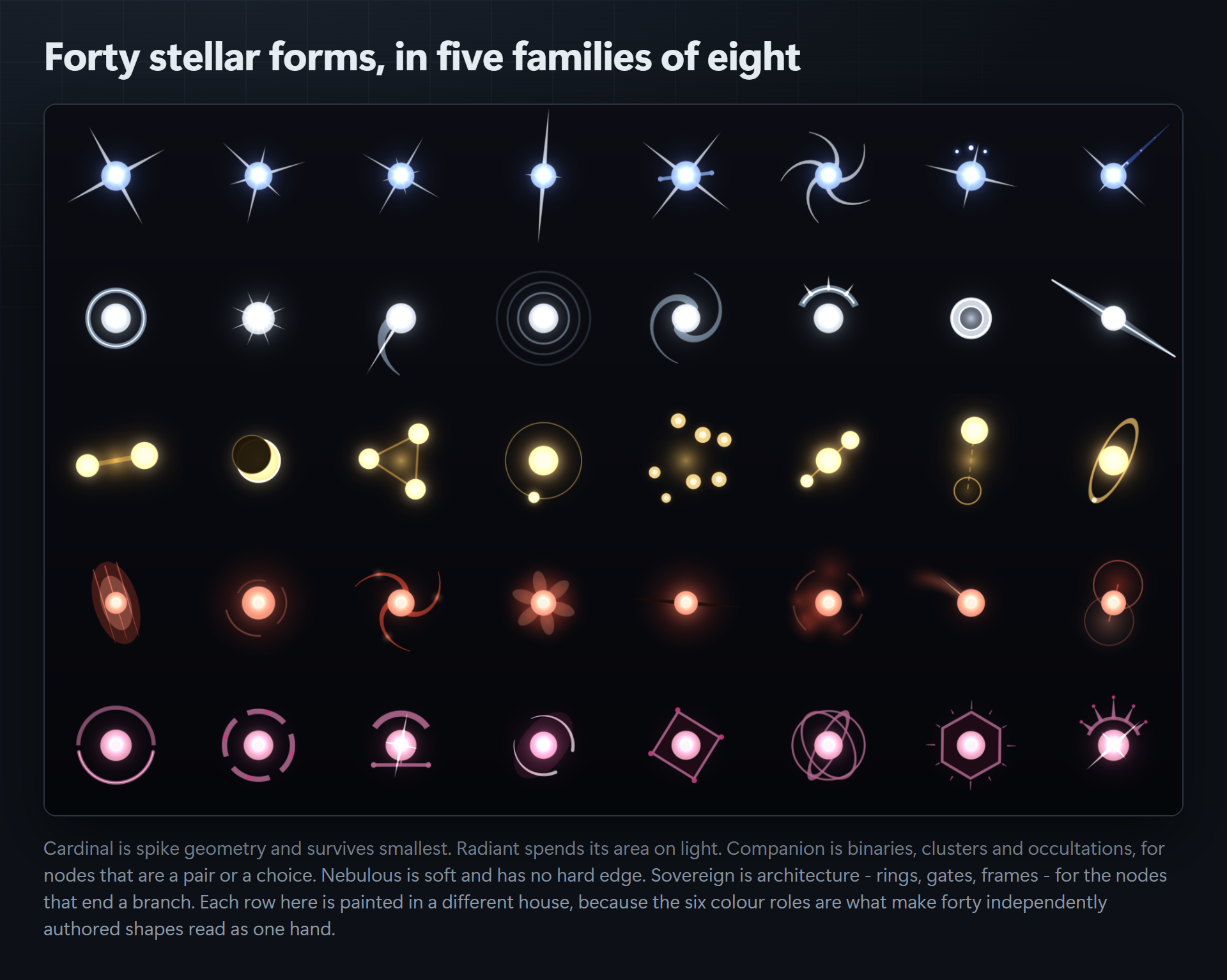
Forty stellar forms in five families of eight. Cardinal is spike geometry and survives smallest. Radiant spends its area on light. Companion is binaries, clusters and occultations. Nebulous is soft and has no hard edge. Sovereign is architecture — rings, gates, frames — for the nodes that end a branch.
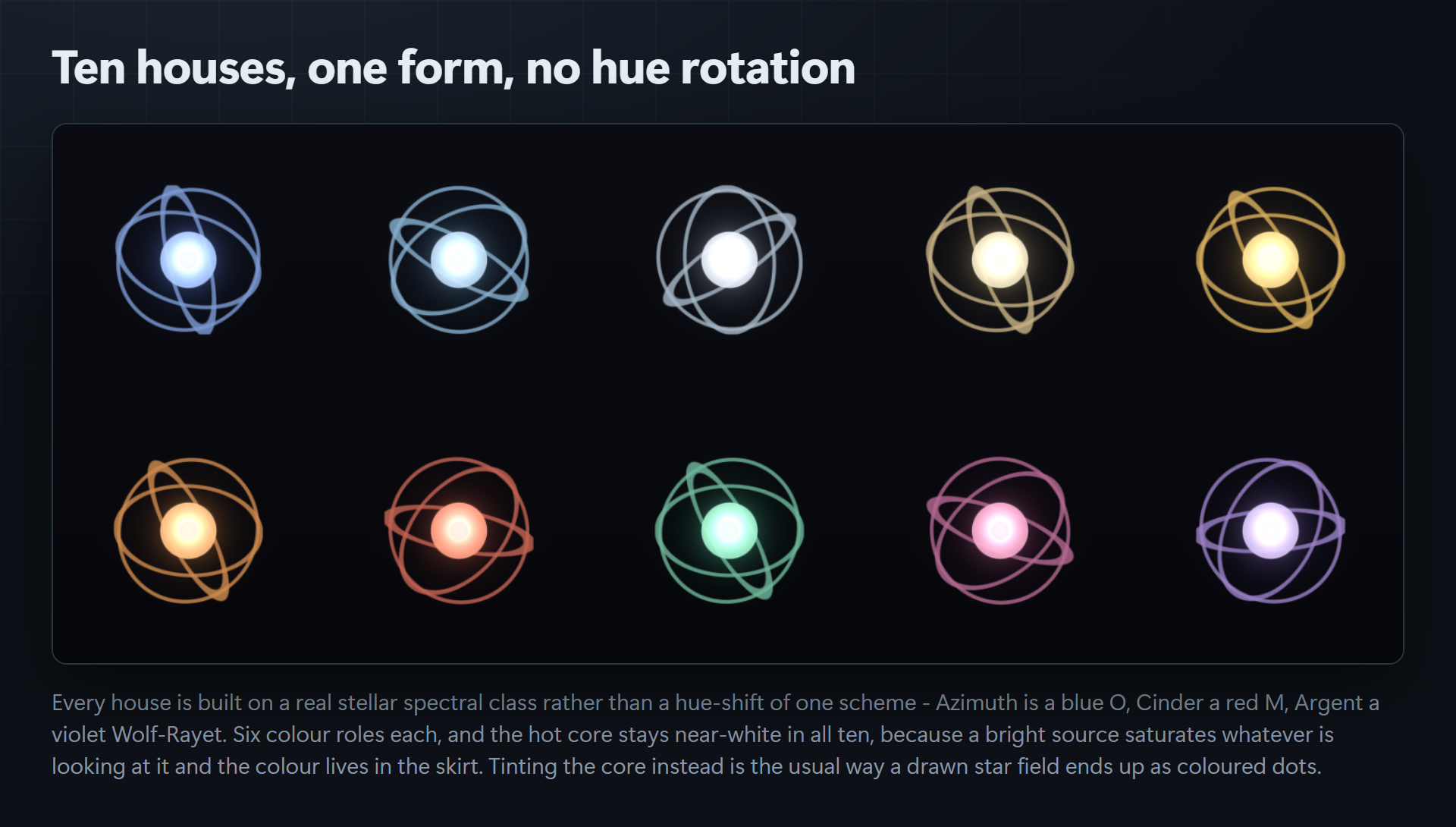
Ten houses, each built on a real stellar spectral class rather than a hue rotation of one scheme. Forty forms across ten houses is four hundred distinct marks before magnitude and state are applied.
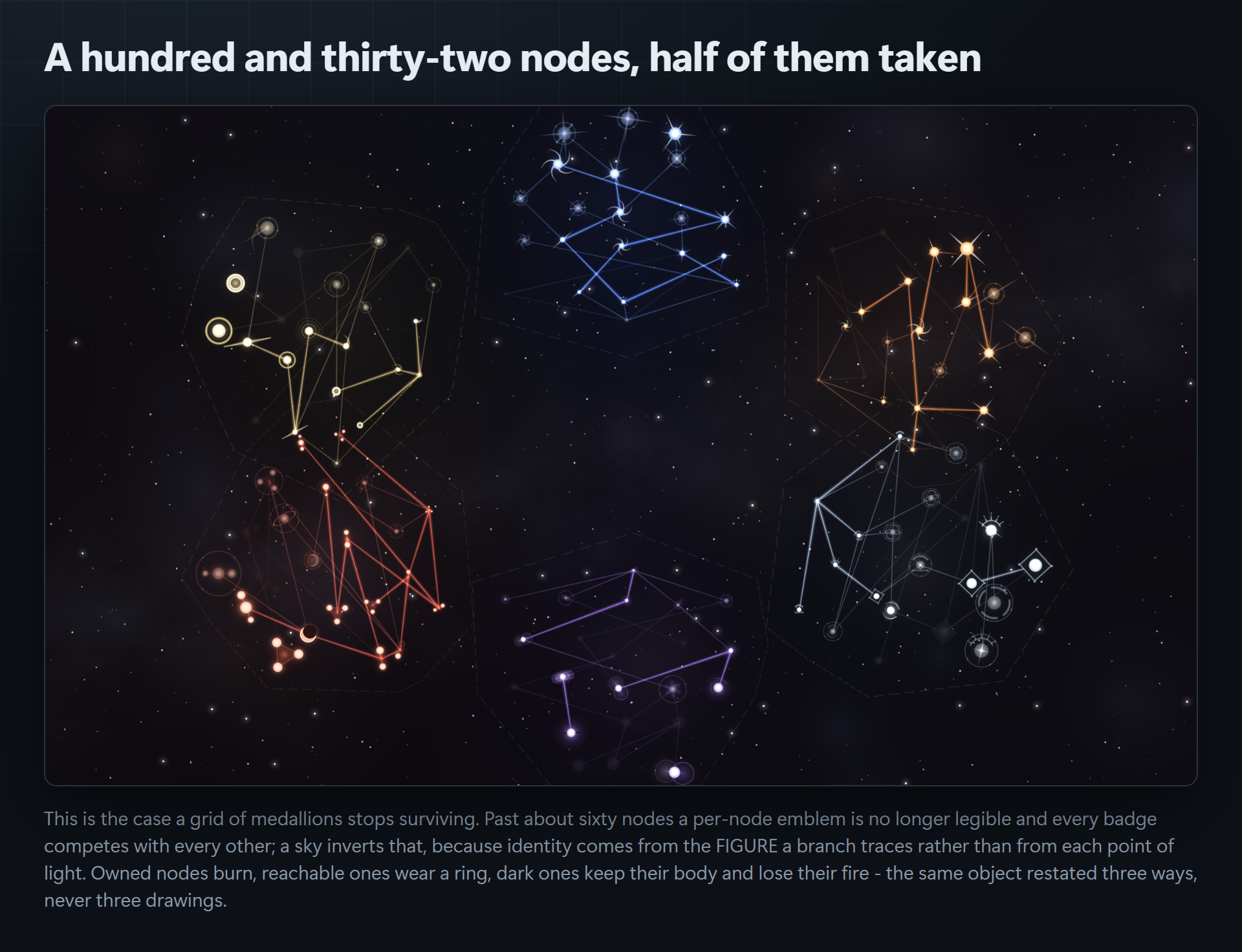
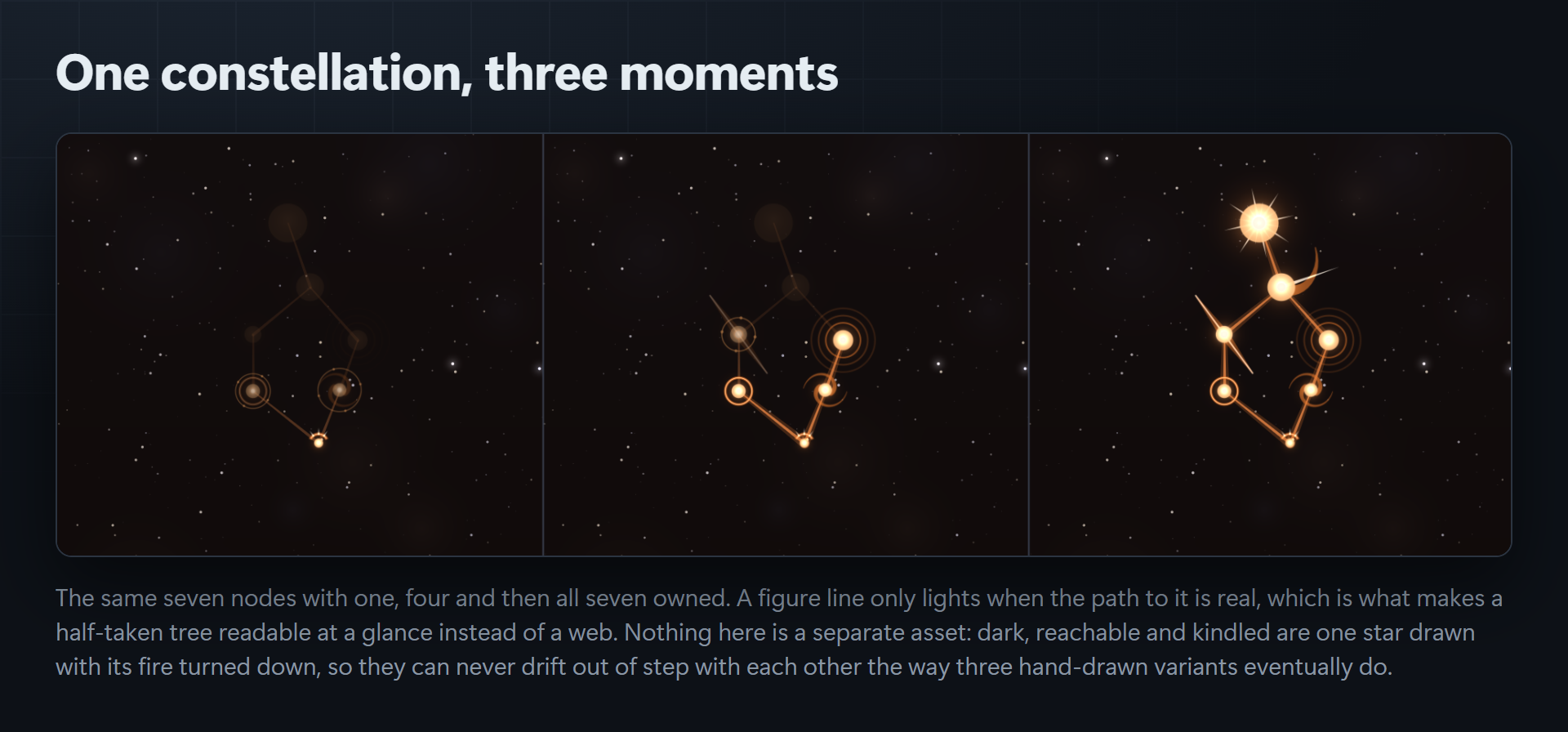
Three states, one object. Dark, reachable and kindled are the same star restated — a dark node keeps its body and loses its fire; a reachable one gains a ring. They are not three drawings, which is why they can never drift apart.
Using it
var view = gameObject.AddComponent<AtlasView>();
view.Chart = myChart;
view.NodeClicked += (id, state) => Debug.Log(id + " is " + state);
view.Rebuild();
view.TryTake("ember_bellows");   // refuses unless the node is reachable
It renders to a Renderer, a SpriteRenderer or a RawImage, whichever it finds. It deliberately does not own your progression rules — it renders a chart against a progress set and raises events; what a point costs and where progress is saved belong to your game.
The same code path also renders one star on its own at any size, so a hotbar icon and the chart are guaranteed to stay the same picture after a designer edits the data. That is exactly what a folder of pre-drawn PNGs cannot promise.
Compatibility
- Unity 2022.3 or newer. Built and gated on 6000.5.7f1.
- Render-pipeline agnostic. Built-in, URP, HDRP and any custom pipeline are all correct with no variants — the art path is a software rasteriser, so there is no shader to port.
- No dependencies. The runtime assembly references nothing outside
UnityEngine, not even uGUI, which it reaches by reflection precisely so this works in a project that does not ship it. - Every script in a named, platform-constrained assembly definition, so nothing pollutes your global assembly and the editor code never enters your build. No
Resources/folder. - Raw, readable C# with XML docs. You are meant to read it, edit it, and add your own forms.
Honestly, about performance
Rendering is CPU-side and deterministic. A thirty-node sky takes on the order of a second; a hundred-and-thirty-node sky at 2200×1300 takes several. This is a screen you build when it opens, not something you run every frame — which suits a progression screen, and is why Rebuild() is an explicit call. If you want it instant, bake the sky to a PNG from the Atlas window and ship that.
What is in the package
The runtime (rasteriser, ten houses, forty forms, chart model, projection, compositor, view), an editor window that previews and bakes, and a demo scene you can open and press Play on. Twenty-four assets, three assembly definitions, one scene.
Also from Core Systems Asset Factory: Boughwright — skill-tree art your project draws itself · GUID Warden · Reserialize · CoreCLR Migration Scanner · Play Compliance Auditor
Purchase
In order to download this asset pack you must purchase it at or above the minimum price of $14.99 USD. You will get access to the following files:
Leave a comment
Log in with itch.io to leave a comment.