Ninepoint - Steam Deck Text Size Check and Fixer for Unity UI
A downloadable tool
Valve's Steam Deck review asks that the smallest text in your game is at least 9 pixels tall at 1280x800, and recommends 12. A HUD authored at 1920x1080 or 4K shrinks on the Deck, and nothing in Unity tells you which labels went under. Ninepoint measures every label and fixes the ones that are too small.
It reads every uGUI Text and TextMeshPro label in your open scenes, your build scenes and your canvas prefabs, works out its size on a Deck at 1280x800 and 1280x720 through that canvas's own Canvas Scaler maths, and gives each one a verdict against the 9 px floor and the 12 px recommendation. Then it raises the font sizes that are too small, in one step you preview first and can undo.
Measured on the demo that ships with it (Unity 6000.5.7f1)
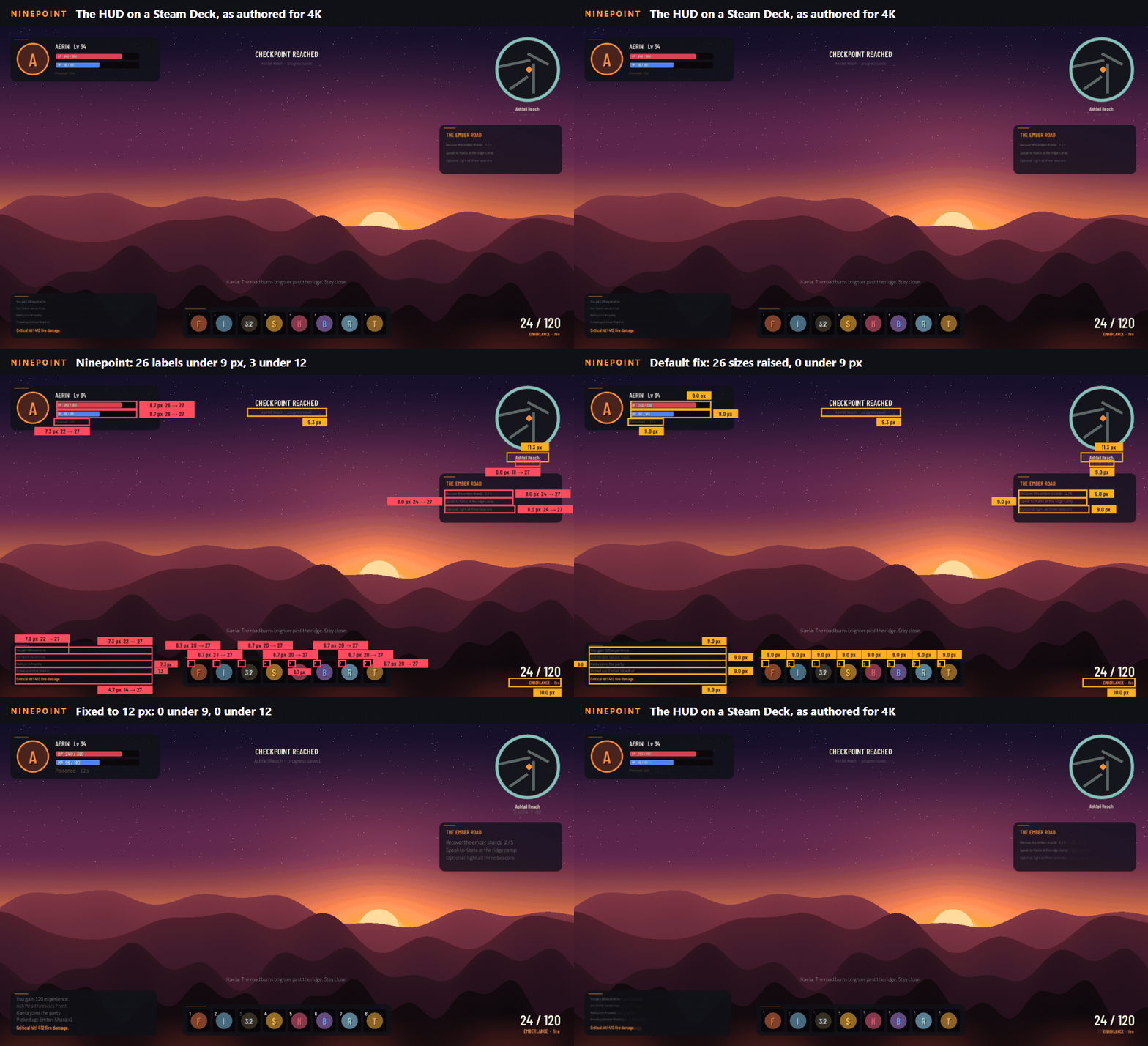
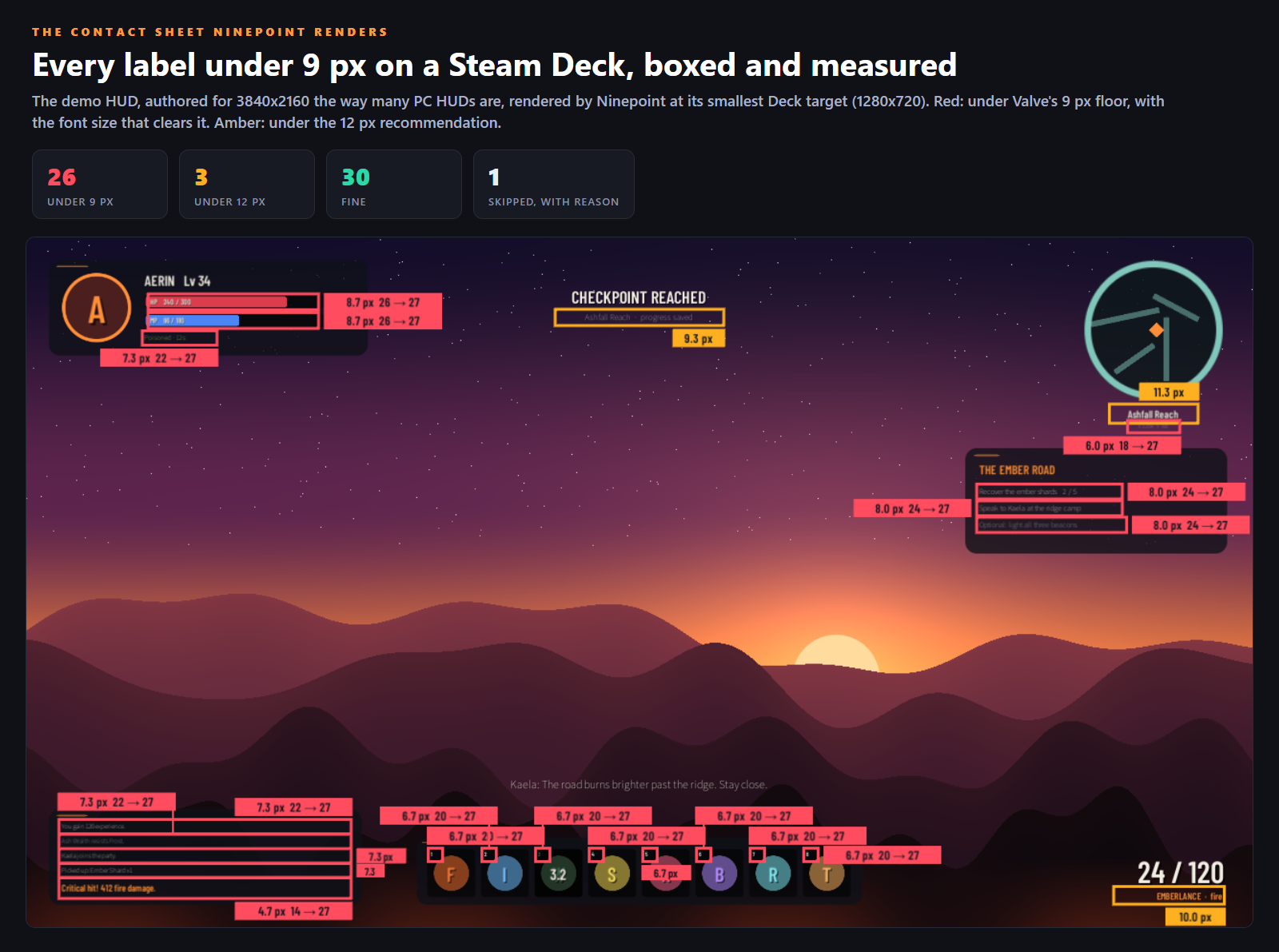
- A fantasy HUD authored for 3840x2160 plus a switched-off settings menu prefab authored for 1920x1080: 60 labels, 26 under 9 px, 3 under 12 px, 30 fine, and one world-space nameplate skipped with its reason.
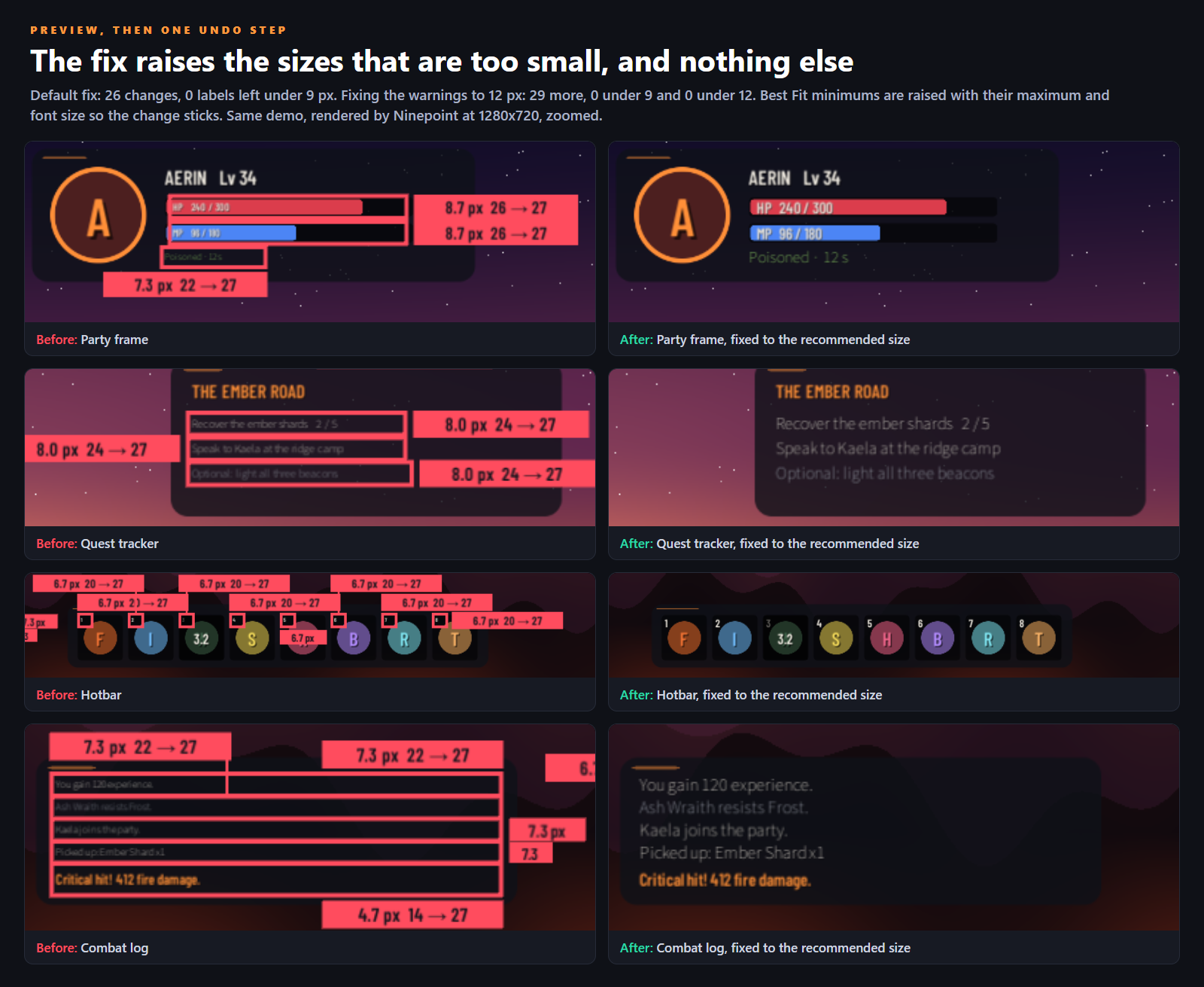
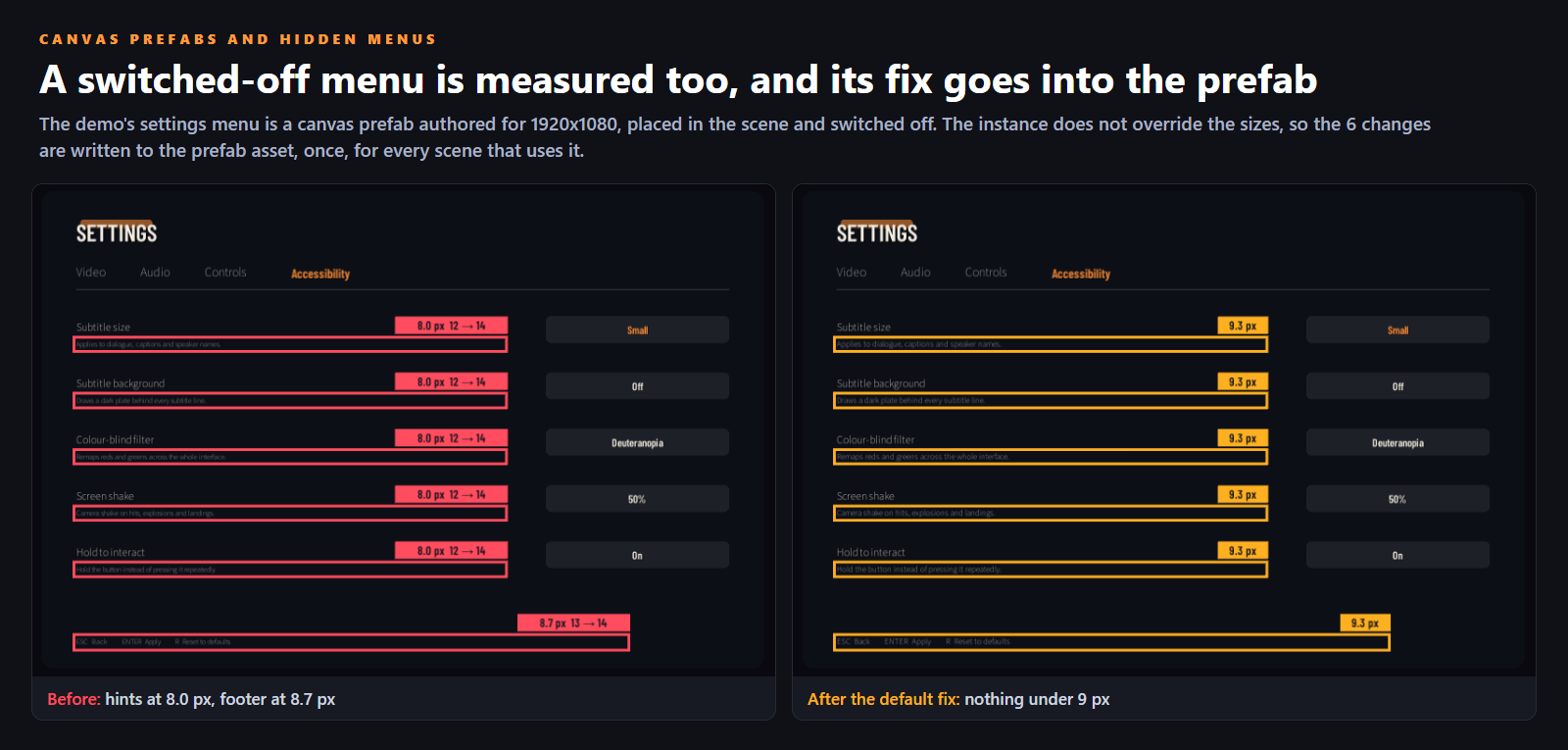
- The default fix: 26 changes, 0 labels left under 9 px. Six of them were written once to the settings menu prefab, because the scene instance does not override the sizes.
- Fixing the warnings to the recommended size: 29 more changes, 0 left under 12 px. Reverting both journals put every size back.
- Installed from the shipped .unitypackage into a blank project: 38 of 38 tests passed on the installed bytes, including a 2,000-label canvas, corrupt settings and a deleted component.
What you do with it
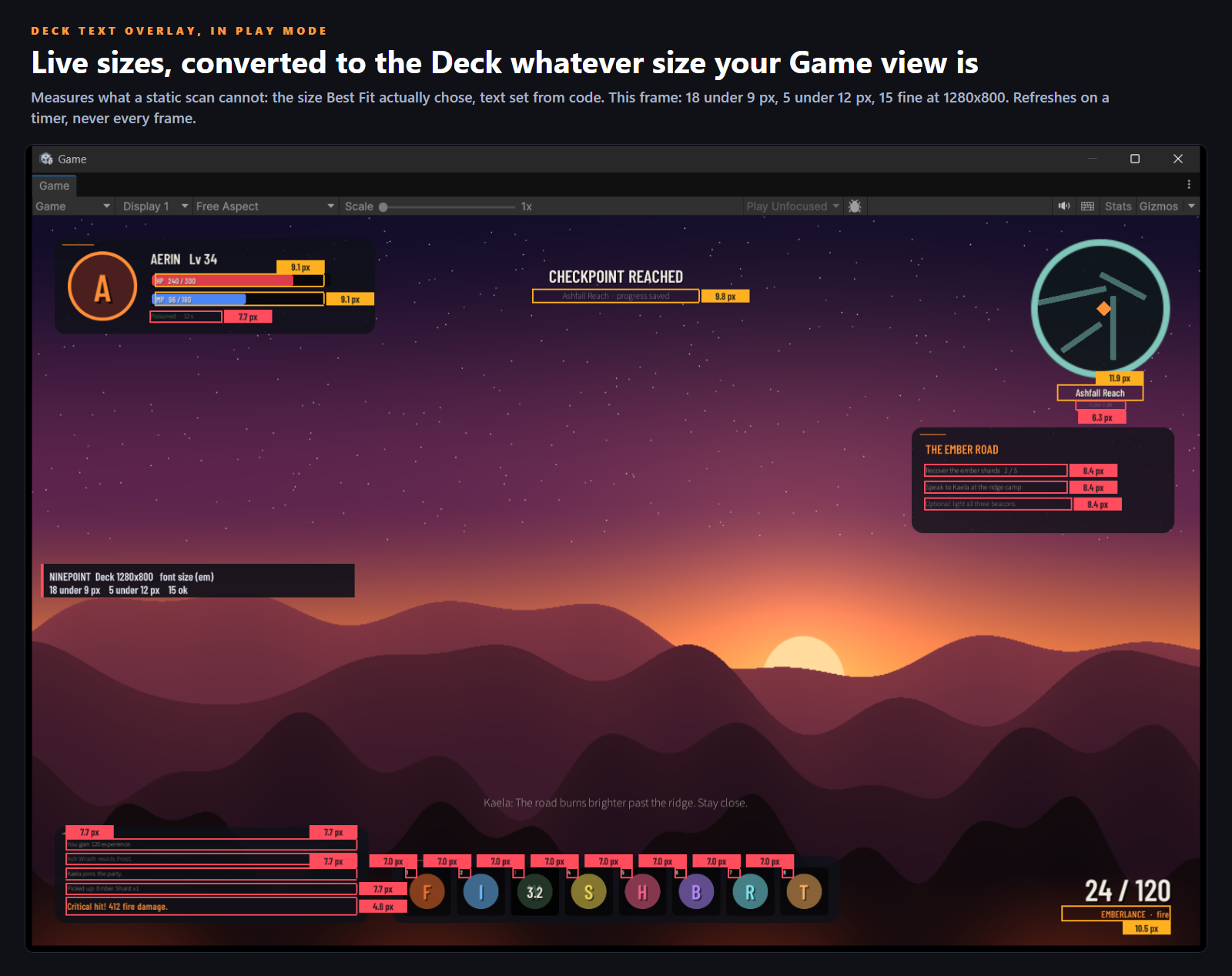
- Open the demo scene and press Play. The Deck Text Overlay boxes every label that would be too small on a Deck, with its size, whatever size your Game view is.
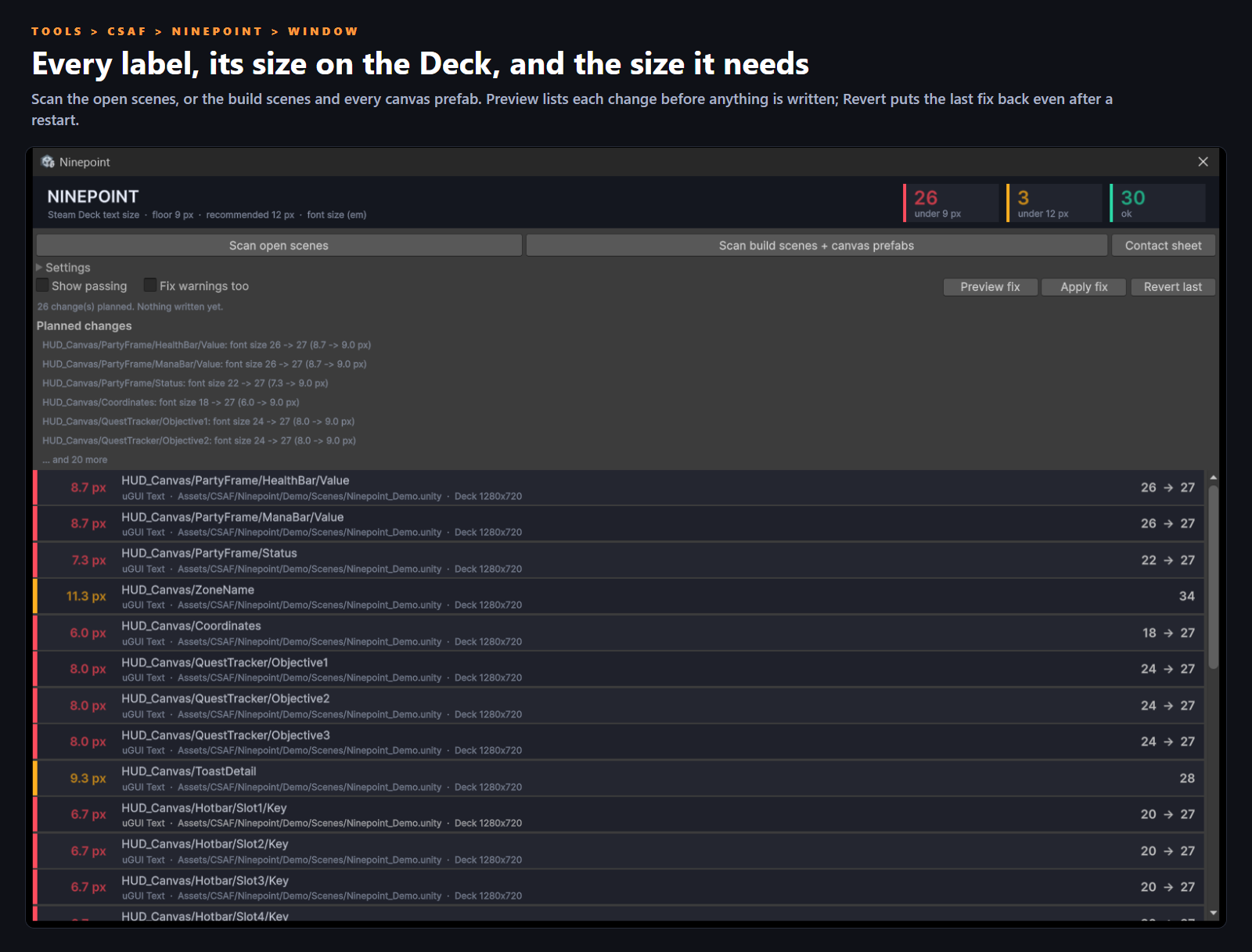
- Tools > CSAF > Ninepoint > Window, then Scan open scenes or Scan build scenes + canvas prefabs. Every label is listed with its size on the Deck and the font size it needs.
- Preview fix lists every change before anything is written. Apply fix raises the font sizes (or the Best Fit and Auto Size minimums). Edit > Undo puts it back, and so does Revert last, even after a restart.
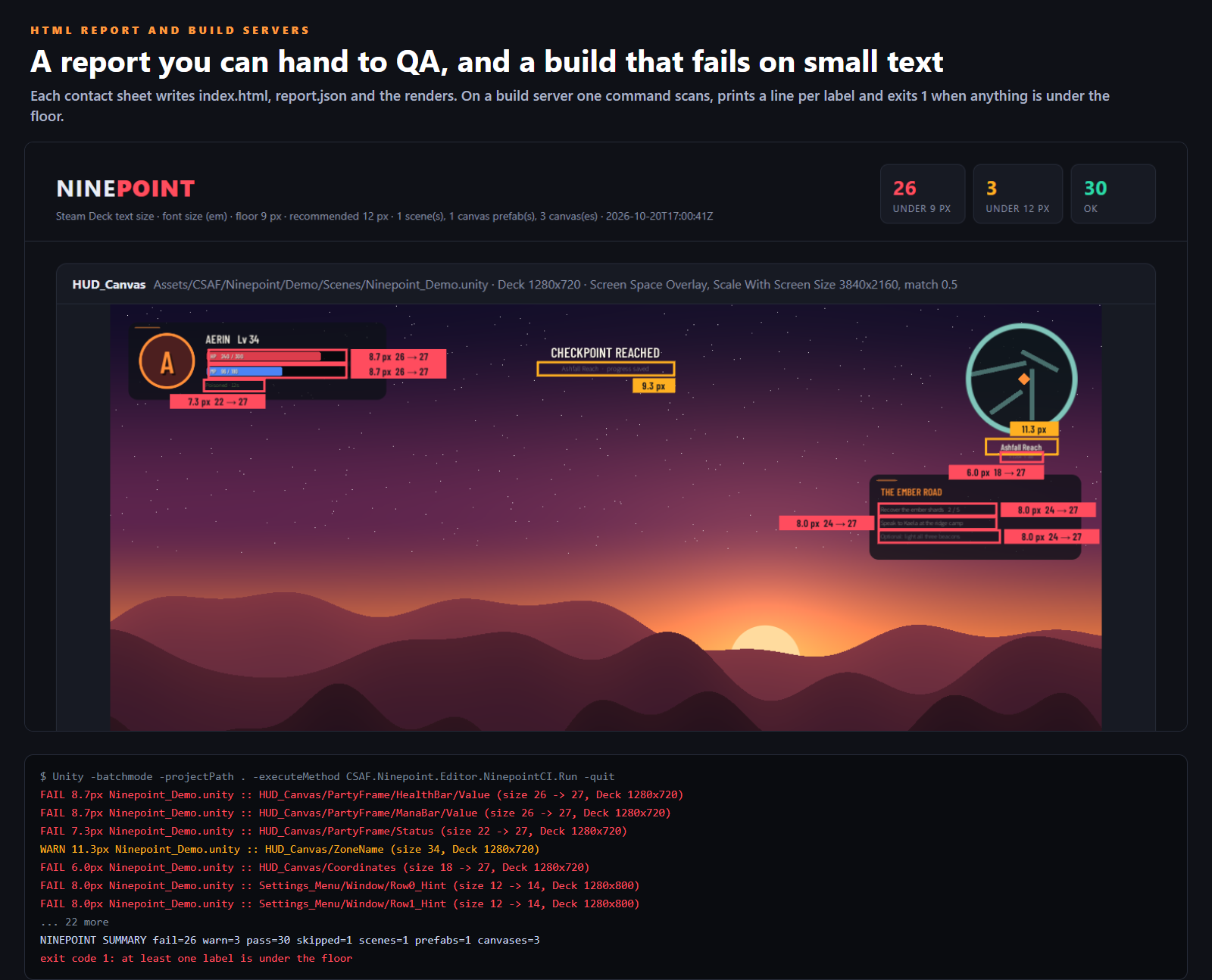
- Contact sheet renders every failing screen at 1280x800 with the small labels boxed and measured, plus an HTML report you can hand to QA.
- On a build server, one command scans and exits 1 when a label is under the floor:
Unity -batchmode -projectPath . -executeMethod CSAF.Ninepoint.Editor.NinepointCI.Run -quit
Good to know
- It changes font sizes and nothing else: never your Canvas Scaler, layouts or fonts. A label whose rect would cut off the bigger text is marked MAY CLIP in the preview.
- Valve does not define how a character's height is measured. Ninepoint shows the font size, the cap height and the x-height, and gates on the one you pick (font size by default). Passing it is not a promise of any Steam Deck rating; Valve alone decides that. Not affiliated with Valve.
- UI Toolkit is not measured in this version. World-space canvases are listed as skipped, because their size depends on the camera.
- Tested on Unity 6000.5.7f1. Written against APIs available since 2022.3 but not run there. Needs the Unity UI package, which every Unity template includes; TextMeshPro is measured when present. The scanner and fixer are editor only and add nothing to your build.
What is in the download
A .unitypackage plus the same files as a plain folder: the C# source in two assemblies (a small runtime one for the overlay, an editor one for the rest), the demo scene with its HUD and settings menu prefab, the offline guide with every setting and the scripting API, the Readme and the licence. No Resources folder.
Also from the studio
Play Compliance ($14.99): finds and rewrites the Android .so files Google Play will reject, before you upload.
CoreCLR Migration Scanner ($14.99): finds and rewrites the Mono-era C# that Unity 6.8 will break.
All of our Unity tools: Unity Editor Tools.
Ninepoint, its demo and its documentation were written with AI assistance (code and store images). Every store image is a render made by the tool itself or a capture of its window and overlay; the cover is generated illustration with our title on it. Tested by us as described above.
Purchase
In order to download this tool you must purchase it at or above the minimum price of $12.99 USD. You will get access to the following files:
Development log
Leave a comment
Log in with itch.io to leave a comment.