Synthesis Web
A downloadable tool
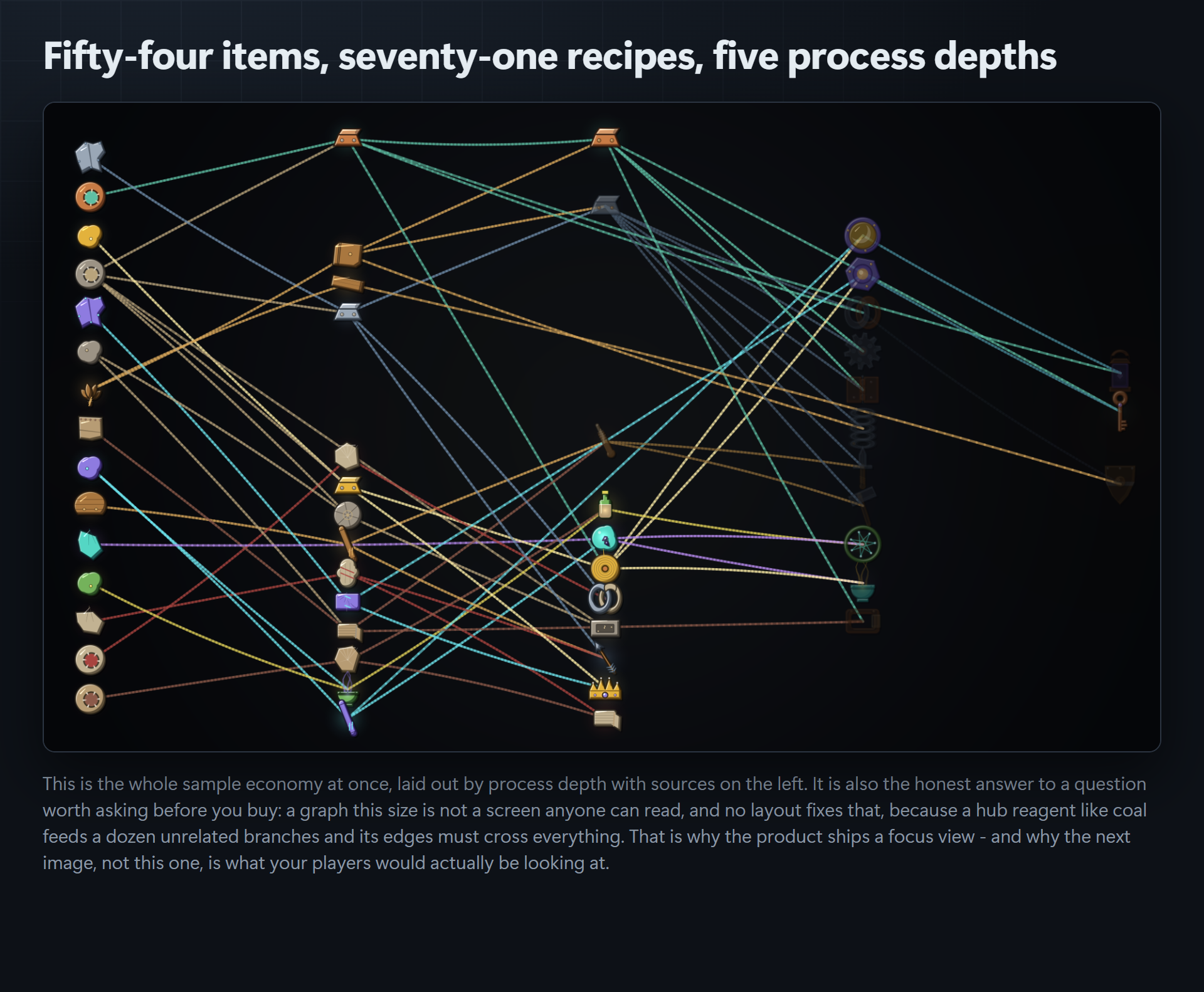
Point it at your recipe table and it draws the whole crafting screen: every reagent, every result, every connection. There is no atlas, no sprite sheet and no imported texture anywhere in the art path. Each mark is rasterised from your data at the moment it is drawn.
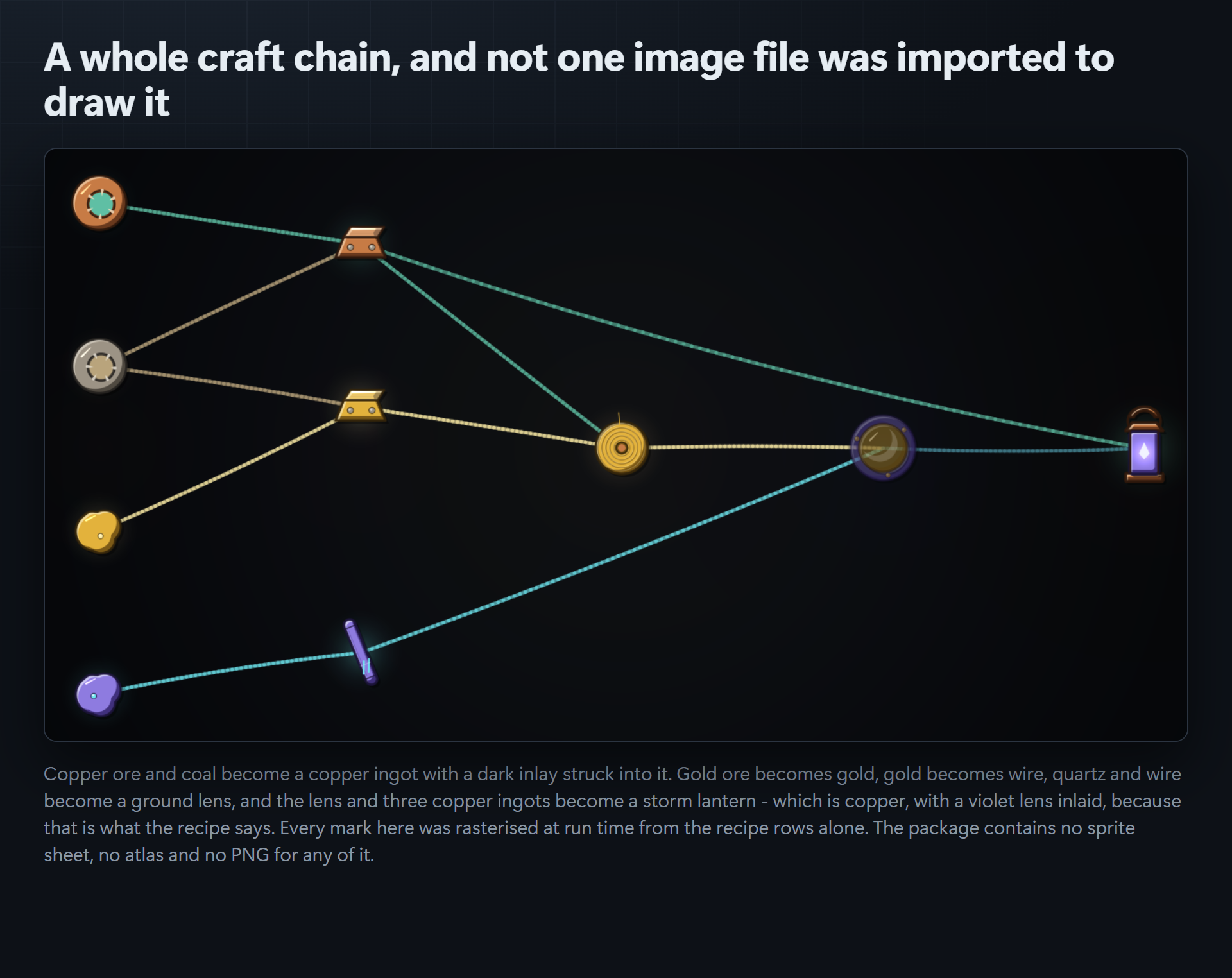
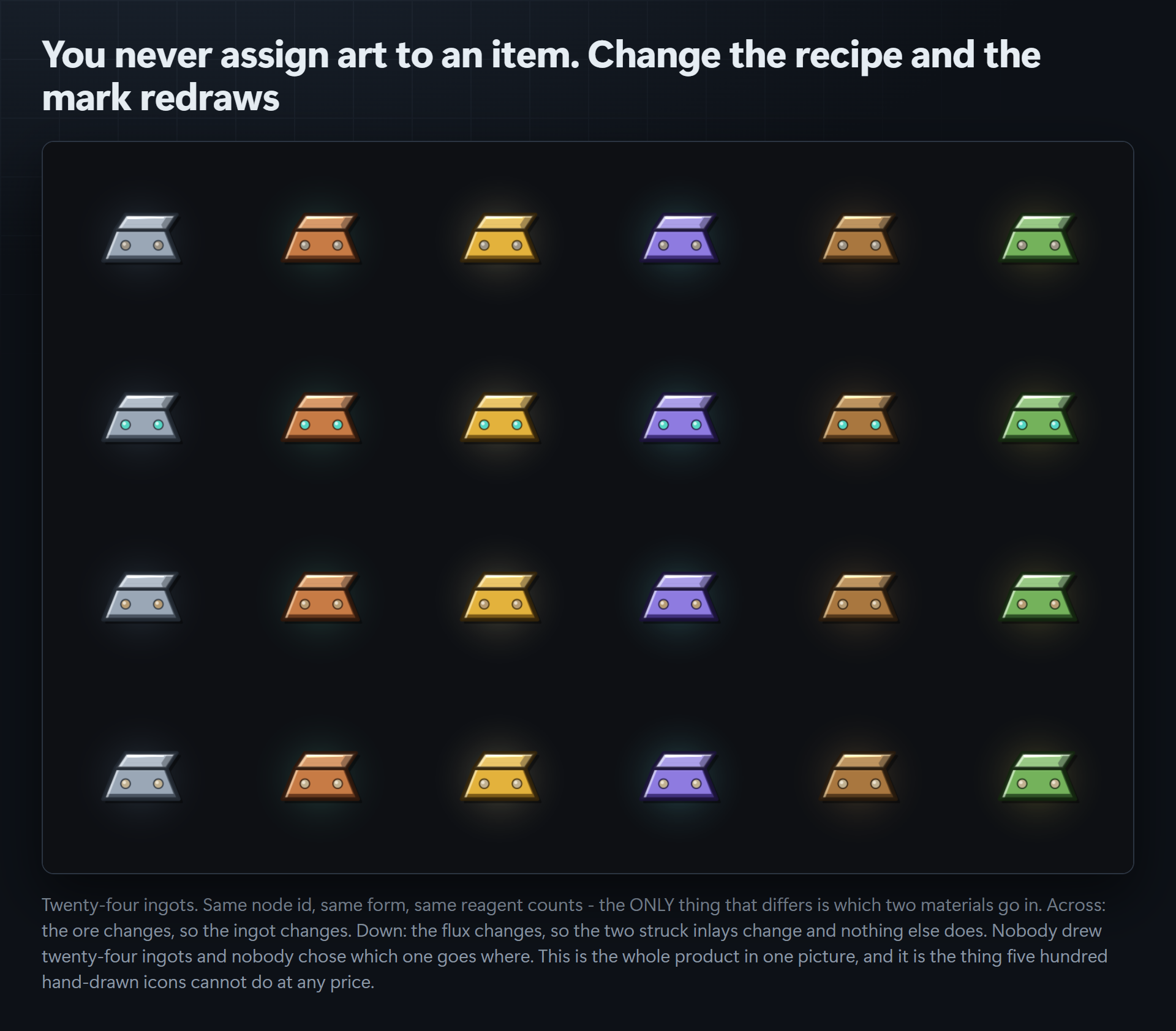
The point is not that it saves you finding icons. It is that the icons relate to each other. Smelt copper ore with coal and the ingot comes out copper-coloured with a dark inlay struck into it, because the recipe says so. Change the flux and the inlay changes. Add a reagent and the mark gains an ornament. A pack of five hundred hand-drawn icons cannot do that, because the pictures in it do not know the recipes exist.
What is derived, and from what
- Material comes from the reagent consumed in the greatest quantity. Ties break on the order you authored, never on a hash, so renaming an unrelated node cannot change it.
- The inlay is the highest-ranked reagent whose material differs from the primary. A single-material recipe gets no inlay at all, because an inlay in the host's own colour is invisible.
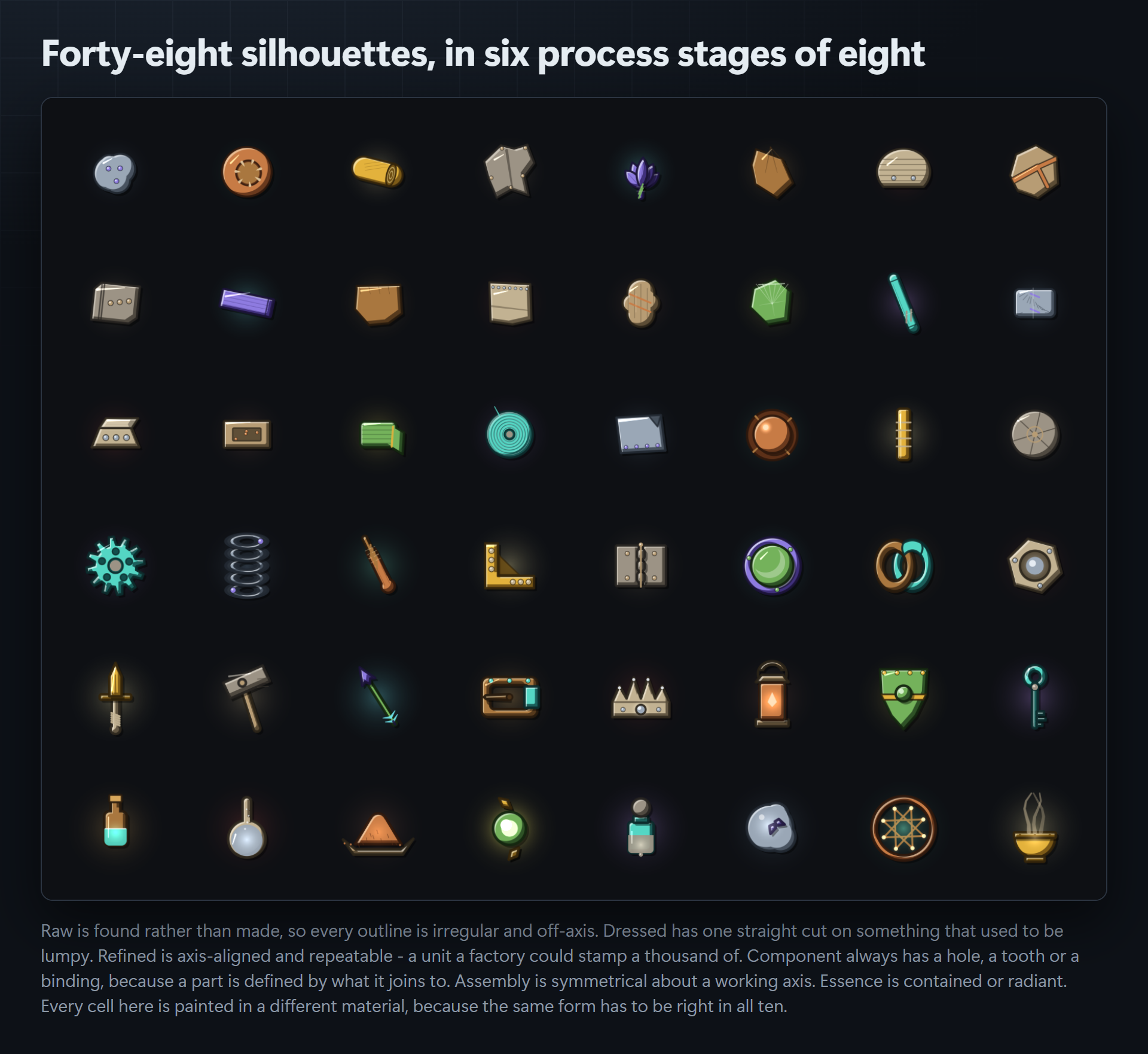
- The silhouette comes from process depth: Raw, Dressed, Refined, Component, Assembly, plus Essence for classes that stop being solid once processed.
- Finished goods are detected by nothing consuming them, because depth alone cannot tell a blade from a hinge.
- The form uses your own words first. A node whose id or label contains blade, ingot, gear or lantern is drawn as that thing; only when nothing matches does it derive one.
- Ornament count comes from how many distinct reagents the recipe consumes.
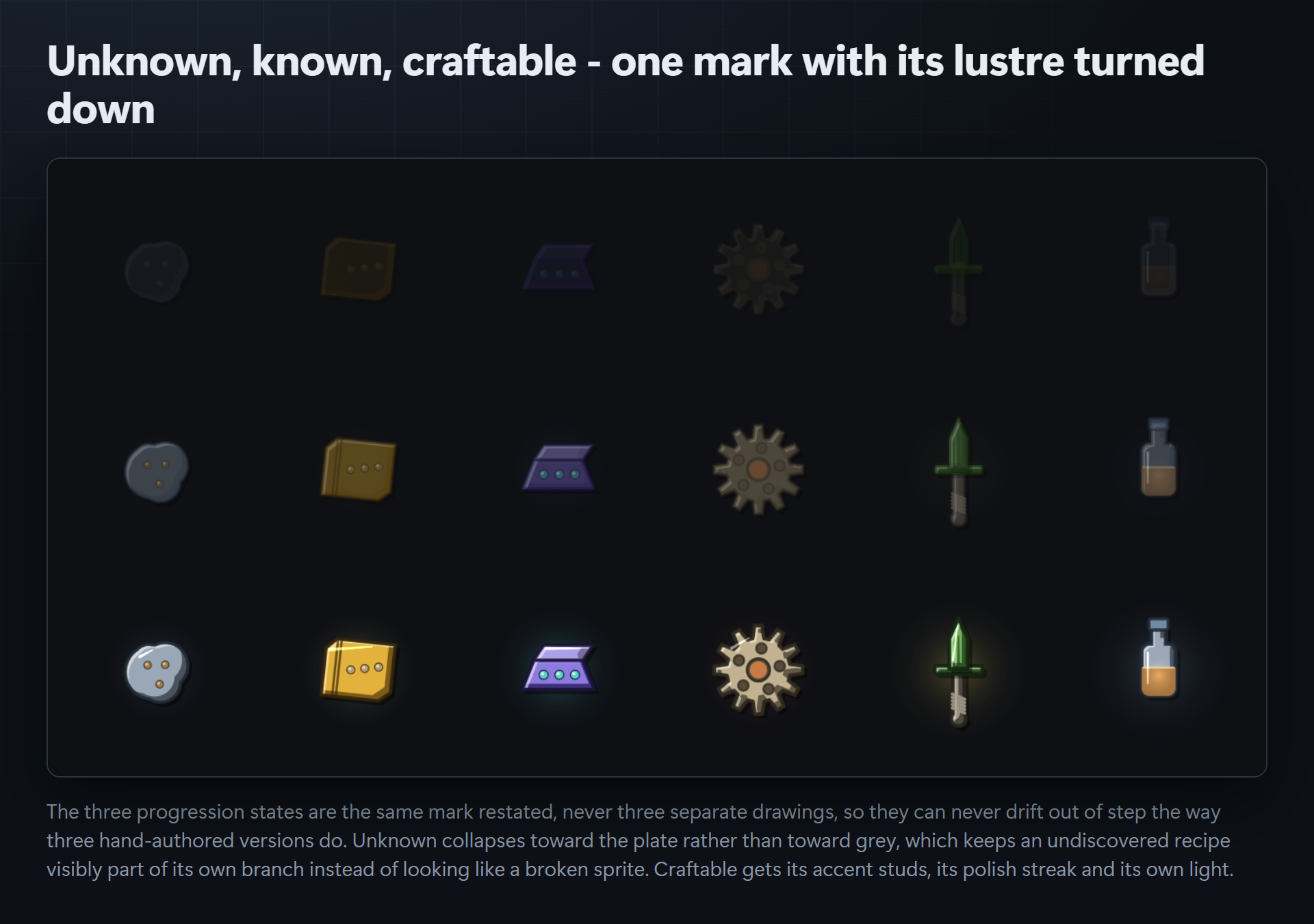
- Lustre comes from the craft state: unknown, known, craftable.
Every one of those decisions is reported back to you in plain English, per node, in the editor window. If you disagree with a derivation you override it: material, stage and form all win outright.
What ships
- 48 authored silhouettes across 6 process stages
- 10 material spectra, each a six-role scheme rather than a hue rotation of one scheme
- 3 progression states, which are the same mark restated rather than three separate drawings
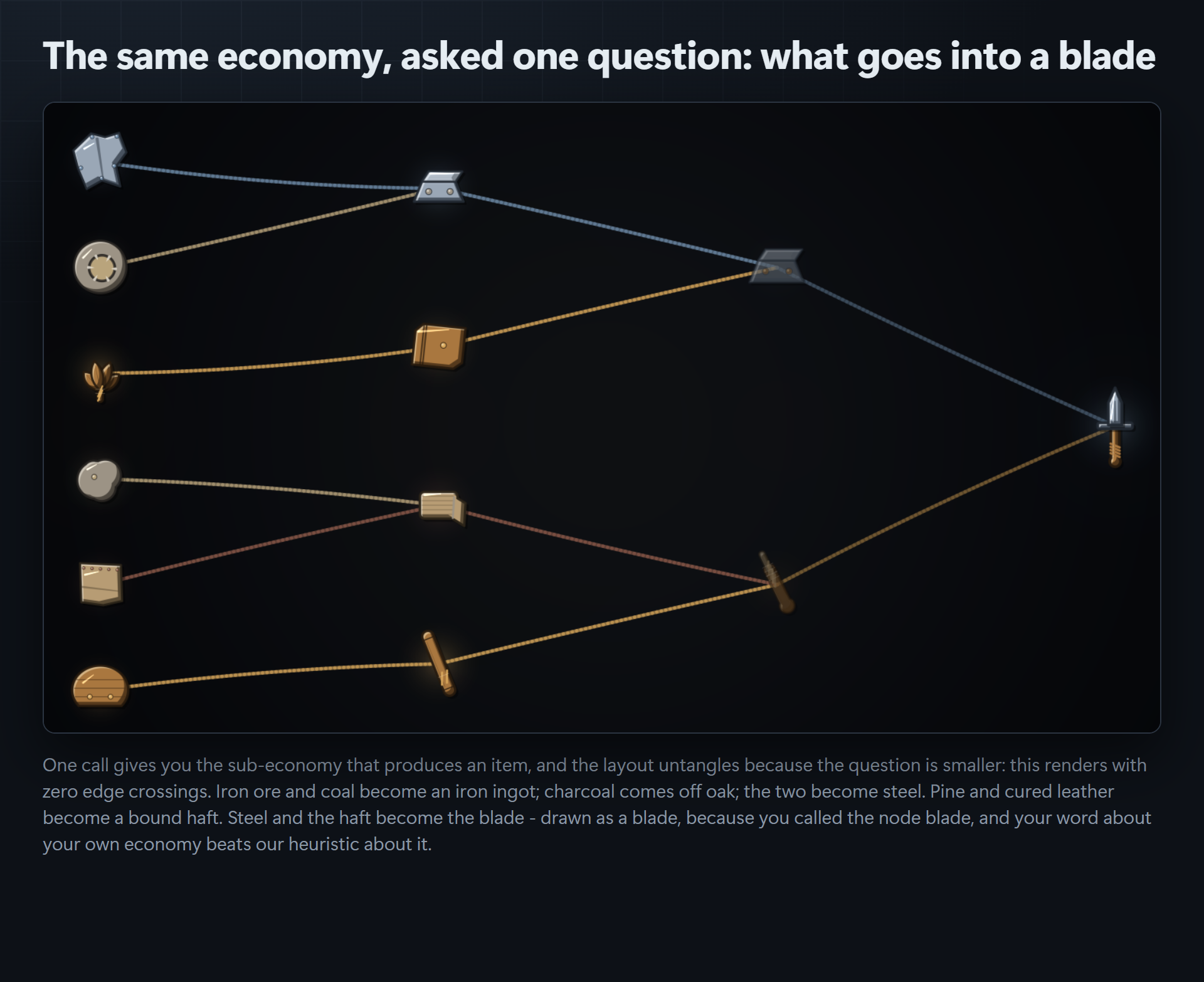
- A layered graph layout with crossing reduction, plus a focus view that answers "what goes into this"
- An editor window that previews, explains and bakes every mark to PNG
- A demo scene, full XML documentation on the public API, and readable source throughout
Compatibility
Unity 2022.3 or newer, built and gate-tested on 6000.5.7f1 with warnings as errors.
Every render pipeline. Built-in, URP, HDRP and custom. The art path is a software rasteriser, so there is no shader in this package and nothing to break when you switch.
No dependencies. The runtime assembly definition's reference list is empty. No Resources/ folder, no prefabs, no canvases, no audio. Everything sits in platform-constrained assembly definitions, so nothing touches your global assembly or your build size.
Also from Core Systems Asset Factory
- Boughwright, skill trees drawn from your own node data
- Constellation Atlas, progression screens your project draws from its own data
Code and store imagery were produced with AI assistance and that is declared on this listing. Note what it does not mean: no image model touched this product. Every mark is drawn in code by the software rasteriser included in the package, from a corpus of forty-eight hand-authored silhouettes you can read, edit and extend.
Purchase
In order to download this tool you must purchase it at or above the minimum price of $14.99 USD. You will get access to the following files:
Development log
Leave a comment
Log in with itch.io to leave a comment.