MetaSound Parameter Surgeon - UE5 plugin
A downloadable tool for Windows
You renamed one input on a MetaSound, Cutoff to CutoffHz. The MetaSound editor did exactly that.
Nothing else followed. Every Set Float Parameter and its siblings, every Spawn Sound chain and every audio component's Default Parameters entry still sets Cutoff. Nothing errors, nothing warns, and the sound simply stops responding to them.
The name is a plain name on a pin, with no reference behind it, so neither Find in Blueprints nor the reference viewer can tell which Cutoff nodes belong to this MetaSound and which drive another sound that also has a Cutoff.
MetaSound Parameter Surgeon decides that from the assets, carries the ones that belong to it, leaves the others alone by name, and refuses anything it cannot decide.
What it does
Finds every place a Blueprint in your scope sets an audio parameter by name. The name pin of every setter the engine exposes (15 in 5.8, read from the engine's reflection data, including the four the audio component declares itself) and every Default Parameters entry on the audio components your Blueprints own.
Decides which sound each one drives, from the asset alone. Construction-script components, including inherited ones and a parent's component overridden in a child. C++ components. The return value of Spawn Sound 2D, Spawn Sound Attached, Create Sound 2D. Member variables assigned only from those. Reroutes. MetaSound presets, which mirror their parent's inputs.
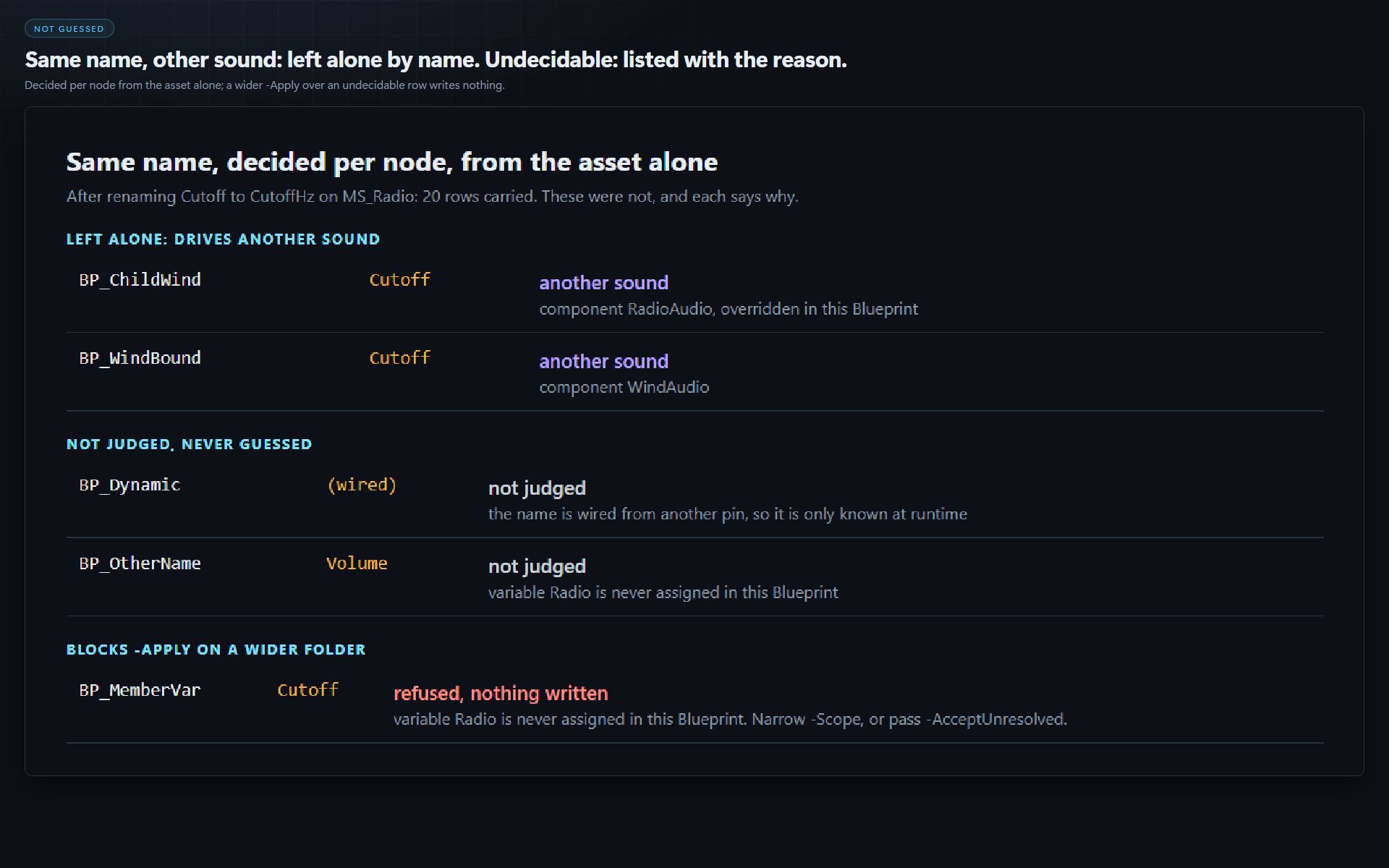
Refuses to guess. A reference read from another object, a function input, a variable assigned two different sounds, a name wired from another pin: listed with the reason, never rewritten.
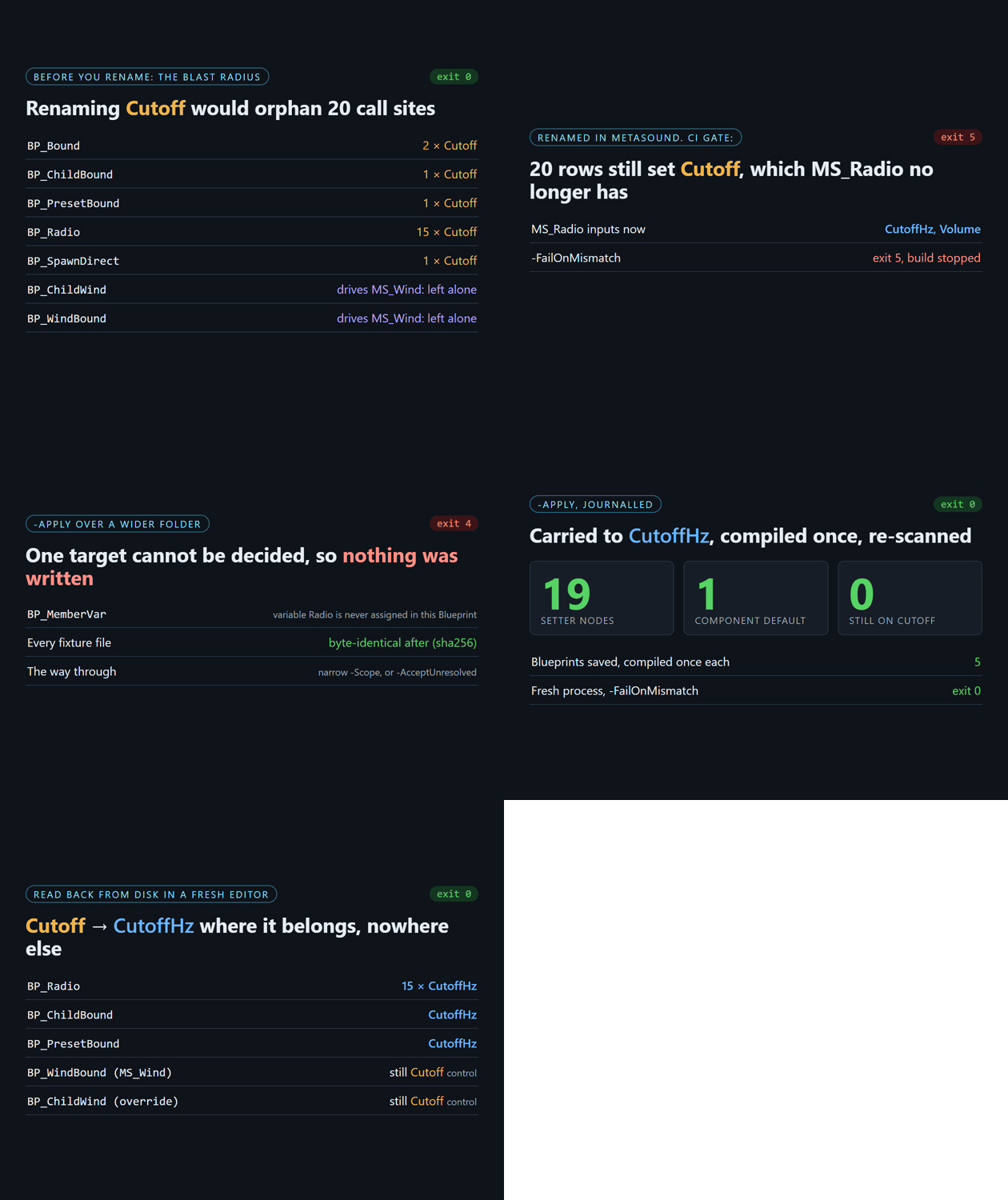
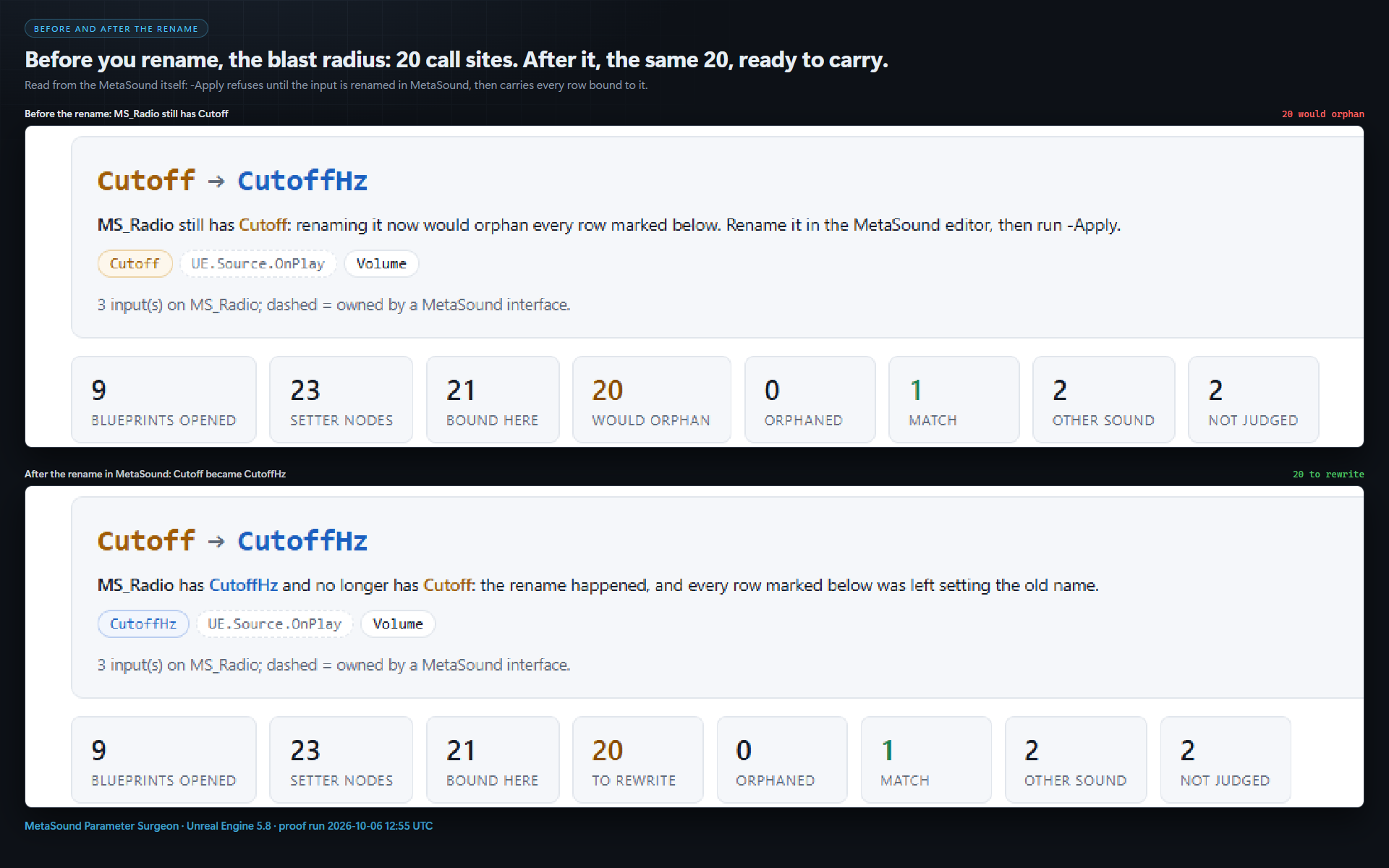
Knows which side of the rename you are on. Before you rename: the blast radius. After: every call site still on the old name, and -Apply carries them.
All or nothing. Nothing is written while a Blueprint could not be opened, a row on the old name has an undecidable target (unless you pass -AcceptUnresolved), or a file is read-only (not checked out). Otherwise: journal, rewrite, compile each Blueprint once, save, re-scan.
CI gate. -FailOnMismatch exits 5 while any Blueprint in scope sets, on that MetaSound, a name it does not have. Undo byte for byte from the journal. An HTML report on every run.
Measured on our test project (Unreal Engine 5.8)
- 12 Blueprints and 3 MetaSounds: one a decoy with its own Cutoff, one a preset.
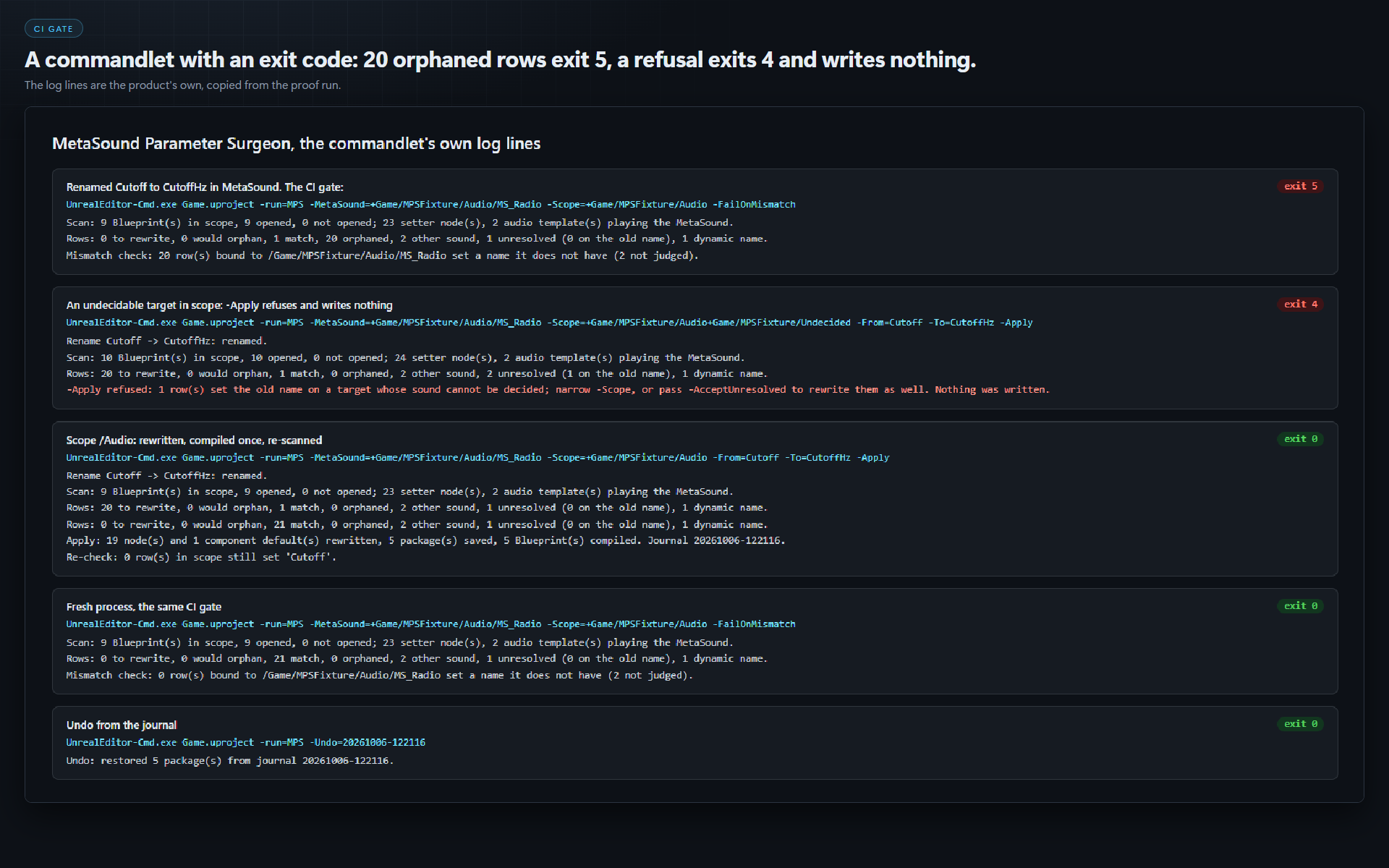
- After renaming Cutoff to CutoffHz in MetaSound, the audit exited 5 over 20 rows.
- Two refusals (an undecidable row on the old name; a read-only package): exit 4, every fixture file byte-identical afterwards (sha256).
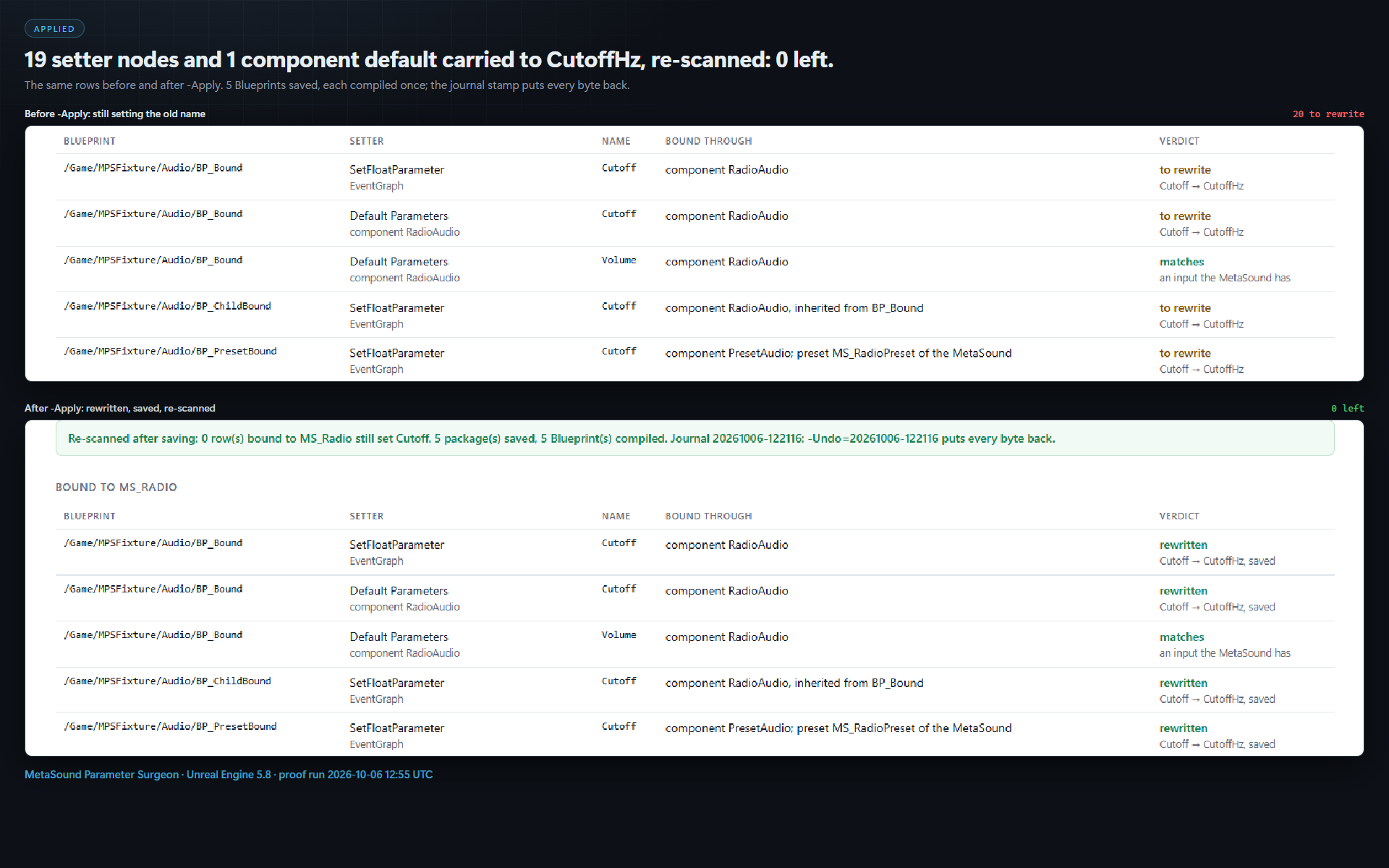
- The apply rewrote 19 setter nodes and 1 component default in 5 Blueprints, compiled each once; a fresh process then exited 0.
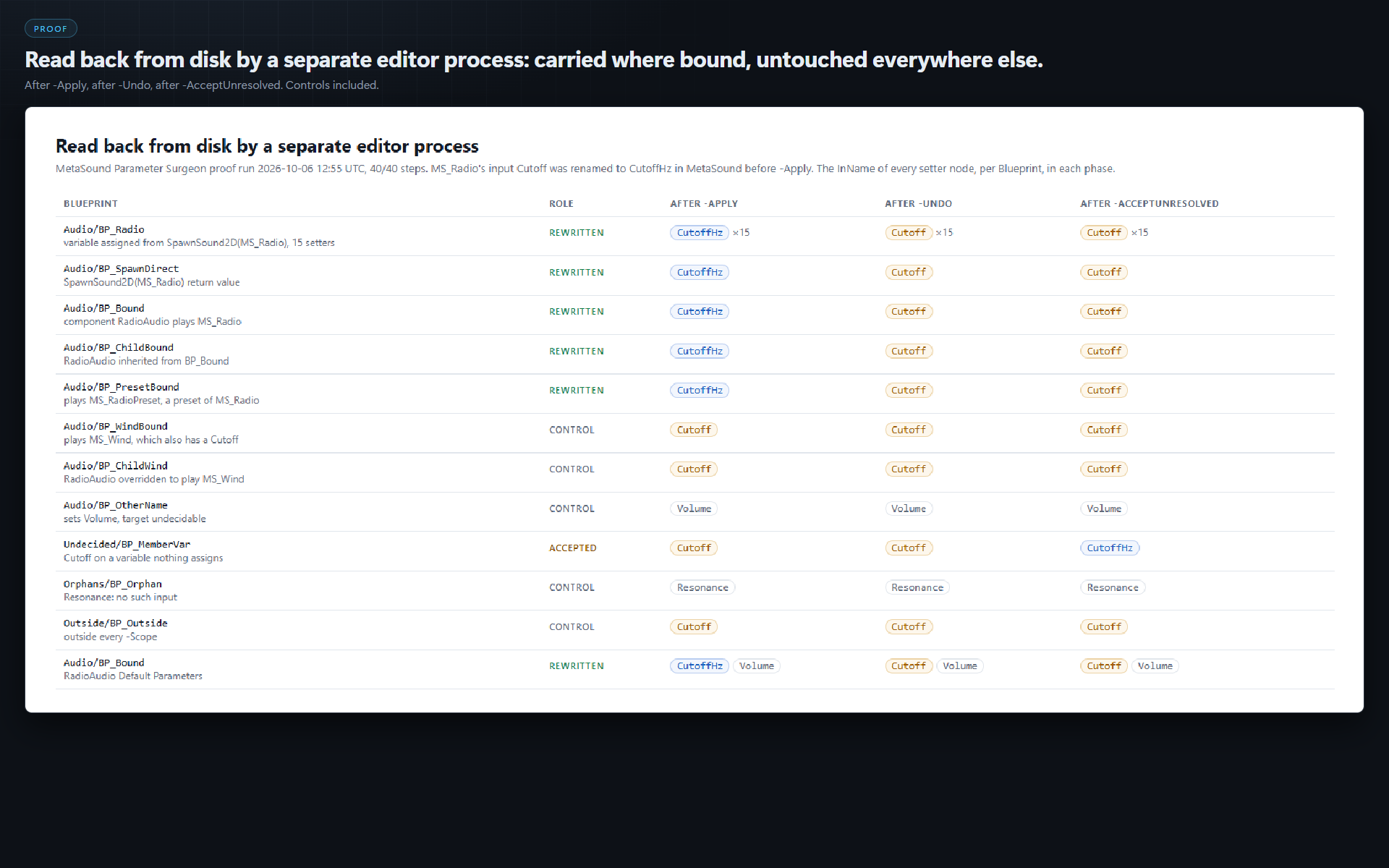
- A separate editor process read every value back from disk: the 20 bound rows on CutoffHz, the decoys (a component playing the other sound, a child overriding the component to play it) still on Cutoff.
-Undorestored all 5 packages byte for byte.
Requirements
- Unreal Engine 5.8, Windows (Win64). Only 5.8 has been run.
- Run as a commandlet:
UnrealEditor-Cmd.exe <Project>.uproject -run=MPS -Help.
Limits
It does not rename the MetaSound's input: do that in the MetaSound editor. Names built at runtime are listed, not judged. Level Blueprints are not read in this version.
Full documentation: MetaSound Parameter Surgeon README
More Unreal tools from the same studio: Niagara Parameter Surgeon (the same fix for Niagara user parameters) and Retarget Relinker. Everything else: csaf.itch.io
AI disclosure: the code and the cover art were produced with AI assistance.
Purchase
In order to download this tool you must purchase it at or above the minimum price of $14.99 USD. You will get access to the following files:
Development log
Leave a comment
Log in with itch.io to leave a comment.