Retarget Relinker - UE5 plugin
A downloadable tool for Windows
You retargeted the animations. The new character has its own library now.
And every gameplay Blueprint, Anim Blueprint default, DataTable row and soft reference in the new character's folder still plays the old character's animations.
Unreal's two answers are both wrong for this:
- Epic's remap,
EditorAnimUtils::ReplaceReferredAnimationsInBlueprint, takes aUAnimBlueprint*. It fixes Anim Blueprints only. - Replace References is global. It also redirects the old character, which has to keep its own animations.
Retarget Relinker rewrites references only inside the folder you name, only to twins it can prove, and refuses anything that still belongs to the old character.
What it does
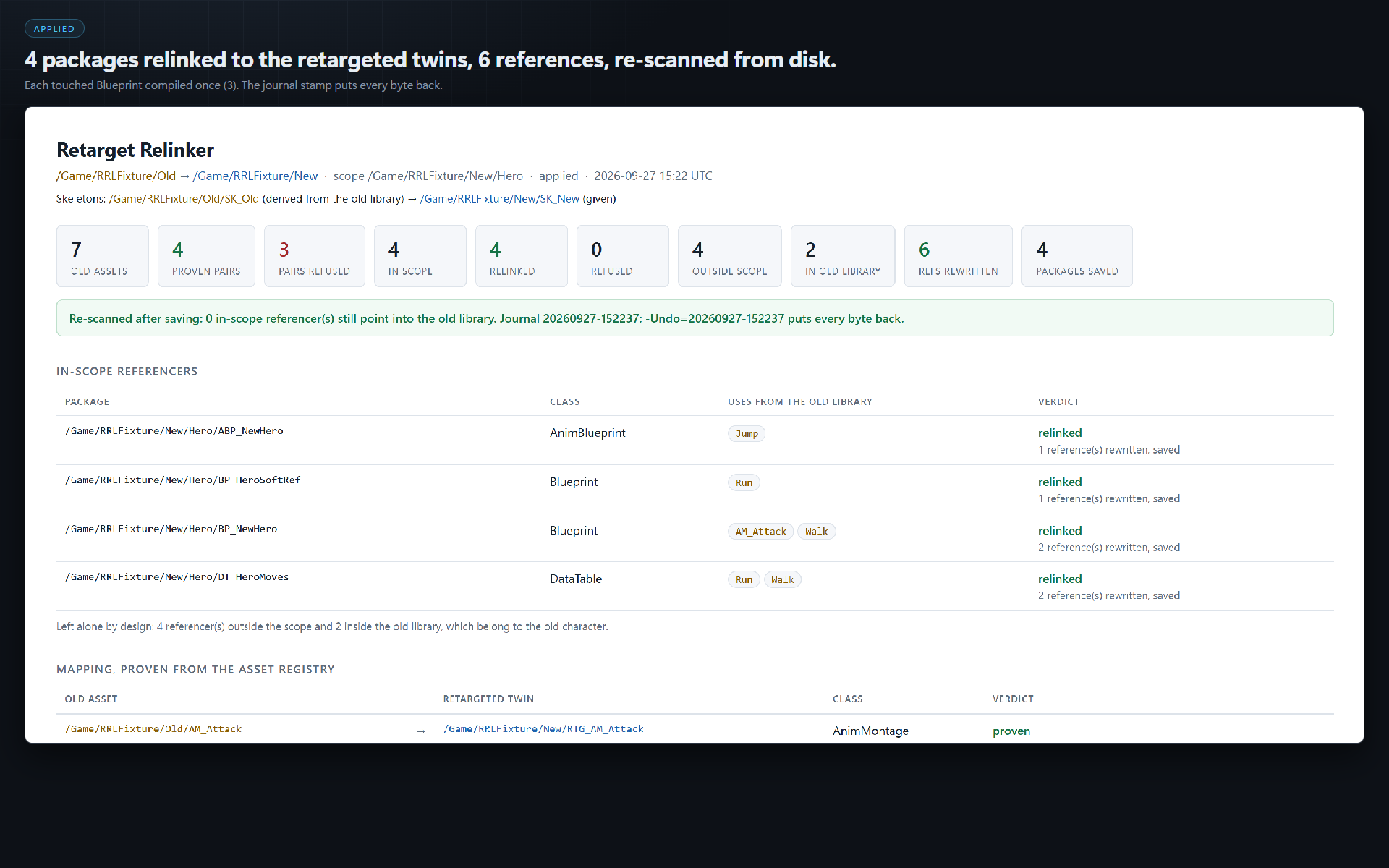
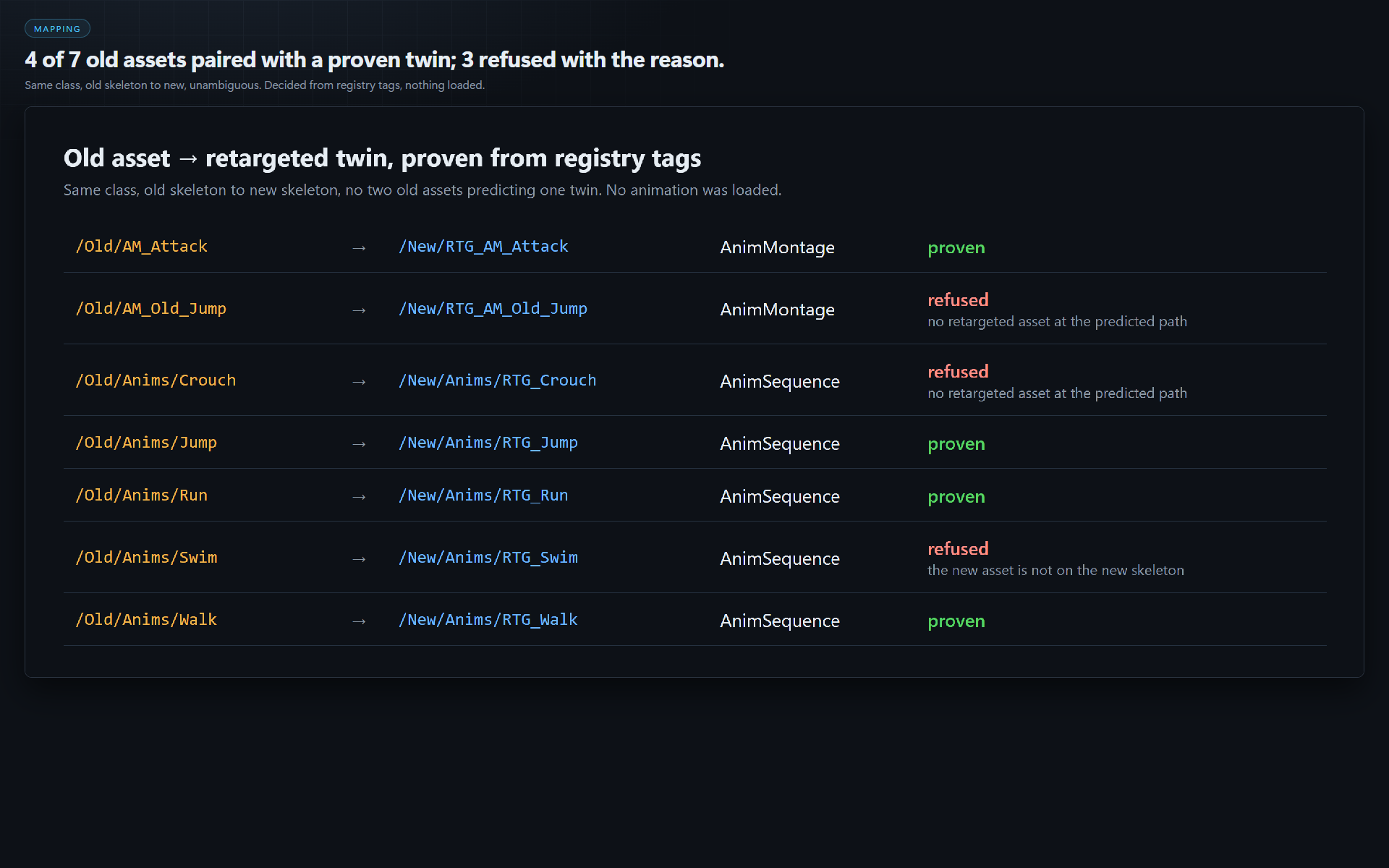
Builds a proven old-to-new mapping from the asset registry. Each old animation asset is paired with the twin your naming rule predicts (-Prefix, -Suffix, -Replace). A pair is used only when the twin exists, is the same class, the old asset is on the old skeleton and the twin on the new one, and no other old asset predicts the same twin. No animation is loaded to decide it.
Derives the skeletons instead of guessing. A library on more than one skeleton is refused by name, with the switch to pass.
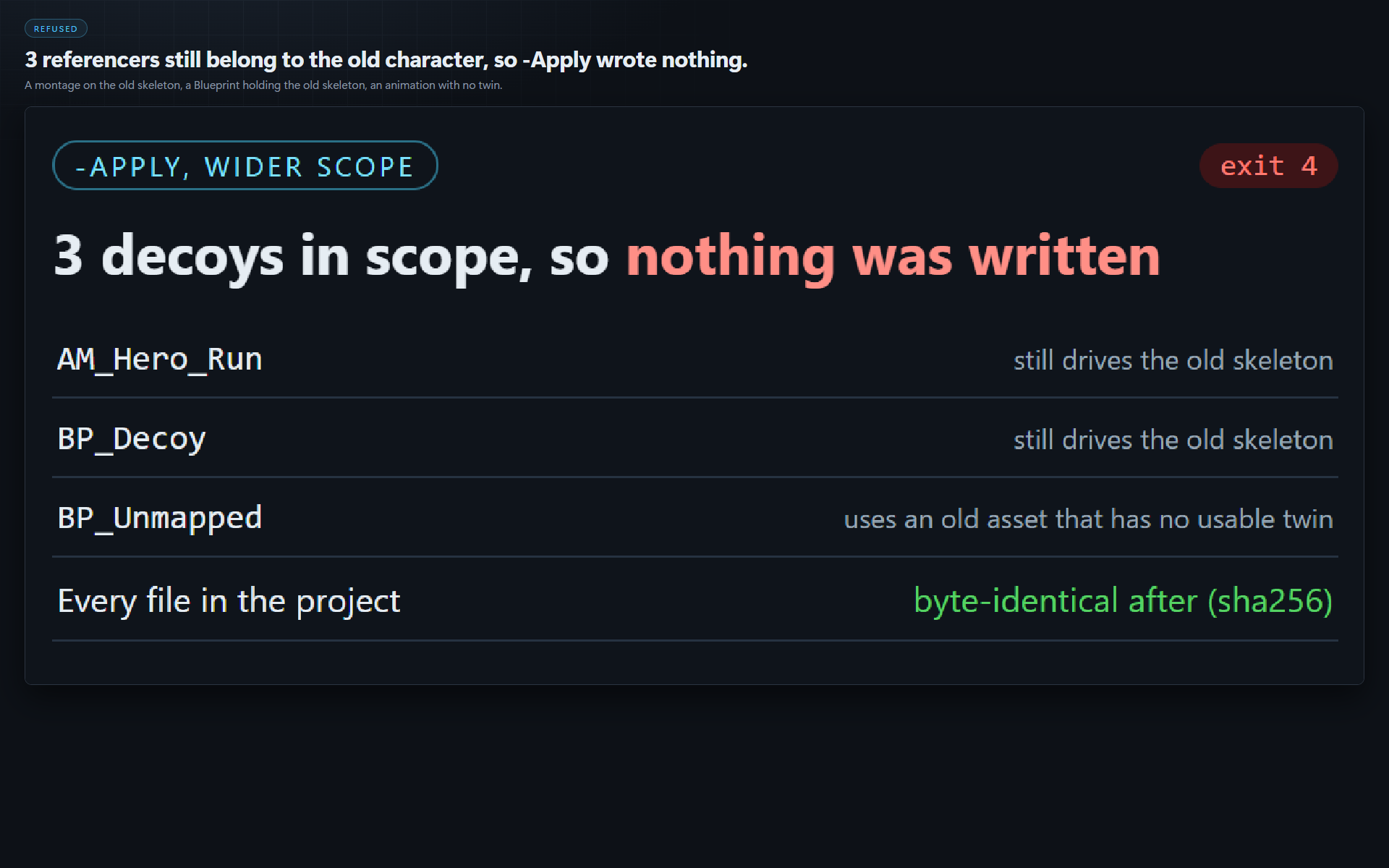
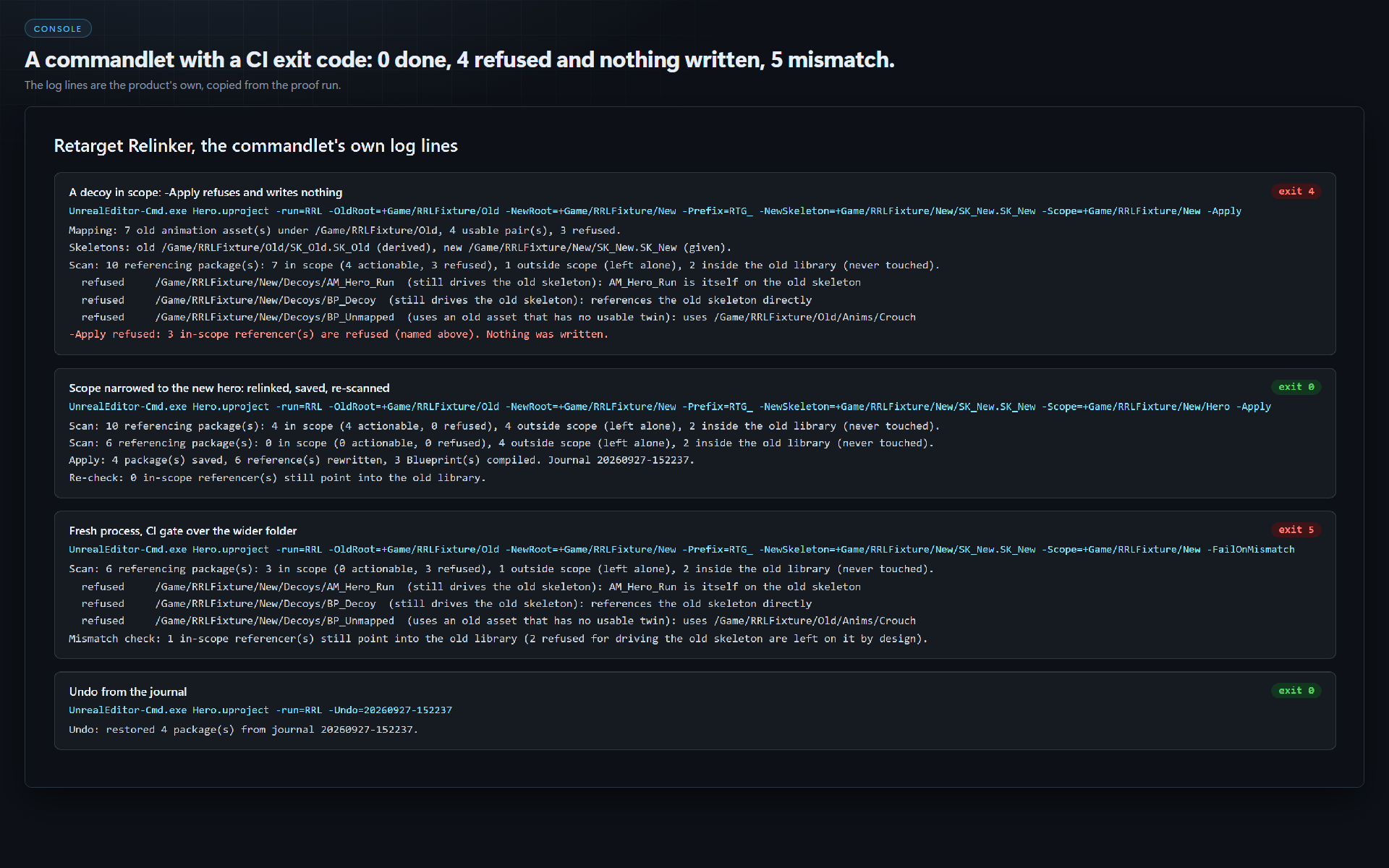
Refuses before it writes anything. A referencer that still drives the old skeleton (a montage on it, an Anim Blueprint targeting it, anything hard-referencing the skeleton, a mesh on it or an Anim Blueprint targeting it) is refused. So is one that uses an old asset with no usable twin, and one whose file is read-only (not checked out of source control). While anything in scope is refused, an -Apply run writes nothing.
Relinks, then checks from disk. It journals every package first, rewrites, compiles each touched Blueprint once, saves, re-scans the saved files, and exits 6 if anything still points into the old library.
Gives CI an exit code. -FailOnMismatch exits 5 while anything in scope still uses the old library.
Undoes byte for byte from the journal.
Measured on our test project (Unreal Engine 5.8)
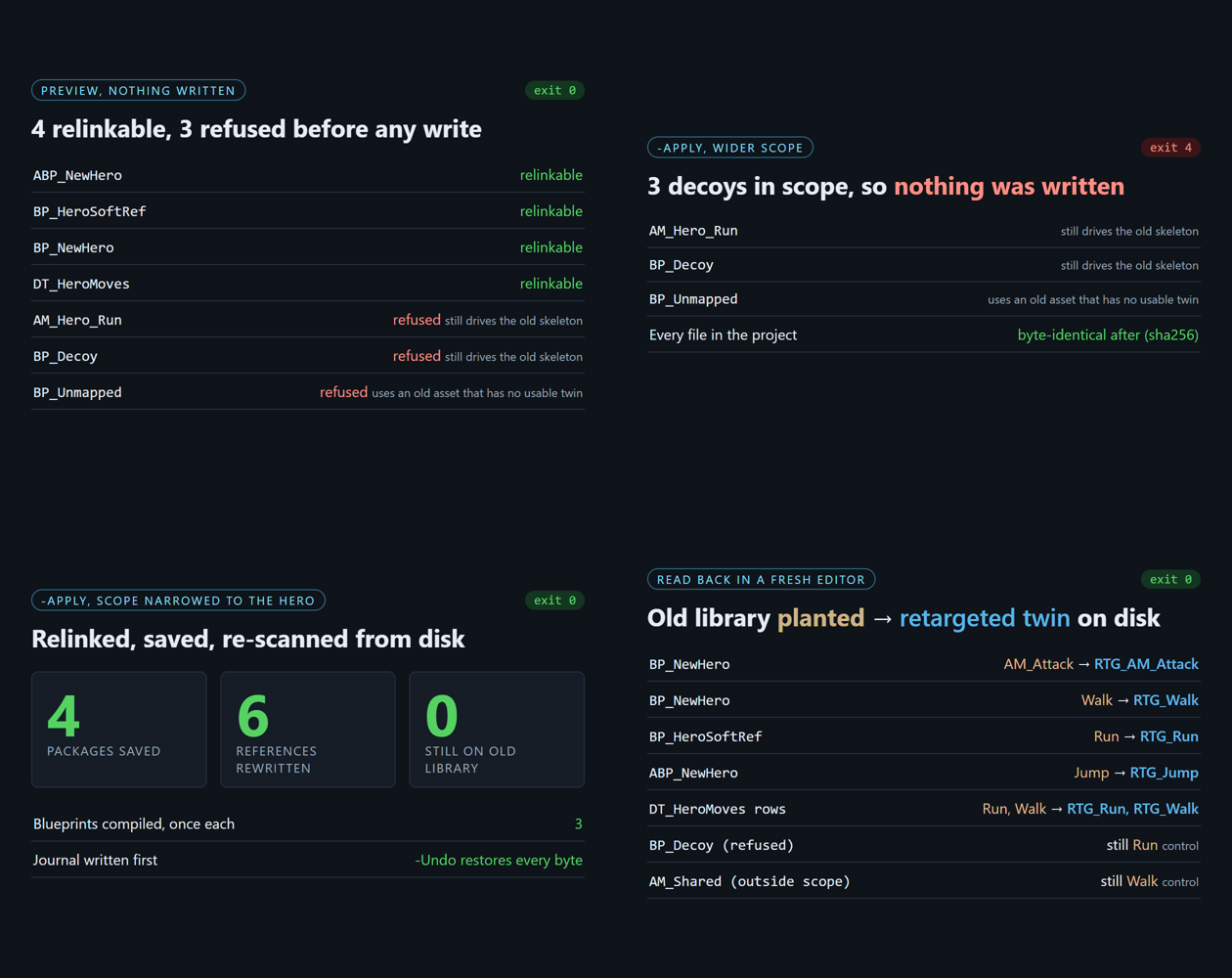
- Wider scope with three decoys in it: 3 referencers refused,
-Applyexits 4, every file in the project byte-identical afterwards (sha256). - Scope narrowed to the new hero: 4 packages saved, 6 references rewritten, 3 Blueprints compiled, re-scan 0.
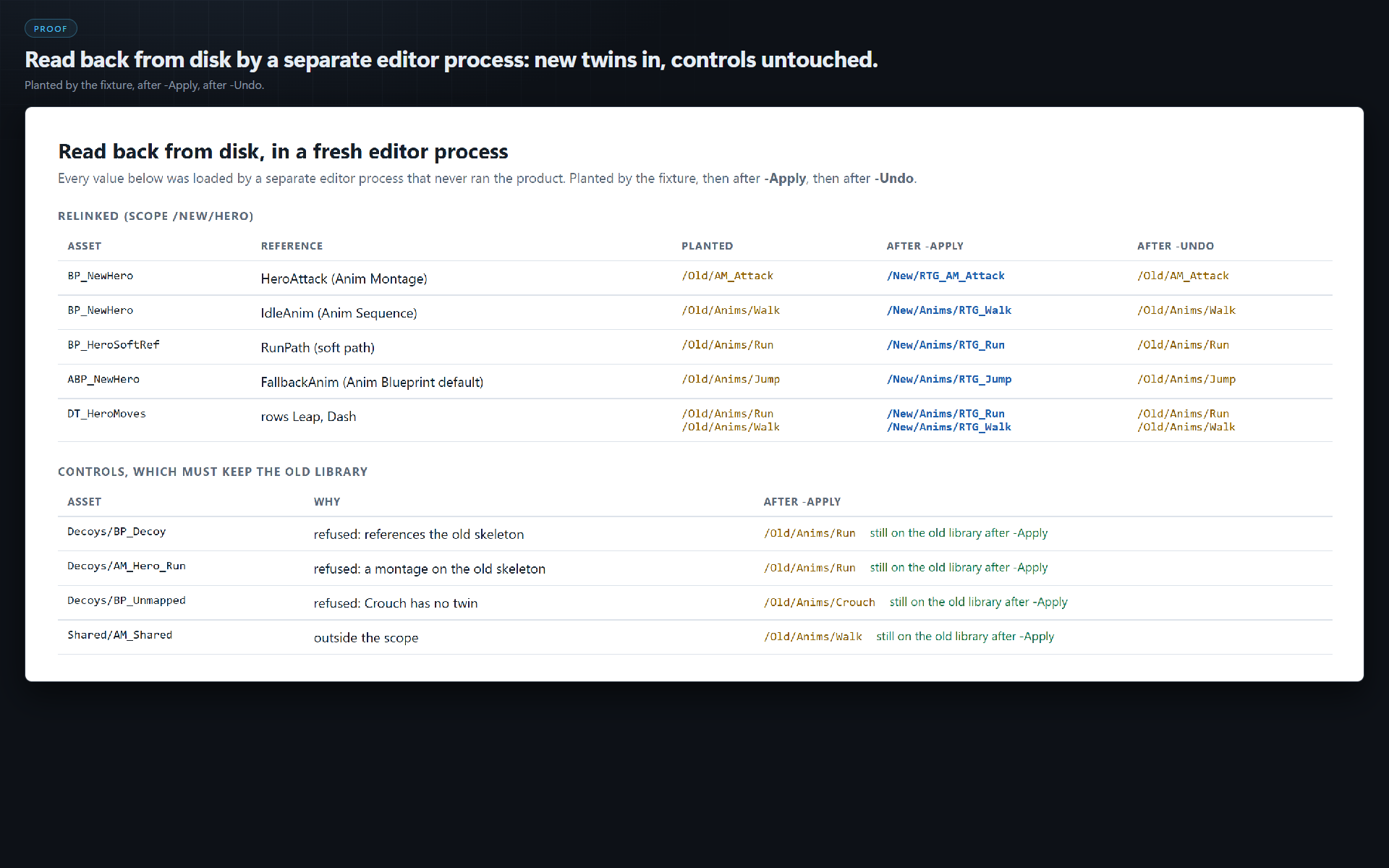
- A separate editor process then read the saved assets back: every Blueprint default, Anim Blueprint default, DataTable row and soft path pointed at the retargeted twin, and every control (the decoys, a montage outside the scope) still pointed at the old library.
-Undoput all 4 packages back and the same read-back showed the old library again.
Requirements
- Unreal Engine 5.8, Windows (Win64). Only 5.8 has been run.
- Run as a commandlet:
UnrealEditor-Cmd.exe <Project>.uproject -run=RRL -Help.
Limits
It relinks references; it does not retarget animation. A montage still on the old skeleton is refused: retarget it too. Twins are found by name; unmatched pairs are refused and listed, never guessed.
Full documentation: Retarget Relinker README
More Unreal tools from the same studio: Component Class Swap (change a Blueprint component's class without losing its wiring) and Row Rename Surgeon. Everything else: csaf.itch.io
AI disclosure: the code and the cover art were produced with AI assistance.
Purchase
In order to download this tool you must purchase it at or above the minimum price of $14.99 USD. You will get access to the following files:
Development log
Leave a comment
Log in with itch.io to leave a comment.