Timber - Tree Cutting for RPG Maker MZ: Your Own Tileset Trees Topple, Burst and Split Into Logs
Every tree in your own tileset can be cut down.
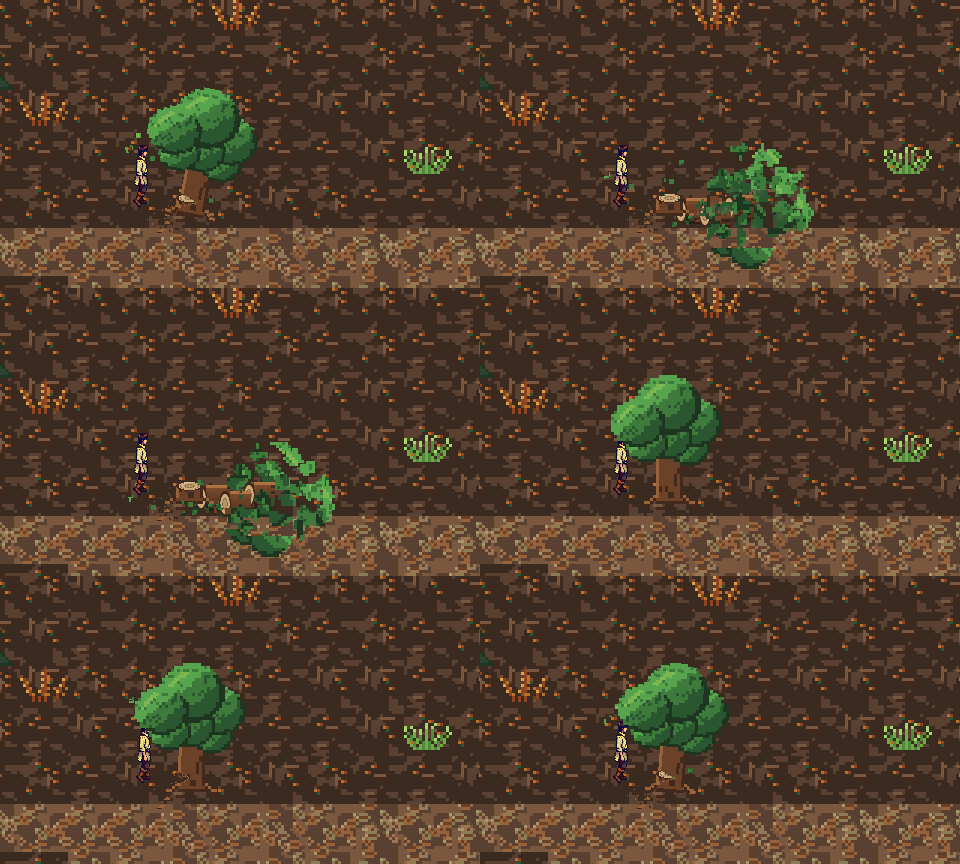
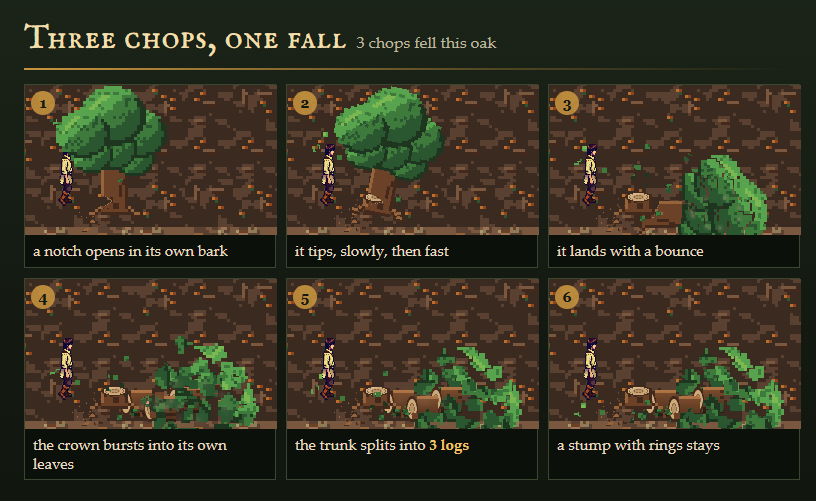
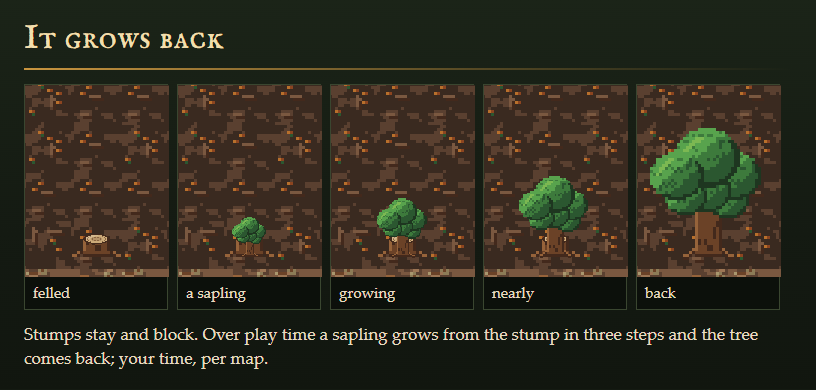
Timber turns the trees already painted on your maps into trees the player can fell. Face a tree and press OK: it shudders, a notch opens in its own bark, chips and leaves fly. The last chop fells it with weight. It tips slowly, then fast, lands with a bounce and a small shake, its crown bursts into its own leaves, the trunk splits into logs, and a stump with rings stays on the spot. Over play time a sapling grows from the stump and the tree comes back.
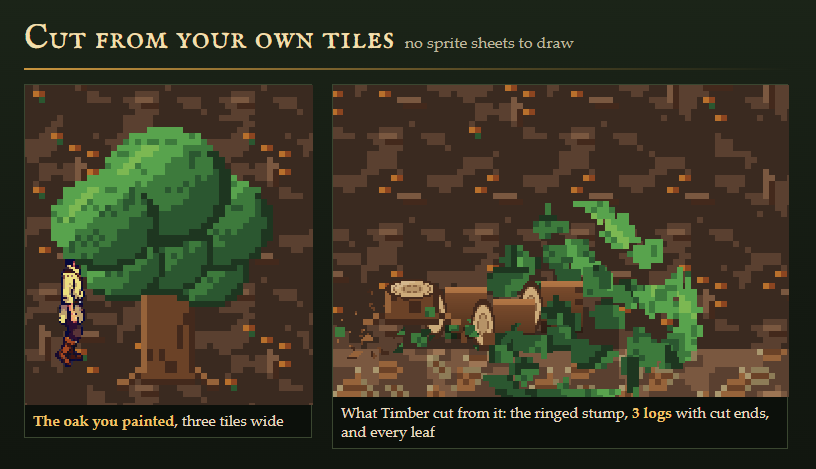
Nothing to draw. Every leaf, chip, log, splinter, stump and sapling is cut from the pixels of the tree you painted, whatever tileset it comes from. No tree sprite sheets, no event on every tree. MZ's own stock trees work the moment you switch it on.
⚠️ Compatibility — the question you actually have
Tested against RPG Maker MZ with the stock scripts unmodified, verified by running the plugin in the real engine rather than only in tests.
Plugin Manager order:
SmithereensCore.js— [CSAF] Smithereens core: materials and seeded fracture maps. Install with Smithereens.js.SmithereensCut.js— [CSAF] Smithereens cut: fragments cut from your own graphics. Install with Smithereens.js.TimberCore.js— [CSAF] Timber core: finds the trees in your tileset and plans how each one falls. Install with Timber.js.Timber.js— Timber: every tree in your own tileset can be cut down. It shudders, topples and splits into logs.
Core methods extended — 7 by saved-original prototype extension, none replaced: Game_Map.prototype.setup, Game_Map.prototype.isPassable, Spriteset_Map.prototype.createTilemap, Game_Player.prototype.canMove, Game_Player.prototype.triggerButtonAction, Spriteset_Map.prototype.createLowerLayer, Spriteset_Map.prototype.update.
Because nothing is clobbered, Timber co-exists with other plugins that patch the same seams, including large suites.
It also defines 2 methods that their core class only inherited: Game_Player.prototype.screenX (inherited from Game_CharacterBase), Game_Player.prototype.screenY (inherited from Game_CharacterBase). That touches Game_Player only, never the parent. If another plugin redefines the same method on the same class, load Timber after it.
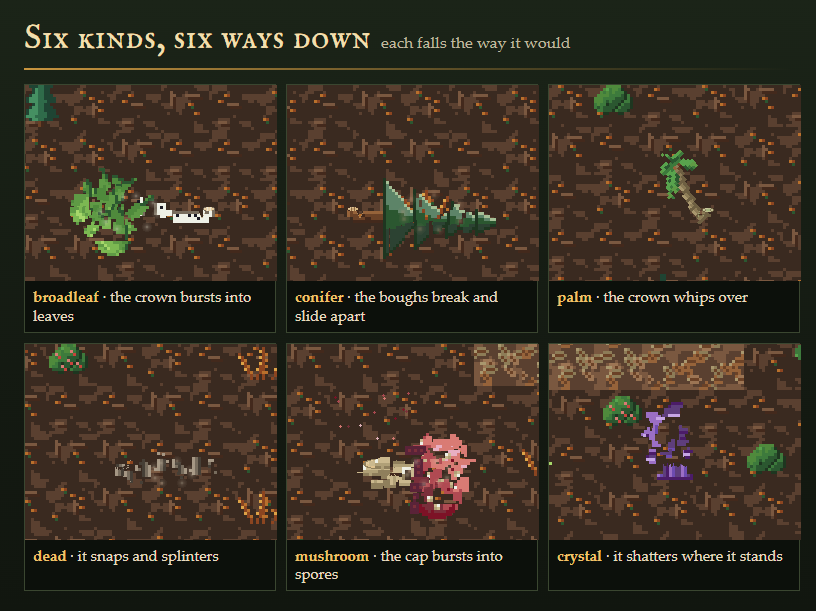
Six kinds, six ways down
- Broadleaf: topples about the cut; the crown bursts into its own leaves; 3 logs and a ringed stump.
- Conifer: topples faster; the crown breaks into wide boughs that slide apart; 4 thin logs. A snowy tree drops snow at every chop.
- Palm: whips over, the crown lagging and then springing past; 5 short segments.
- Dead tree: snaps at the cut, drops into it, tips and shatters into splinters; a jagged stump.
- Mushroom: flops over and the cap bursts into slow spores; the stem stays.
- Crystal: does not fall. It shatters where it stands and its base stays.
Your trees, one terrain tag
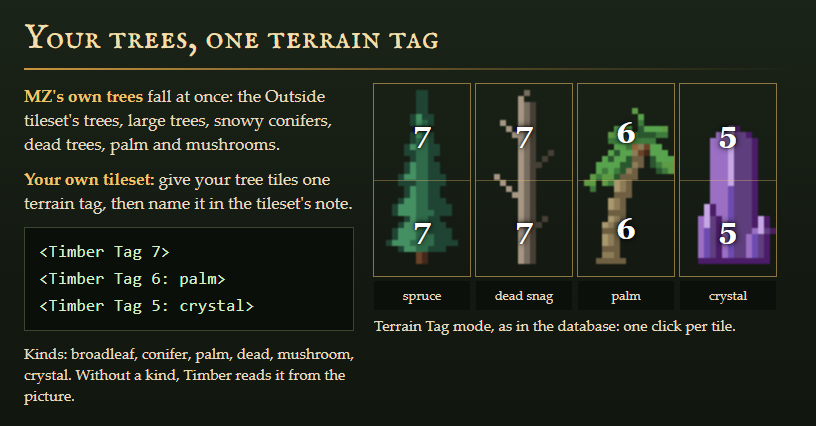
MZ's stock trees fall at once: the Outside tileset's trees, large trees, snowy conifers, dead trees, palm and mushrooms, and the SF Outside tree. Forest canopy fills, streetlights and the tree in a planter are left alone.
For your own tilesets, give the tree tiles one terrain tag in the Database (one click per tile) and name it in the tileset's note, <Timber Tag 6>. Add a kind to be exact, <Timber Tag 5: conifer>; without one Timber reads the kind from the picture (24 of our 25 test trees read right). A tree is the tiles you painted together from the palette, so a forest of the same tree side by side stays separate trees.
Built for your design
- Need an axe: require a weapon, an item or a switch, with a common event when the player has none ("You need an axe.").
- Rewards: a wood item and amount, a mushroom item, a crystal item, a variable that counts trees felled, a common event on every fell.
- Stumps block their cell; the rest of the tree's cells open up. Regrow time per project or per map, or never.
- Plugin commands to chop or fell any tree from an event, regrow a map, or turn the OK-button chop off; script calls for conditional branches.
- Saves keep which tree fell and when, nothing else. A loaded save, a menu and a Change Tileset event all keep felled trees felled.
Measured, not guessed
Each tree's picture is read once while the map fades in; chopping and falling read no pixels at all. On our showroom map with a tree felled every few seconds, the engine drew about 13 draw calls a frame with fewer than one texture upload every four frames, inside the limits we hold every plugin to. The shipped zip was installed into a blank MZ project and played from the title screen with the keyboard: trees found with no setup, felled, stumps blocking, kept through a save and load.
What it does not do
Overworld forest autotiles and trees placed as events are not cut. There is no mouse or touch chop of its own: call Chop Tree In Front from an event or a button. Trees always fall sideways, because on MZ's tilted view a tree lying toward or away from the camera would be drawn at under half its height.
Pairs with
- Smithereens: pots, crates, rocks, crystals, ice and bushes break the way their material would, cut from your own art. Timber shares its two core files.
- Strew: dresses your maps from your own tileset in one pass.
- Threshold: every door in your own tileset opens the way it was drawn.
- Wrack: your town, burned, ruined or overgrown, from your own tiles.
In the pictures: the trees and ground are from our Verdant 28 Deep Forest and other Verdant tilesets, and the woodcutter is from Hearthhands 01. Timber ships no art; it works on yours, and the player leans into each blow with whatever character you use.
Four plugin files, raw readable JavaScript, a Readme and a licence for unlimited games. AI disclosure: the code was written with AI assistance and the cover is AI-generated; no sounds or narrative text ship with it.
Purchase
In order to download this asset pack you must purchase it at or above the minimum price of $6.99 USD. You will get access to the following files:
Development log