Primer — Printed How-To-Play Spread for Unity
A downloadable asset pack
The printed how-to-play page, composed from your game's own input bindings. It redraws when a key is rebound.
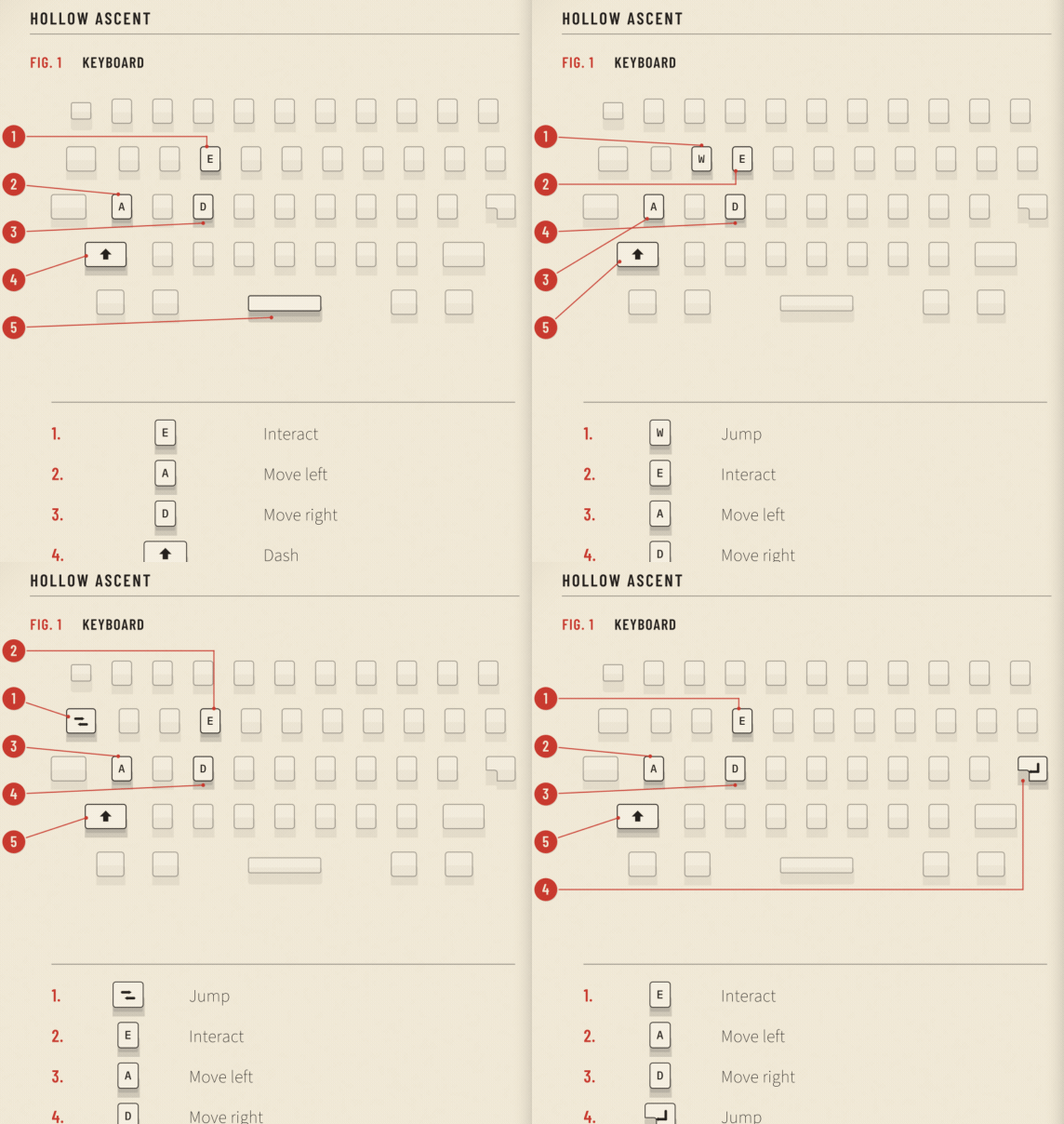
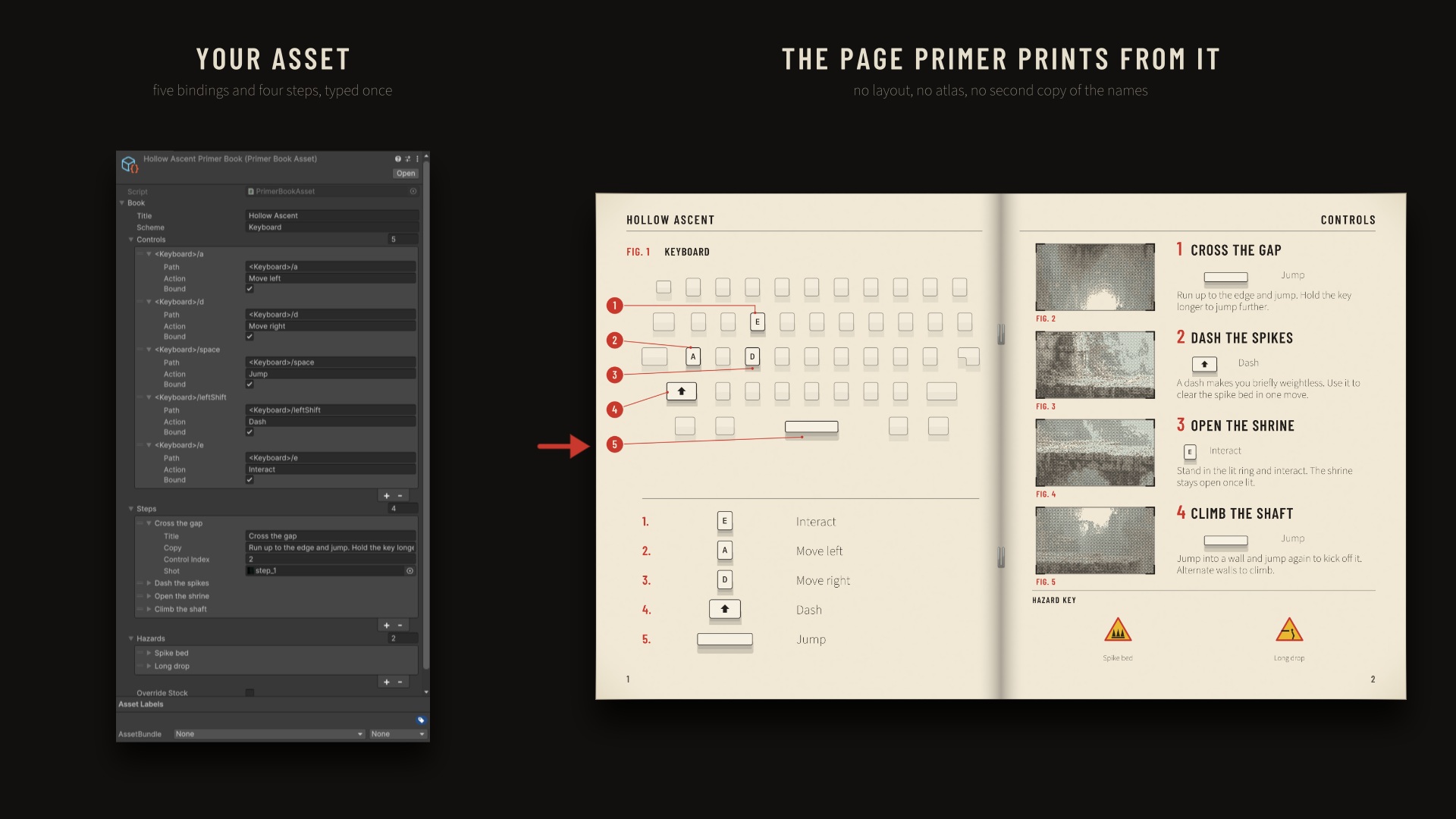
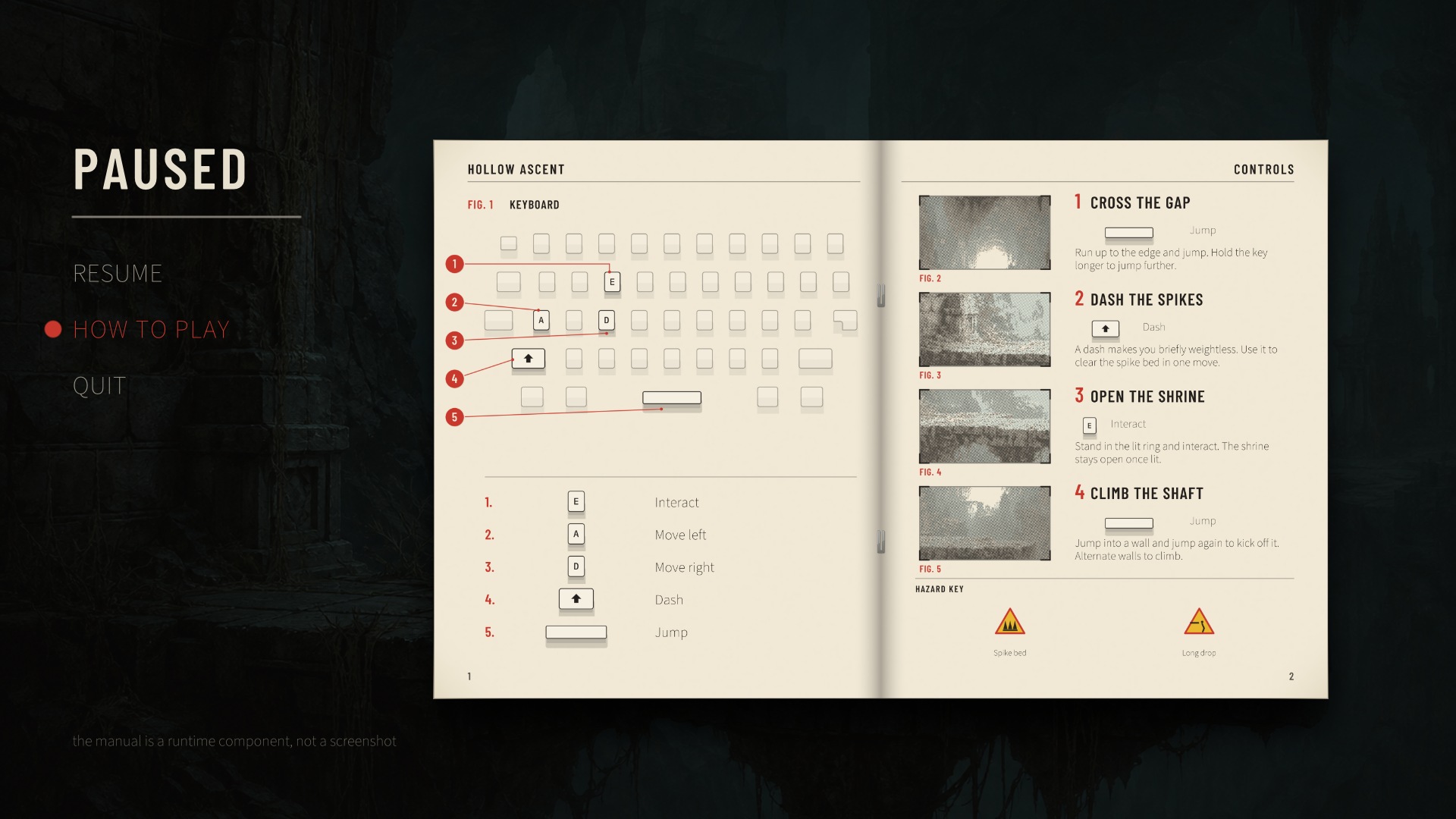
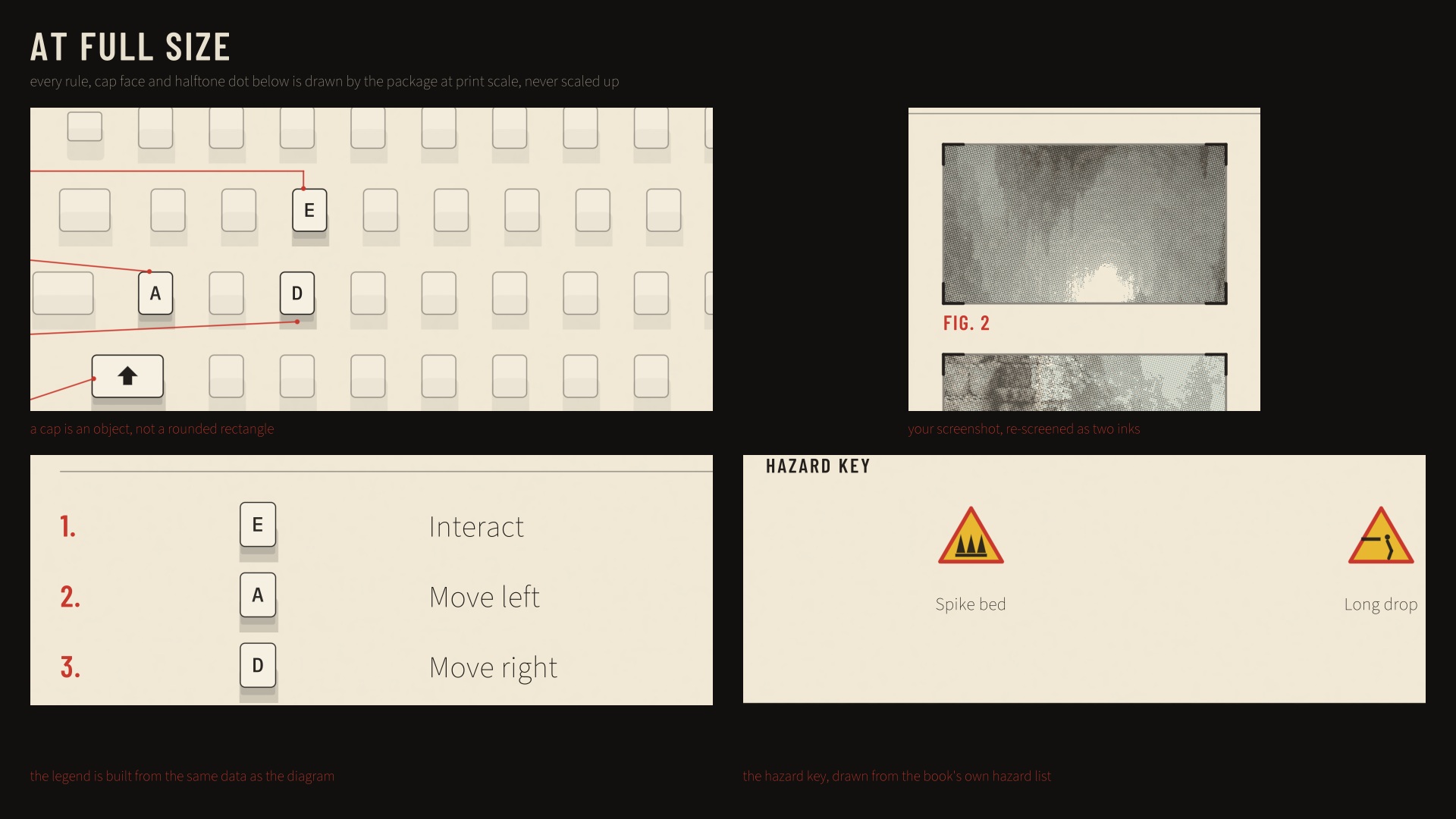
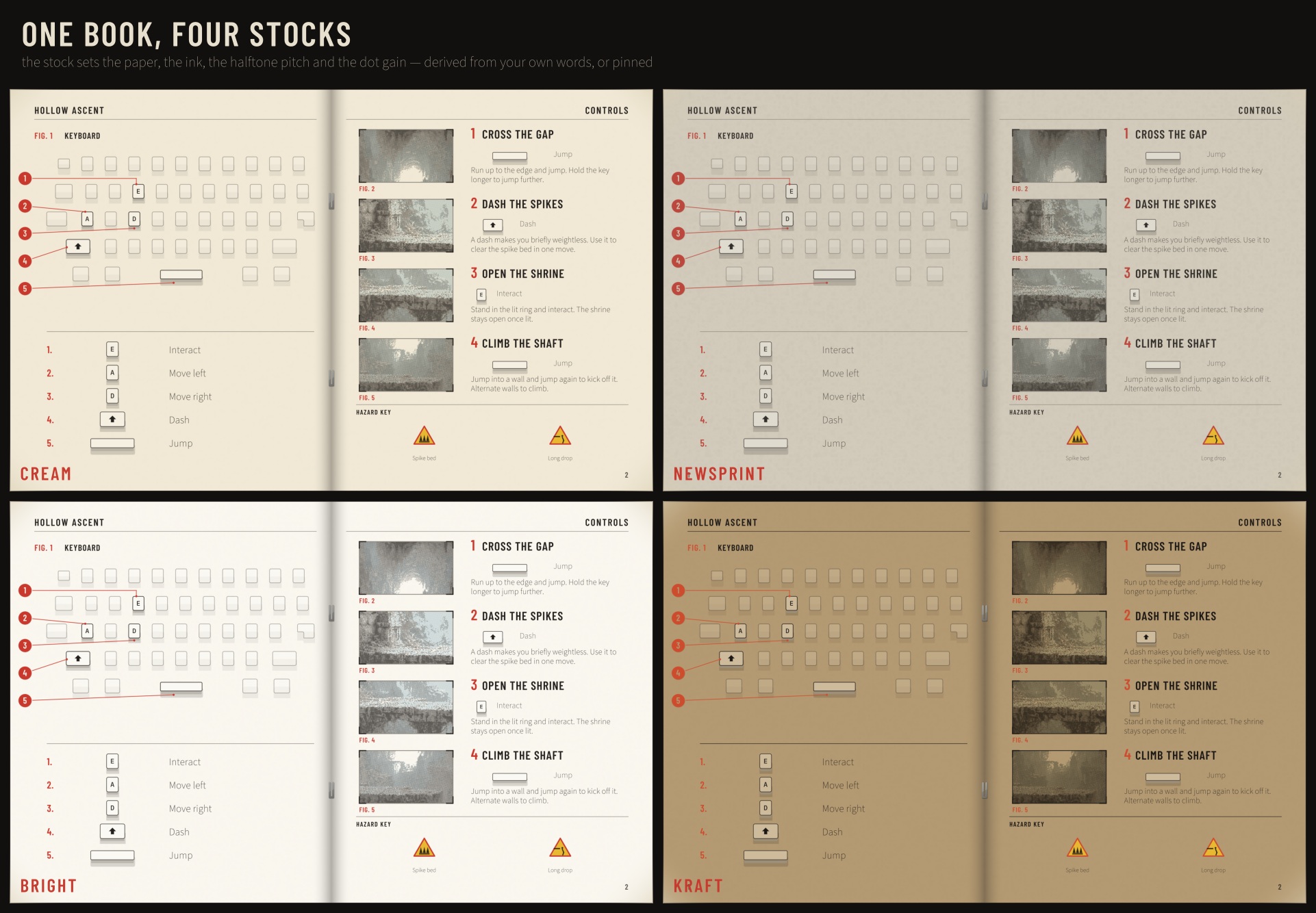
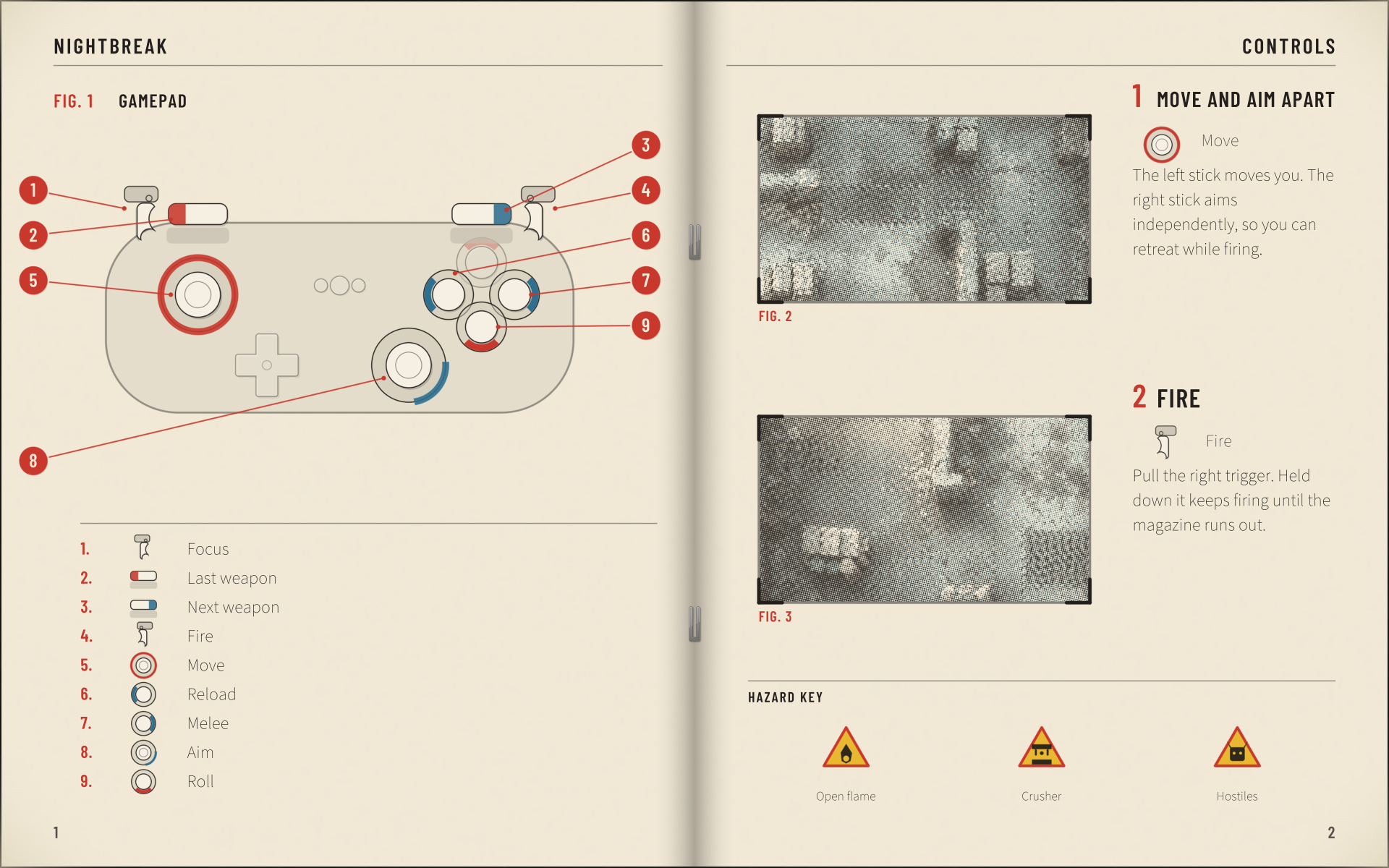
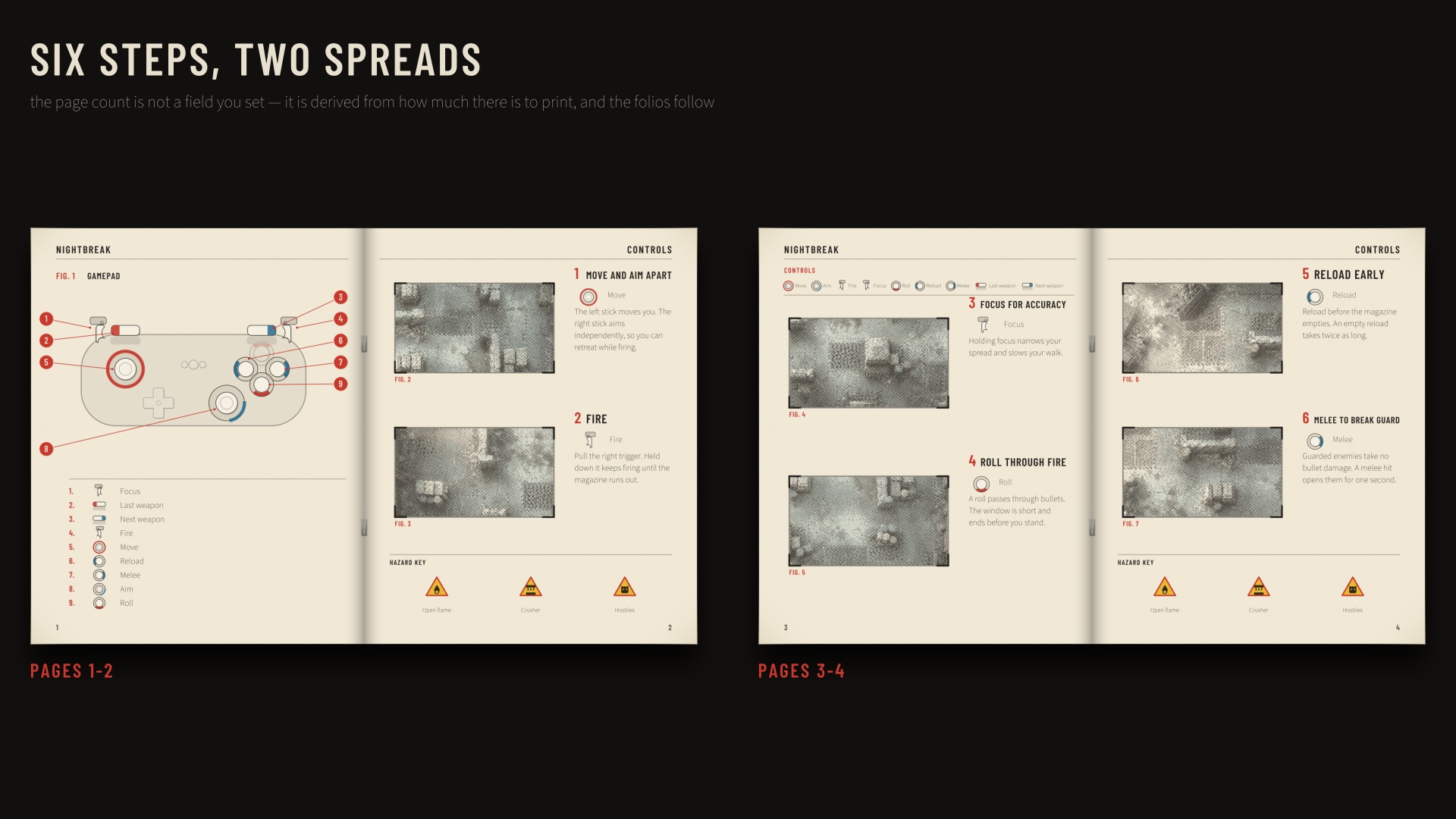
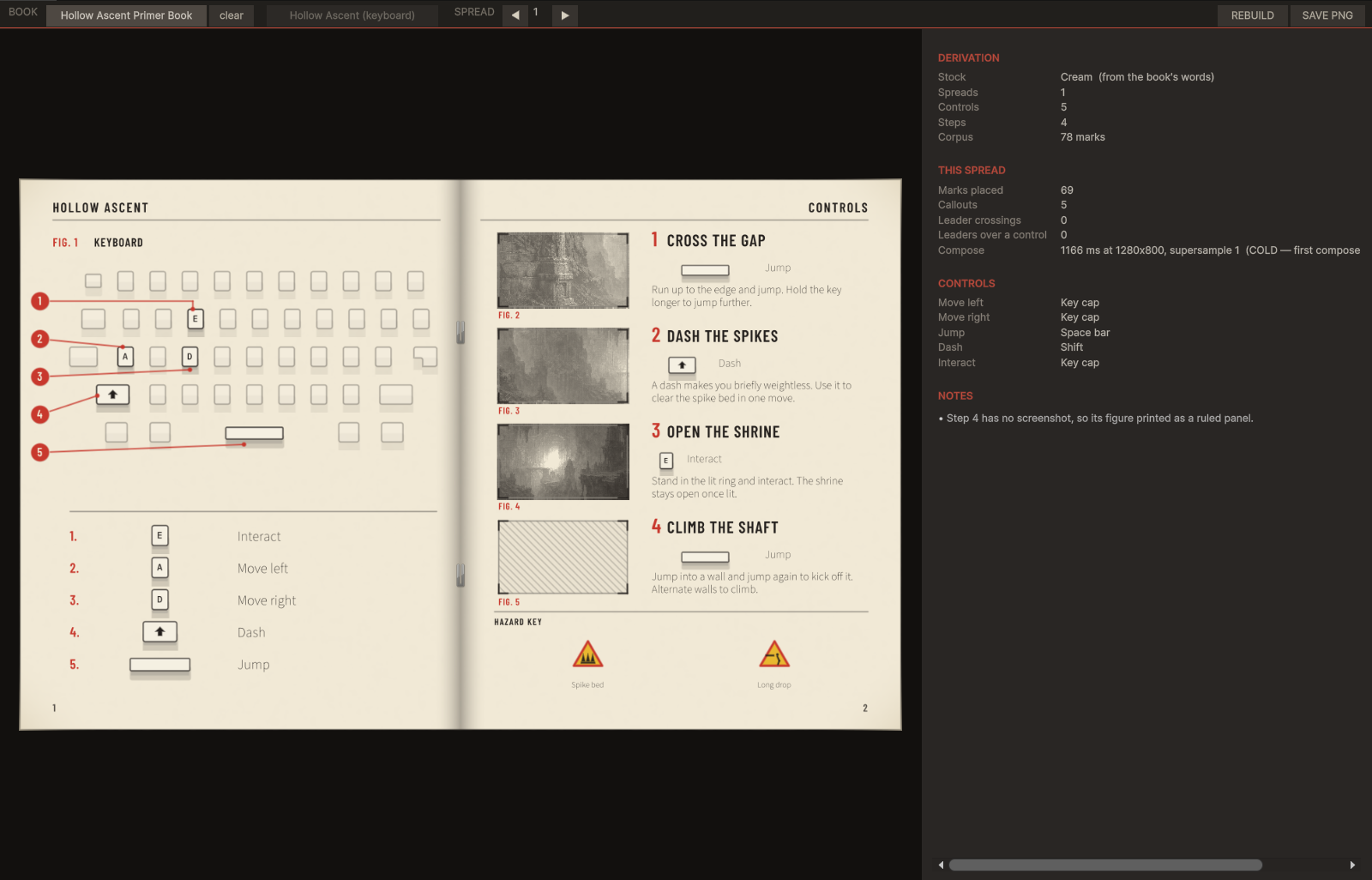
Primer draws a saddle-stitched instruction booklet spread: two facing pages of cream stock, printed in two spot inks. FIG. 1 on the left is your active control scheme drawn whole, every bound control tethered by a numbered callout to a legend. The right page is your numbered steps, each with its screenshot re-screened as a two-ink halftone, and a hazard key.
Rebind Jump from Space to the south face button at runtime and the diagram, the callout numbering, the leader and the legend row all move, because all four are derived from the same list. That is the difference between this and a sheet of input icons.
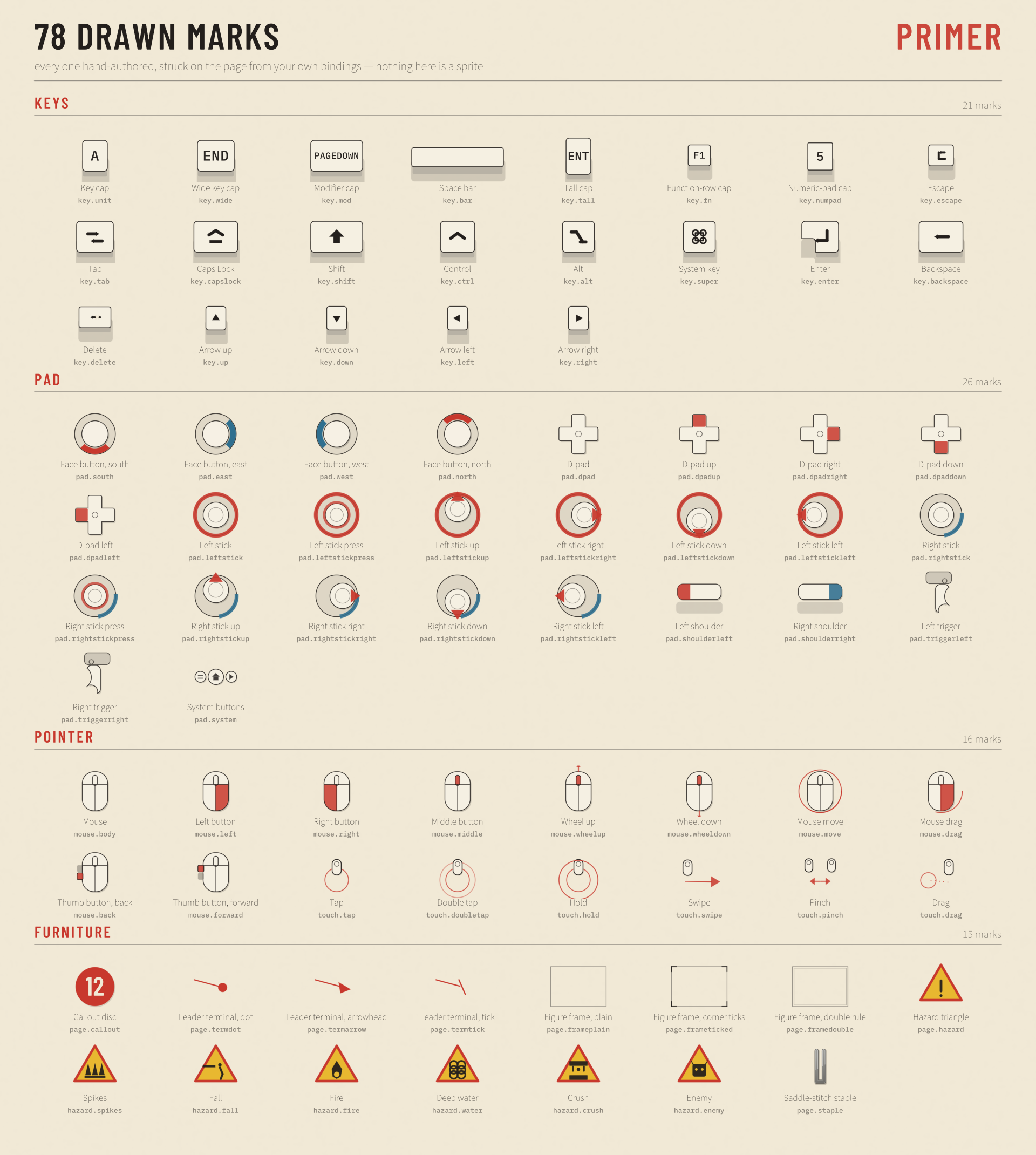
What it draws: 78 hand-authored marks
- Keyboard: 7 cap forms (unit, wide, modifier, space bar, tall, function row, numeric pad) and 14 special keys, each with a drawn legend.
- Gamepad: face buttons by position, the D-pad and its four directions, left and right sticks as separate drawings with press and four pushes each, shoulders, triggers, system buttons.
- Mouse and touch: 10 mouse marks including the thumb buttons, 6 touch gestures.
- Page furniture: the callout disc, leader terminals, figure frames, the hazard triangle, six hazard icons, the saddle-stitch staple.
Every control mark has a pressed state that is a different drawing, not a tint.
Three weights, because there are three states
- A key you have bound prints at full ink and gets a numbered callout.
- A key the board carries that your game never mentions is ghosted, so the board still reads as a board.
- A control your game lists but leaves unbound gets an outlined cap and a legend row of its own reading "Dash (unbound)". A player learns the action exists and has no key yet.
A real print job, not a colour swap
Four paper stocks (cream, newsprint, bright and kraft) are chosen from your game's own words unless you set one. The stock decides the paper, the ink, the halftone dot pitch and how far ink spreads into the sheet. Screenshots are separated into two plates and halftoned at 15 and 75 degrees, with levels read off your own image, so a night scene prints as a picture instead of an even grey field.
The page count is derived. A three-step keyboard platformer and a twelve-step gamepad twin-stick get different spreads and different numbers of them. Callouts sit on both margins, and the leaders are routed so they do not cross each other or run over a called-out control.
Works with any input setup
A control is the generic Input System path, exactly the string InputBinding.effectivePath gives you. The composing code has no dependency on the Input System package, so Primer works the same on the legacy Input Manager, on Rewired, or on your own bindings file.
foreach (var action in myActions)
    foreach (var binding in action.bindings)
        book.Controls.Add(new PrimerControl(binding.effectivePath, action.name));
book.Steps.Add(new PrimerStep("Cross the gap", "Run up to the edge and jump.", controlIndex: 2, shot: myScreenshot));
page.Book = book;
page.Rebuild();   // page.Texture is an ordinary Texture2D
Controls are drawn by position (the south face button), never as a console manufacturer's trademarked glyph, and the legend is filled from the display names your bindings supply.
Demo scene and editor window
Assets/CSAF/Primer/Demo/Scenes/PrimerDemo.unity. Press Play, page through three sample games with left and right, and press R to rebind a control and watch the page redraw. Window > CSAF > Primer shows the same thing in the Editor with a derivation panel explaining every choice the composer made, including any control path it did not recognise.
Compatibility
- Unity 2022.3 and newer, including Unity 6. Built and tested against 6000.5.7f1.
- Render pipeline agnostic: Built-in, URP and HDRP. The page is rasterised on the CPU into a texture.
- Three named assembly definitions (Runtime, Editor, Demo). No
Resourcesfolder, no shaders, no images, no network calls, no third-party packages. - Full, readable C# source. 28 scripts. Output is deterministic: the same book composes to the same pixels on every machine.
Performance, measured
A full 1920x1200 spread with four screenshots took 3.7 to 5.1 s (cold 3.8 s) in a blank project on an AMD Ryzen 7 5825U. That is a span on one shared machine, not a ceiling, and it scales with pixels. So compose when a binding changes, off the main thread for anything a player opens (the documented recipe uses Task.Run), and never per frame. Primer has no auto-refresh on purpose.
Limitations, stated plainly
- The font reader reads TrueType outlines only, without hinting or kerning tables, and does not shape complex scripts.
- One spread draws one scheme. Give each scheme its own book and you get a spread each, which is what a printed manual does anyway.
- The hazard key prints at most six hazards.
- A screenshot needs Read/Write enabled on its import settings. If it is off, the figure prints a ruled panel and the window names the step.
Documentation: the full guide, also included in the package.
AI disclosure
Code: yes. Graphics: yes, because the code that draws the page was AI-written; there is no image model anywhere in the art path, and every page is rasterised offline and deterministically by the shipped code from hand-authored geometry. Sounds: no, the package contains no audio. Text and dialog: no.
Purchase
In order to download this asset pack you must purchase it at or above the minimum price of $12.99 USD. You will get access to the following files:
Development log
Leave a comment
Log in with itch.io to leave a comment.