Paddock: Livery Generator for Unity
A downloadable asset pack
A designed racing livery for every car in your roster: scheme, team colours, a number roundel and a universe of fictional sponsors, painted onto your own vehicle meshes.
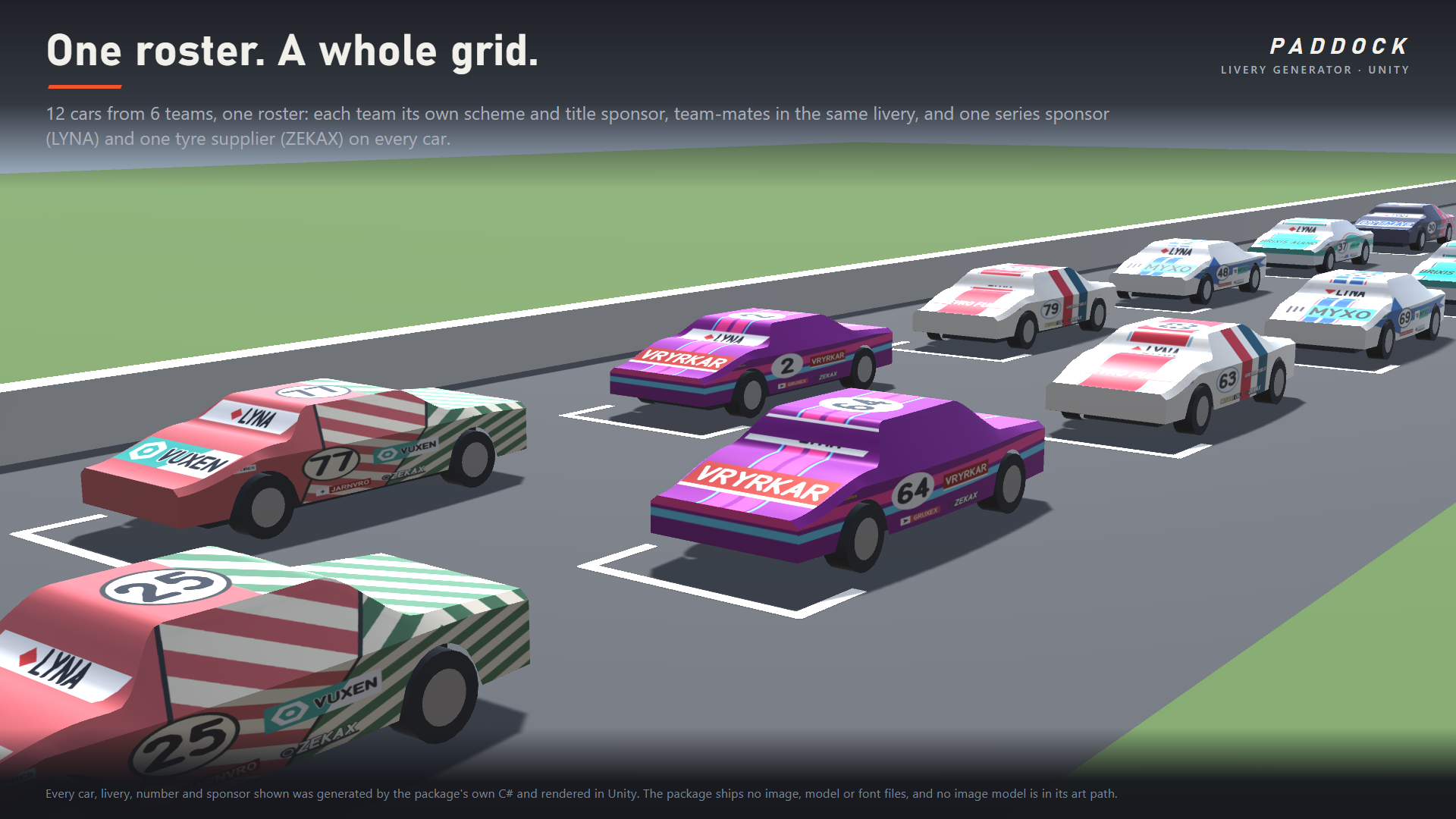
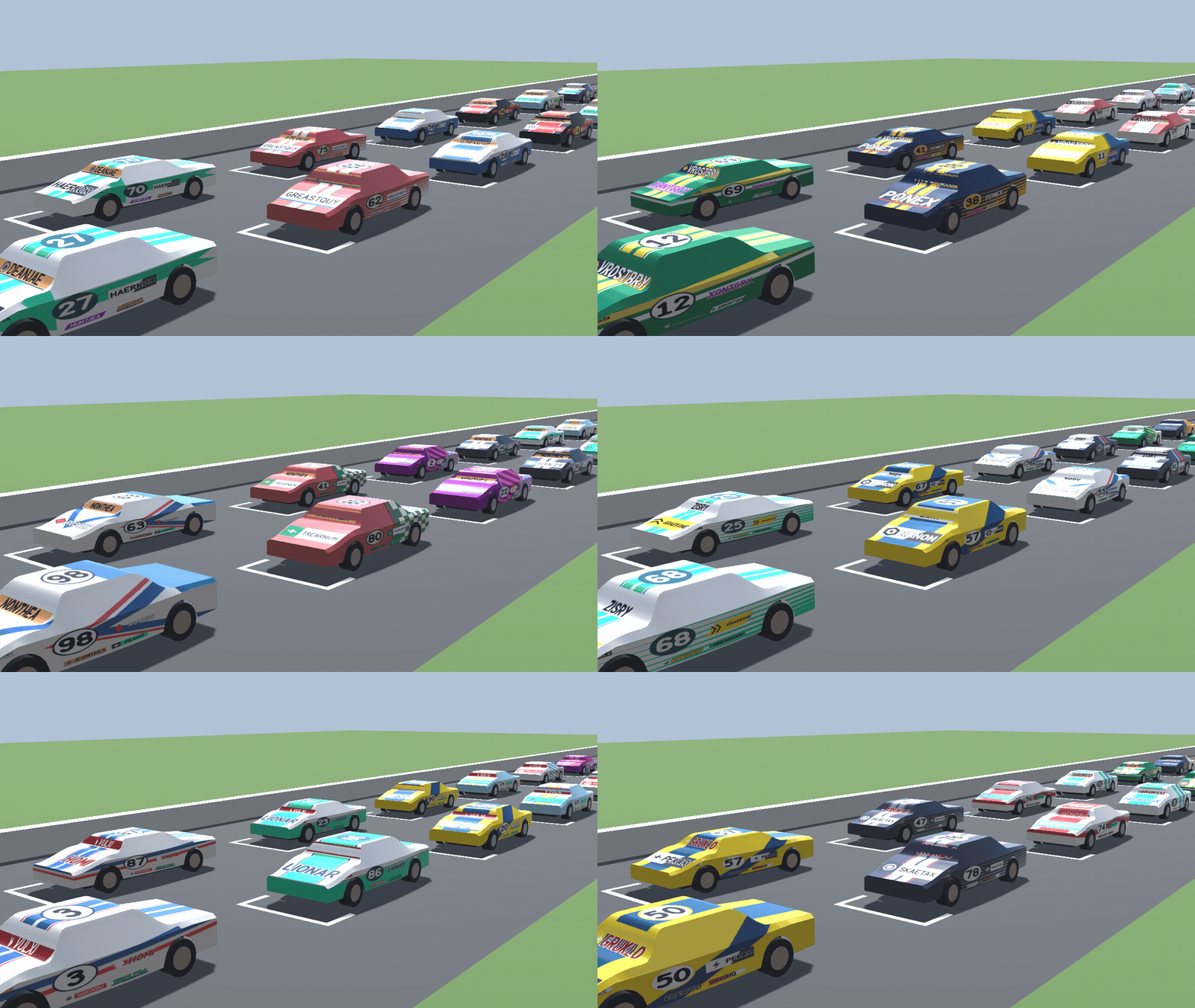
An AI grid of twenty cars usually ships as one car in twenty tints. Paddock designs the whole championship instead. Give it a roster (team, number, colours if you have them) and it picks every team a different scheme family, gives each team a title sponsor and minors from a generated sponsor universe, puts one tyre supplier and a series sponsor on every car, and paints team-mates in the same livery with their own numbers. Then it projects each livery into your car mesh's own UVs and hands you an ordinary texture.
What it generates
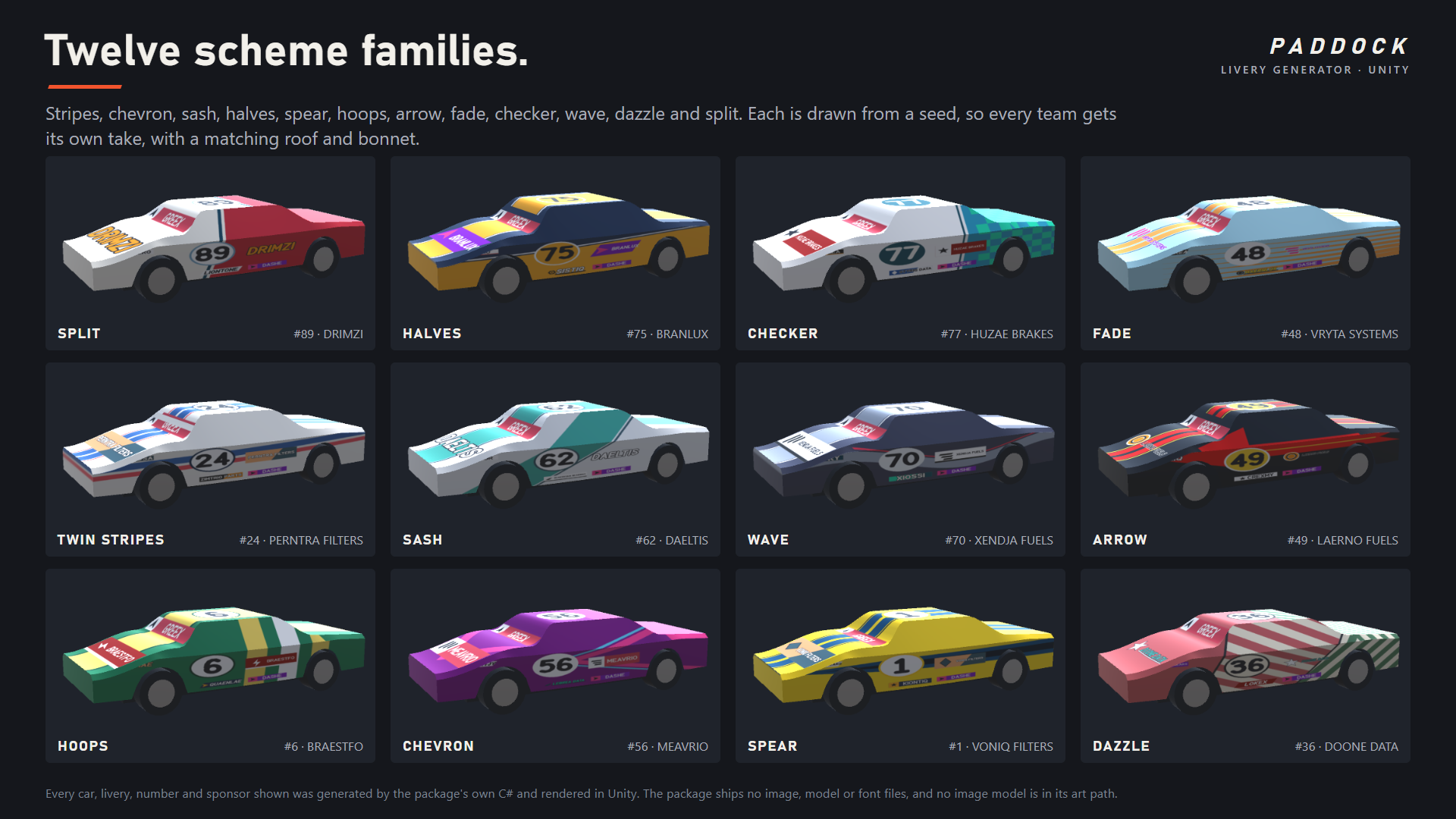
- Twelve scheme families: Twin Stripes, Chevron, Sash, Halves, Spear, Hoops, Arrow, Fade, Checker, Wave, Dazzle and Split. Each is drawn from a seed, so every team gets its own take, and each has a matching roof and bonnet treatment.
- Twelve curated motorsport palettes, or a team's own two colours. The number's ink is chosen by contrast so it always reads on its panel.
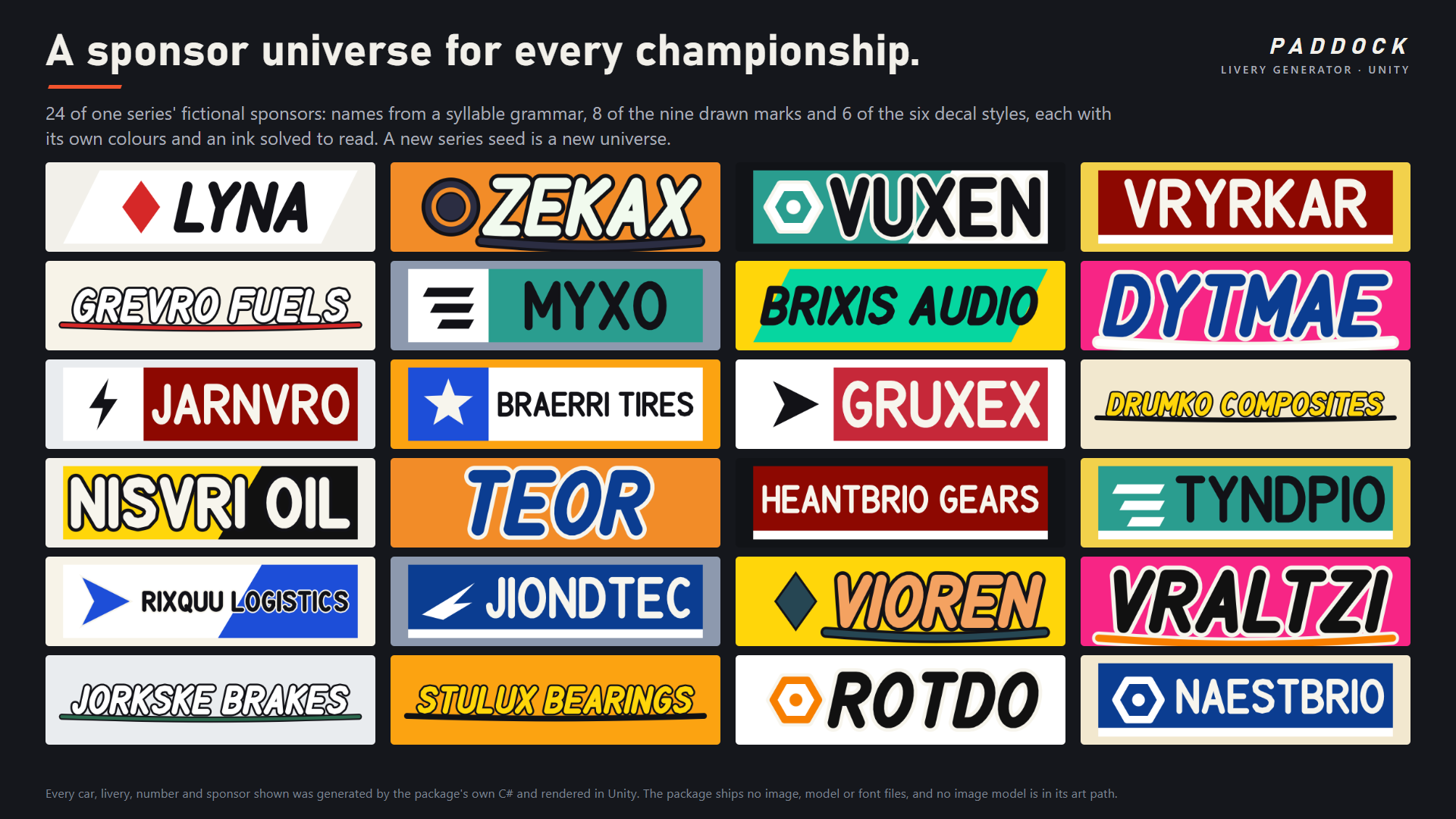
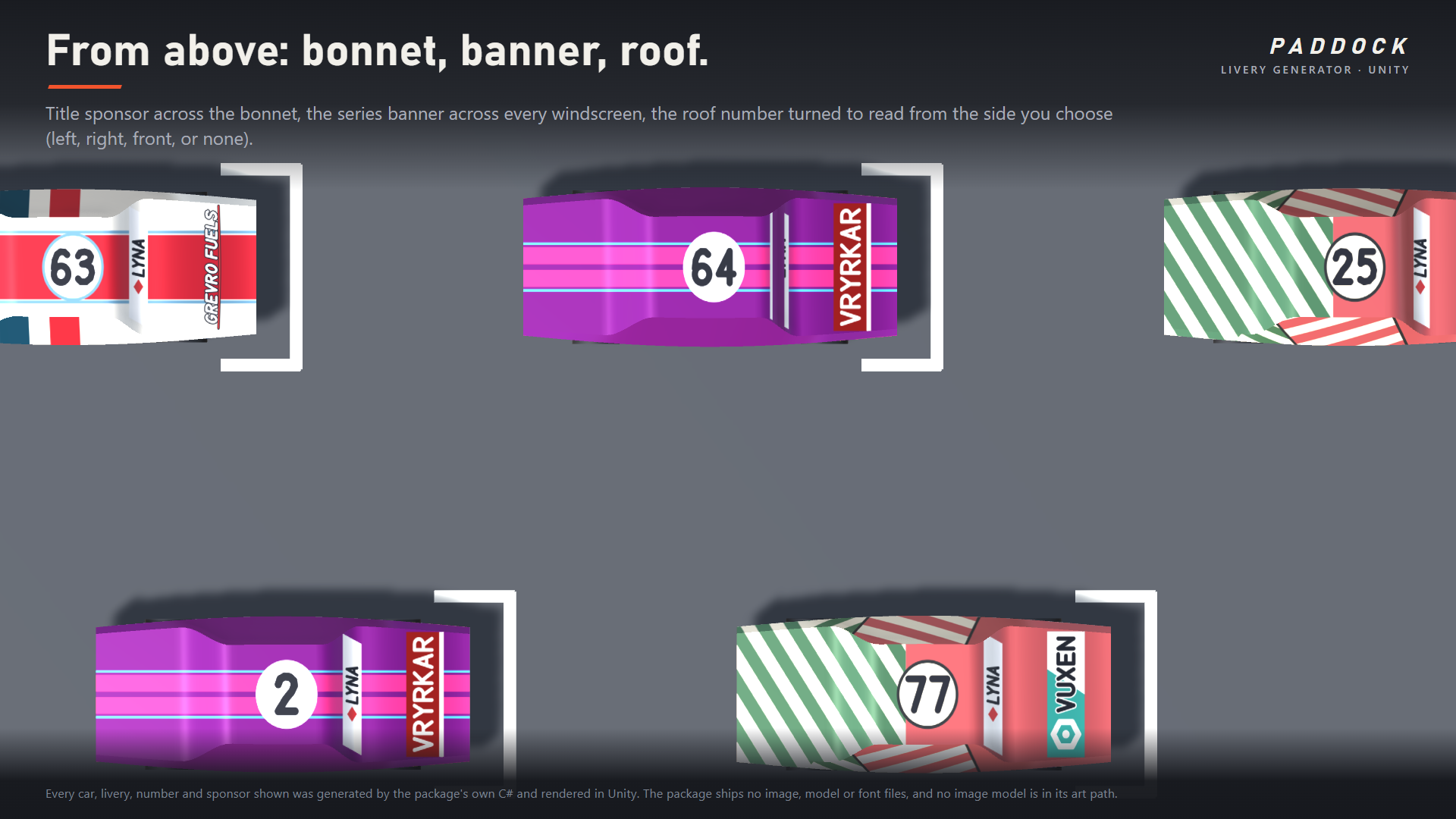
- A sponsor universe per championship: names from a syllable grammar (some with a trade word like OIL, TIRES or BRAKES), nine drawn marks and six decal styles (keylined italic, box, slant, tab, swoosh, split panel). Title sponsor on the rear door and across the bonnet, minors on the sills and front wing, the series banner across every windscreen.
- A roof number turned to read from the left, the right, the front, or left off.
Words read correctly on both sides
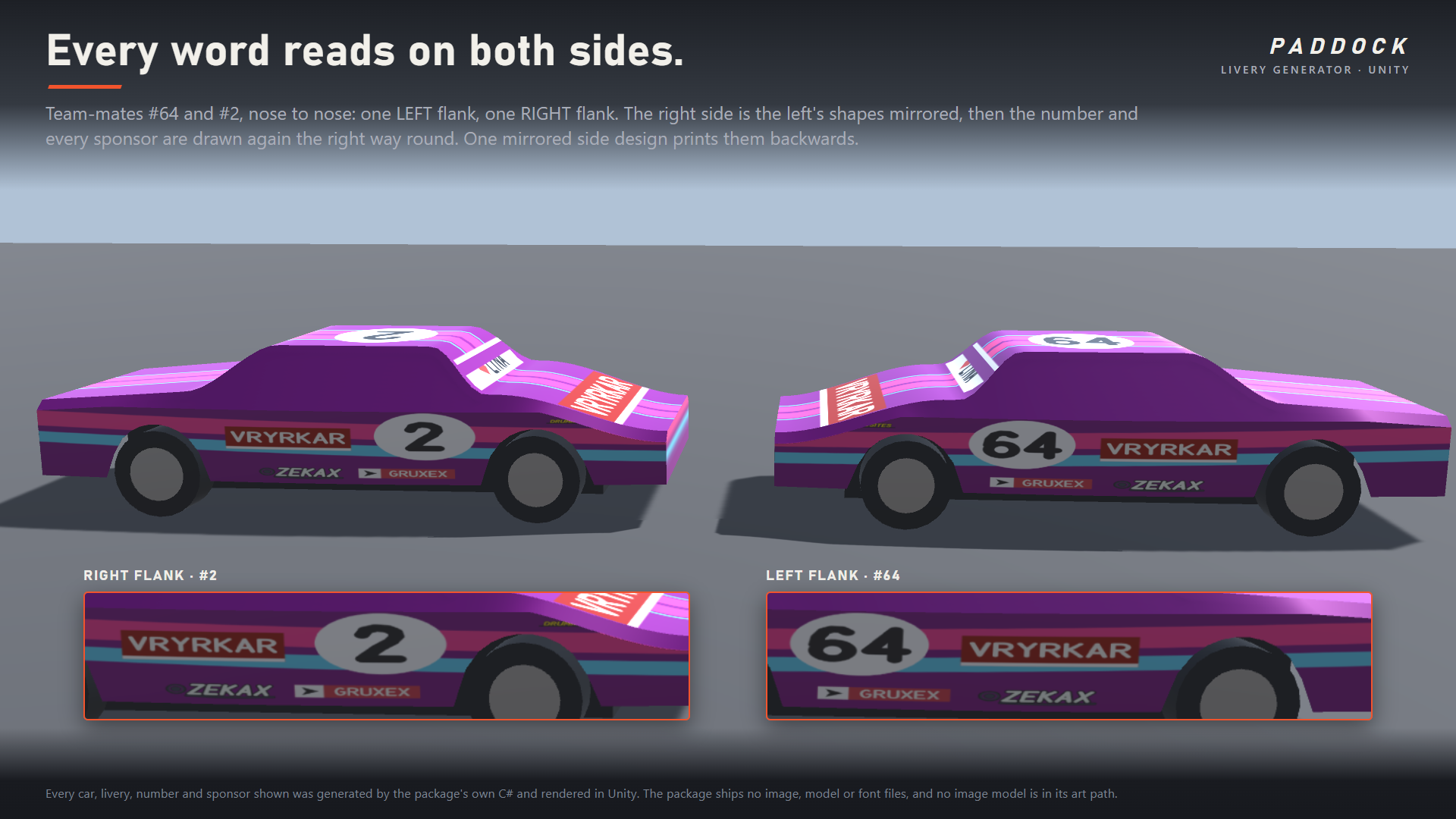
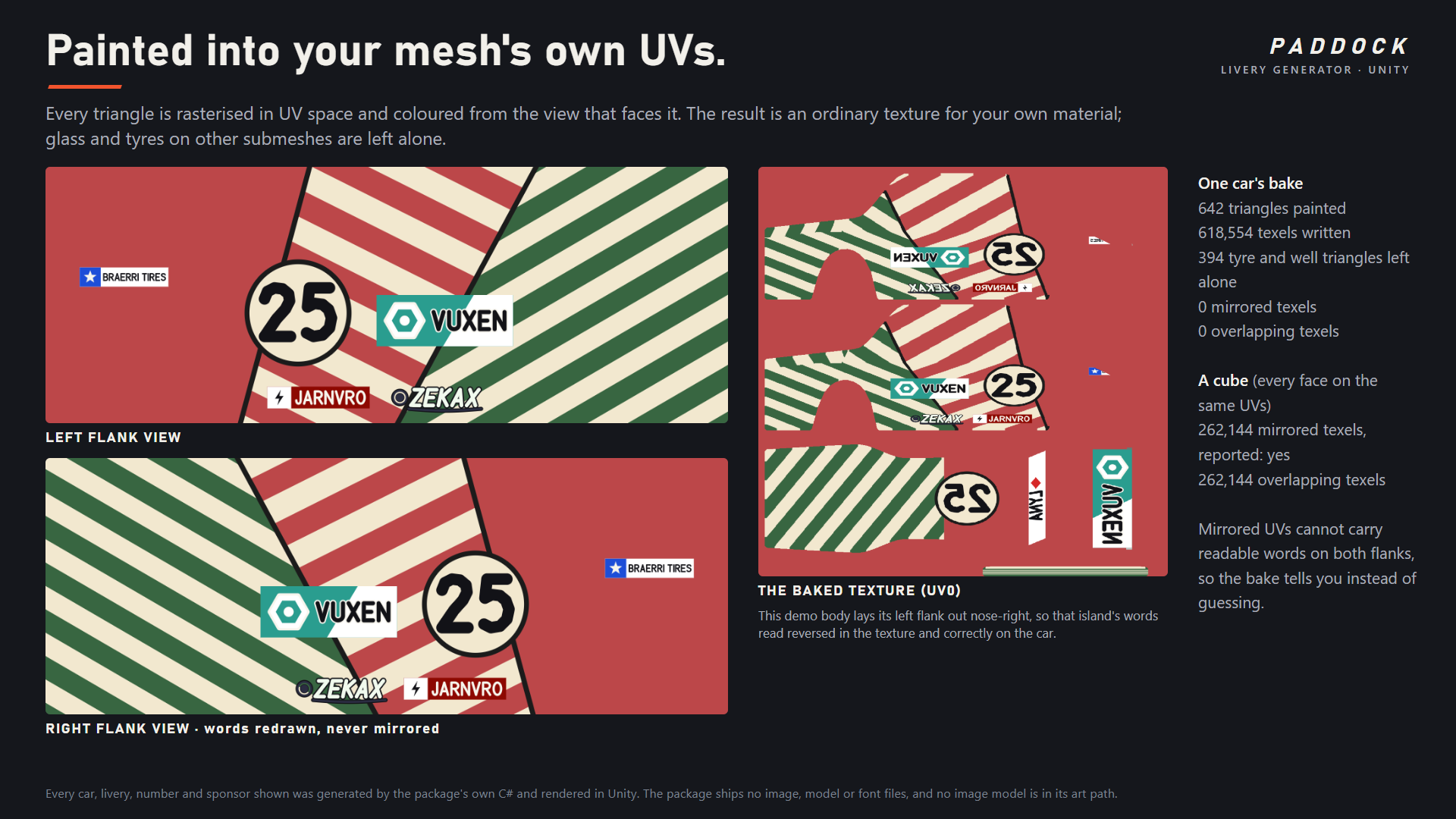
This is the complaint the manual livery painters get: everything painted on one side comes out mirrored on the other. Paddock mirrors the scheme's shapes onto the right flank and then draws the number and every sponsor again, the right way round. A test compares the two flanks' roundels pixel for pixel on every build.
Painted onto your meshes
- Every triangle is rasterised in UV space and coloured from the view that faces it: left flank, right flank, top, or the nose and tail. You get an ordinary albedo texture for your own material.
- Only the submeshes you name are painted. Glass, tyres and trim keep their materials.
- Set the model's forward and up axes once (a model authored nose to +X bakes the same livery as one authored nose to +Z; the fresh-install test checks it texel for texel).
- A beltline setting puts the scheme's main band and the number on the doors, not across the shoulder crease.
- It tells you when your UVs cannot work. If both flanks share UV space (mirrored UVs), one side's words would read backwards, so the bake reports it instead of guessing. It also counts texels where two different parts of the body overlap in UV space. A clean body reads zero on both.
In the editor and at run time
- Window > CSAF > Paddock: a roster, a garage of every car's flank, and one button that bakes the roster onto the selected objects in name order, saving a texture and a material per car (undoable). Export every car's views as PNGs.
- PaddockLivery component: bakes on Start from a roster entry and applies the texture through a property block, so a material shared by twenty cars is never repainted by one of them.
- Composition and baking touch no Unity object, so they run on a worker thread.
LiveryDesign[] grid = roster.Design();
BakeReport report = car.GetComponent<PaddockLivery>().Bake(grid[0]);
if (report.HasMirroredUVs) Debug.LogWarning("this mesh's flanks share UVs");
A demo you press Play on
Assets/CSAF/Paddock/Demo/Scenes/PaddockDemo.unity: a 12-car starting grid, every car painted from one generated championship. N draws a new championship, Left and Right walk the grid, Space stops the camera, R turns the roof number. The demo car is built by code, so the package ships no model.
Compatibility
- Unity 2022.3 and newer, including Unity 6. Built and tested against 6000.5.7f1.
- The texture goes into your material's main texture slot, found by name (_BaseMap in URP, _BaseColorMap in HDRP, _MainTex in Built-in). Tested in the Built-in pipeline.
- Any input system: the demo reads input through
Event.current. - Three named assembly definitions (Runtime, Editor, Demo). No Resources folder, no shaders, no images, no models, no fonts, no audio, no network calls, no third-party code. Full, readable C# source.
Limitations, stated plainly
- Your mesh needs UV0 with each flank on its own island. Mirrored UVs are reported, not fixed.
- The layout is set by fractions of the body's box, tuned for a car with its wheels near 20% and 80% of its length. On a kart or a truck the number and sponsors still land on the flanks but may sit over an arch.
- The projection is planar per face direction, so a strongly curved panel stretches the design where it turns away from its view.
- Sponsor names are generated nonsense words and a list of famous sponsor names is refused, but no generator can promise a word is nobody's trademark. Check any name you ship.
- The lettering is a Latin display face (A to Z, 0 to 9 and a few marks). A sponsor name it cannot set is refused whole, never printed with letters missing.
Documentation: the full guide, also included in the download.
AI disclosure
Code: yes. Graphics: yes, because the code that draws the liveries was AI-written; there is no image model anywhere in the art path you run, and every livery is drawn by the shipped code from hand-authored scheme families. The store cover uses a generated illustration of an empty circuit as its background, with real Paddock cars rendered on top. Sounds: no, the package contains no audio. Text and dialog: no.
Purchase
In order to download this asset pack you must purchase it at or above the minimum price of $14.99 USD. You will get access to the following files:
Development log
- Paddock is out: a livery generator for Unity4 days ago
Leave a comment
Log in with itch.io to leave a comment.