Override Rebinder for Unreal Engine 5
The bug you cannot see
A material override on a placed actor is stored in UMeshComponent::OverrideMaterials, an array indexed by slot number. Nothing in that array records which slot the artist meant.
So when a mesh changes, the engine runs one thing. StaticMeshComponent.cpp:1986 carries the comment "Static mesh was switched so we should clean up the override materials", and the next line calls CleanUpOverrideMaterials(), which truncates the array to the new material count. SkeletalMeshComponent.cpp does exactly the same, so character content has the identical defect.
Two things fall out of that, and the second one is why this exists.
The slot count shrank. Overrides past the new end are destroyed. You notice, because something you set is visibly gone.
The slot order changed and the count did not. Nothing is removed. Nothing is logged. Every surviving override now points at whatever occupies that index today, so actors across maps nobody had open quietly render the wrong material. You find it in a playtest, weeks later, and you have no record of what it used to be.
What this does
Two commands, and the first one has to run before the mesh changes.
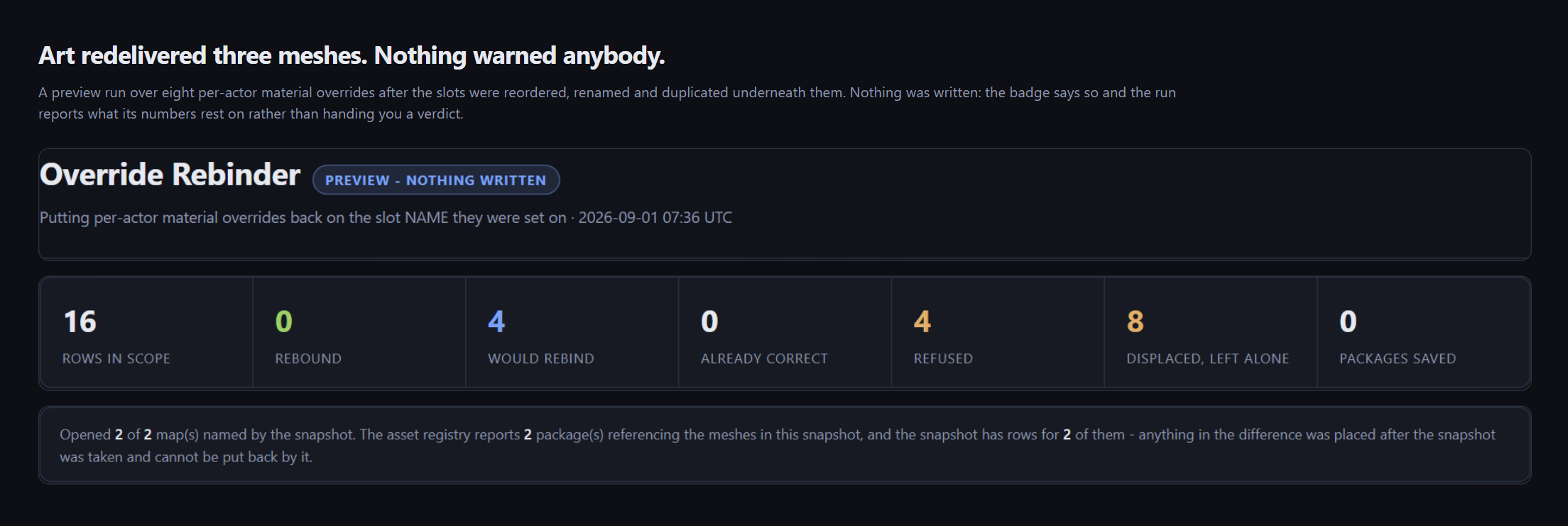
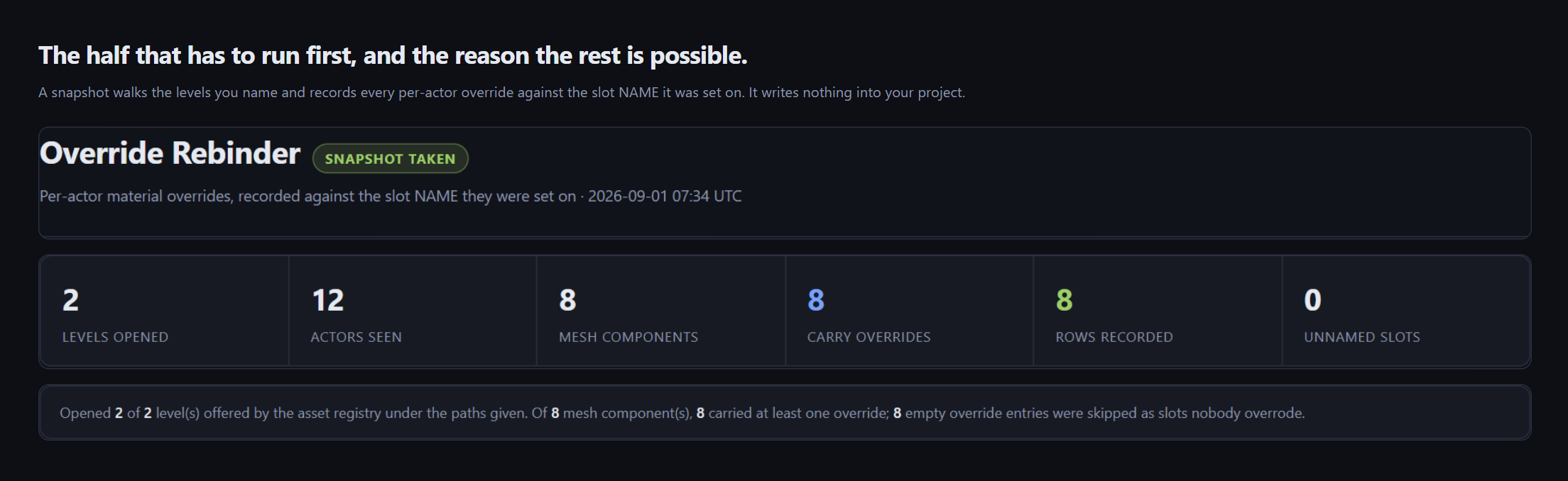
-Snapshotwalks the levels you name and writes down every per-actor material override against the slot NAME it was set on, not its index. That is the entire trick, and it is the piece the engine throws away.-Rebindreads that manifest after the redelivery and puts every override back on the slot whose name matches. A name that moved from index 0 to index 3 is found at index 3.-Revertundoes the whole run from a journal written before the first package was saved.
What it refuses to do, which is the part worth paying for
This tool writes to actors across every map in your project. So the interesting question is not what it changes, it is what it declines to change.
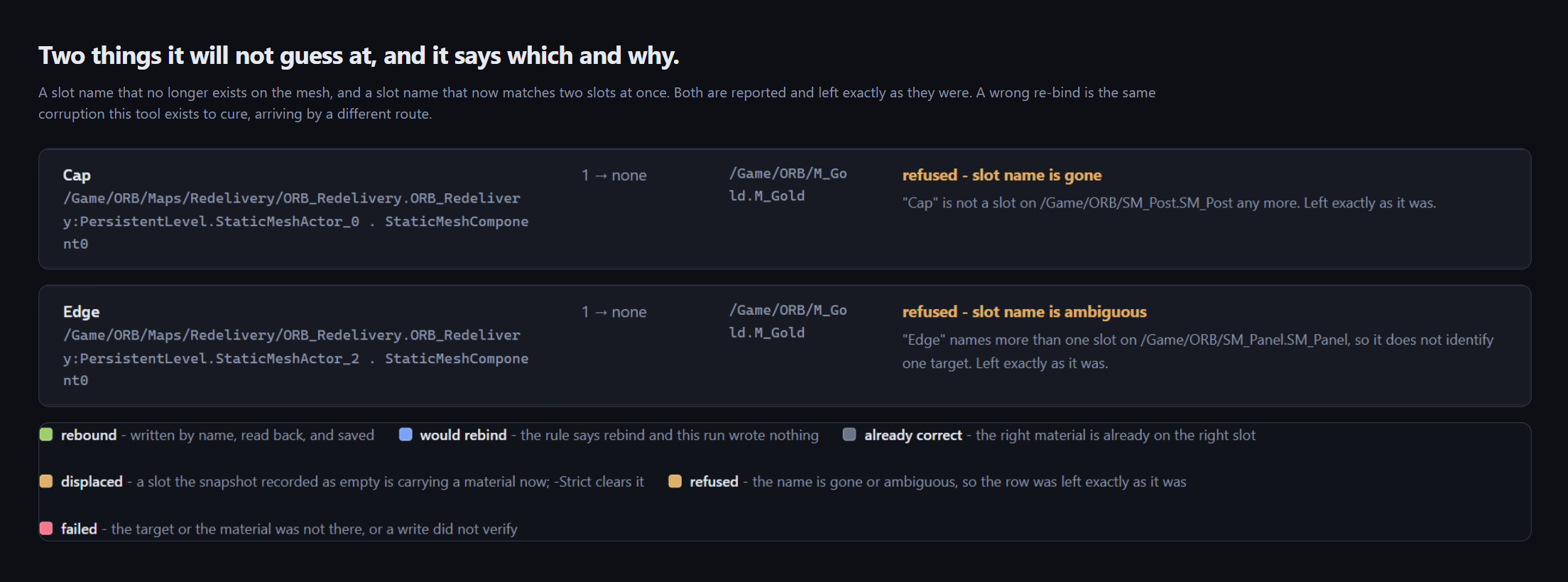
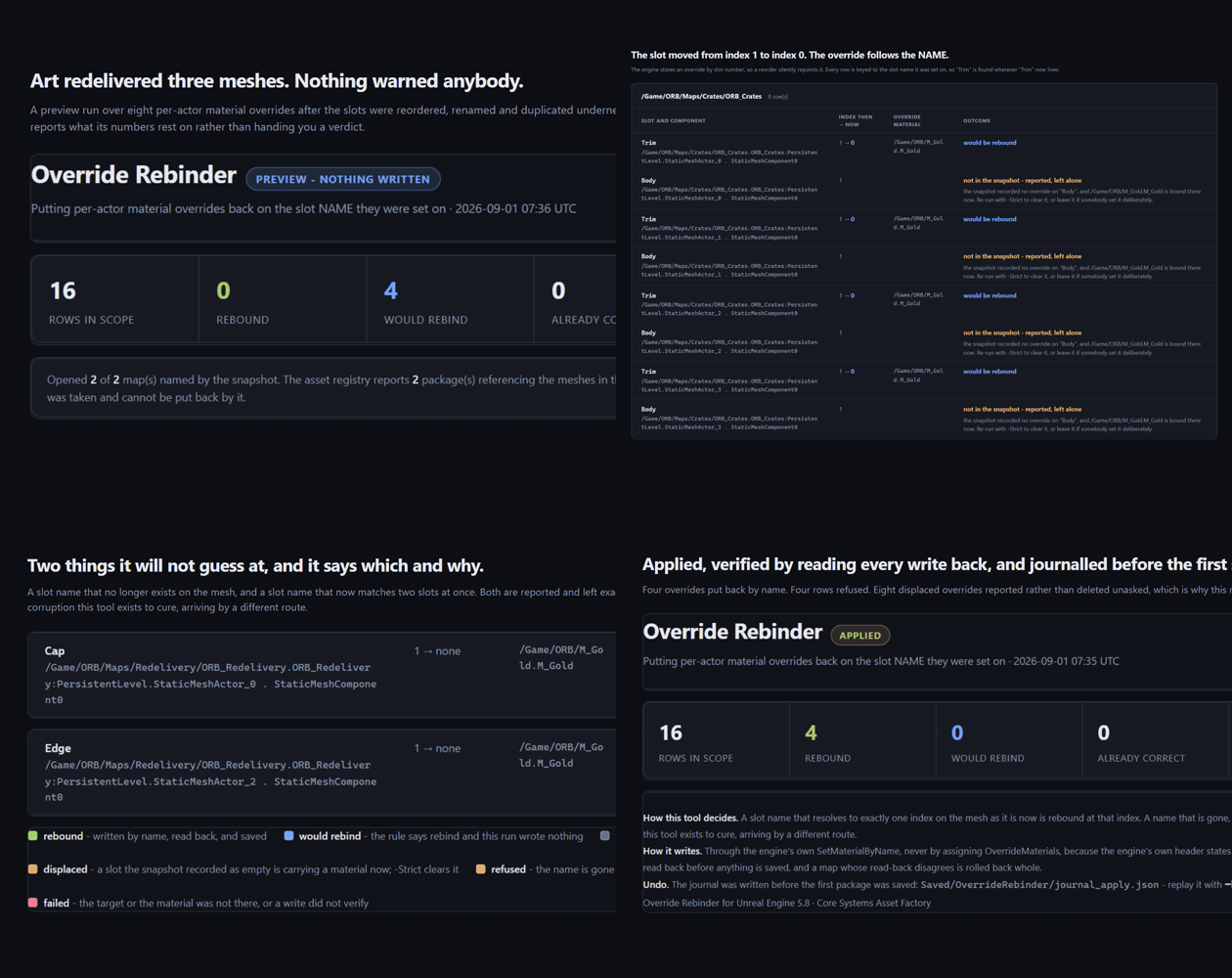
- A slot name that is gone from the new mesh is reported and left exactly as it was. It is not clamped to the last valid index. It is not moved to a neighbour that looks close. A slot vanishing from source is information for your artist, not a hole for a tool to paper over.
- A slot name that appears twice on the new mesh is reported and left exactly as it was. "By name" no longer identifies one target, and a wrong re-bind is the same corruption this tool exists to cure, arriving by a different route.
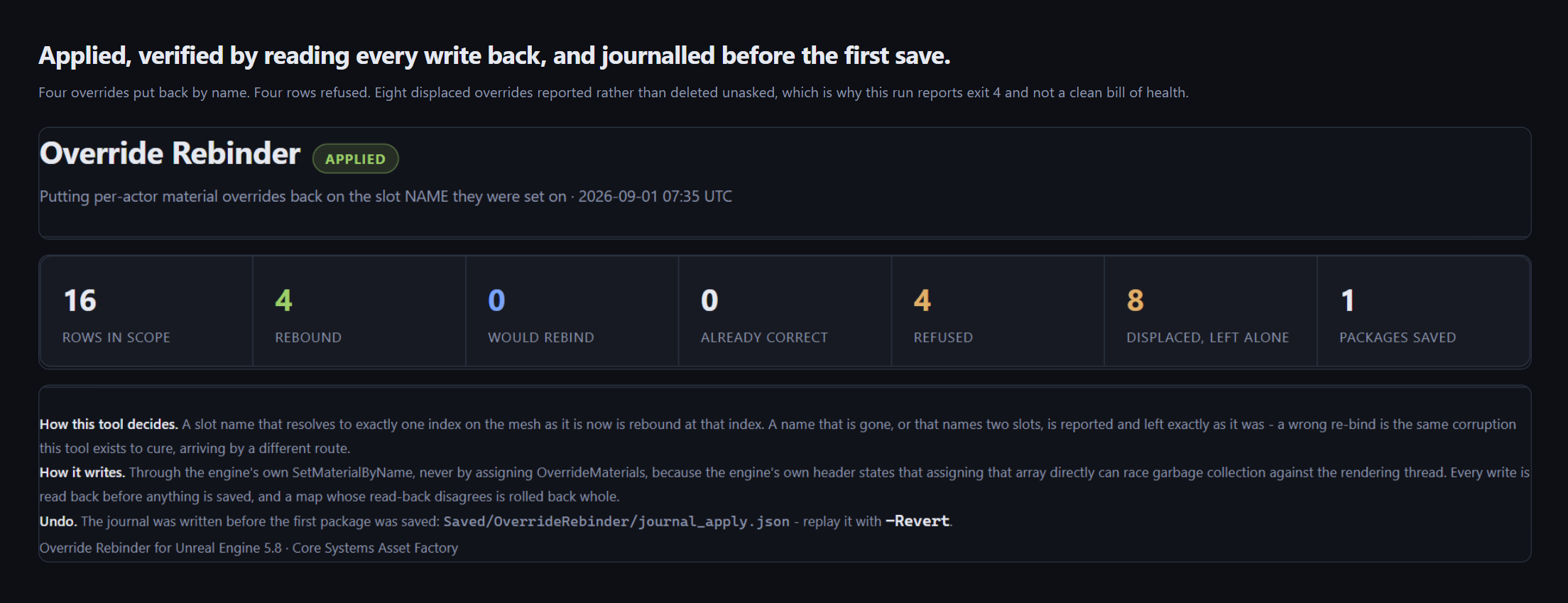
- Every write is read back before anything is saved. If a read-back disagrees, that whole map is rolled back and nothing from it is saved. A half-rebound level is worse than an untouched one.
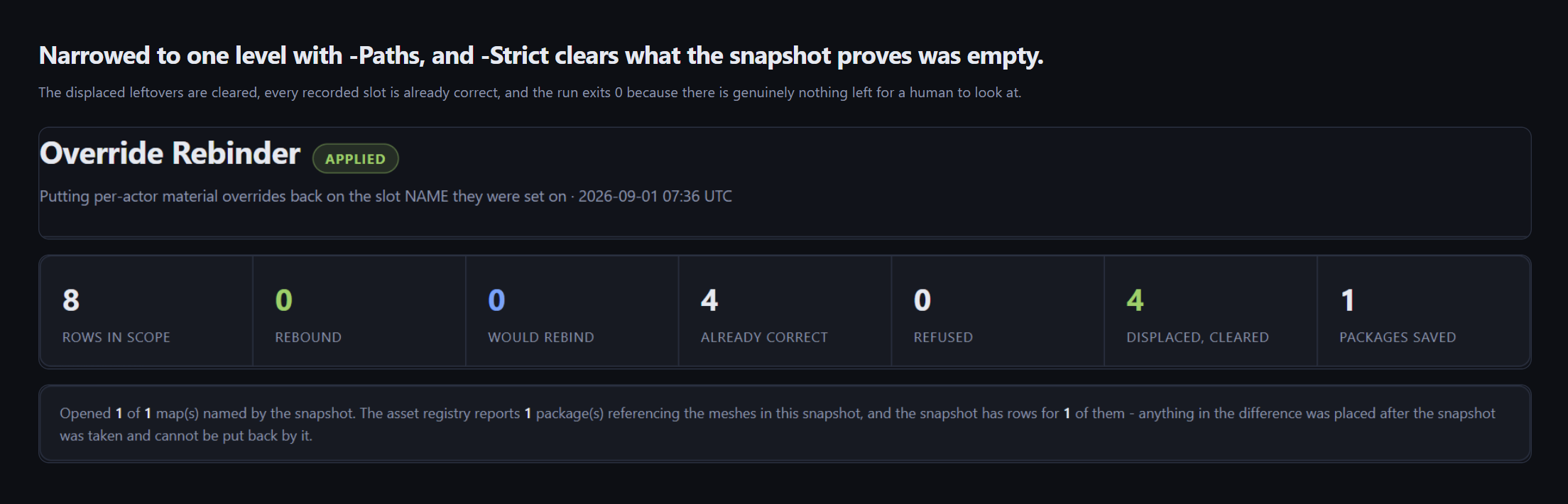
- A displaced override the snapshot never recorded is reported, not deleted. It might be engine wreckage, and it might be something a human added last week.
-Strictclears them; the default tells you they are there and leaves them alone. - Nothing is written at all without
-Apply.
It does not load your project to find the work
The rebind asks the Asset Registry which packages reference the meshes in your snapshot and opens only those. A project with 240 maps opens the handful that can actually be affected.
World Partition is handled by the same code path with no special mode, because under World Partition each actor is already its own package and the engine's own FWorldPartitionHelpers::ForEachActorWithLoading walks them.
Built for a build agent
Every run ends on an exit code your CI can branch on.
0clean1bad arguments2nothing was scanned, which is a failure and never a pass3preview found work4applied, and some rows were refused or reported5a write did not verify, so that map was rolled back whole6the run could not start
Exit 2 is the one worth noticing. Most audit tools report an empty scan as success. This one treats it as a failure, because "I examined nothing" and "I examined everything and it was fine" are different answers and only one of them is good news.
Every run writes a designed HTML sheet
No server, no dependencies, openable straight out of a build artefact. It shows one row per override, grouped by map: the slot name, the component, the index it had against the index it has now, the material, and the outcome. Refusals sit beside successes with the reason written out, and a plain sentence at the top says what the numbers rest on, levels offered against levels opened, packages referencing the mesh against packages the snapshot covers.
What is in the box
- Full C++ source. No binary-only modules, no obfuscation, no phone-home.
- A commandlet for CI and a console command for the editor, both calling the same implementation.
- Automation tests for the decision rule, including the sabotage cases that assert it refuses.
Readme_for_Users.mdand the licence.
Supported
Unreal Engine 5.8 only, Windows, editor-only. 5.8 is the only version this plugin has been built and run against, and this listing will not claim a version that has not had its own verified build.
Documentation: Override Rebinder README
Related from Core Systems Asset Factory: Project-Wide Level Surgeon and Material Parameter Identity Repair.
Purchase
In order to download this tool you must purchase it at or above the minimum price of $10.49 USD. You will get access to the following files:
Development log
- Override Rebinder 1.0.0 is out4 days ago


Leave a comment
Log in with itch.io to leave a comment.