Orphan Reference Rescuer - UE5 plugin
A downloadable tool
An asset moved, and the redirector did not come with it.
Someone moved a folder in Explorer or their Git client. A branch that still used the old path was merged after the redirectors were fixed up on main. Redirectors were cleaned up a week too early. Now a material instance has no parent, a mesh slot is empty, a Blueprint's parent class is gone, and the editor just shows it as nothing. Save it in that state and the reference is erased for good.
Epic's Fix Up Redirectors cannot help: it rewrites references to a redirector, and there is no redirector left.
This finds them and puts them back.
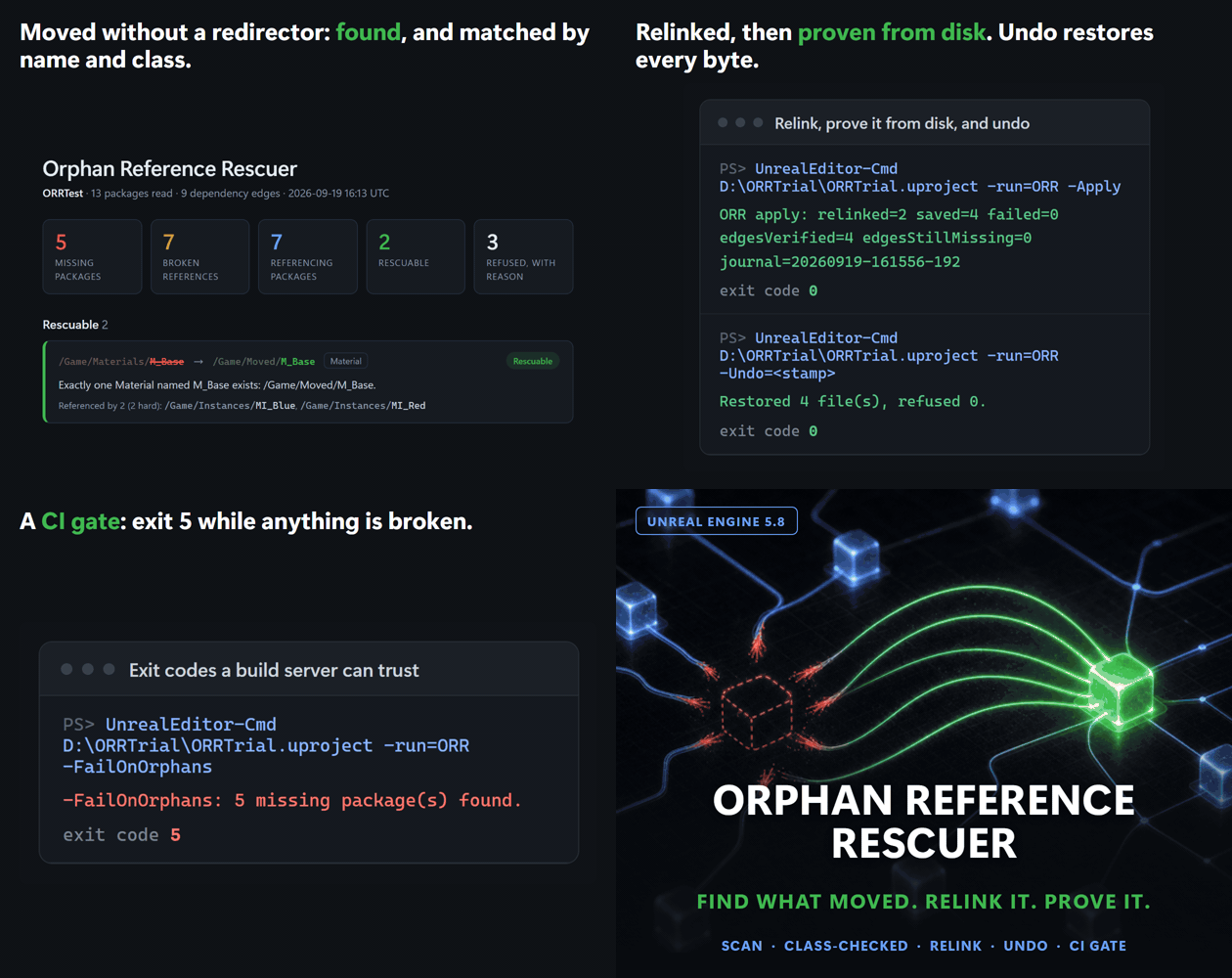
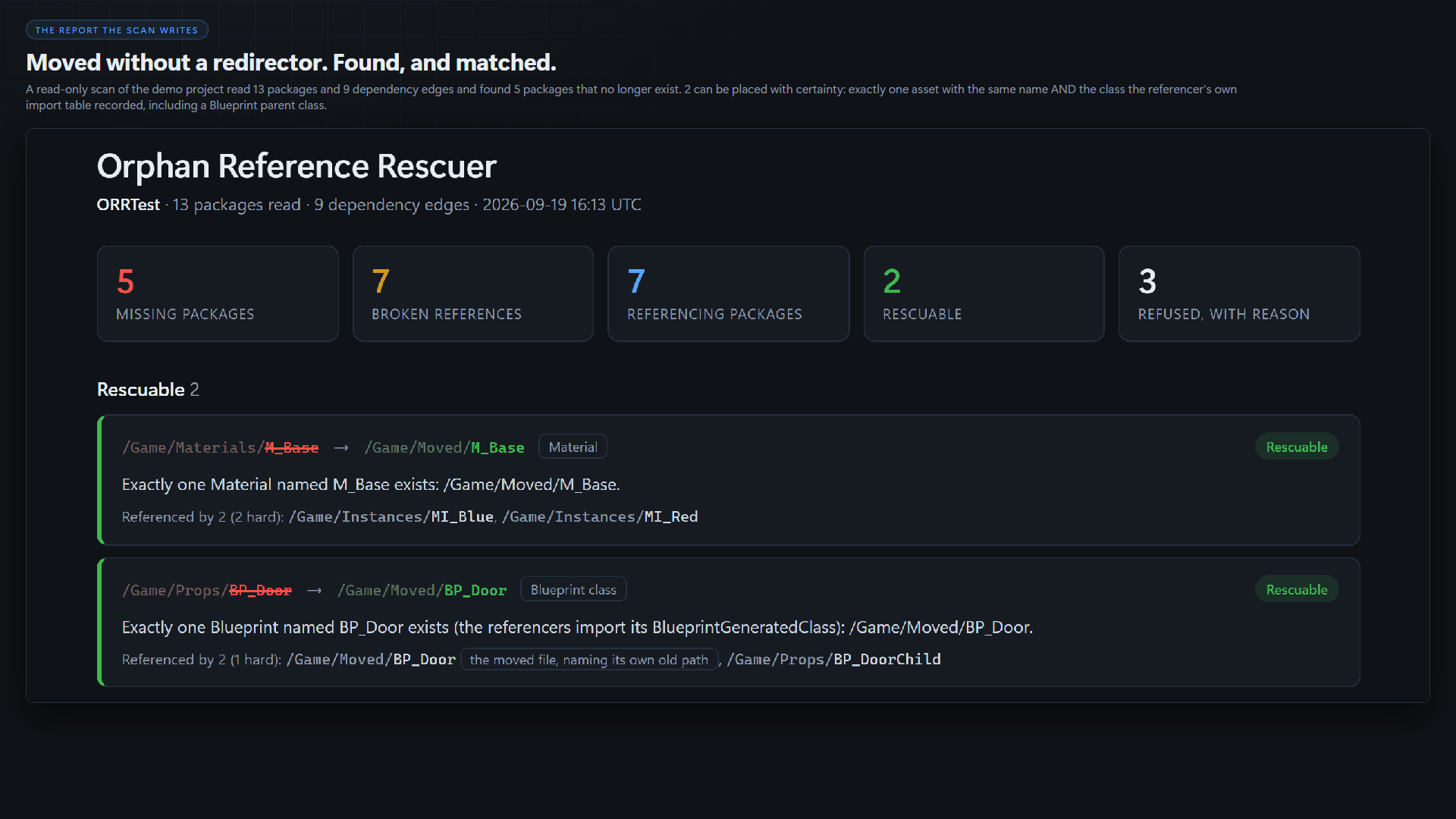
It reads the Asset Registry's dependency edges for every package in the folders you choose and keeps the ones that point at a package that no longer exists. For each one it reads the referencing package's own import table (without loading it) to learn the missing asset's name AND its class, then looks for the one asset in your project that matches both.
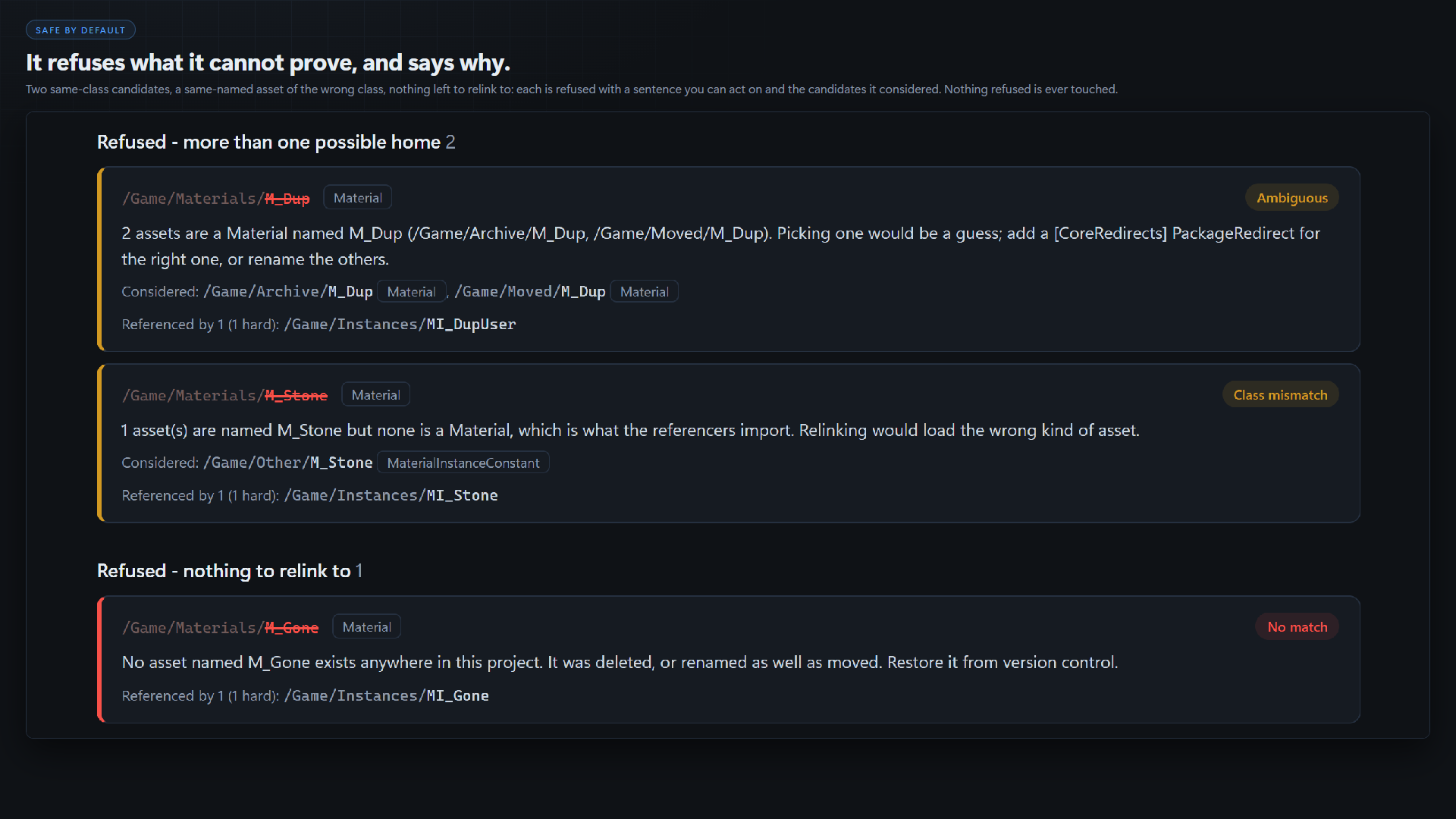
It refuses anything it cannot prove.
- Two assets that could be the one: refused, both named, you decide.
- A same-named asset of the wrong class (a material where a mesh was): refused.
- A missing asset under a plugin that is not enabled: never relinked onto a project asset.
- A reference held only as a soft path, which records no class: reported, not relinked.
Every refusal has a sentence you can act on, in a designed HTML report.
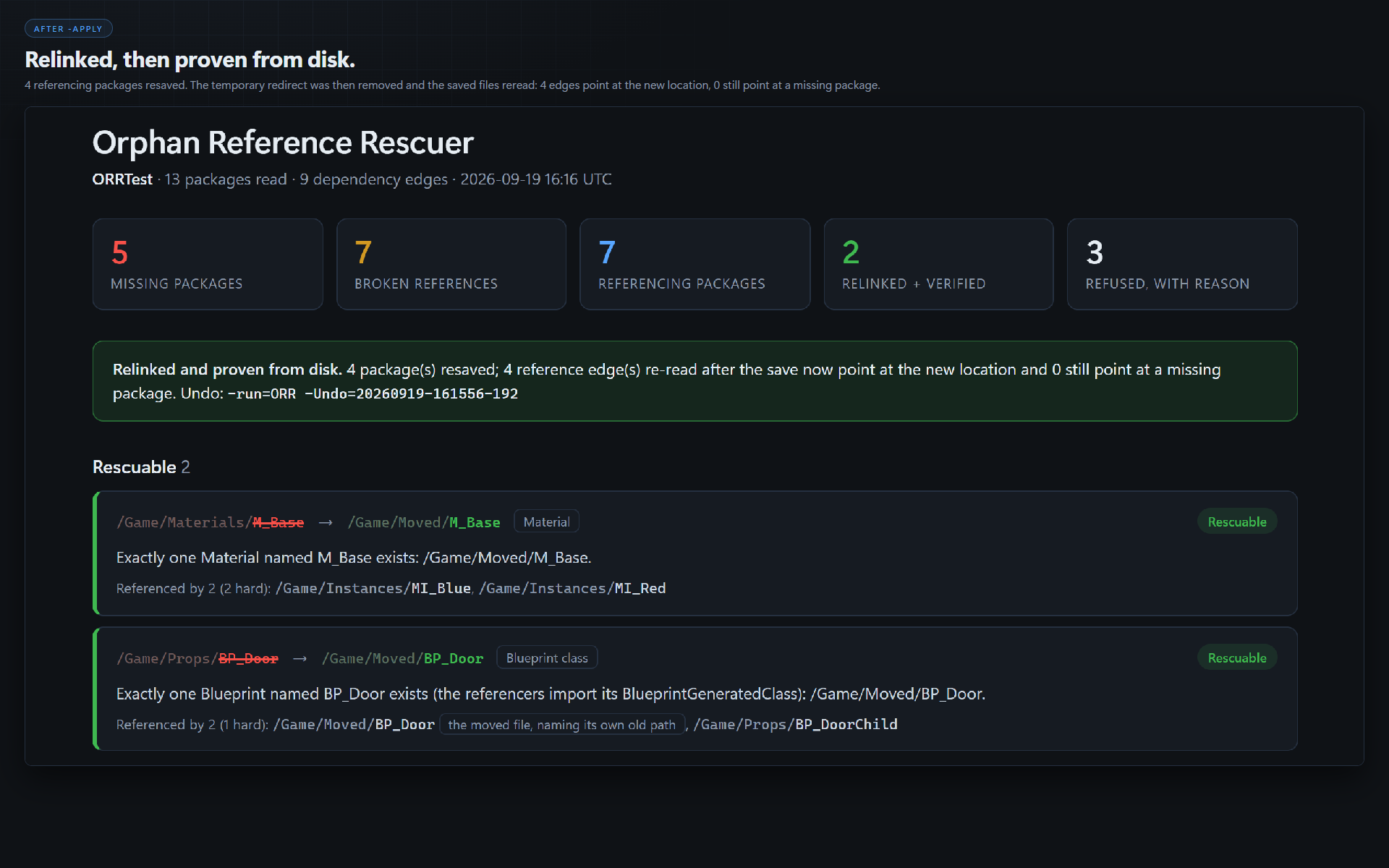
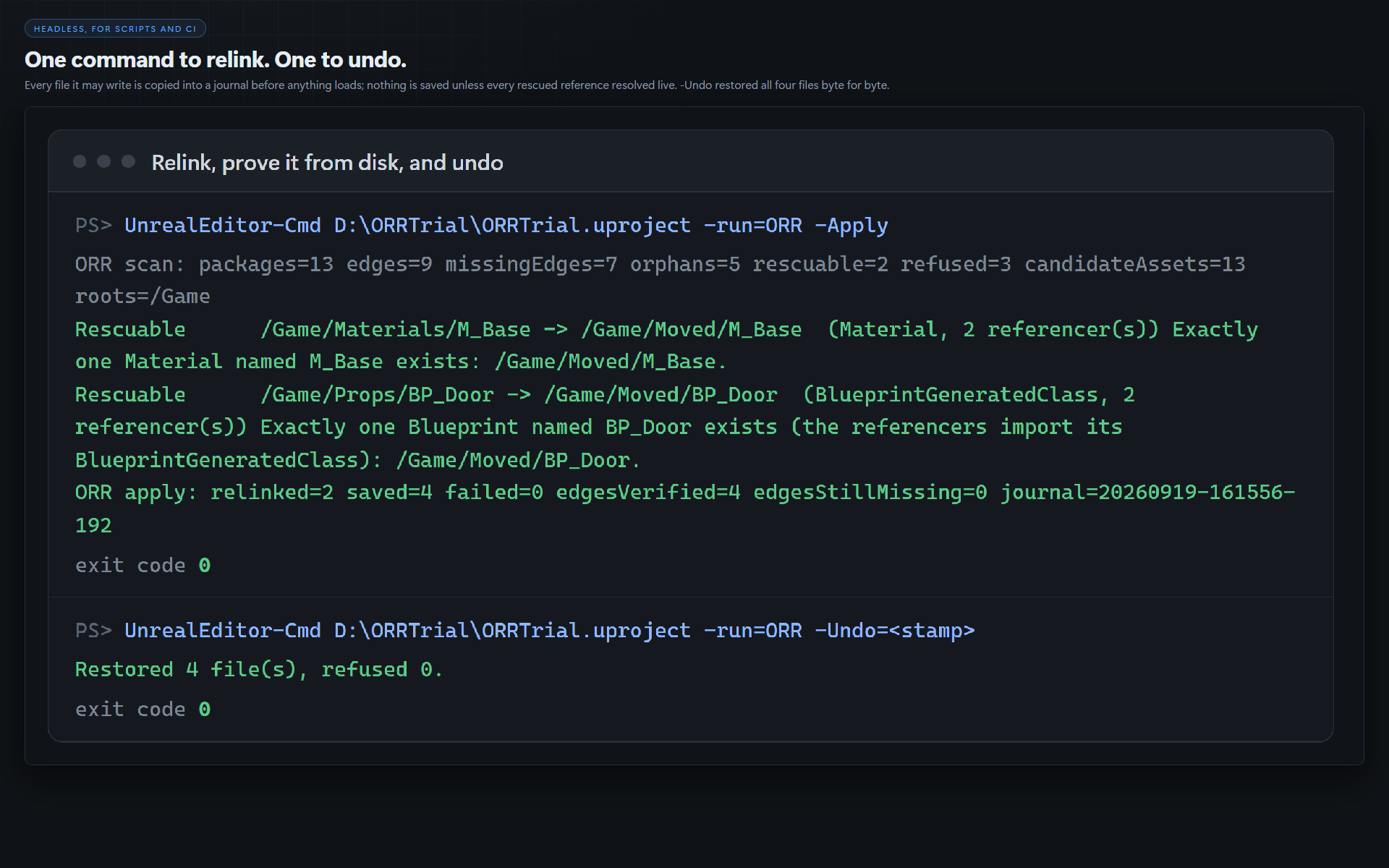
Then it relinks, reversibly, and checks its work.
-Apply copies every file it may write into a journal first, relinks through a temporary package redirect, loads every referencer and checks that each rescued reference now holds a live object in the new location, and only then saves. It then drops the redirect, rereads the saved files from disk, and succeeds only if every edge points at the new home. -Undo=<stamp> restores every file byte for byte.
Three ways in
- Tools menu: Find Orphaned References (read-only, opens the report)
- Console:
ORR.Scan(read-only) - Headless:
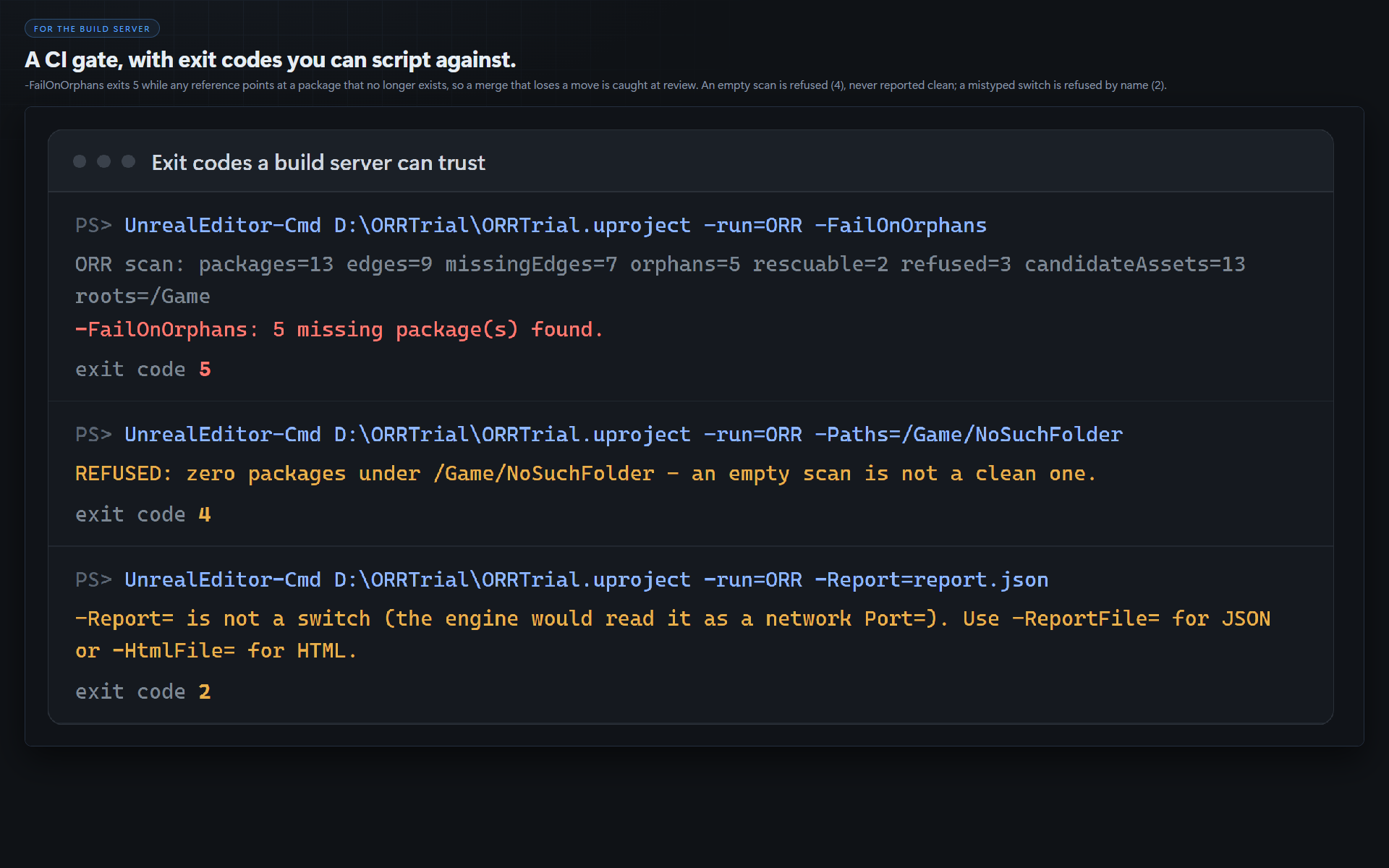
-run=ORR,-Apply,-Undo, and-FailOnOrphansfor CI (exit 5 when anything is broken)
What you get
Full C++ source, raw and readable: one editor module. No content, no fonts, no third-party code.
Scope, stated plainly
- UE 5.8 only. Built, gated and run against 5.8. Nothing else is claimed.
- Windows (Win64), editor-only. It adds nothing to a packaged game.
- The itch download is source: the editor compiles it the first time your project opens, which needs Visual Studio 2022 with the C++ workload.
- Relinking runs from the command line with the editor closed: inside a running editor a referencer that is already loaded holds nothing where the reference was.
- It repairs references to assets that still exist somewhere in your project. A deleted asset is reported as No match; restore it from version control.
Documentation
The step-by-step walkthrough on a blank project, every switch and every exit code: https://github.com/onefreeman1337/csaf-releases/blob/main/docs/orphan-reference-rescuer/README.md
More from Core Systems Asset Factory
The rest of our Unreal Engine tools, and our games: csaf.itch.io
Code and graphics for this product were AI generated.
Purchase
In order to download this tool you must purchase it at or above the minimum price of $14.99 USD. You will get access to the following files:
Development log
Leave a comment
Log in with itch.io to leave a comment.