Material Instance Sheet for Unreal Engine 5
Forty material instances, one spreadsheet
Unreal has no way to edit Material Instance parameters in bulk, and that is not an oversight. The Content Browser's own code removes the Property Matrix entry the moment a Material Instance is in the selection — AssetFileContextMenu.cpp clears bCanUsePropertyMatrix, under a comment saying materials cannot be bulk edited because of their dependencies with the rendering thread.
So retuning a family of forty variants means opening forty assets.
Material Instance Sheet exports every parameter override across a folder or a material family into one CSV. One row per instance, one column per parameter, plus a reference row per parent carrying the defaults the instances inherit. Drag a Roughness column across forty rows in a spreadsheet, save, and import it back.
The round trip is the product
The export is the easy half and it is the half other tools stop at. This one writes back:
- A dry run by default. Nothing is written without
-Apply. - An undo journal written BEFORE the first package is touched. A journal written afterwards does not exist during the window where it is needed.
-Revertreplays it, and a revert gets its own journal, so a revert can itself be reverted. - Every value read back out of the asset after writing. A setter that returns void has told you nothing. Anything that does not read back is reported as a failure, not counted as a success.
- A blank cell means inherit. Clearing a cell REMOVES the override rather than writing a zero — which is a thing the engine's own UI makes genuinely tedious one asset at a time.
It refuses rather than guessing
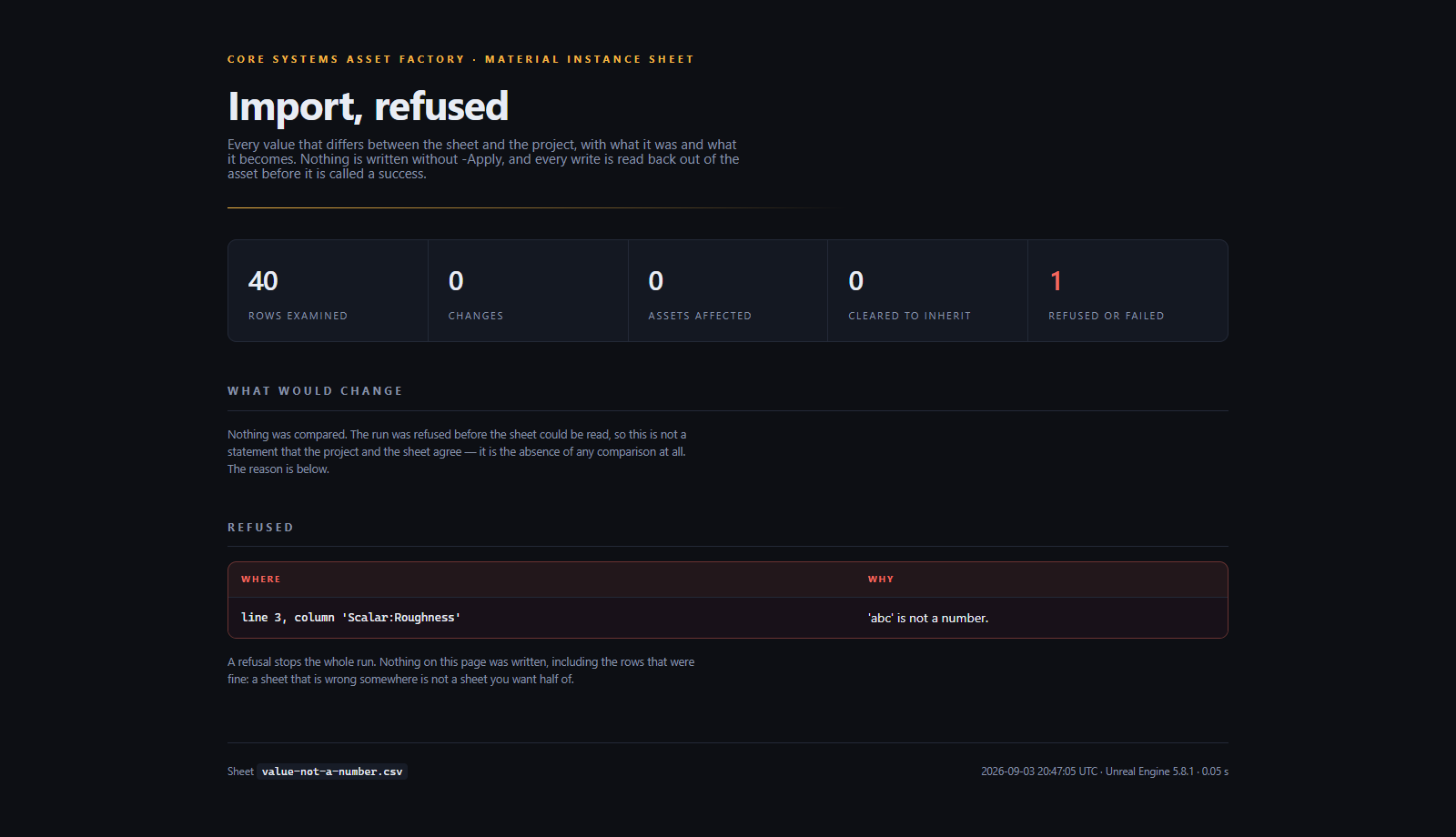
This is the part worth reading, because it is where a bulk tool either protects you or ruins an afternoon. Every one of these refuses the whole run. Nothing is written, including the rows that were fine.
| It refuses | Because |
|---|---|
| A column header it cannot parse | An ignored column is a parameter silently left out of a write you believe you made |
A value that is not a number, or a switch that is not true/false | Writing 0 for abc is inventing an intention |
| A value for a parameter the material does not have | Usually a row pasted under the wrong parent |
| A vector with two channels filled and two blank | An instance stores one colour per vector parameter, not four independently overridable floats |
| A row with the wrong number of fields | A deleted comma would otherwise shift every cell left and clear every override to its right |
| Two columns for the same parameter | They cannot both be right, so neither is used |
A sheet that is wrong somewhere is not a sheet you want half of.
The CSV is a real CSV
RFC 4180, quoted fields, doubled quotes, embedded newlines, and UTF-8 with a BOM so Excel does not mangle a non-ASCII parameter name. The reader is a state machine rather than a split on commas, because a parameter name containing a comma would otherwise shift every cell in that row one to the left — one parameter's value written into a different parameter, which is exactly the silent corruption this tool exists to prevent.
Numbers round-trip exactly. 0.40 and 0.4 are the same value and do not read as an edit; a parameter value of 1e-8 does not export as 0.
It is a CI gate as well as a tool
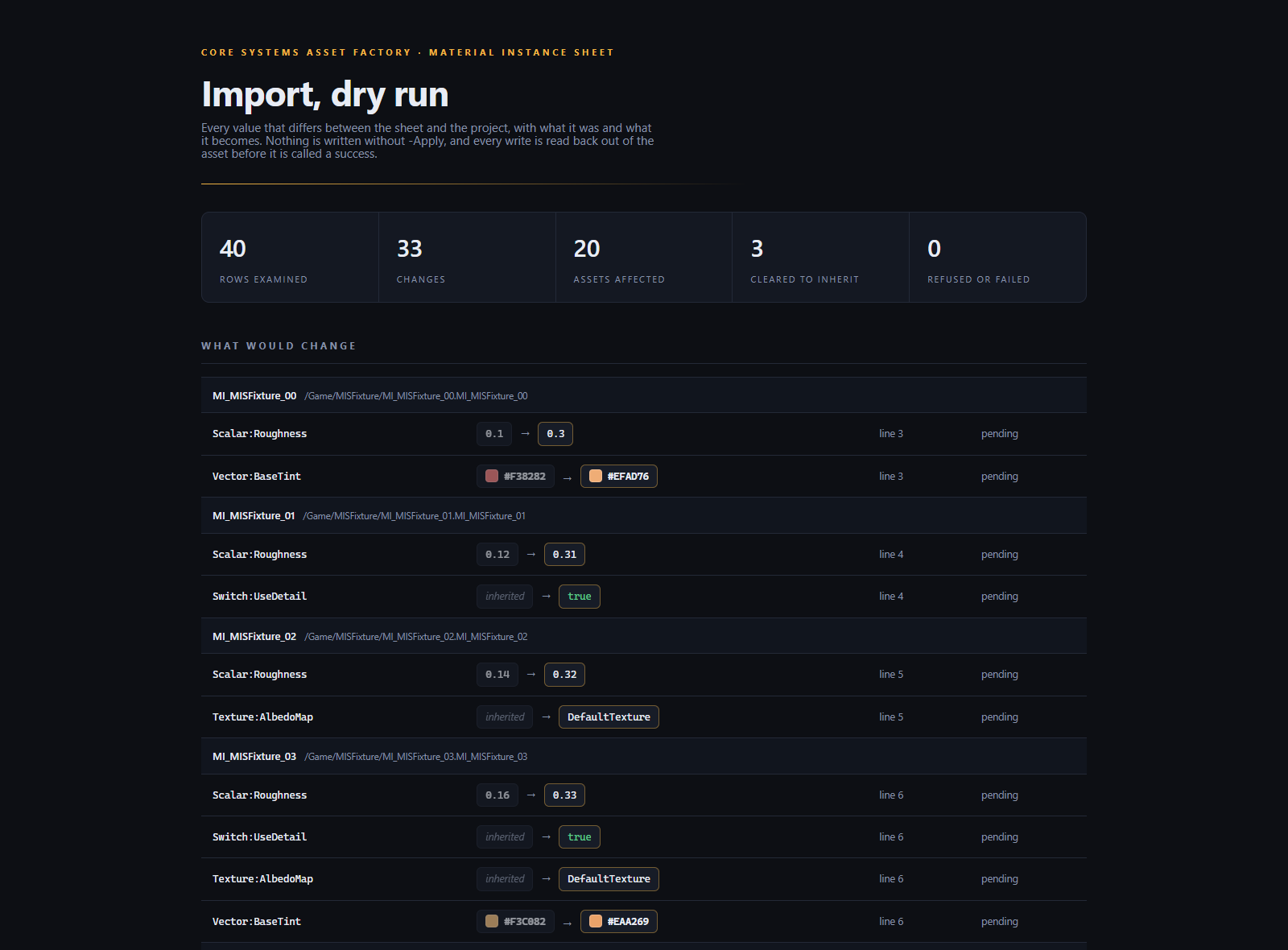
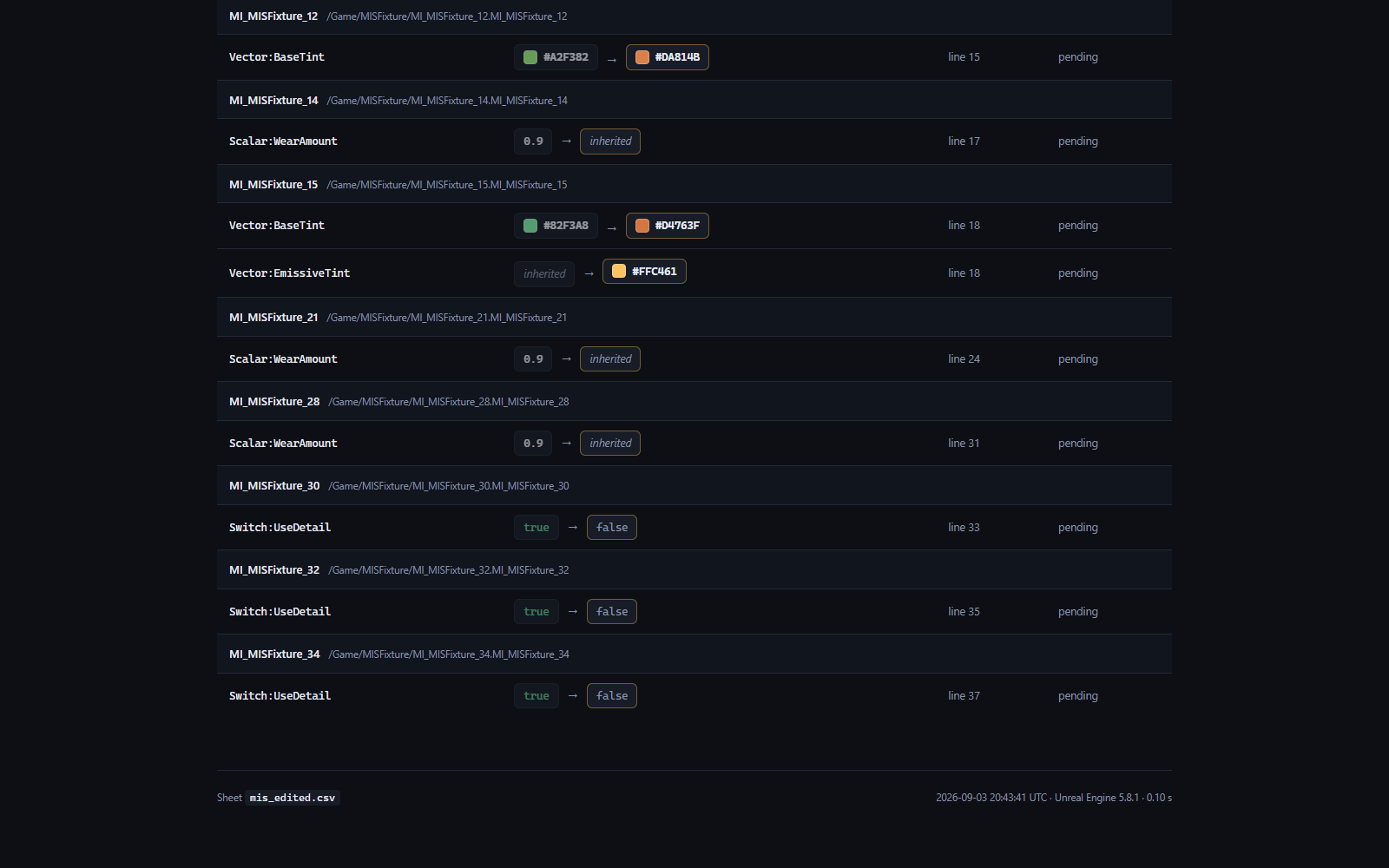
Commit the sheet next to your content and run the import with -FailOnDrift and no -Apply. It exits 4 the moment somebody hand-edits a material instance away from the agreed values, and the HTML report names the asset, the parameter, and both values. Six documented exit codes, each one a distinct thing a build step can act on.
The report
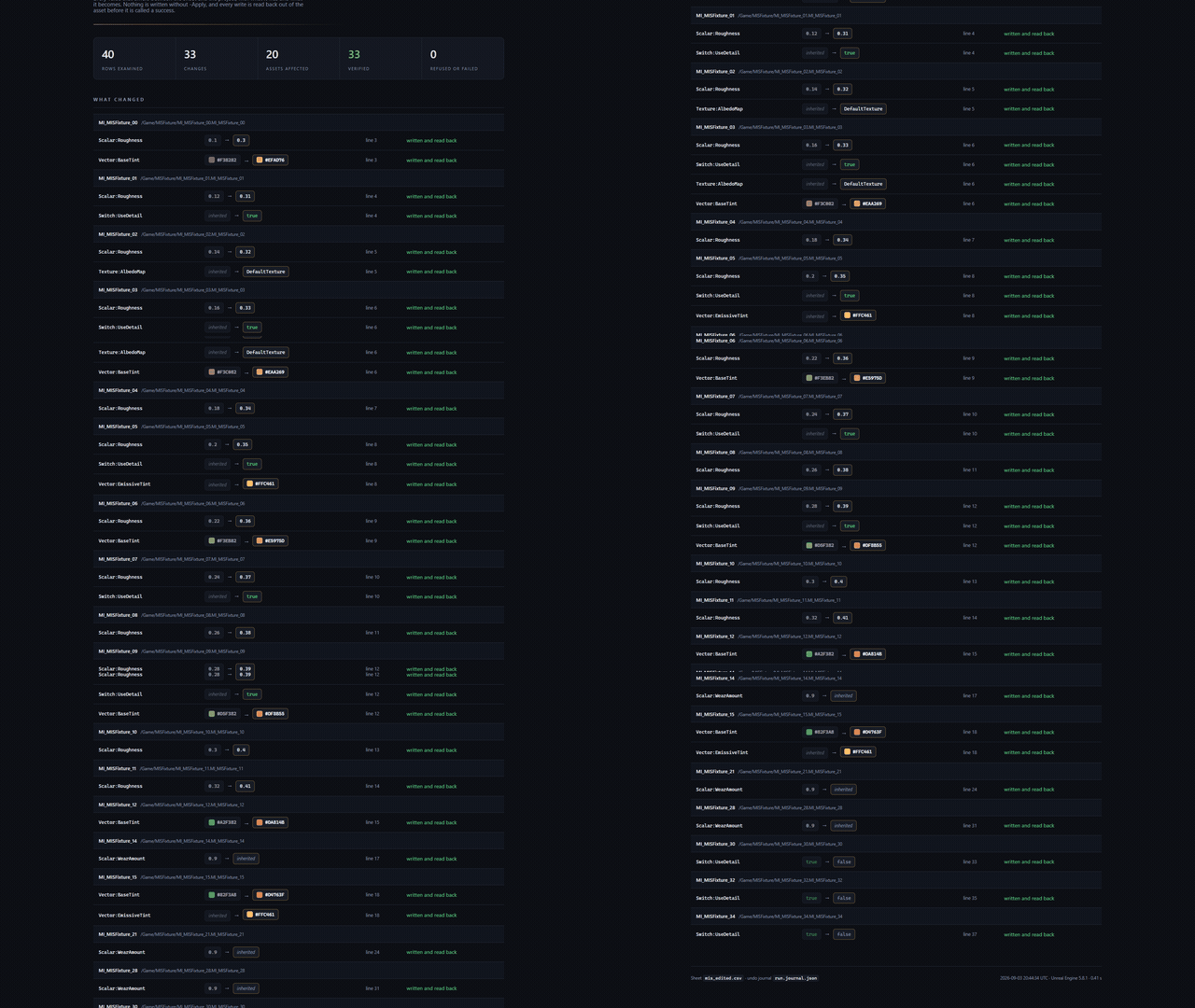
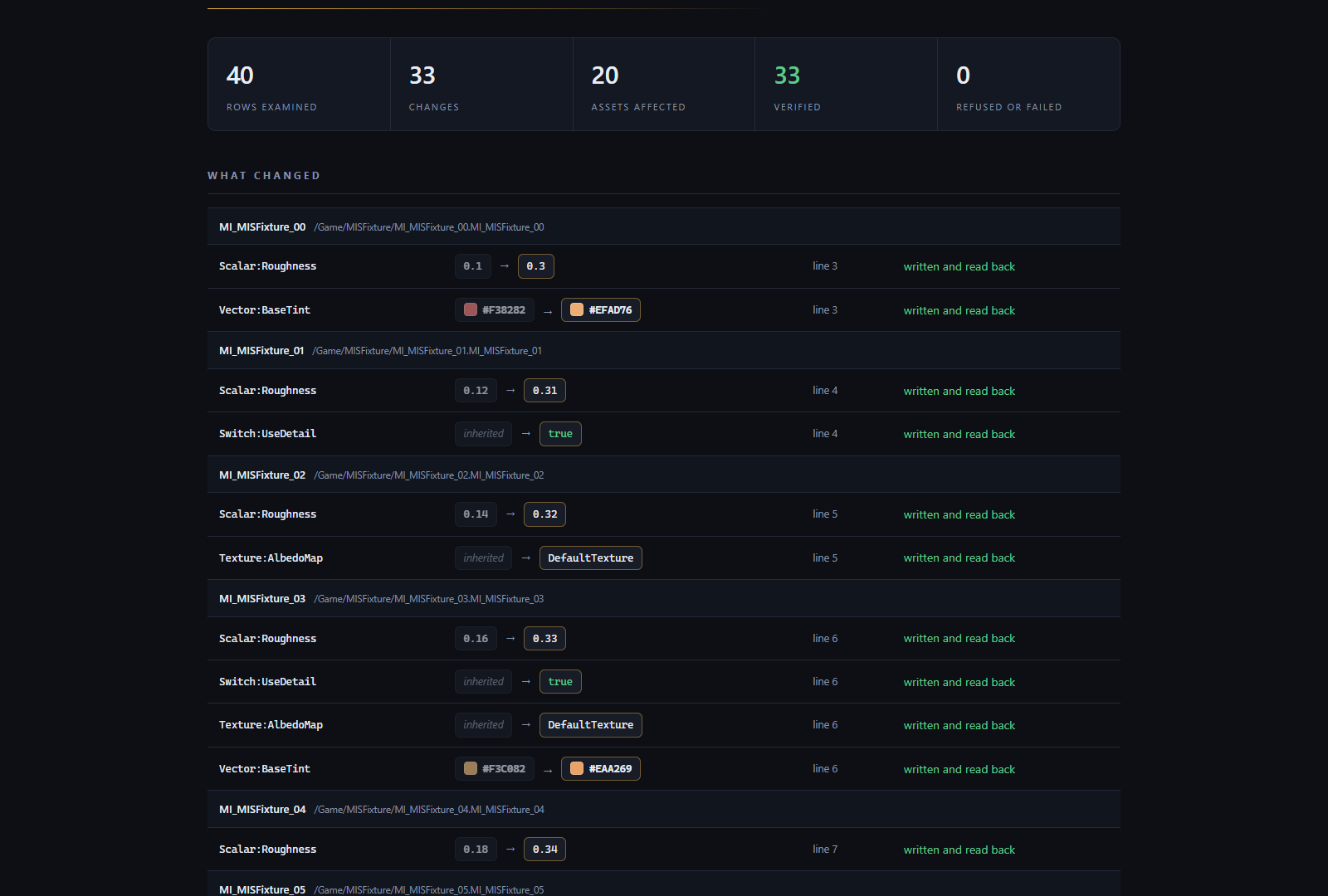
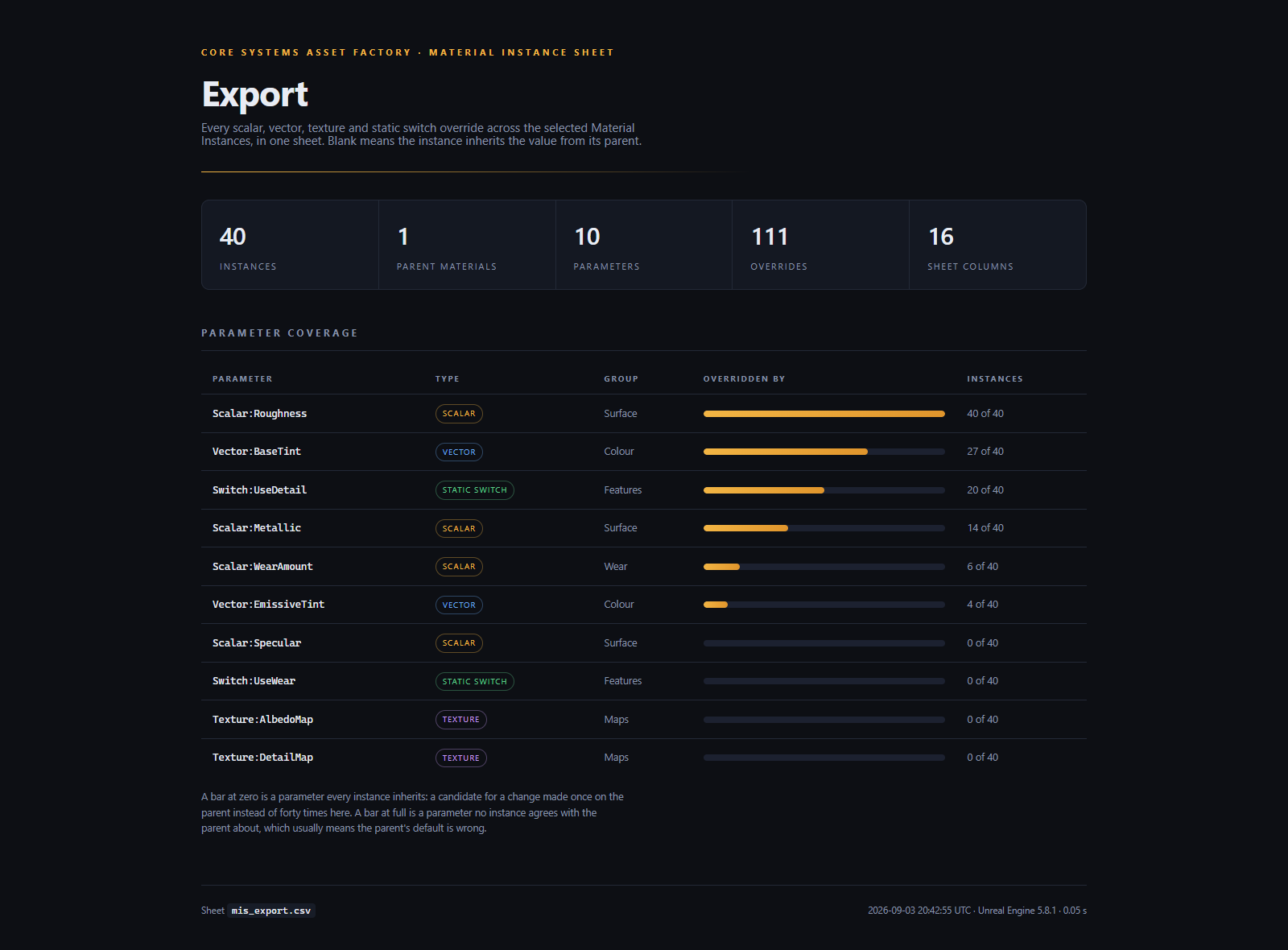
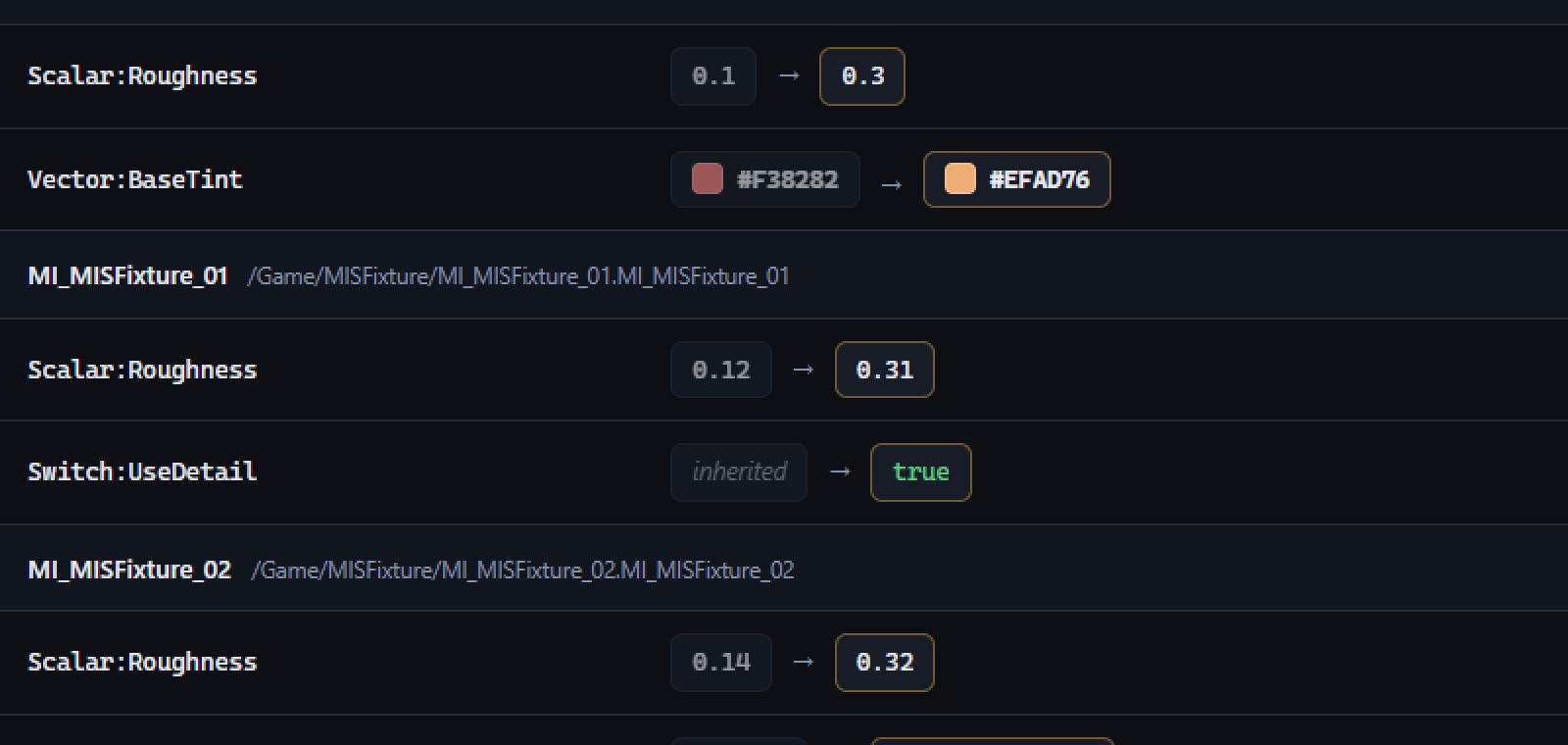
Every run writes a designed HTML report into your project's Saved/MaterialInstanceSheet/, and prints the absolute path in its summary. On an import it shows every change with colour swatches for vector parameters and a before/after for everything else. On an export it shows which parameters the family actually varies — so a value every instance inherits shows up as a change to make once on the parent instead of forty times, and a parameter no instance agrees with the parent about tells you the parent's default is wrong.
What it does not carry, said out loud
A Material Instance can also override static component mask and terrain layer weight parameters. This sheet models neither, and rather than let you discover that, an export refuses and names the instance and the count. An import does not refuse over them and does not disturb them.
Everything else a Material Instance can override — scalar, vector, double vector, texture, texture collection, runtime virtual texture, sparse volume texture and static switch — is in the sheet.
Runs headless or from the editor
UnrealEditor-Cmd.exe Project.uproject -run=MaterialInstanceSheet -Export -Paths=/Game/Materials
UnrealEditor-Cmd.exe Project.uproject -run=MaterialInstanceSheet -Import -Sheet=props.csv -FailOnDrift
UnrealEditor-Cmd.exe Project.uproject -run=MaterialInstanceSheet -Import -Sheet=props.csv -Apply
Or MaterialSheet.Run -Export -Paths=/Game/Materials from the editor console.
Compatibility
Unreal Engine 5.8, Windows 64-bit. Editor-only plugin, C++ source included, no content. No other engine version has been tested, so no other version is claimed.
AI disclosure: code — yes. Graphics — yes. Sounds — no. Text & dialog — no.
Made by Core Systems Asset Factory.
Purchase
In order to download this tool you must purchase it at or above the minimum price of $10.49 USD. You will get access to the following files:
Development log
Leave a comment
Log in with itch.io to leave a comment.