Mandorla — Coloring Page Generator for Unity
A downloadable asset pack
Coloring pages for your coloring or colour-by-number game, generated in the editor: line art, numbers, a reference fill, a region map and one white piece per area, from any seed.
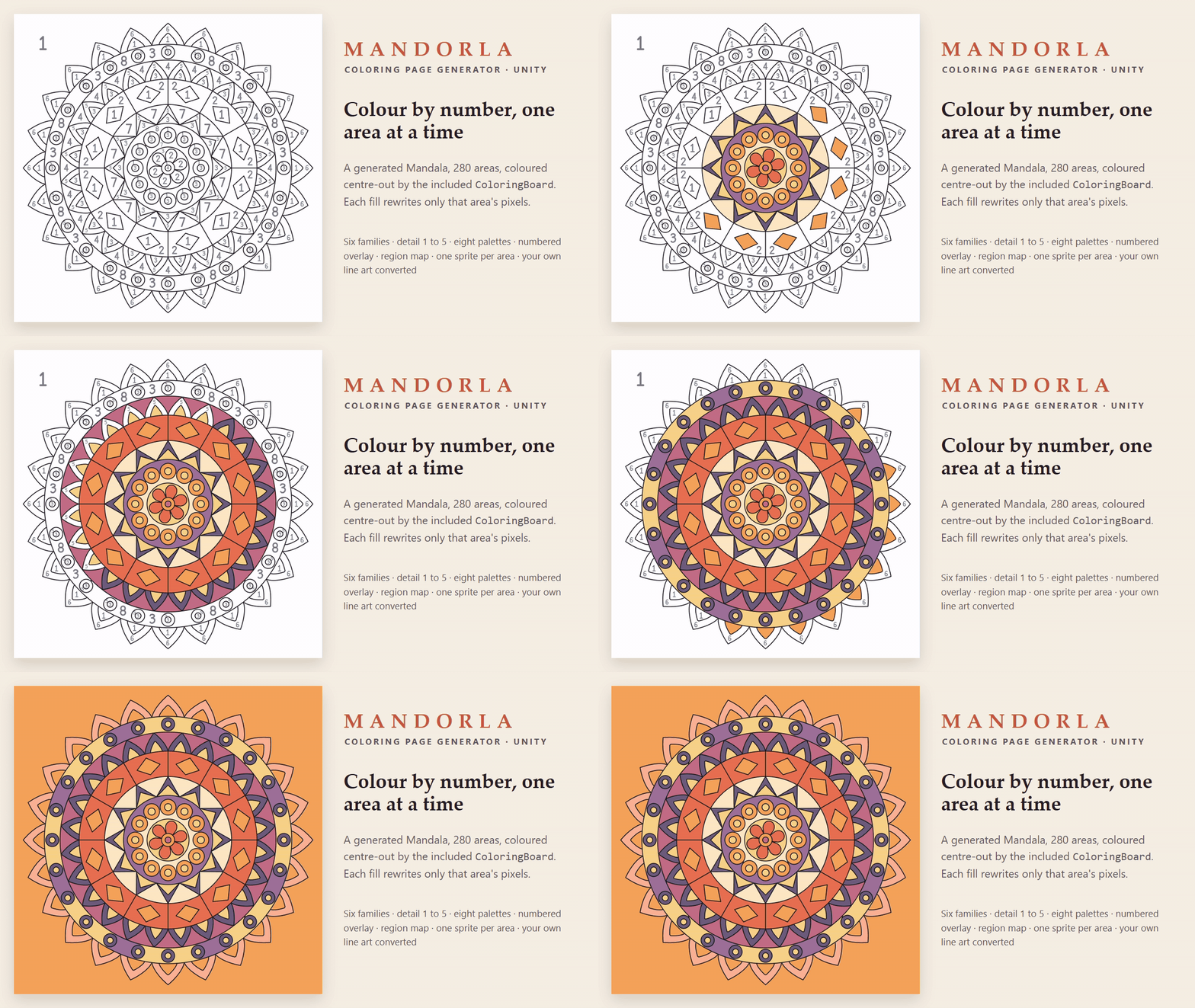
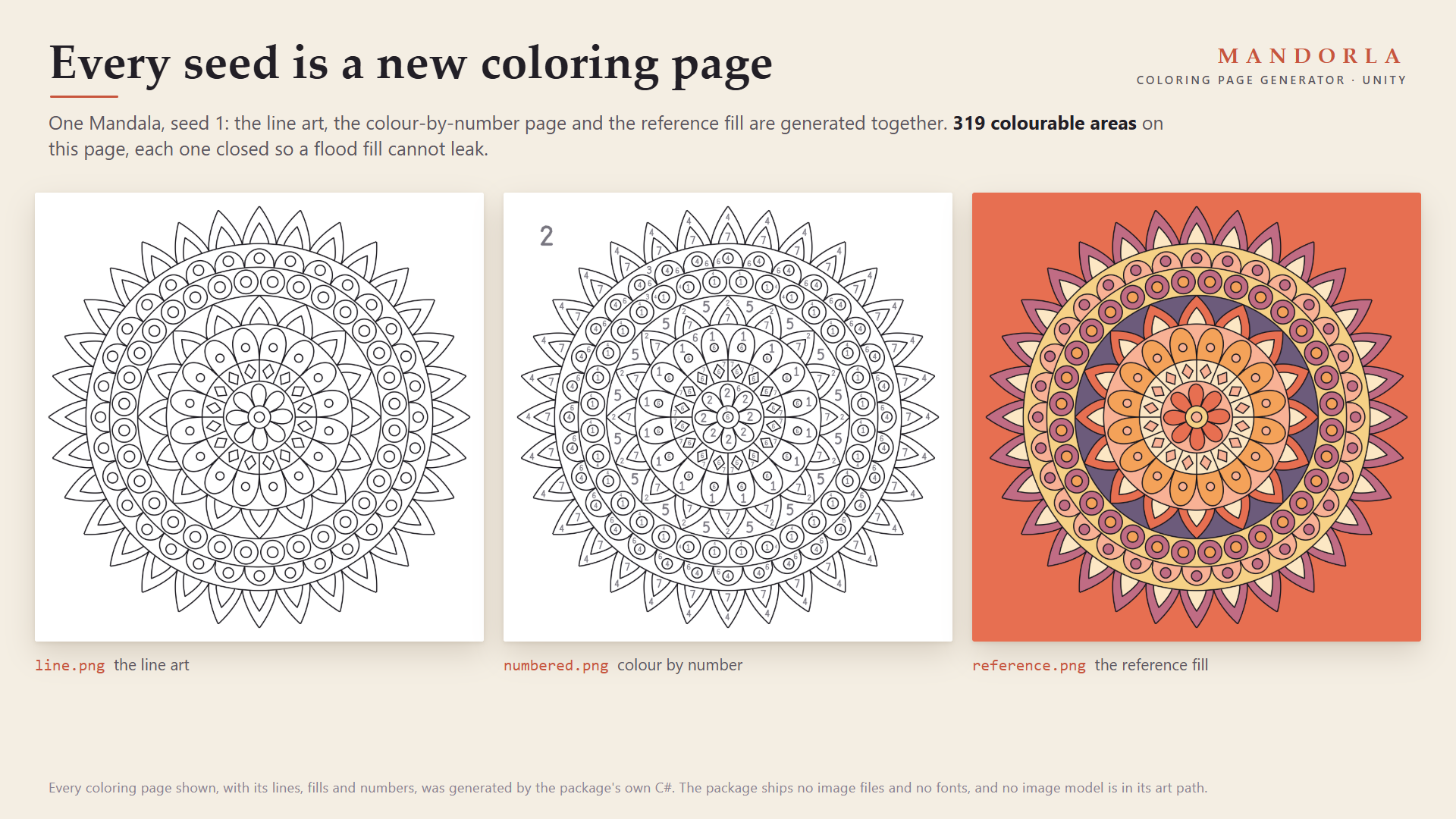
Coloring templates are engines. They ship a handful of pictures, and every page after that is yours to draw and slice by hand. Mandorla generates the pages. Pick a family and a seed and it draws a closed-region page, finds every colourable area the way a flood fill in your game will find it, numbers the areas, colours a reference version, and writes everything into your project in the format sliced templates load. Any integer is a seed, so the next page is always one click away.
It also converts your own clean line art into the same outputs, and seals small breaks in the outlines so a fill cannot leak through them.
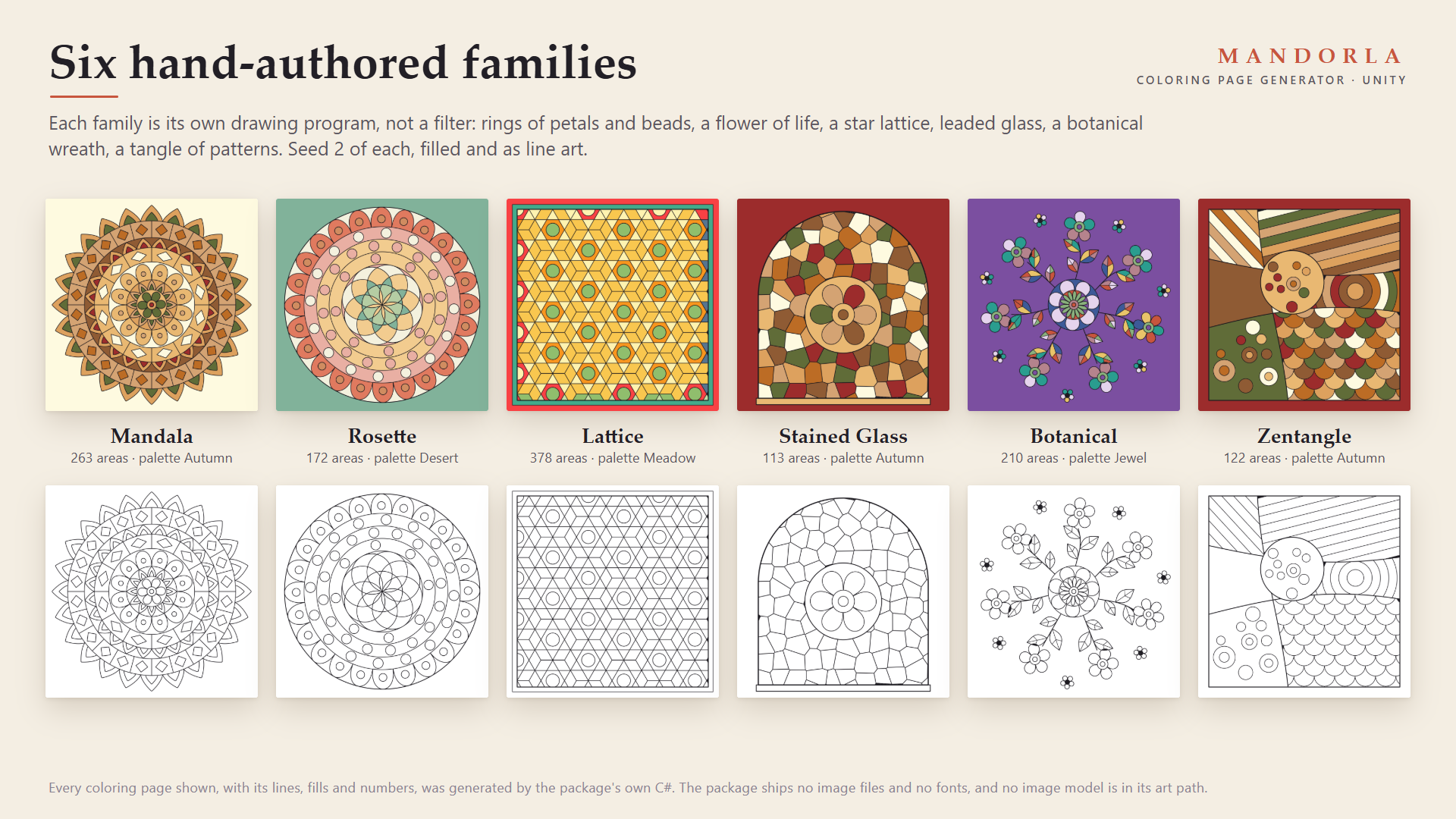
Six hand-authored families
- Mandala: concentric bands of petals, scallops, cells, beads and zigzags around a centre flower, with a pointed crown.
- Rosette: a flower-of-life centre inside rings of beads and a scalloped crown.
- Lattice: eight-point stars in an octagon-and-square net, or hexagrams in a hexagon net, framed.
- Stained Glass: a leaded arch window of jittered glass cells with a centre medallion.
- Botanical: a radial wreath of stems, veined leaves, layered blooms and buds.
- Zentangle: curved strings divide a framed page and each area gets its own tangle (stripes, grid, scales, bubbles, rings or woven pods).
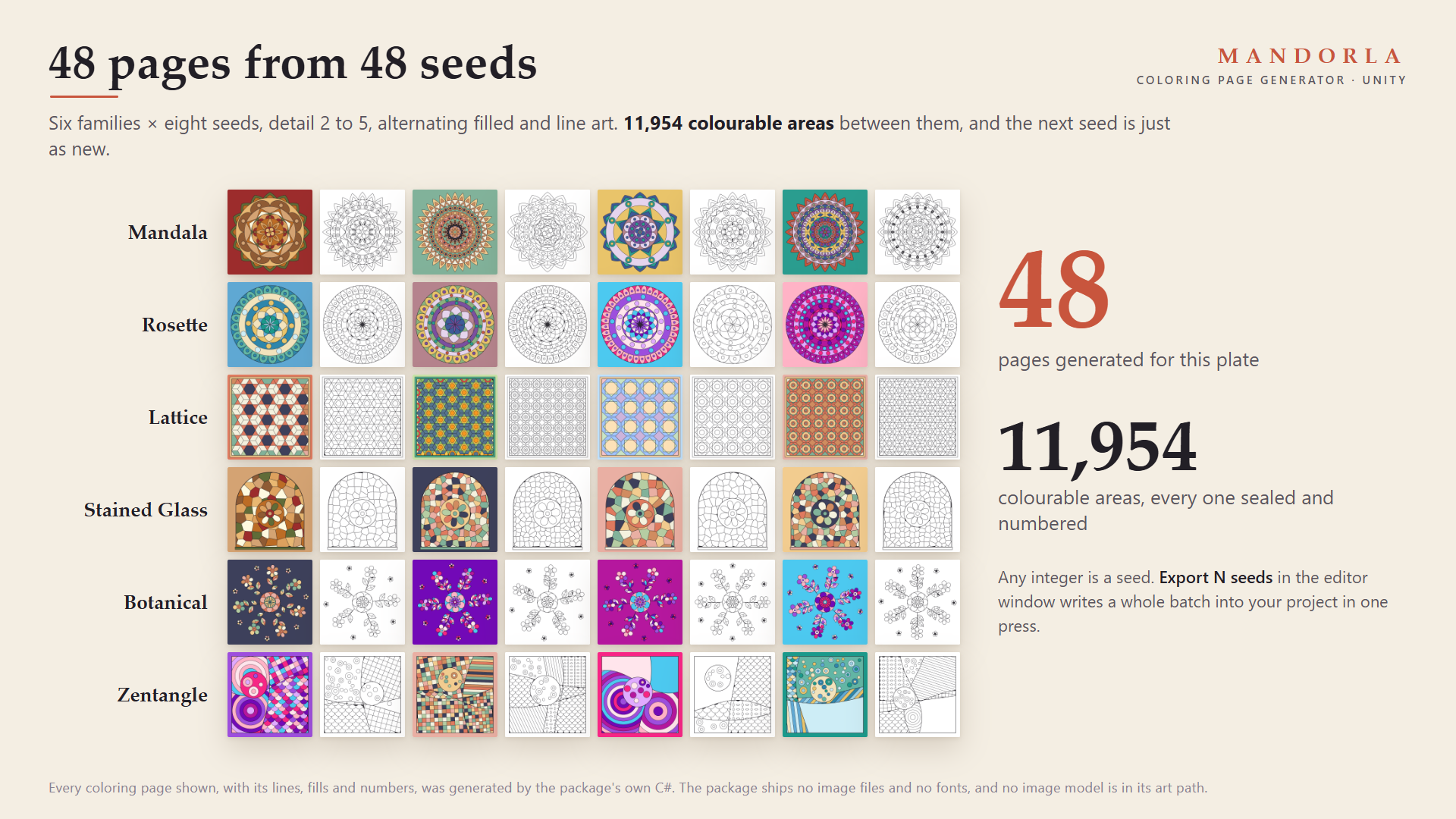
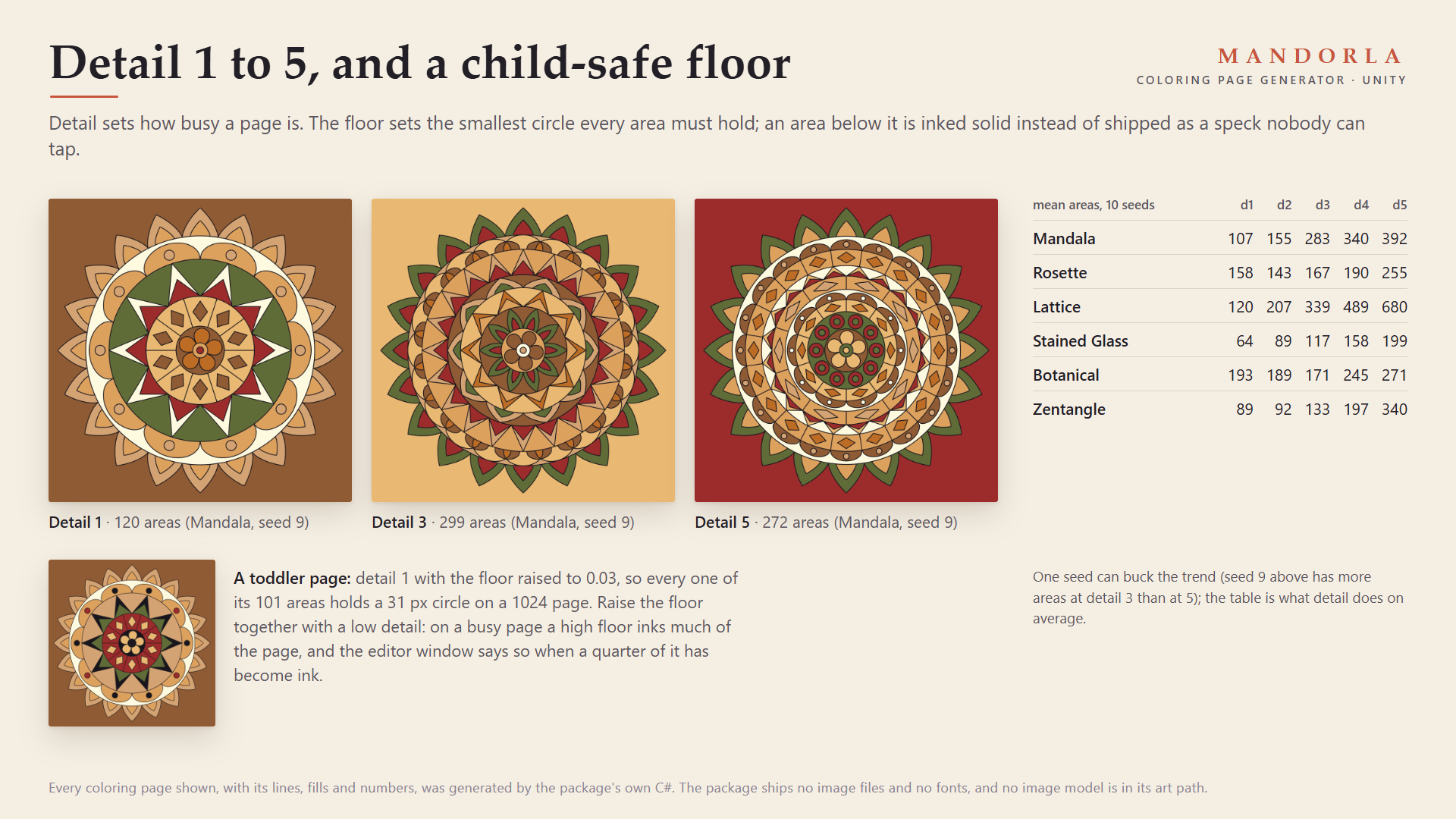
Each family is its own drawing program, not a filter over one shape. Detail 1 to 5 sets how busy a page is; measured over ten seeds per family, the average page grows from 107 to 392 areas on Mandala, 120 to 680 on Lattice and 89 to 340 on Zentangle. Eight reference palettes colour areas that belong together alike (the rings of a mandala, the repeating tiles of a lattice) and keep neighbours apart where the palette allows it.
What one export writes
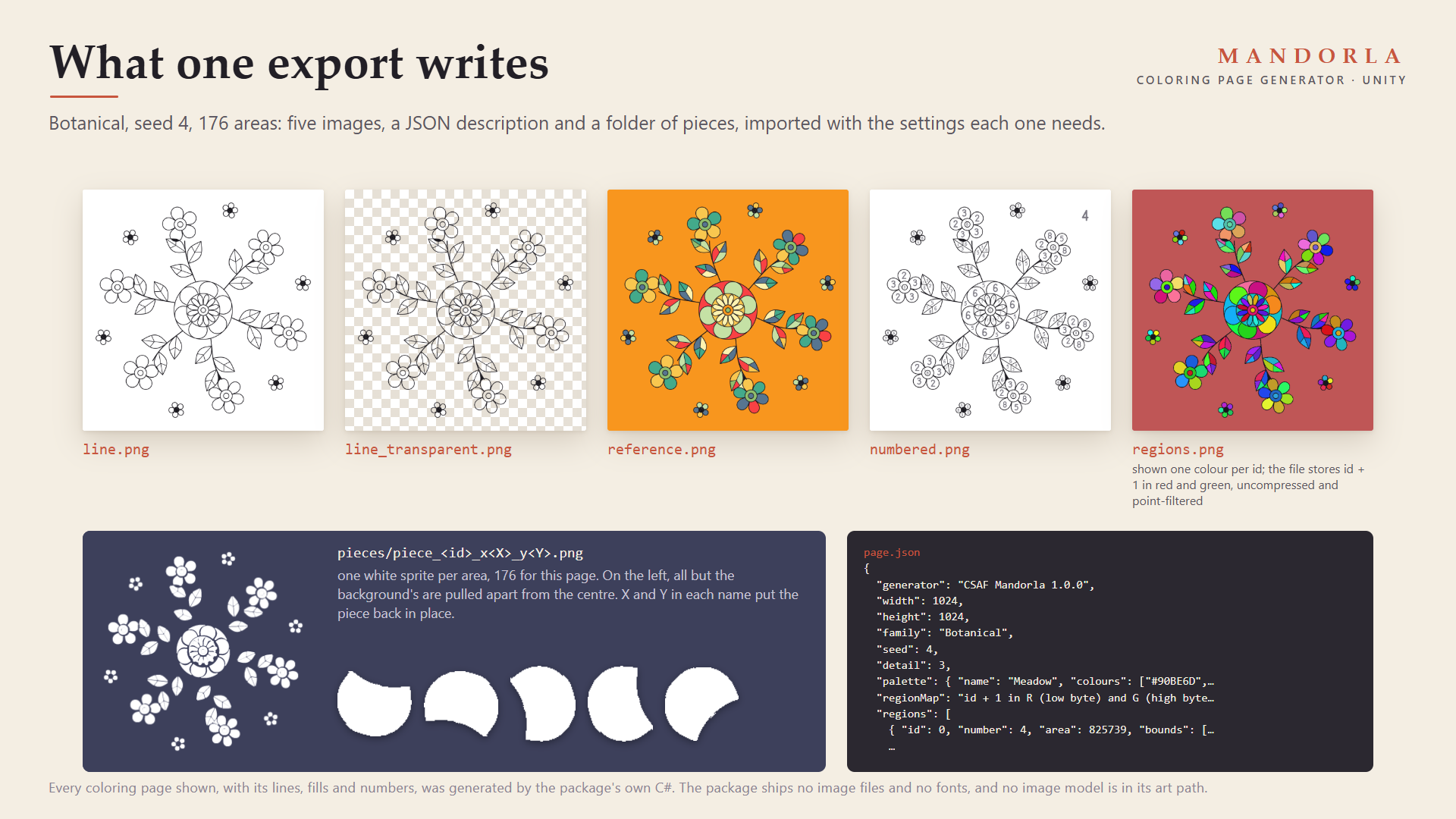
line.pngandline_transparent.png: the line art on paper, and on transparency to lay over your own fills.reference.png: the page filled with its reference palette.numbered.png: the colour-by-number page, a grey number at each area's deepest point, sized to the area.regions.png: the region map, area id + 1 in red and green, imported uncompressed, point-filtered and readable, so a tap is one texel read.page.json: size, family, seed, palette, and every area's id, number, pixel area, bounds, deepest point and inscribed radius.pieces/: one white sprite per area, cropped and padded to tuck under the line. This is the "separate white parts" format sliced coloring templates load.
Export N seeds writes a whole batch in one press.
Safe to fill, by construction
- Areas are found on the raster you export, 4-connected, at the page's own resolution, not on the geometry that drew it. The test suite floods the exported
line.pngfrom every area and requires each fill to stay inside its area. - A child-safe floor: every area must hold a circle of a size you choose. An area too small to tap is inked solid instead of shipped as a speck. For a toddler app, raise the floor together with a low detail; the editor window warns when a quarter of a page has become ink.
- The same options always give byte-identical pages, on any thread.
Your own line art
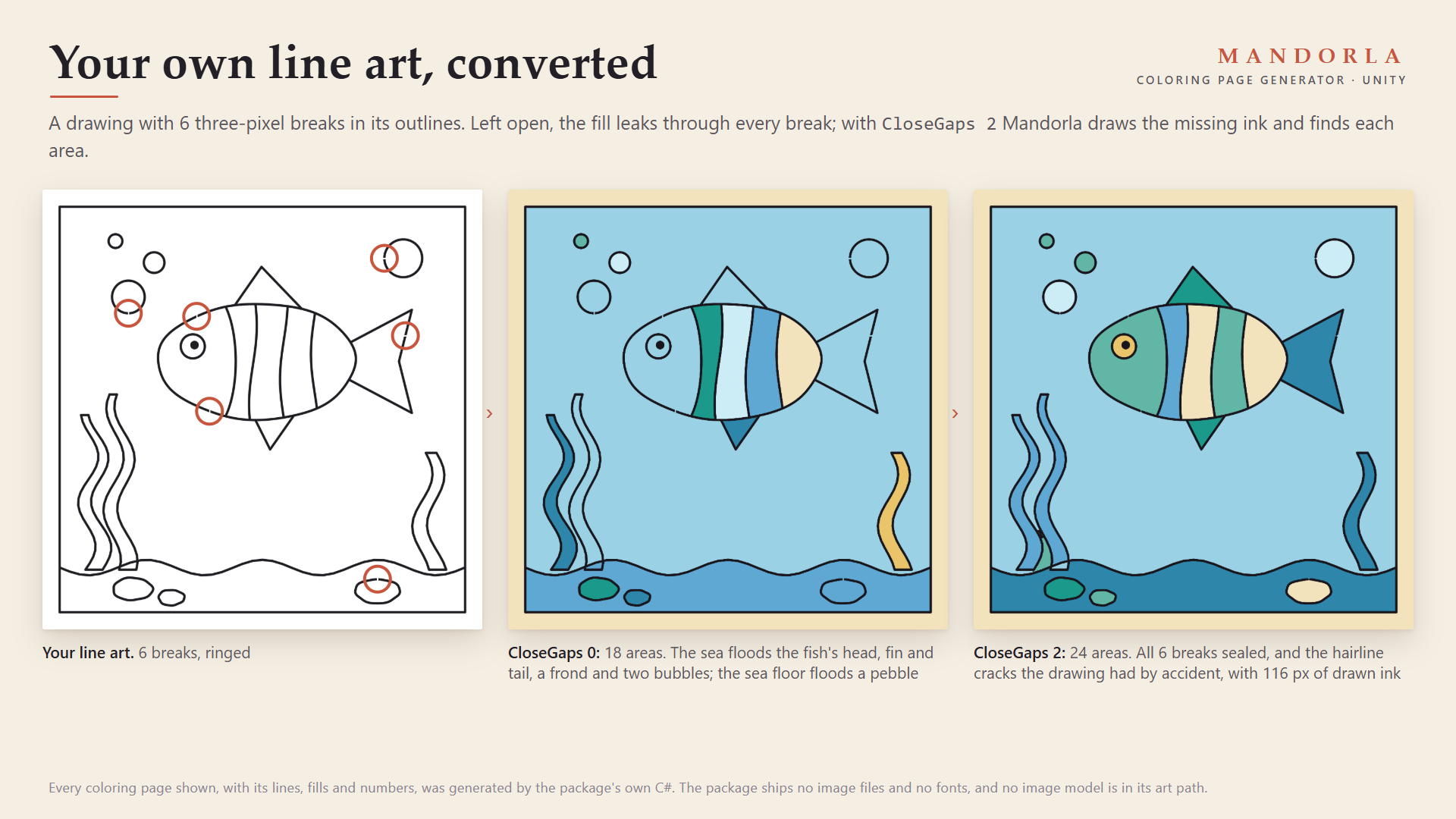
Hand the Convert line art tab any texture, readable or not. Mandorla finds every closed area, seals breaks up to about twice CloseGaps pixels wide at any line thickness, and draws each seal into the line layer so the boundary a fill stops at is always visible. In the store image, a drawing with six 3-pixel breaks went from 18 leaking areas to 24 sealed ones.
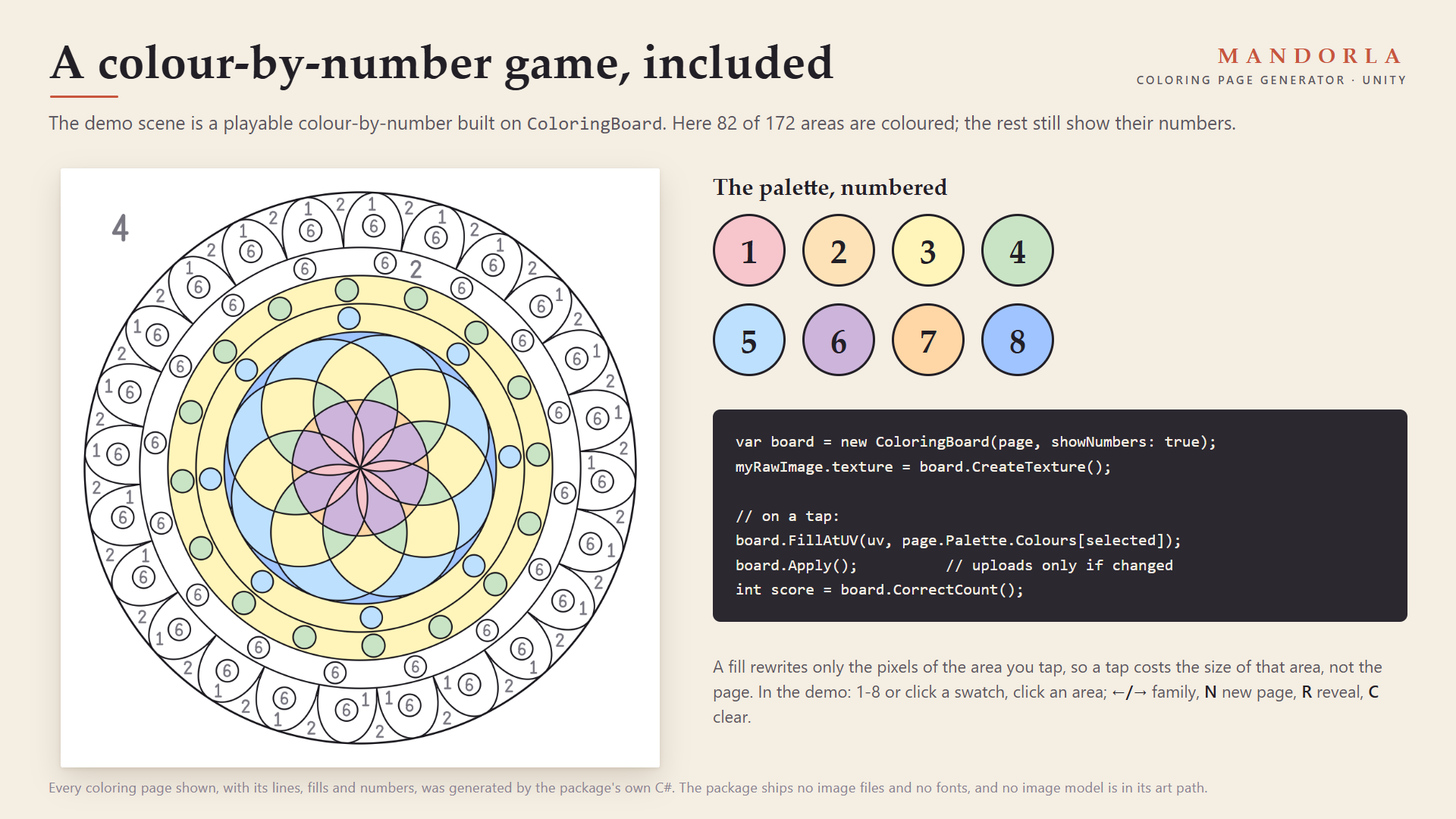
A colour-by-number game, included
Assets/CSAF/Mandorla/Demo/Scenes/MandorlaDemo.unity: press Play. Pick a colour (click a swatch or press 1-8) and click an area. LEFT and RIGHT change family, N draws a new page, R reveals the reference colouring, C clears. It is built on the included ColoringBoard, which rewrites only the pixels of the area you fill.
var options = new PageOptions { Family = PageFamily.Mandala, Seed = 42, Detail = 3, Size = 2048 };
ColoringPage page = await Task.Run(() => Coloring.Generate(options));
var board = new ColoringBoard(page, showNumbers: true);
myRawImage.texture = board.CreateTexture();
board.FillAtUV(uv, page.Palette.Colours[selected]);
board.Apply();
int score = board.CorrectCount();
Compatibility
- Unity 2022.3 and newer, including Unity 6. Built and tested against 6000.5.7f1.
- Render pipeline agnostic (Built-in, URP, HDRP): pages are drawn on the CPU into textures.
- Any input system: the demo reads input through
Event.current. - Three named assembly definitions (Runtime, Editor, Demo). No
Resourcesfolder, no shaders, no images, no fonts, no audio, no network calls, no third-party code. Full, readable C# source.
Performance, measured
On an AMD Ryzen 7 5825U in the Unity 6000.5.7f1 editor, one 2048 x 2048 page at detail 3 took from 0.7 s (Lattice) up to 2.6 s (Zentangle), and one 1024 x 1024 page 0.2 to 0.7 s. That is a sample on one machine, not a ceiling. Generate off the main thread and cache what you generate: a page is a function of its options.
Limitations, stated plainly
- Conversion needs clean line art: dark lines on a light or transparent ground. Shaded or sketchy drawings produce areas where the shading is, as a flood fill in your game would.
- A part of an area narrower than about twice
CloseGapslooks like a break and gets a line across it; use 0 for art you know is closed. - Mandorla draws and slices pages. It does not save a player's progress or provide painting tools beyond the included
ColoringBoard.
Documentation: the full guide, also included in the download.
AI disclosure
Code: yes. Graphics: yes, because the code that draws the pages was AI-written; there is no image model anywhere in the art path the buyer runs, and every page is drawn by the shipped code from hand-authored families. The store cover uses a generated illustration of a desk as its background, with a real Mandorla page laid on it. Sounds: no, the package contains no audio. Text and dialog: no.
Purchase
In order to download this asset pack you must purchase it at or above the minimum price of $12.99 USD. You will get access to the following files:
Development log
Leave a comment
Log in with itch.io to leave a comment.