Interchange — Octilinear Fast-Travel Diagram
A downloadable asset pack
Nodes and edges in, a printed transit diagram out.
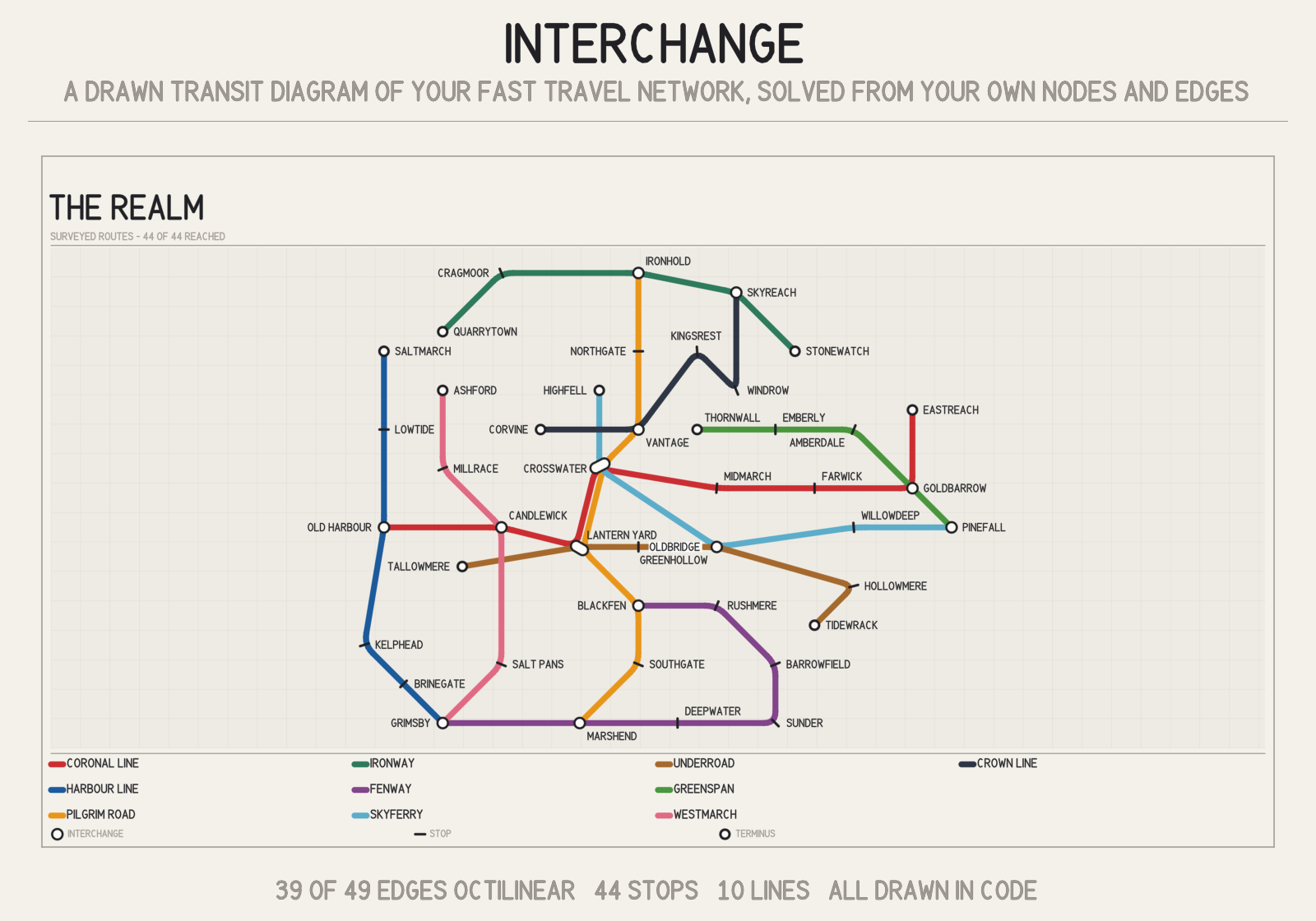
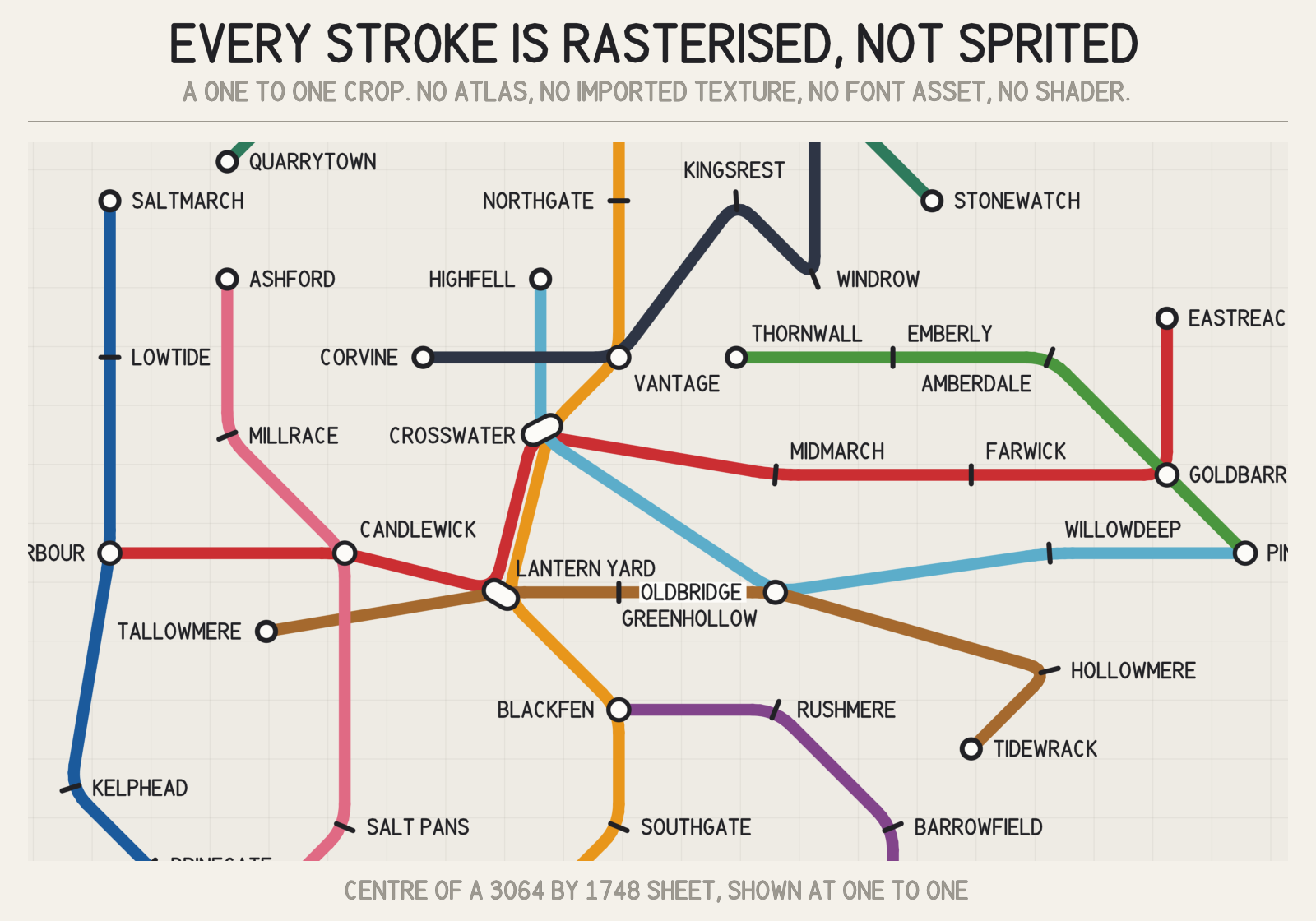
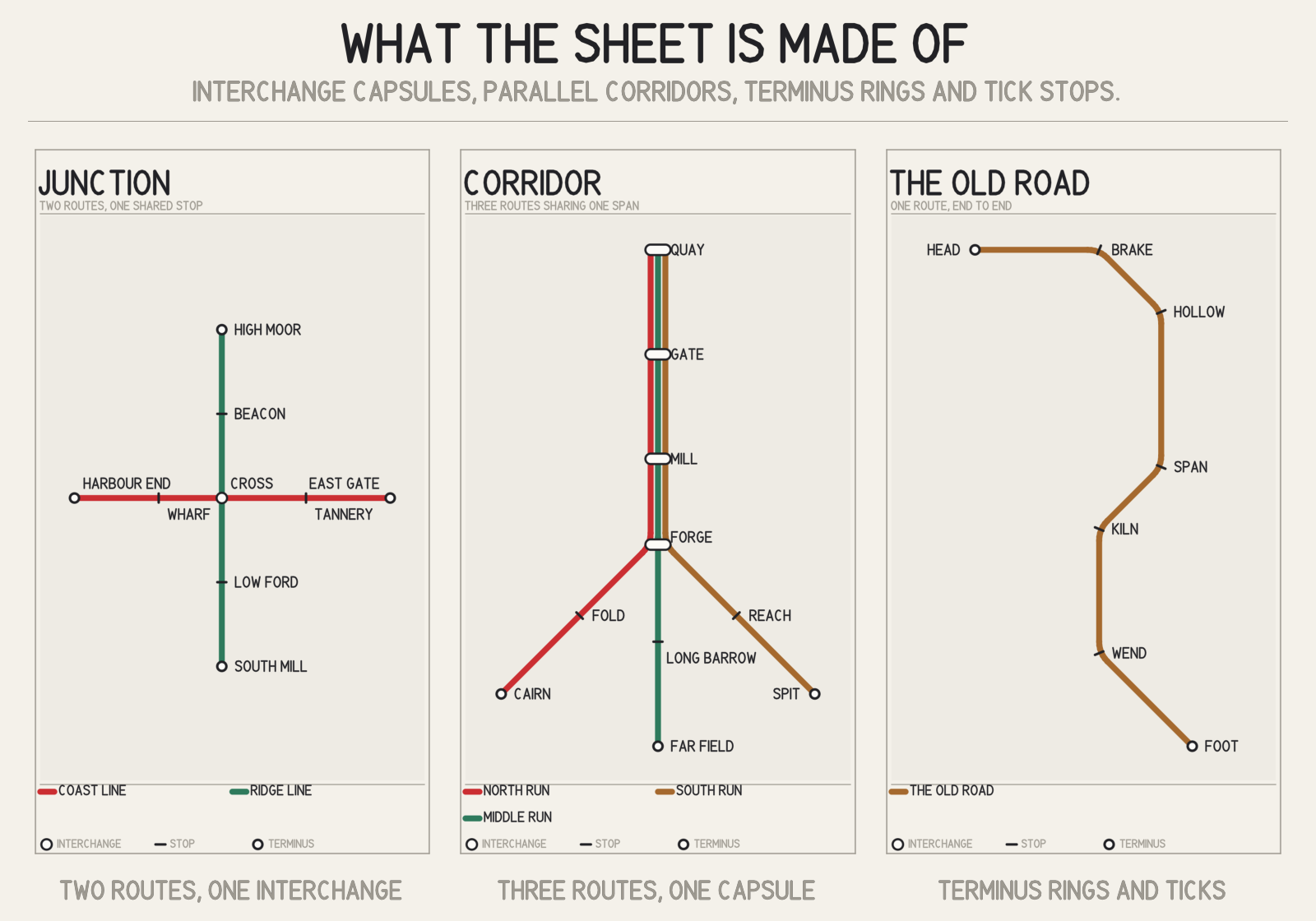
Interchange turns the fast-travel graph you already have into a drawn transit-style route map: routes snapped to 45 degree angles, parallel bands where routes share a corridor, a capsule interchange wherever two lines meet, terminus caps, every stop named, a legend and a title band.
It is not a minimap. A minimap is a picture of the world; this is a diagram of the network, which is the same difference as between a satellite photo and a subway map. Players read a subway map faster because it throws away geography and keeps topology, and that is exactly what a fast-travel screen is for.
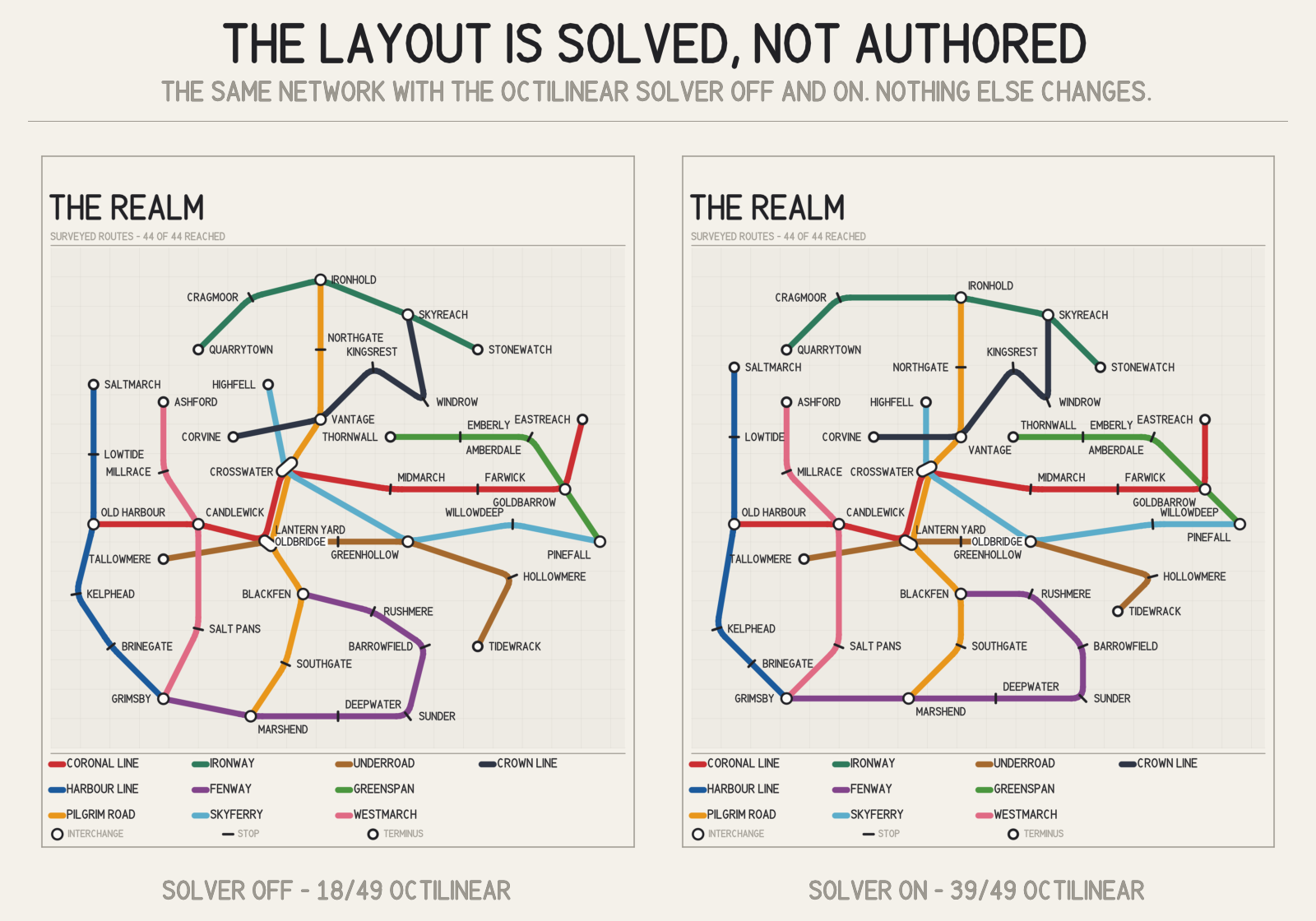
The layout is solved, not authored
You give it stations with the world positions they actually occupy. An octilinear solver runs a multicriteria hill-climb on an integer grid, in the family described by Stott and Rodgers for automatic metro-map layout, balancing six things against each other: octilinearity, edge length, the real world's compass arrangement, route straightness, stop separation, and clearance between stops and other routes.
The numbers on the demo network, which the package prints for you on every render: 3 of its 49 edges start at an angle a transit sheet can draw. After the solve, 39 do. Turn the solver's octilinearity weight to zero and the same data comes out at 18. That comparison is the second image in this gallery, and it is the honest way to show what a layout solver is worth.
Everything on the sheet is drawn in code
There is no sprite atlas, no imported texture, no font asset and no shader anywhere in the art path. The strokes go through a supersampled software rasteriser, and the station names are set in a hand-authored geometric face drawn from stroke data, so the sheet is in its own voice rather than in Arial. The output is byte-identical on every machine and every render pipeline, because there is no GPU in the path at all.
That also means the whole thing runs headlessly, so you can bake sheets in CI.
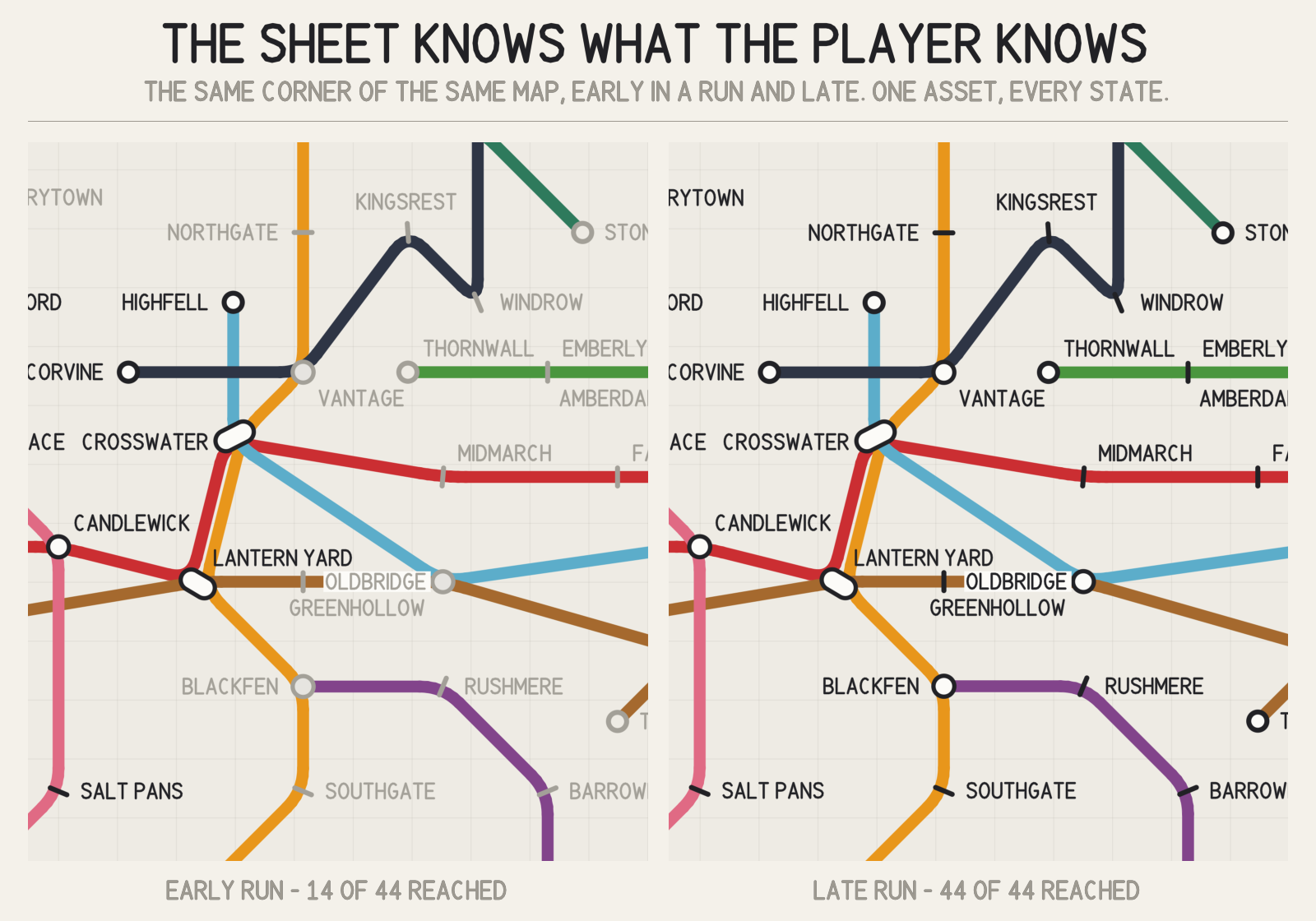
The sheet knows what the player knows
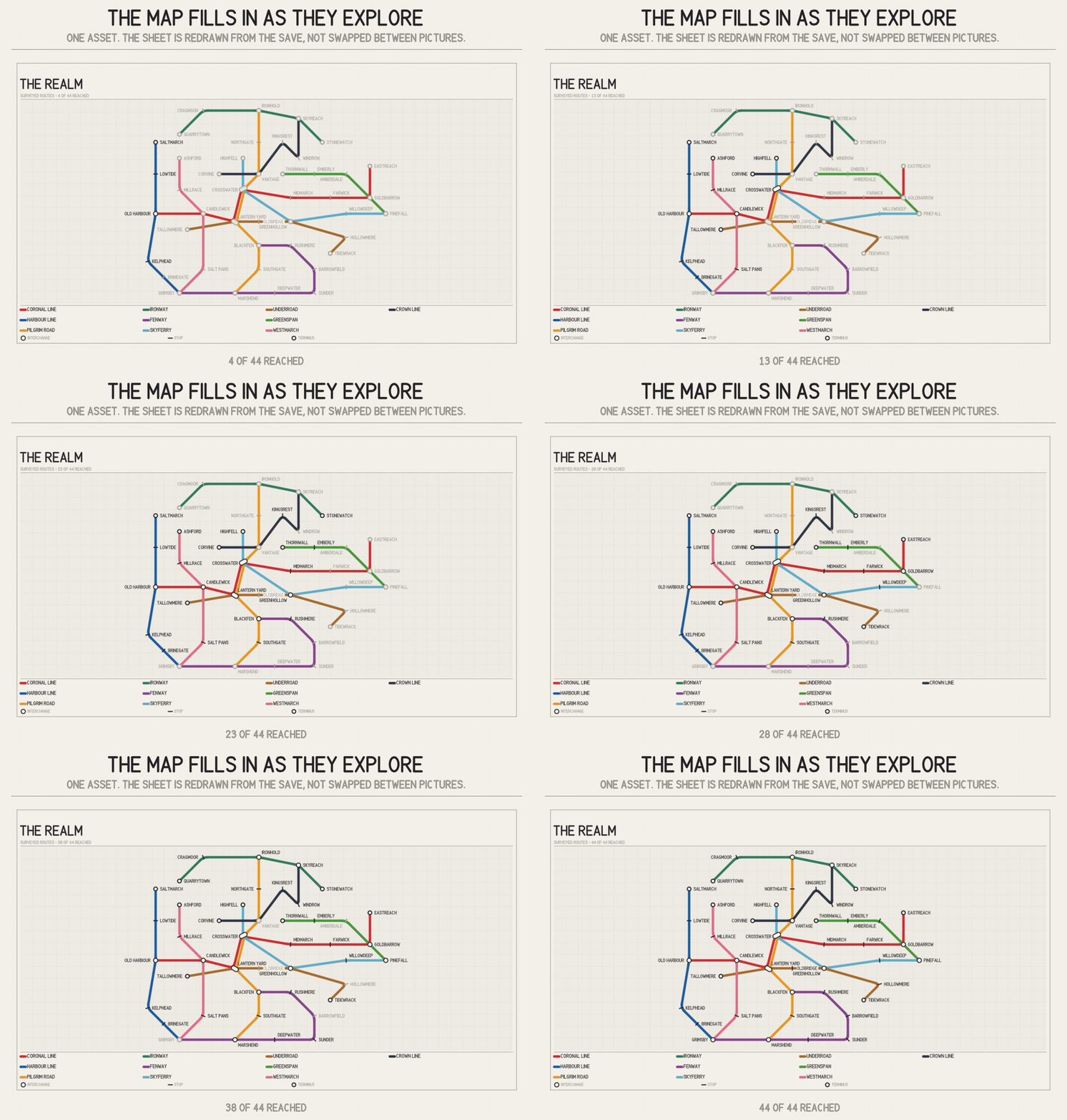
Set Discovered = false on a station and it is drawn in the unvisited treatment: a held-back mark and a lighter name. The same asset therefore renders a player's current knowledge of the network rather than the designer's complete one, and the title band counts it for you.
What it costs, measured
Interchange owns every pixel, so a sheet is paid for in CPU time rather than in draw calls. These are measured figures, the mean of three runs each after a warm-up, on one desktop workstation:
- 900 x 600 — 0.79 s
- 1200 x 800 — 1.26 s
- 1600 x 1067 — 2.06 s
- 1920 x 1280 — 2.87 s
Roughly a fixed 0.15 s for the layout solve plus about 1.1 s per megapixel for the drawing. The high figures are observations rather than a ceiling, and a busier machine will exceed them. So bake, do not stream: render on a screen transition, when a save loads, or when discovery actually changes, then keep the texture until the data moves. For most games that is one render per session. You can also bake to PNG in the editor and ship the image, in which case it costs a buyer's machine nothing at all.
This is written on the store page rather than discovered after purchase because it decides whether the package fits your project.
What you get
- An editor window: build or edit a network, preview at the real settings, bake to PNG.
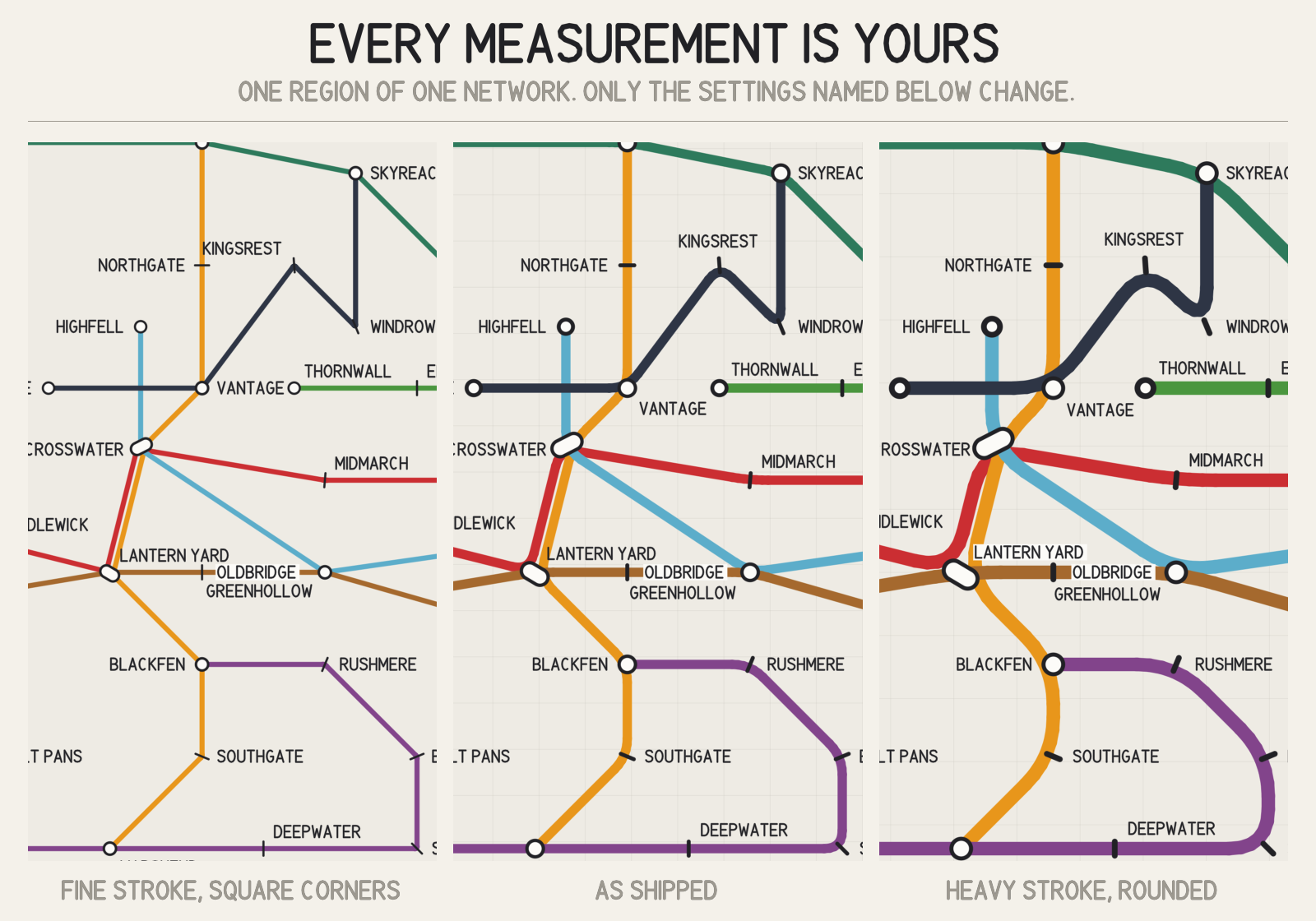
InterchangeNetwork, a plain ScriptableObject with public fields, so an existing region or quest system can be poured into it in a few lines rather than re-authored.- Every measurement exposed: route weight, bundle spacing, corner radius, interchange radius, tick length, type sizes, margins, the title and legend bands, and the construction grid.
- A demo scene with a 44-stop, 10-route invented realm. Open it and press Play.
- 13 C# scripts across three assembly definitions, raw and readable. No Resources folder, so nothing is forced into your build.
- Two reports per render, carrying counts rather than a verdict, so you can check them.
Requirements
Unity 2022.3 or newer. No package dependencies and no render-pipeline dependency: Built-In, URP and HDRP all work, because the art path never touches one.
Built with AI assistance: code yes, graphics yes (all art is generated procedurally by this package's own code), sounds no, text and dialog no.
More from CSAF
More Unity editor tools from the same studio:
- Assembly Warden
- GUID Warden — Unity Meta & GUID Integrity Guard
- Ballast
- Stele — Carved High-Score Monument for Unity
Everything else we make is at csaf.itch.io.
Purchase
In order to download this asset pack you must purchase it at or above the minimum price of $14.99 USD. You will get access to the following files:
Development log
Leave a comment
Log in with itch.io to leave a comment.