Collision Channel Migrator for Unreal Engine 5
Unreal tells you your objects were handled. They were not.
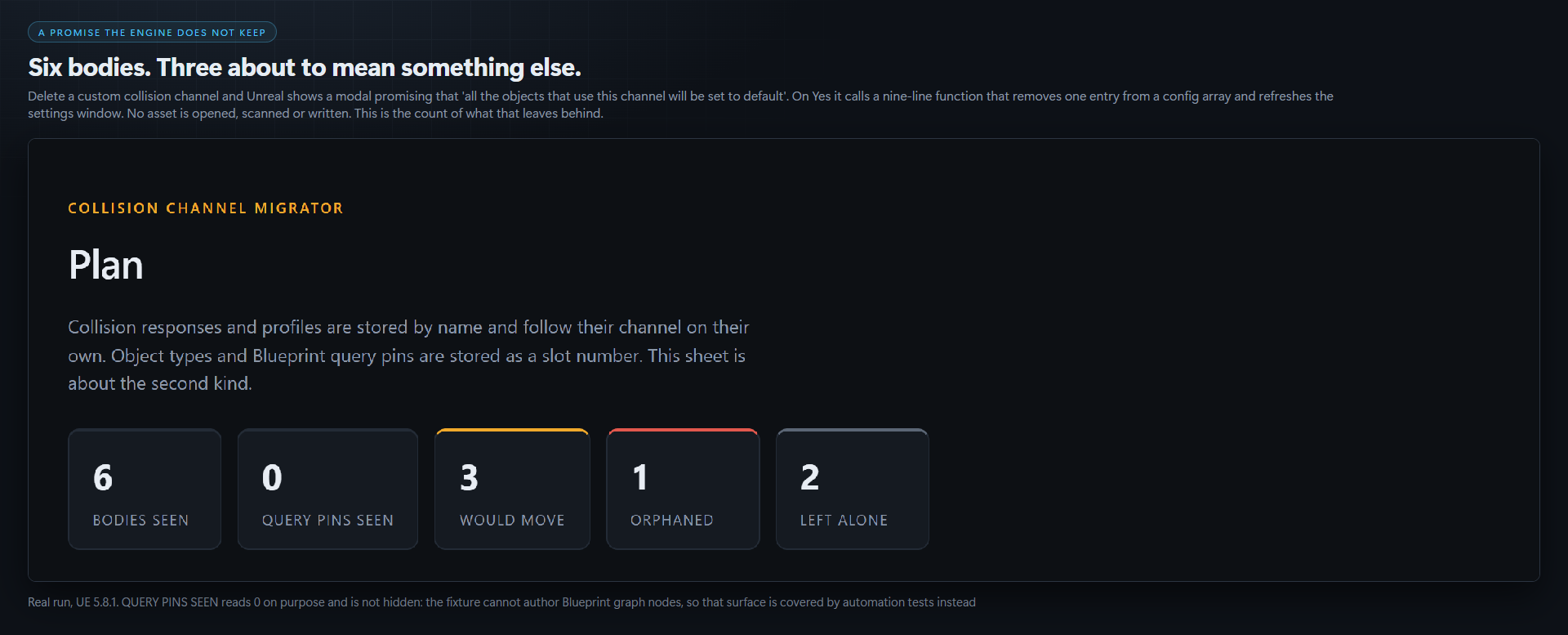
Delete a custom collision channel in Project Settings > Collision and the engine shows you a modal. It reads, word for word:
"If you delete this channel, all the objects that use this channel will be set to default. Would you like to continue?"
Press Yes and the engine calls a nine-line function whose entire body removes one entry from a config array, then refreshes the settings window. No asset is opened, scanned or written. Every object keeps the slot number it had already stored, and that number now means a different channel, or no channel at all.
Insert a channel, or drag one up the list, and you get the same thing without the modal.
Why the half you check is the half that is fine
This is the reason the forum threads never agree. Somebody reports that reordering channels wrecked their project; somebody else replies that channel order is purely visual; and both of them have tested it. They tested different halves.
| Stored by NAME, follows the channel, survives | Stored by SLOT, silently means something else |
|---|---|
| A body's collision responses, what it blocks, overlaps and ignores | A body's object type, the channel it is |
| Collision profiles, and every body driven by one | Blueprint trace and object-query pins: TraceTypeQuery3, ObjectTypeQuery2 |
Responses are a list of { FName Channel; ECollisionResponse Response }, so they carry their channel's name and are re-resolved on load. Object type is a TEnumAsByte<ECollisionChannel> holding ECC_GameTraceChannelN, a position in a list. The name you chose, Climbable, lives only in DefaultEngine.ini and is never written into the asset.
So the field everyone opens and inspects is the field that was never in danger, and the mesh that was Climbable is now whatever else landed on slot 14.
What Epic does cover, and where it stops
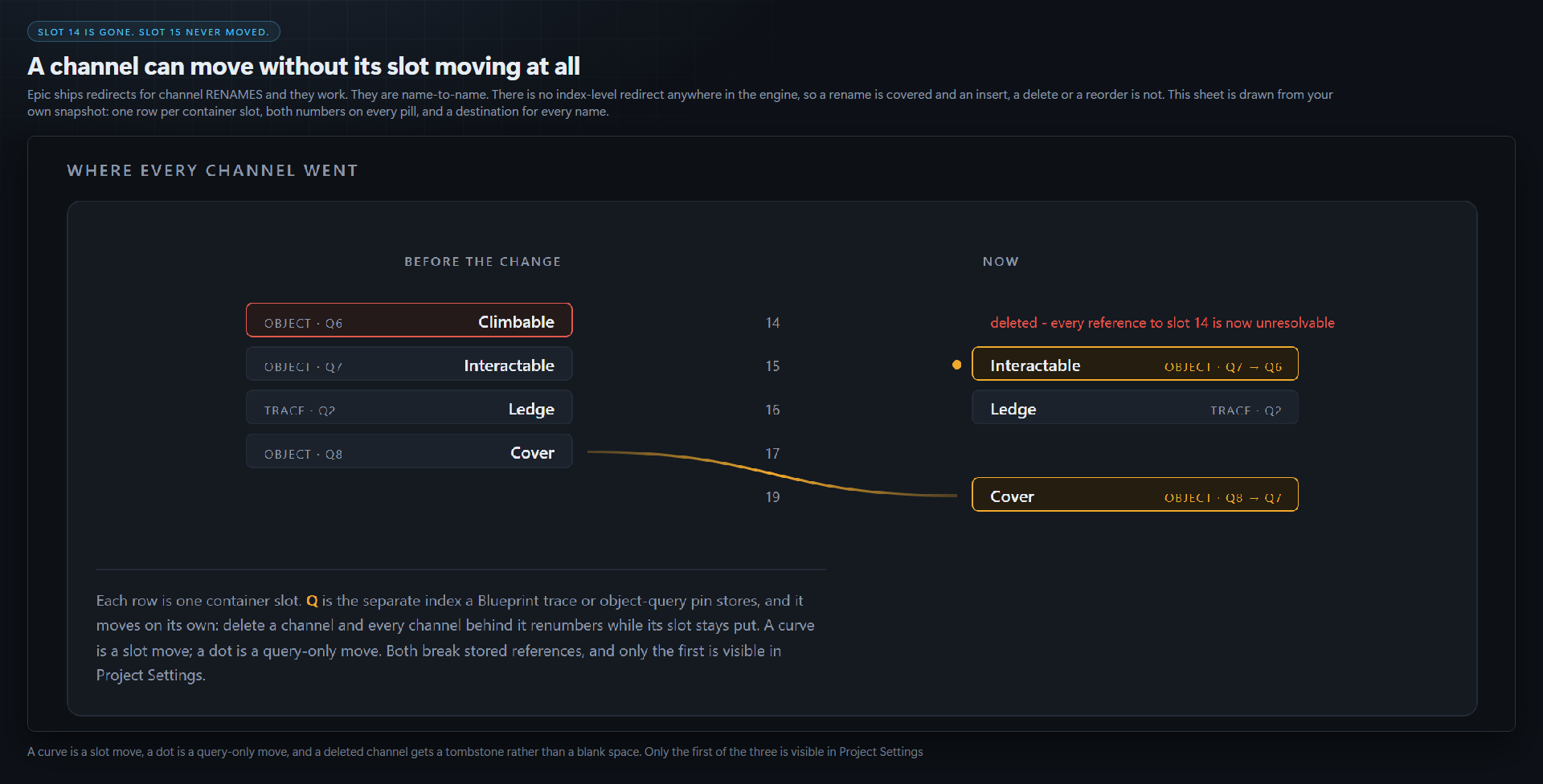
Epic ships redirects for channel renames. CollisionChannelRedirects maps an old name to a new one, and they work. This tool does not duplicate them.
Those redirects are name to name. There is no index-level redirect anywhere in the engine, so a rename is handled and an insert, a delete or a reorder is not.
Snapshot first. That is the whole trick.
UnrealEditor-Cmd.exe Project.uproject -run=CollisionChannelMigrator -Snapshot
A small JSON file recording which name sat in which slot. Commit it. Nothing, not this tool, not you, not Epic, can reconstruct what a stored 3 meant without it.
Then change your channels however you like, restart the editor as Unreal requires, and:
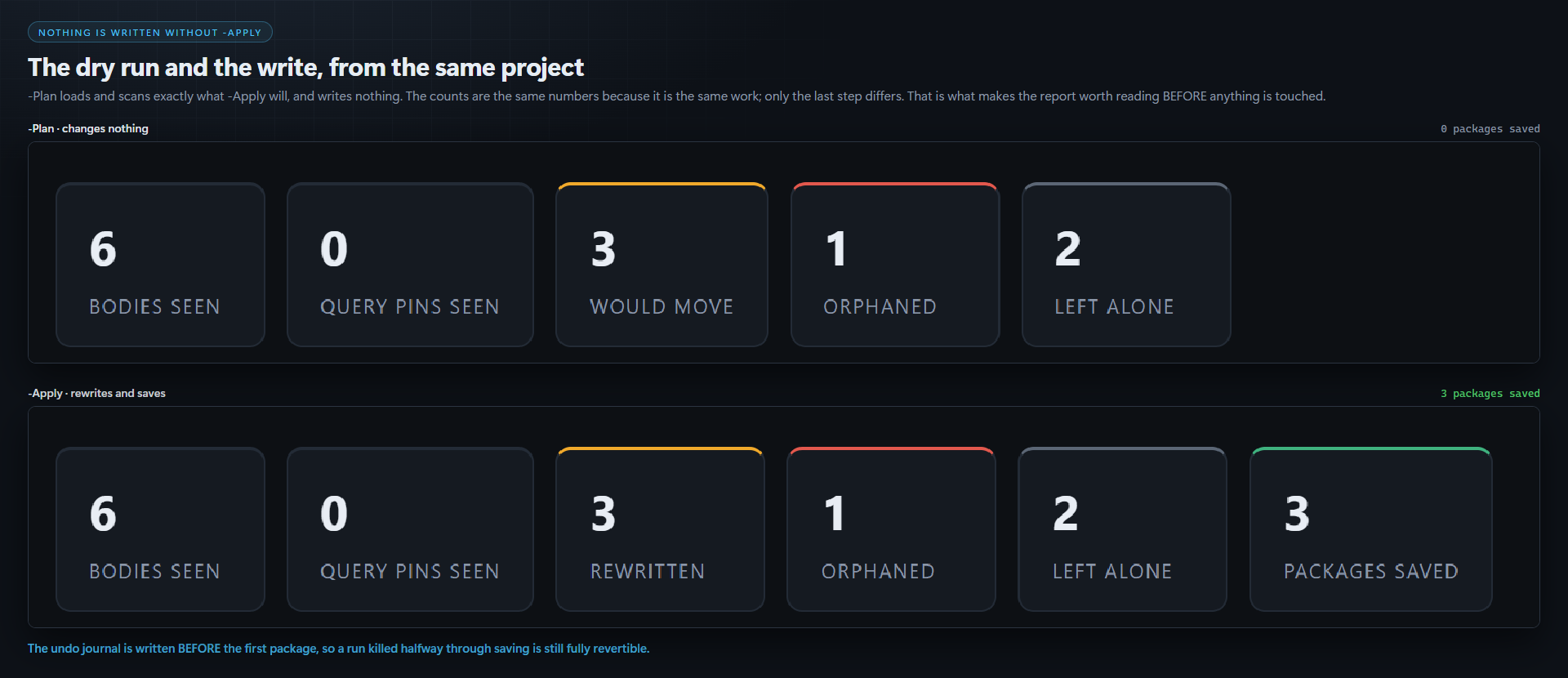
... -run=CollisionChannelMigrator -Plan     writes a report, changes nothing
... -run=CollisionChannelMigrator -Apply    rewrites and saves
It refuses far more than it rewrites
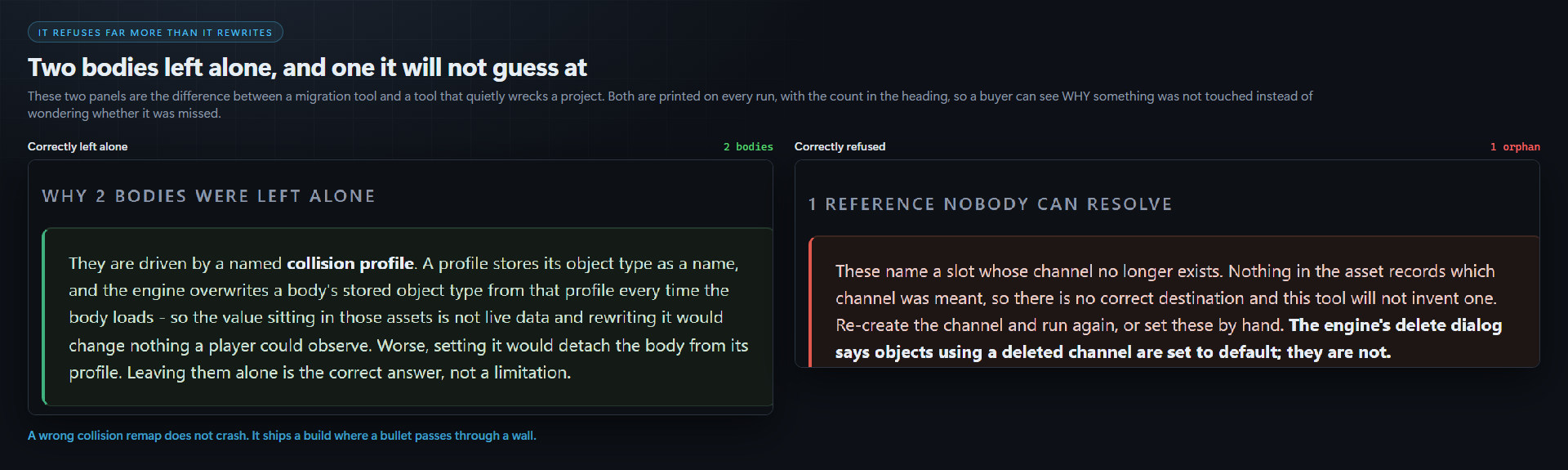
A wrong collision remap does not crash. It ships a build where a bullet passes through a wall and you hear about it from a player. So every case this tool cannot place is a refusal with a reason attached, printed in the report next to the asset path.
- A body driven by a named profile is left alone. The engine overwrites that body's stored object type from its profile on every load, so the stored value is not live data, and setting an object type would detach the body from its profile. Rewriting these would break working assets to change nothing. The report says how many, and why.
- A channel that was deleted rather than moved is reported, never guessed at. There is no correct destination.
- A channel that changed kind, object to trace or the reverse, has its Blueprint pins refused. The two query enums are different spaces; no value in the old one means the same thing.
- A pin default that cannot be read is refused rather than rewritten.
Every rewrite is read back, and the journal is written first
Each value is read back after being set and compared against what was intended; anything that does not match is reported as a failure rather than counted as a success. The undo journal is written before the first package is saved, so a run killed halfway through saving is still fully revertible, and -Revert replays it exactly.
If the damage is already done
-Audit needs no snapshot. It finds every reference to a slot that holds no channel at all, the shape behind the engine's own "Custom Channel Name has not been found" warning, and the usual residue of a deleted channel or of marketplace content built against a different table. It reports; it does not rewrite, because a slot with no channel has no correct destination.
The report
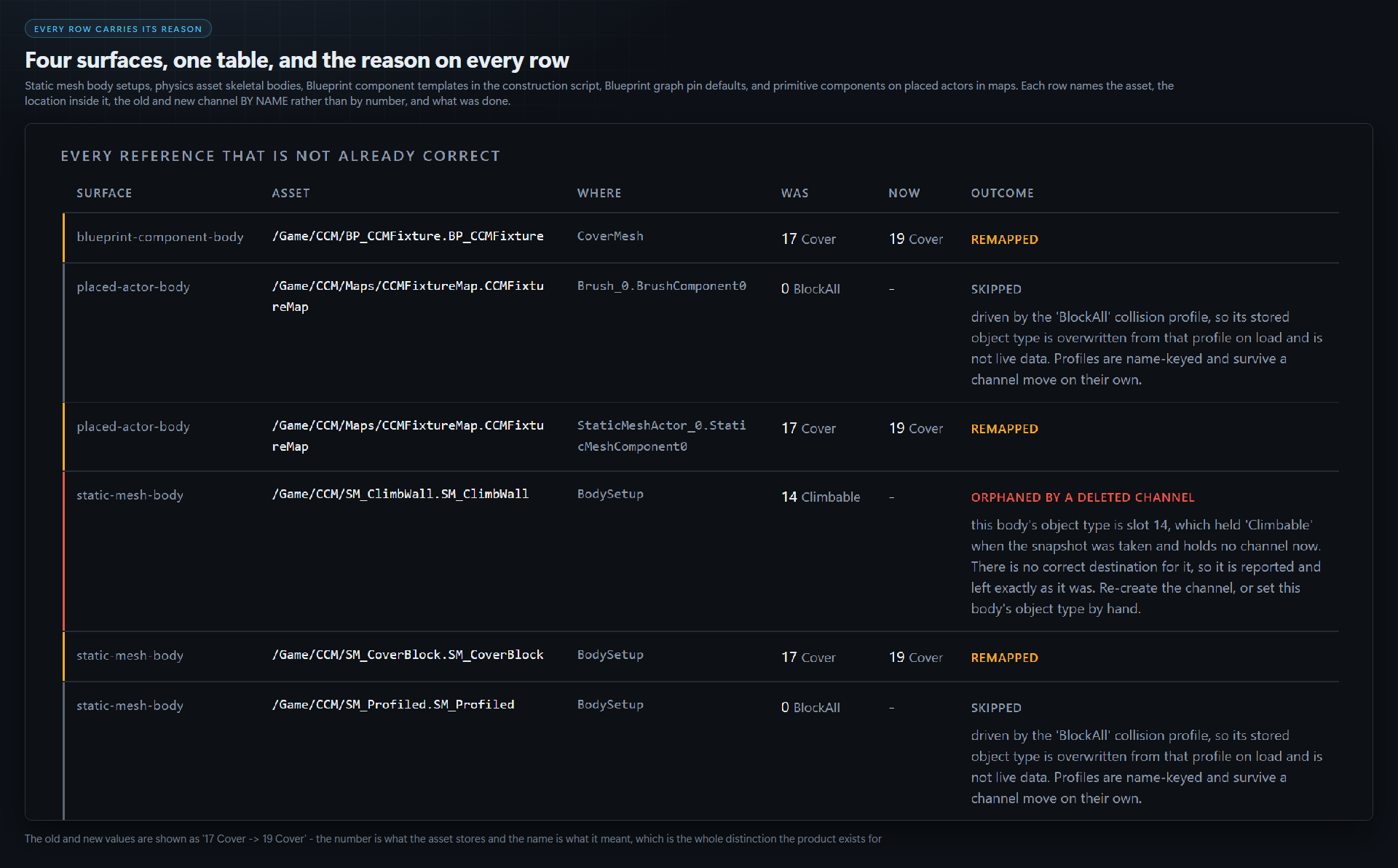
Every run writes a designed HTML sheet into Saved/CollisionChannelMigrator/ and prints the path. The top of it draws your channel table before and after: one row per container slot, a curve from a channel's old slot to its new one, a separate Q figure for the Blueprint query index, which moves on its own because deleting a channel renumbers every channel behind it while their slots stay put, and a tombstone on any channel that no longer exists. Under it, every reference that is not already correct, with its asset, its location inside that asset, the old and new channel by name, and the outcome.
What it looks at
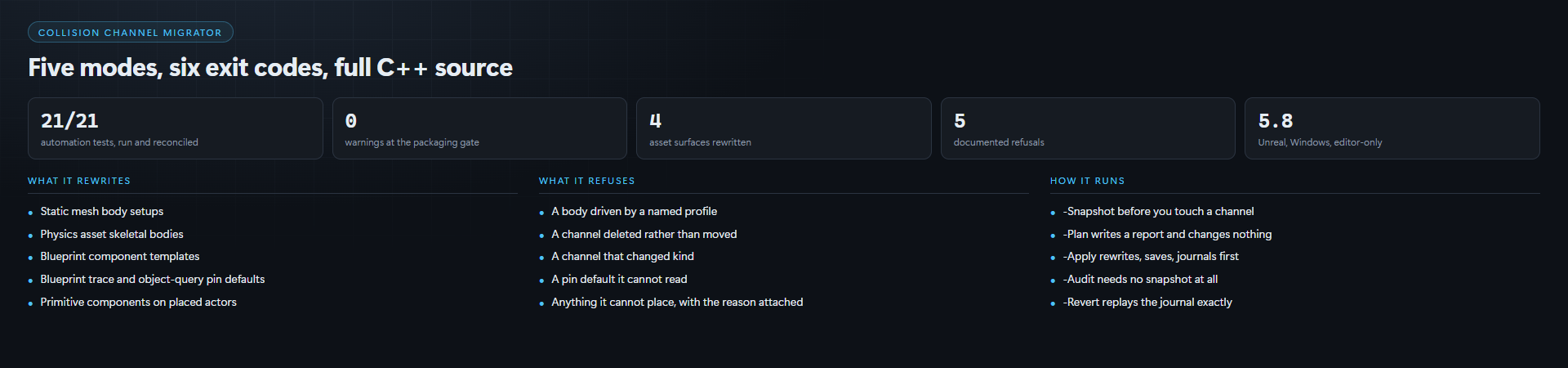
UStaticMesh body setups, UPhysicsAsset skeletal bodies, Blueprint component templates and graph pin defaults (including pins on MakeArray nodes feeding an "object types" array), and primitive components on placed actors in maps.
Stated rather than discovered: on a World Partition map only actors in the persistent level are reached, because a commandlet does not load streamed cells. Most collision configuration lives on the source assets and Blueprints above, which are scanned in full.
Runs headless, or from the editor console
Six documented exit codes, each a distinct thing a build step can act on. The scan is asset-registry first and loads only what it has already decided is a candidate, so it does not sit there loading your whole project to read one property.
Compatibility
Unreal Engine 5.8, Windows 64-bit. Editor-only plugin, full C++ source included, no content. It adds no runtime code and nothing ships in your packaged game. No other engine version has been tested, so no other version is claimed.
AI disclosure: code yes. Graphics yes. Sounds no. Text and dialog no.
Made by Core Systems Asset Factory.
Purchase
In order to download this tool you must purchase it at or above the minimum price of $10.49 USD. You will get access to the following files:
Development log
- Collision Channel Migrator is live1 day ago
Leave a comment
Log in with itch.io to leave a comment.