Bracket
A downloadable asset pack
Every shop in your town already knows what it sells. None of them has a sign.
A shop in RPG Maker MZ is an event with a Shop Processing command in it. The player finds it by walking into a door, and every door on the street looks the same. The smithy, the inn and the apothecary are told apart by a menu, never by the street.
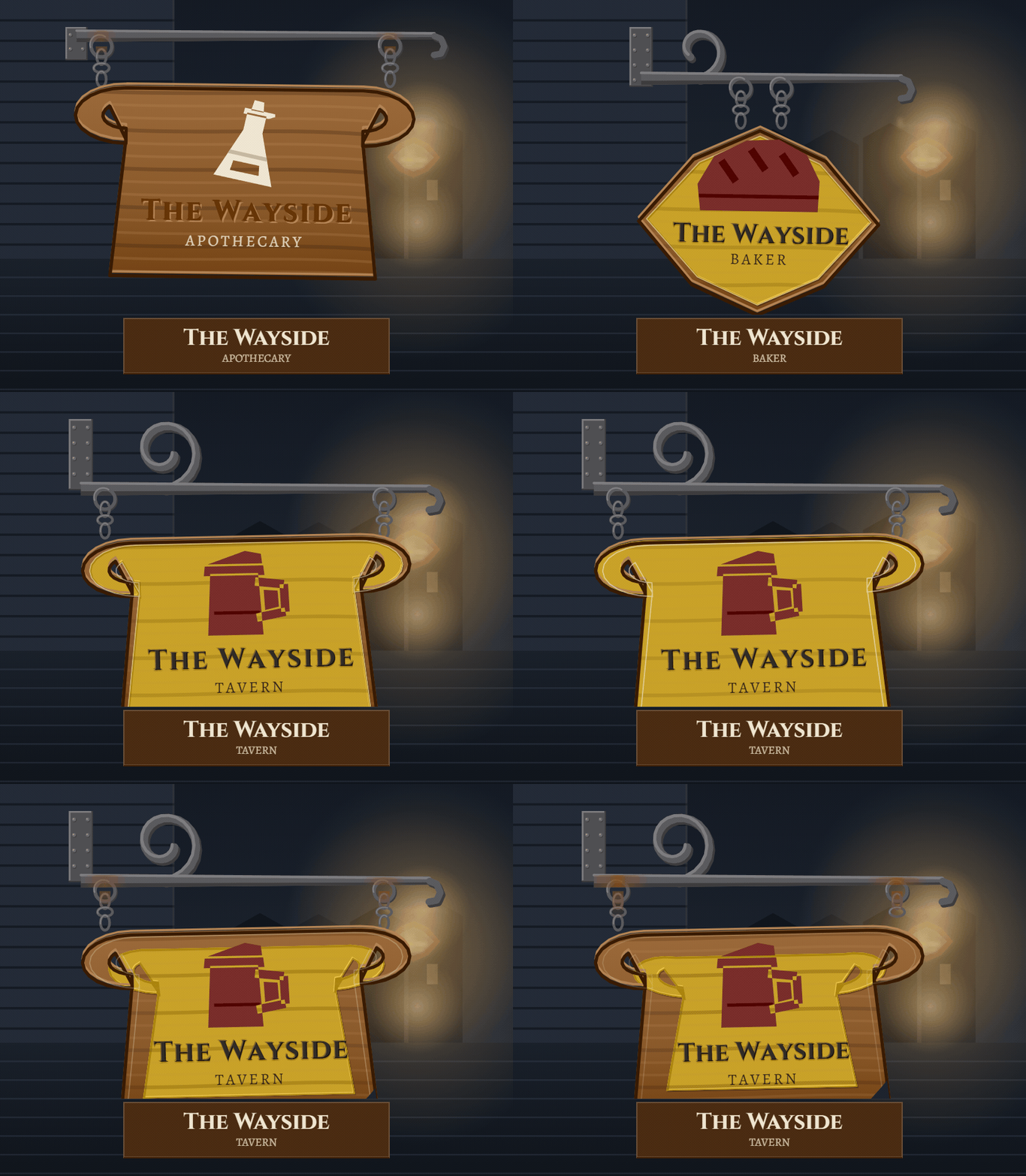
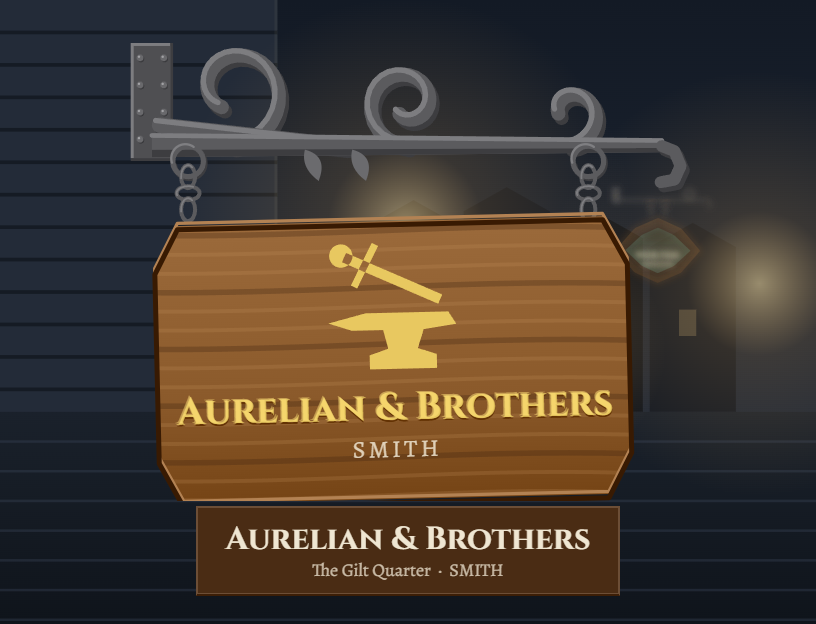
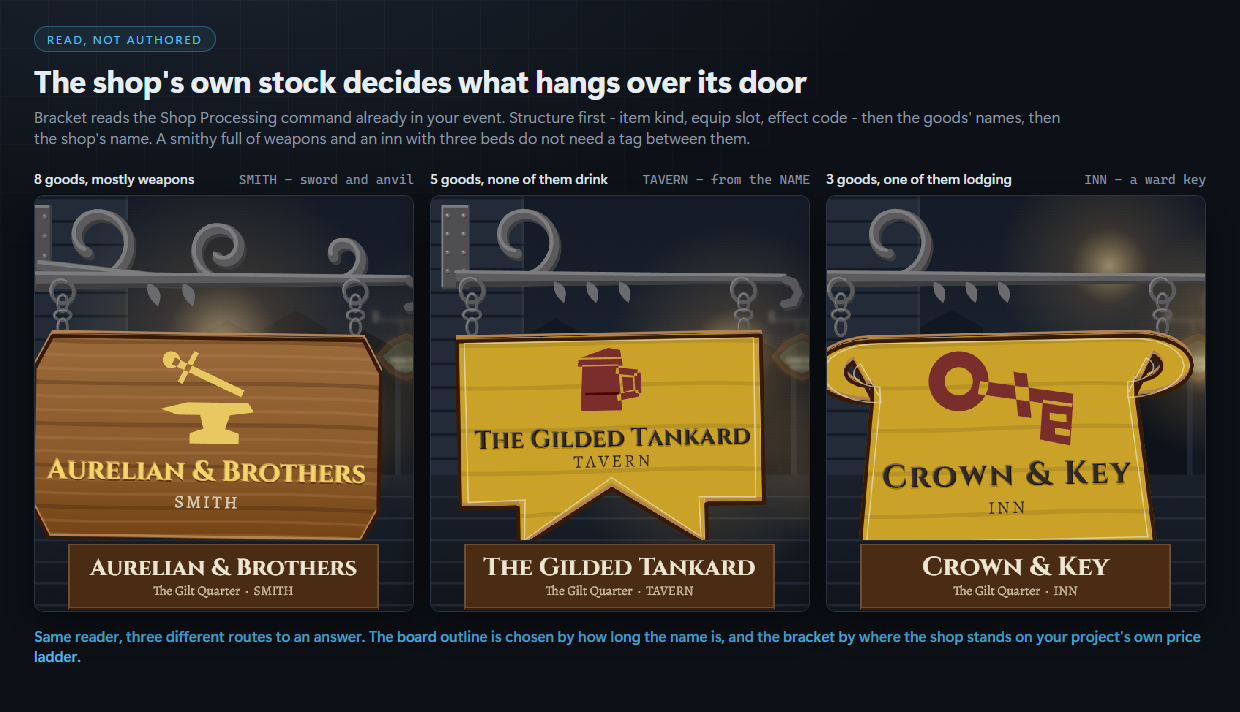
Bracket hangs a sign over every one of them. A wrought iron bracket over the door, a painted board on two chains, a trade device, the shop's name in carved or gilt capitals and the trade in small caps beneath. Not picked out of a folder: composed in code, at run time, from the goods that shop actually stocks.
⚠️ Compatibility — the question you actually have
Tested against RPG Maker MZ with the stock scripts unmodified, verified by running the plugin in the real engine rather than only in tests.
Plugin Manager order:
BracketCompose.js— Bracket [3/4] — the geometry and the colour. Board outlines, trade devices, ironwork, grain and weather, all as shape. Knows nothing about RPG Maker.BracketRead.js— Bracket [2/4] — the reader. Turns a shop's own goods list into the sign it hangs. Knows nothing about RPG Maker. v1.0.0BracketRender.js— Bracket [4/4] — the painting. Takes a sign's geometry and lands the oak, the paint, the gilt, the iron and the weather. Knows nothing about RPG Maker.Bracket.js— Bracket [1/4] — the scenes, parameters and commands. Every shop in your town hangs its own sign, composed from what it actually sells. v1.0.0
This order reads sensibly in the list and nothing depends on it. Every file resolves its siblings the first time it needs them rather than when it loads, so Bracket works in whatever order the Plugin Manager gives you. That is tested rather than hoped for: the headless suites, the capture pipeline, the engine gate and a fresh install of the shipped zip into a blank project all load the four files alphabetically — which puts the entry file Bracket.js first, before the composer, the reader and the painter it uses, and that is the order you get by dragging the folder in. Bracket.js is the only one that touches RPG Maker at all; the other three are a geometry kit, a reader that turns a goods list into a sign, and a painter, and none of them knows the engine exists. Switch Bracket.js off and nothing is patched.
Core methods extended — 7 by saved-original prototype extension, none replaced: Scene_Boot.prototype.start, Game_System.prototype.initialize, Spriteset_Map.prototype.createCharacters, Spriteset_Map.prototype.destroy, Scene_Shop.prototype.create, Window_MenuCommand.prototype.addOriginalCommands, Scene_Menu.prototype.createCommandWindow.
Because nothing is clobbered, Bracket co-exists with other plugins that patch the same seams, including large suites.
It also extends one method on a core singleton, the same way — original saved and called through: ImageManager.loadPicture. Another plugin patching that one keeps working.
It also defines 2 methods that their core class only inherited: Scene_Shop.prototype.mainAreaTop (inherited from Scene_MenuBase), Scene_Shop.prototype.mainAreaHeight (inherited from Scene_MenuBase). That touches Scene_Shop only, never the parent. If another plugin redefines the same method on the same class, load Bracket after it.
Where every part of the sign comes from
- the device comes from the stock: item kind, equipment slot, the effect codes on its items and your own price ladder, then the words in the goods' names, then the shop's own name. Twelve devices: sword and anvil, shield, flask, herb, gem, scroll, loaf, tankard, key, shears, fish, horseshoe
- the board is cut to the name it has to carry, so a long name gets a longer board. Ten outlines, from a heater shield to a banner to a tankard cut
- the bracket comes from where the shop stands on your project's own price ladder. Eight wrought forms, from a plain hook to a crowned scroll with a gallows brace, so standing is visible from across the street
- the paint comes from the trade, and from standing: the grandest shops gild the timber, a forge leaves its oak bare, and the poorest cannot afford paint at all. Six schemes: bare oak, verdigris, oxblood, indigo, mustard, gilt oak
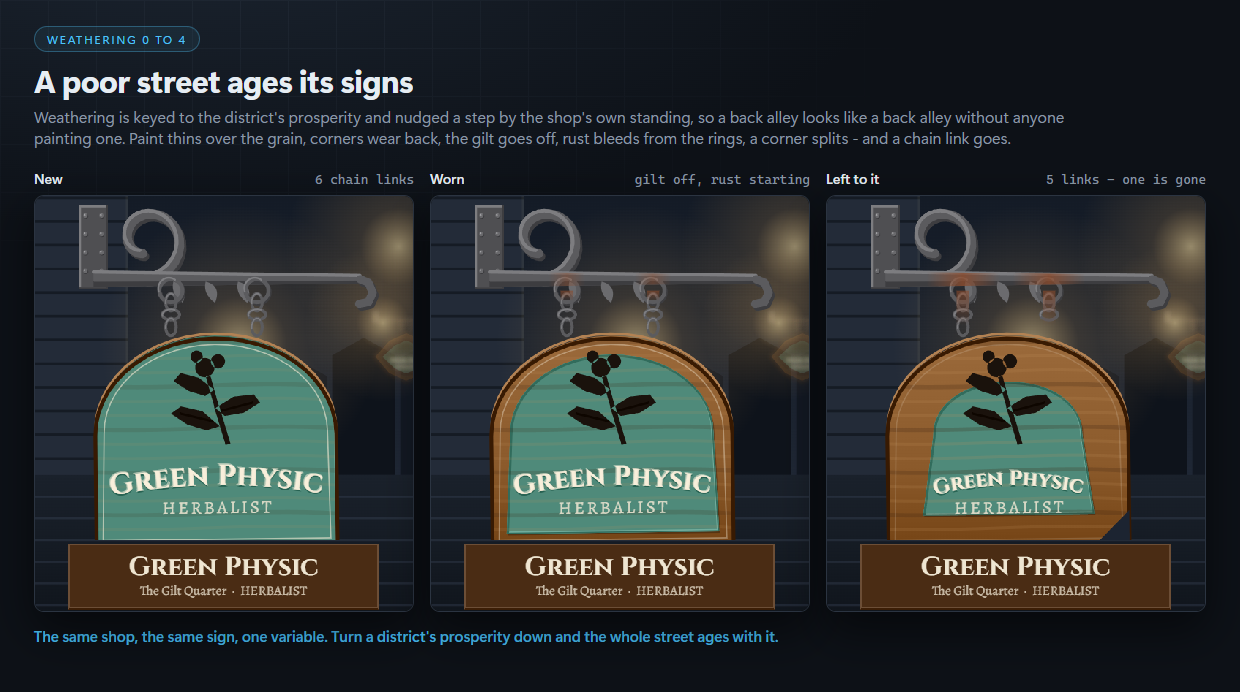
- the weathering comes from how prosperous the district is. Five states, from crisp to falling apart: paint thinning over the grain, corners wearing back, the gilt going off, rust creeping along the bar from the rings, a split corner and a missing chain link
That is 12 × 10 × 8 × 6 = 5,760 sign forms, each in five states of repair. Change a shop's stock and its sign re-composes. Nothing here is an image file. The package is ten files and not one of them is a PNG.
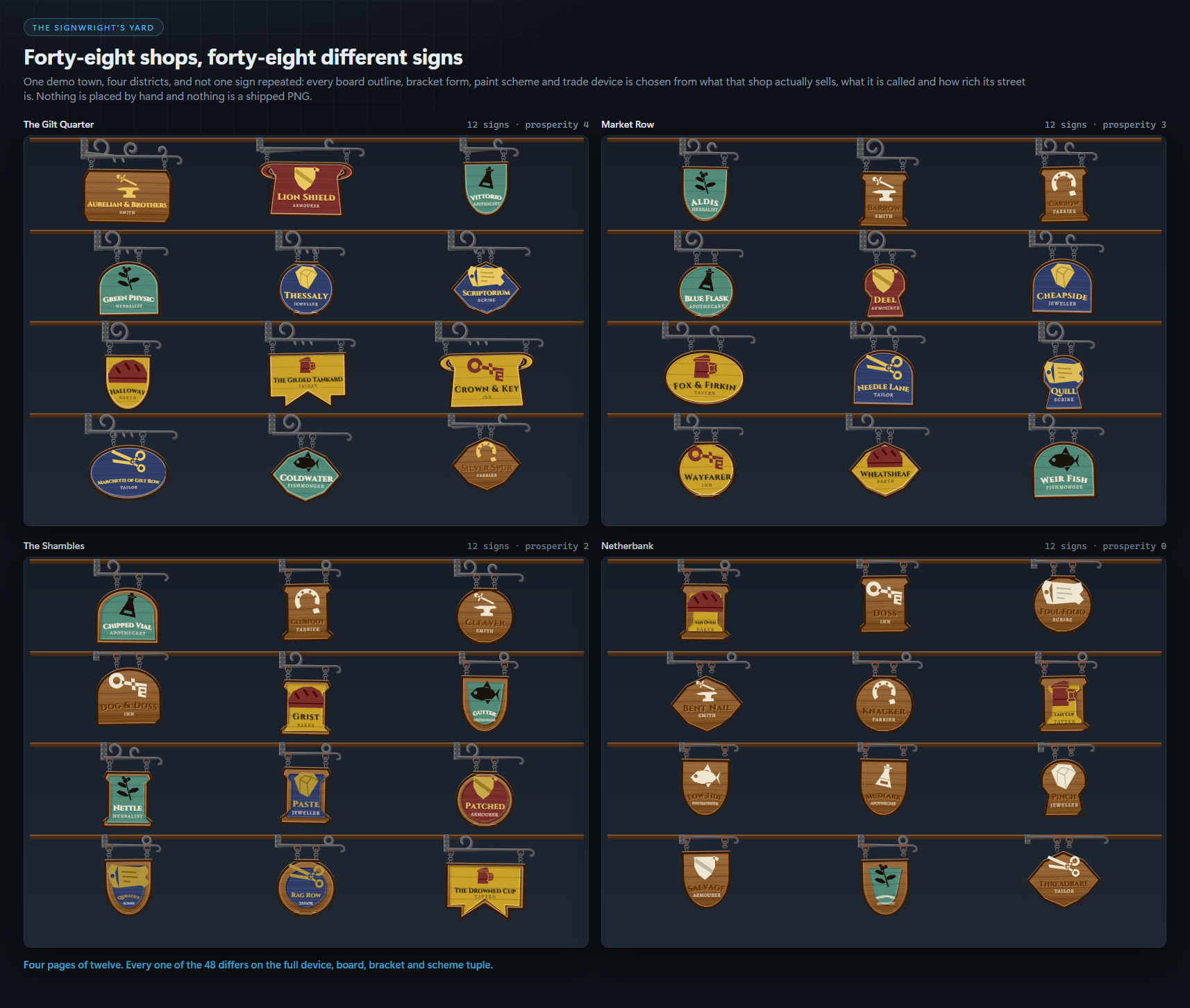
48 shops, 48 different signs
The Yard image in the gallery is the demo town: four districts, twelve shops each, and every one of the 48 differs on the full device, board, bracket and scheme. Nothing on it was placed by hand. On a brand new project with no notetags at all, two shops stocked with RPG Maker's own default items already produce full signs, a herbalist and a smith, because everything is read from fields you have filled in anyway.
The four places your players meet a sign
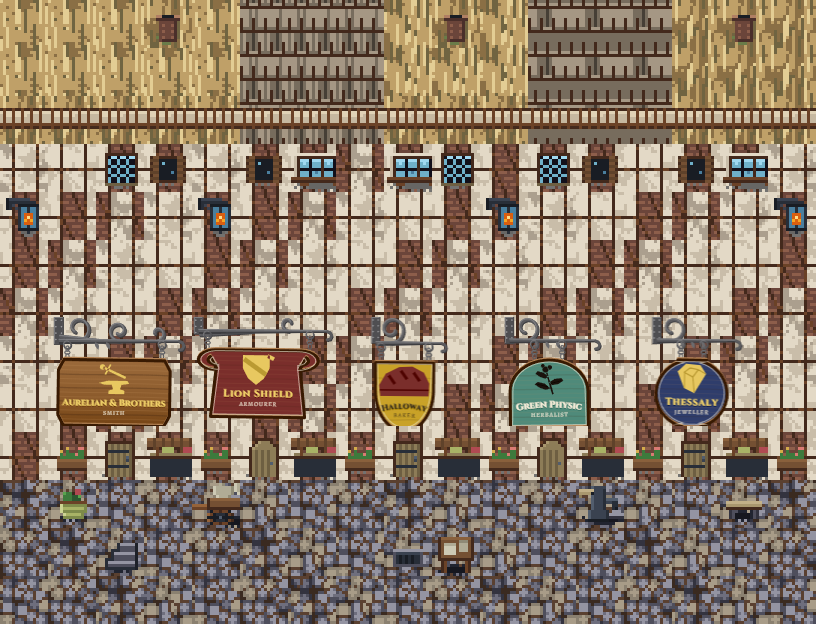
- Over the door. Every event with a Shop Processing command gets its sign hung above it on the map, automatically.
- The Close Look. The sign at full size over a dusk street the plugin draws, swinging gently on its chain. A plugin command, or a script call.
- The Signwright's Yard. A directory of every sign the player has met, hung on rails and grouped by district. One command on the main menu.
- The shop header. The same sign above the goods windows when the shop opens. The band is reserved before the windows are laid out, so they move down to make room instead of being covered.
Overruling it
<sign: The Gilded Tankard>     the name on the board
<sign trade: VINTNER>          the line in small caps beneath it
<sign device: tankard>         any of the twelve devices
<sign board: oval>             any of the ten outlines
<sign bracket: volute>         any of the eight brackets
<sign scheme: verdigris>       any of the six schemes
<sign weathering: 3>           0 crisp .. 4 falling apart
<sign: skip>                   never hang a sign on this event
<district: The Gilt Quarter>   in a MAP note: the Yard heading
<prosperity: 4>                in a MAP note: weathering for the street
The hand always wins. An event with no Shop Processing can still carry a sign, which is how you sign a guild hall, a temple or a locked door.
It does not look like RPG Maker
The Close Look and the Yard are drawn from scratch: 0 windows drawn, no windowskin, no default frame, and not RPG Maker's font. Two typefaces ship with it, Cinzel and Alegreya, both SIL Open Font Licence and free to ship inside your game, loaded through the browser's own FontFace loader so a missing font file is a fallback and never a crash at boot.
It costs almost nothing per frame
Every sign is baked once into a Bitmap and blitted by a sprite that only moves. Measured in the engine over 300 stepped frames, twice, per screen: the Close Look and the Yard draw in 2 draw calls with 0 texture uploads, 0 bitmap dirties and 0 display object growth; a map with twelve signs hung on it costs 0.113 ms of the plugin's half of the frame against a 2 ms budget.
What you get
- Four raw, readable
.jsfiles. No minified build, all of it yours to read and change. - Two
.woff2typefaces and their OFL licence files. - A Readme documenting every parameter, command, notetag and script call, where every claim is checked against the shipped code.
- Tested in the real engine rather than only in tests: the shipped zip is installed into a blank MZ project and used the way a buyer uses it before release.
- Saves are safe: the list of signs met lives in a versioned slot, so adding Bracket to a game in progress works, and so does removing it.
- One commercial licence, unlimited games.
Honest about what it is not
It does not restyle your shop windows and it does not change prices. It is one thing done properly: the sign outside the door, composed from what is sold behind it.
Also from Core Systems Asset Factory
Bazaar Core makes the prices inside those shops move with supply and demand; Bracket is what hangs outside them. Wanted Posters puts a generated bill for every bounty on the notice board down the same street.
More generated art plugins for MZ: Armorial · Refectory · Visage · Chorograph
Made with AI assistance. Code: yes. Graphics: yes, the plugin generates every sign procedurally and the cover is a generated illustration. Sounds: no. Text and dialog: no.
Purchase
In order to download this asset pack you must purchase it at or above the minimum price of $12.99 USD. You will get access to the following files:
Development log