Blueprint Straightedge - Project-Wide Blueprint Graph Layout for UE5
Every Blueprint graph readability tool on the market formats the graph you have open. One at a time, when you press a key. That is fine for the graph you are working in and useless for the four hundred you are not.
Blueprint Straightedge lays out every Blueprint in the project in a single pass, and shows you the whole result before it writes anything.
It moves node positions. That is all it does.
No pin is connected or disconnected. No node is created or deleted. No default value, variable, function, macro, comment text or compilation setting is touched. Comment boxes are resized so they still fit what is inside them, and nothing else changes.
That is not a promise in a store page — it is enforced. An automation test hashes every node, every pin, every pin default, every default object reference and every wire in a graph before and after a layout and requires the two hashes identical.
Reviewed as a diagram, not as a log
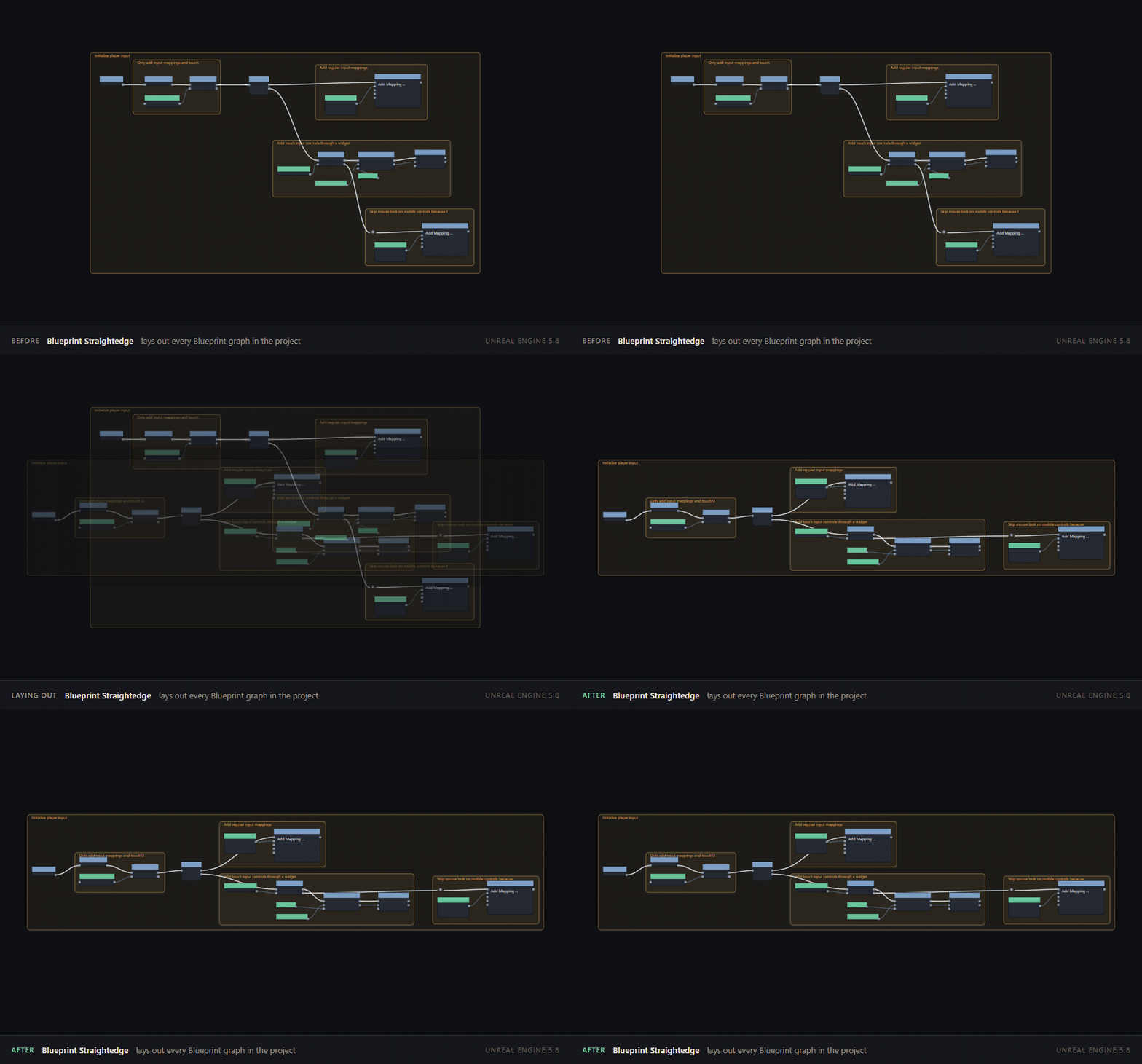
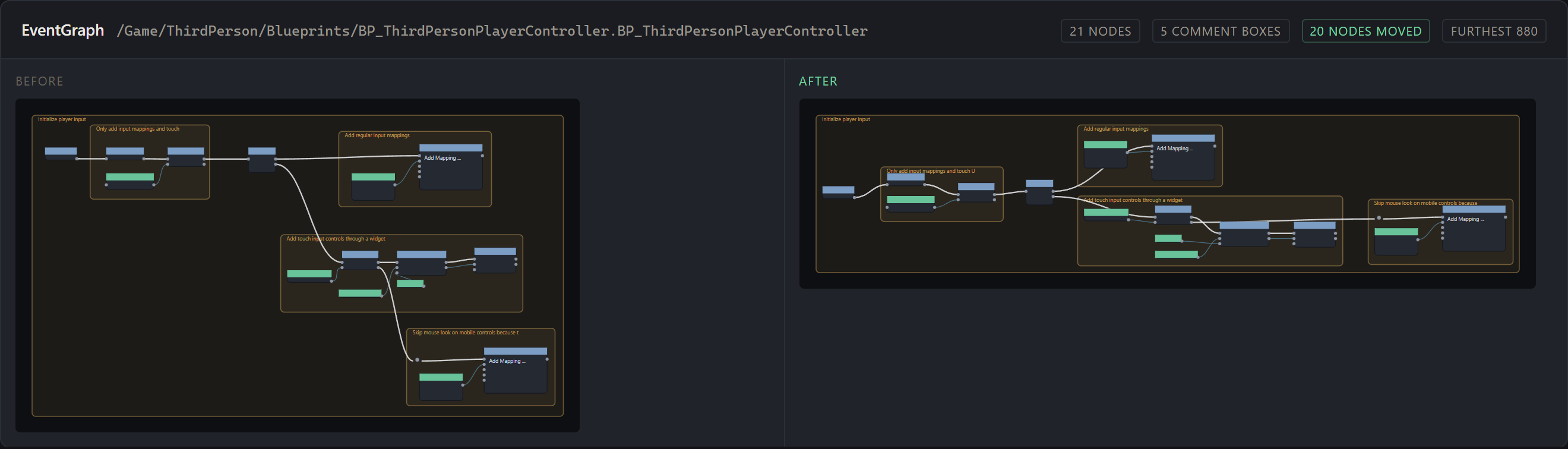
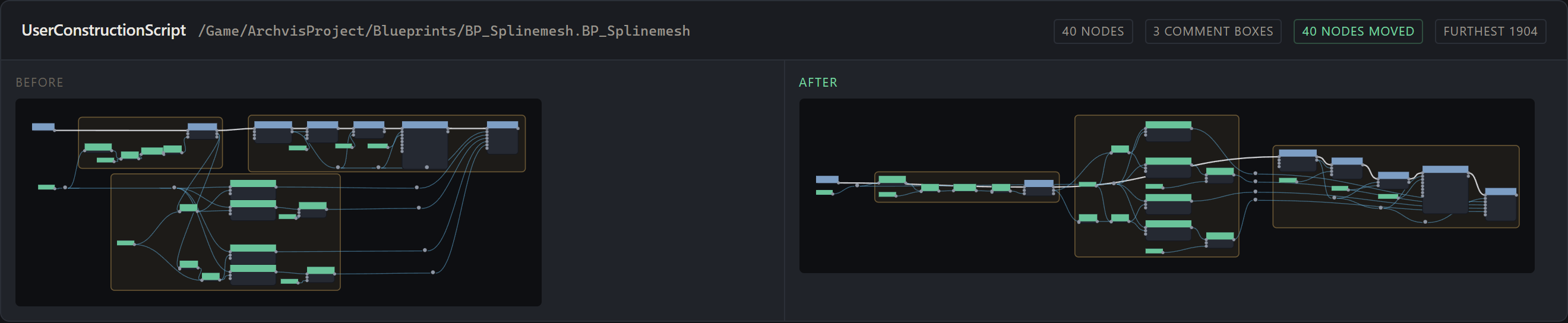
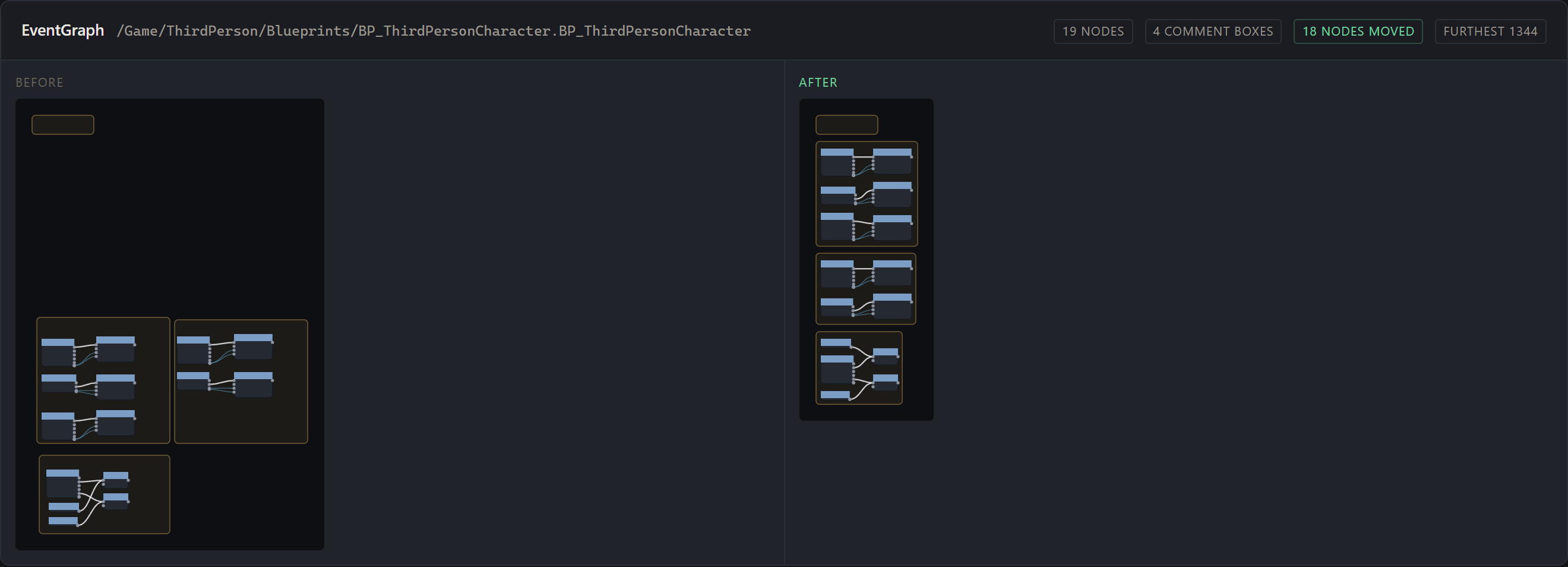
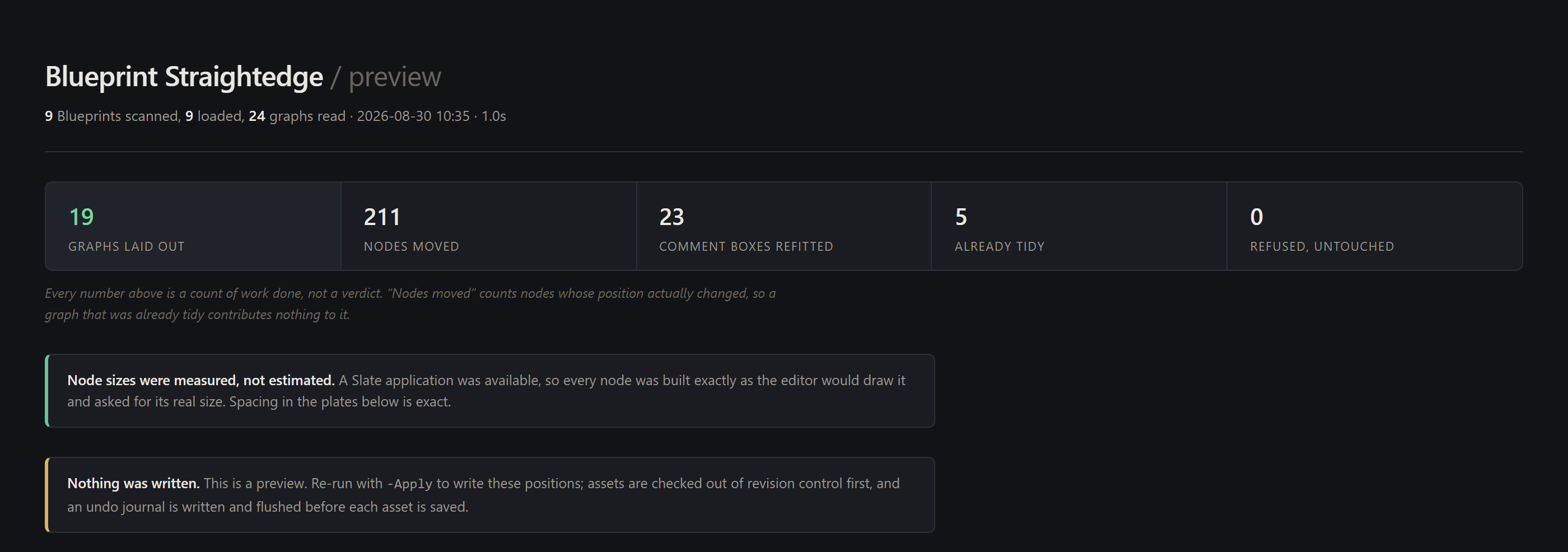
Nobody opens four hundred Blueprints to check a cosmetic rewrite. So every run writes an HTML sheet that draws each graph as it is now and as it would become — the real nodes, the real pins, the real execution wires, the real comment boxes — from the same data the layout ran on, so the picture cannot drift from what will actually be written.
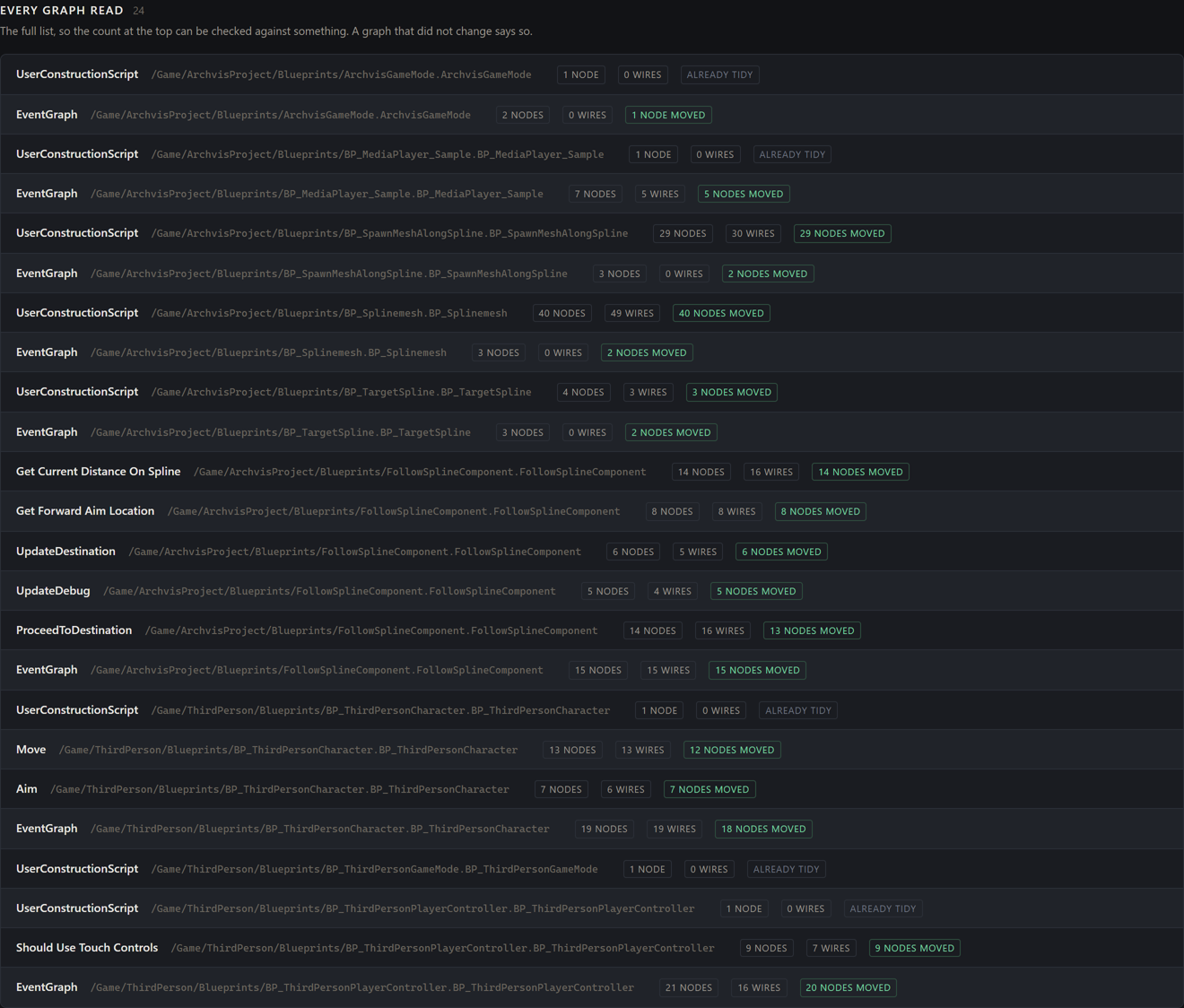
Execution wires are drawn bright and heavy, because execution flow is the spine the layout is built along. Data wires are thin. Comment boxes are drawn at the size they will be refitted to. Every graph read appears in the list at the bottom, including the ones that did not change, so the numbers at the top can be checked against something.
How it lays a graph out
- Execution flow becomes the spine. Nodes are ranked left to right by longest path along exec wires, so a graph reads the way it runs.
- Loops still rank. Blueprint graphs are not acyclic — a For Loop wires its body back into itself. A deterministic depth-first pass excludes back edges from the ranking, so a looping graph ranks, and ranks the same way every time.
- Pure data nodes are pulled in beside the node that consumes them, instead of drifting to the far left of the graph where nothing holds them.
- Crossings are reduced by median sweeps within each column, seeded from where you already had things vertically — so a graph that was already tidy comes back looking much as it did.
- Everything snaps to the same 16-unit grid the graph editor uses.
Comment boxes are handled first, not last
A comment box contains nodes by geometry alone. There is no parent pointer to follow, and the list the editor keeps while you drag one is not saved with the asset. So membership is worked out from the original geometry before anything moves, each comment is laid out as a self-contained group, that group is placed as a single block, and only then is the box refitted around it. Nested comments are handled innermost first.
Laying a graph out flat and refitting the boxes afterwards is the obvious approach, and it scatters hand-authored comments across the graph. This does not do that.
Nothing is written until you say so, and it can be undone
Every run is a preview. -Apply is separate and deliberate. With -Apply, for each asset in turn:
- the previous positions are appended to an undo journal and flushed to disk;
- the asset is checked out of revision control, where revision control is running;
- the asset is saved.
A run that dies half way through — a dropped depot, a full disk, a rebooted build agent — still leaves a journal describing everything written up to that point. -Revert=<journal> puts it back.
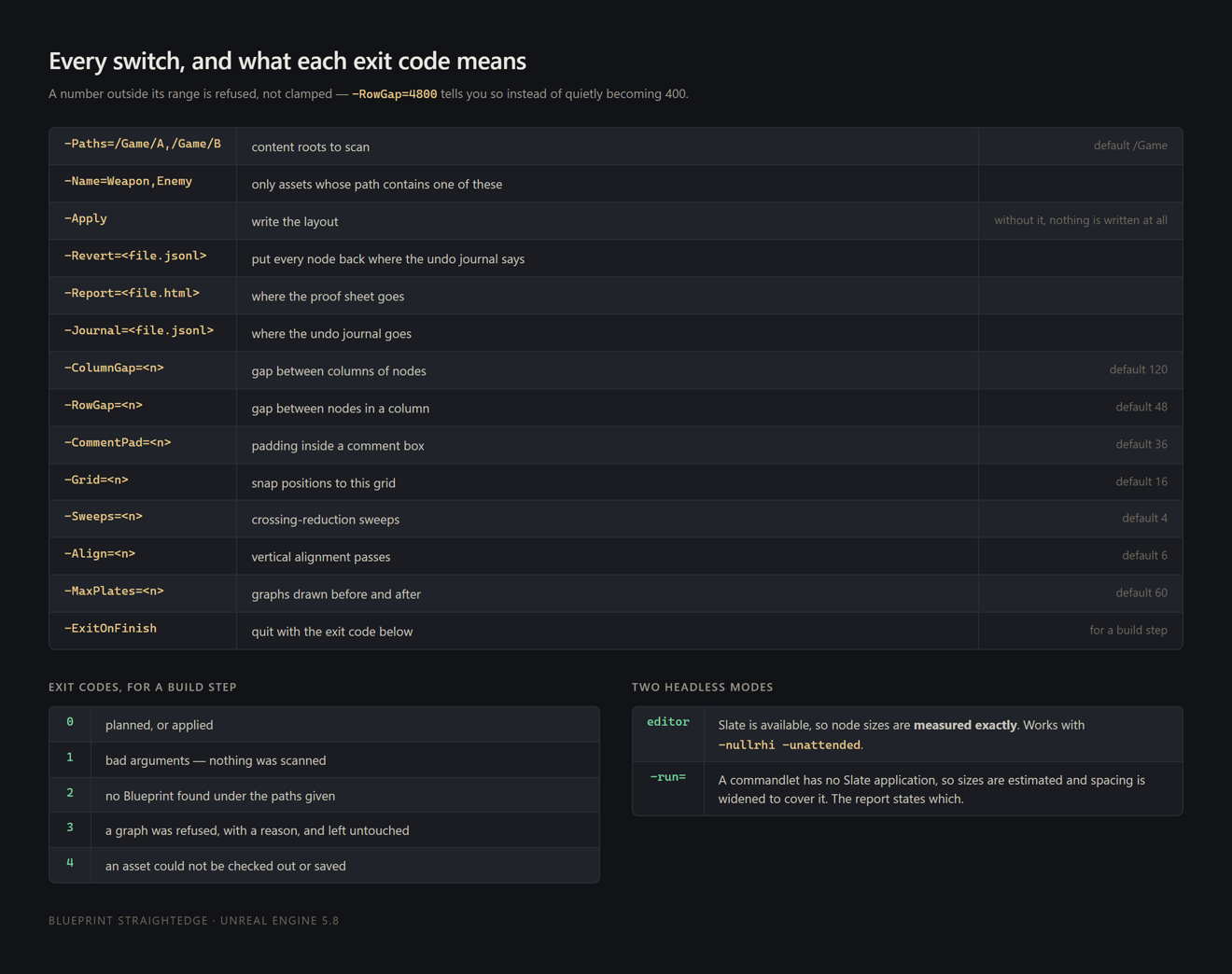
Two headless modes, and it tells you which one you got
A Blueprint node's on-screen size is produced by Slate when the node is drawn. It is not stored on the asset. That is very likely why nobody ships a project-wide layout.
- In an editor session —
-nullrhi -unattended -ExecCmds="BPStraightedge.Run -ExitOnFinish"on a build machine with no display — it builds the same widget the editor would draw and asks Slate for the exact size. - As a commandlet (
-run=BlueprintStraightedge) the engine creates no Slate application at all, so sizes are computed from each node's title, its visible pin rows and its class, and spacing is more conservative.
Both produce a valid layout and both are safe to apply. The report states which one produced it, every time, and marks any graph laid out from estimates. A tool that quietly guesses is worse than one that says it is guessing.
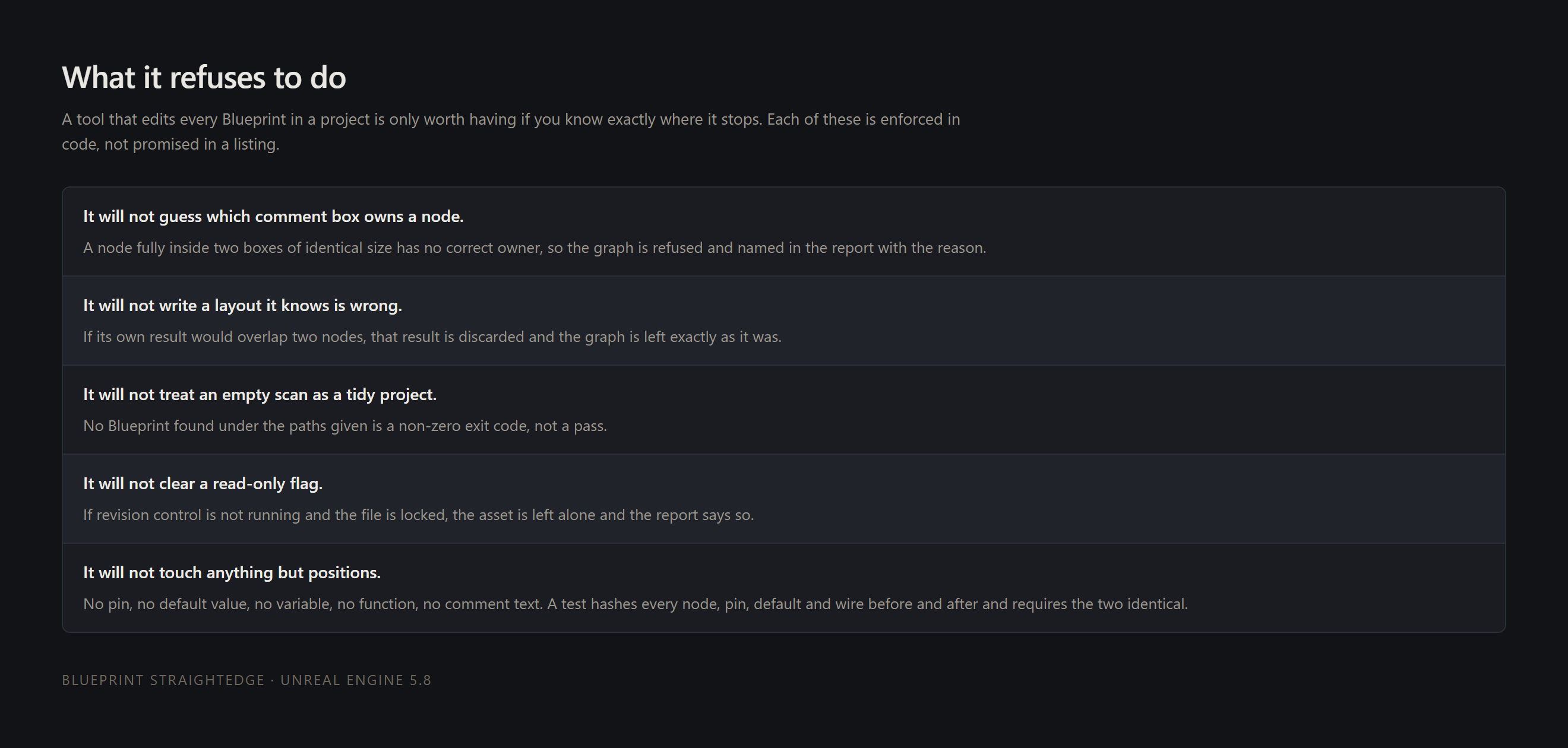
What it refuses to do
- It will not guess which comment box owns a node. If a node sits fully inside two boxes of identical size and neither contains the other, the graph is refused and named in the report with the reason.
- It will not write a layout it knows is wrong. If its own result would overlap two nodes, that result is discarded and the graph is left exactly as it was.
- It will not treat an empty scan as a tidy project. No Blueprints found is a non-zero exit code.
- It will not clear a read-only flag. If revision control is not running and the file is locked, the asset is left alone and the report says so.
Deterministic and idempotent
The same graph always produces the same positions, and laying out an already laid-out graph moves nothing. That is what makes it safe to run from a build step instead of by hand: it will not dirty every asset in the project every time it runs.
Runs in CI
| Exit code | Meaning |
| 0 | Everything asked for was planned, or applied |
| 1 | Bad or missing arguments; nothing was scanned |
| 2 | No Blueprint found under the paths given — an empty scan is an error, not a pass |
| 3 | One or more graphs were refused, with a reason, and left untouched |
| 4 | An asset could not be checked out or saved |
Compatibility
Unreal Engine 5.8, Windows. Built and run on 5.8 and nothing else, so 5.8 is the only version claimed. Works on Blueprint-only and C++ projects. No content, no assets, no runtime dependency — it is an editor-only module and nothing it ships reaches a packaged build.
It does not modify, hook or replace the Blueprint editor UI, so it does not conflict with graph tools that do (Blueprint Assist, Electronic Nodes, Auto Size Comments). It reads and writes node positions on saved assets; those tools work on the graph you have open. They are complementary, and this one is the only one that runs over a whole project unattended.
Technical information
- Code modules: 1 (
BlueprintStraightedge, Editor, Win64) - Blueprints: 0
- Network replicated: No
- Supported platforms: Windows (editor only)
- Third-party software: none. Every dependency is an Epic engine module.
- Source: full C++ source included, unminified and commented.
Documentation
Purchase
In order to download this tool you must purchase it at or above the minimum price of $10.49 USD. You will get access to the following files:
Development log
- Blueprint Straightedge 1.0.0 is out7 days ago
Leave a comment
Log in with itch.io to leave a comment.