Arrange - Animator Auto Layout for Unity
A downloadable tool
Unity's Animator window cannot lay out a state machine. Arrange does: pick a controller, see the new layout next to the old one with the crossings counted, and write it in one Undo step.
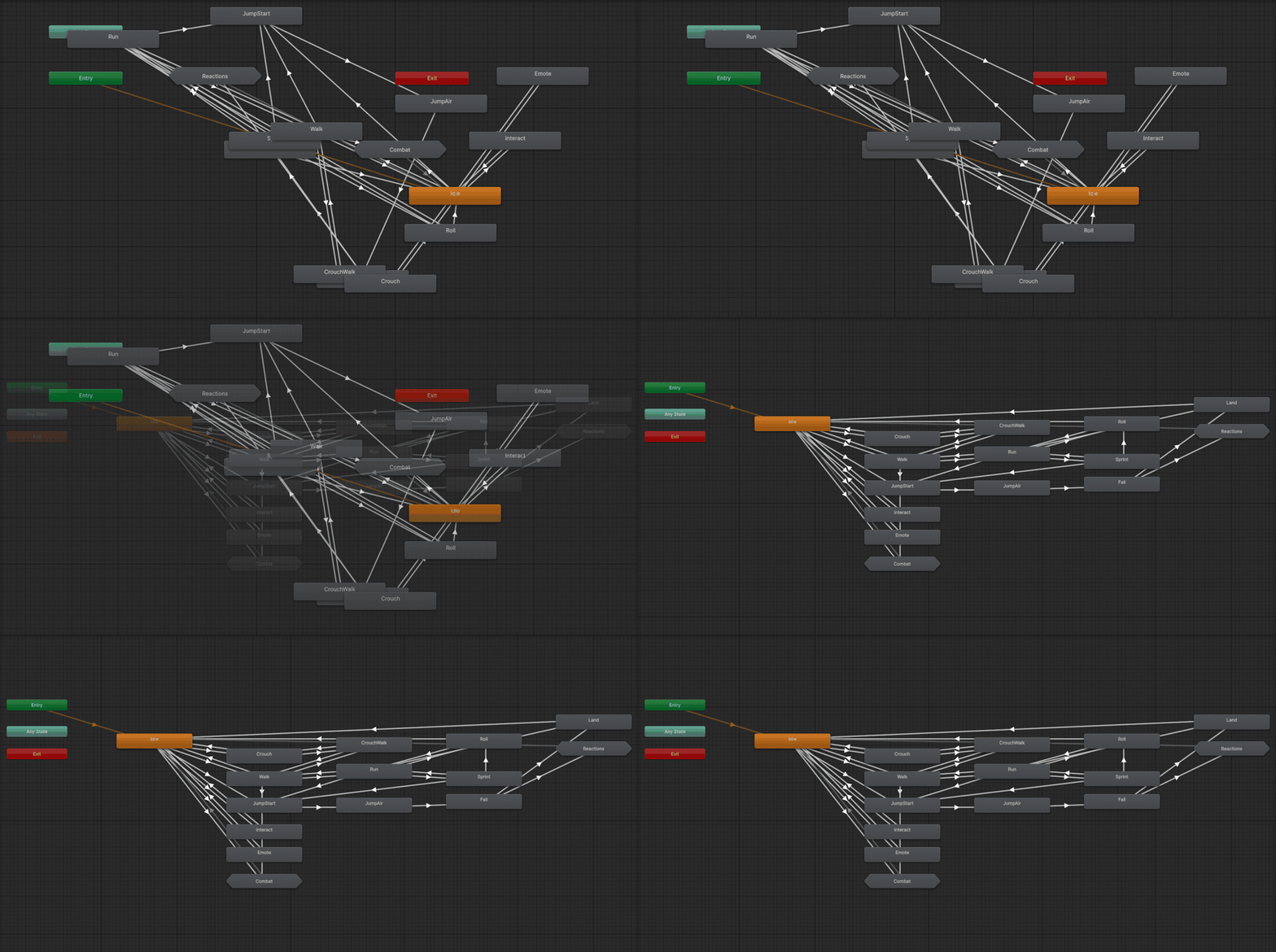
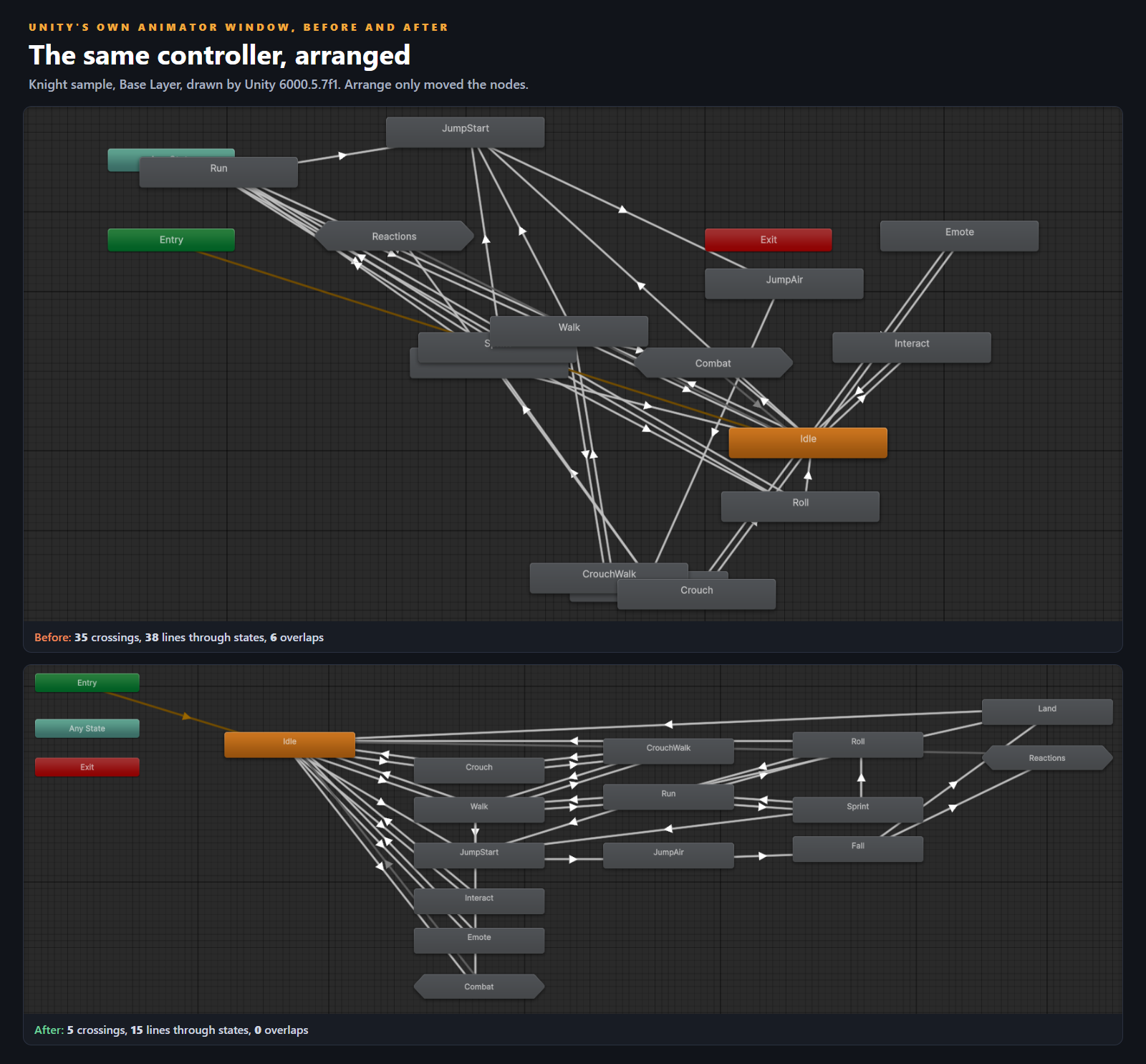
States land where you drop them, and after a few months a character controller is a pile of overlapping nodes and crossing transition arrows. Arrange reads every state, sub-state machine and transition in a view (Entry, Any State, Exit and the Up node included), puts the states in columns flowing out from Entry, orders each column to cut crossings, and straightens long transitions so they run between states instead of through them. It moves nodes and nothing else.
Measured on Unity 6000.5.7f1
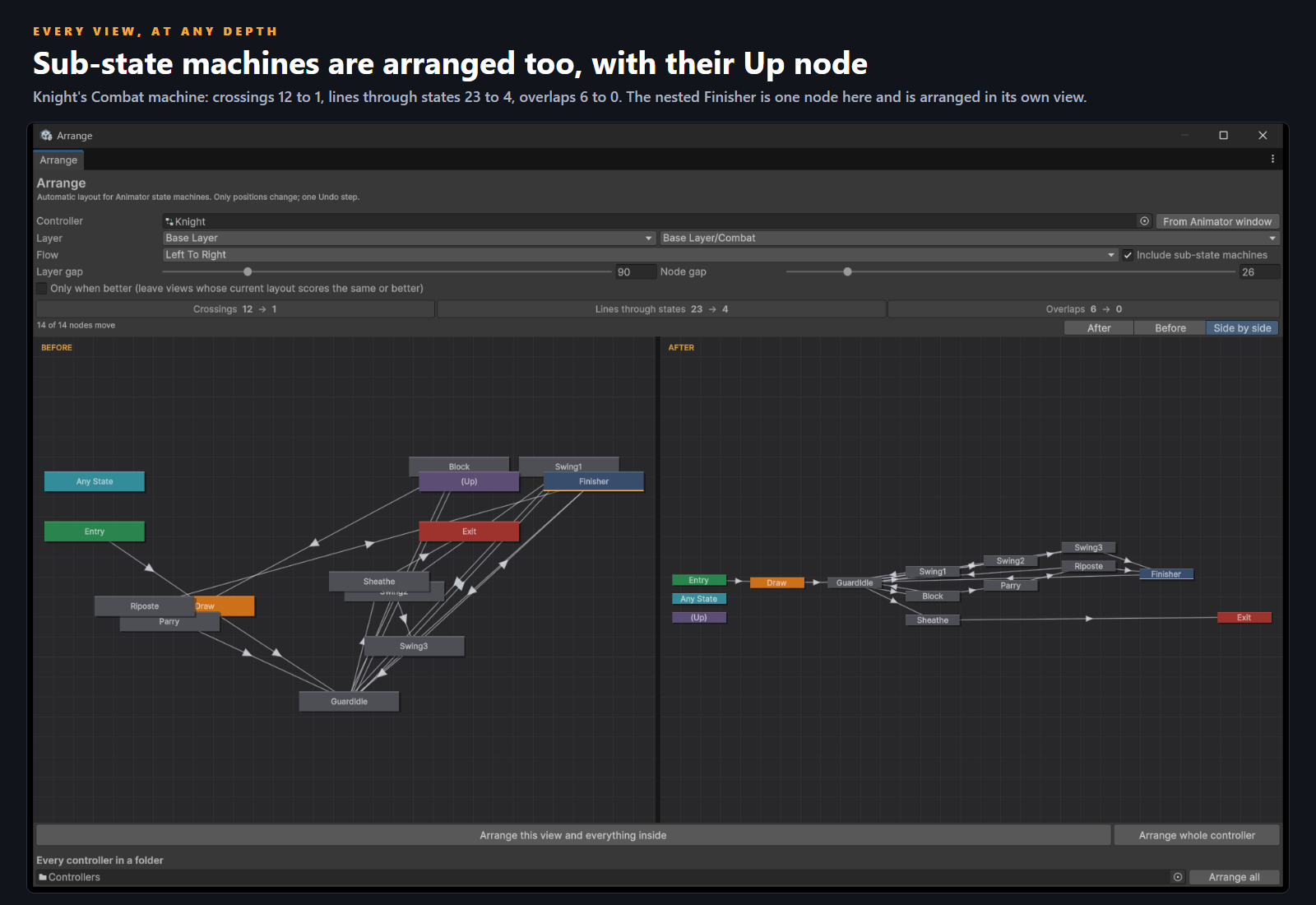
- Knight sample (locomotion, a Combat sub-state machine with a nested Finisher, Reactions, Any State hits), all four views: crossings 52 to 6, lines through states 64 to 19, overlaps 12 to 0.
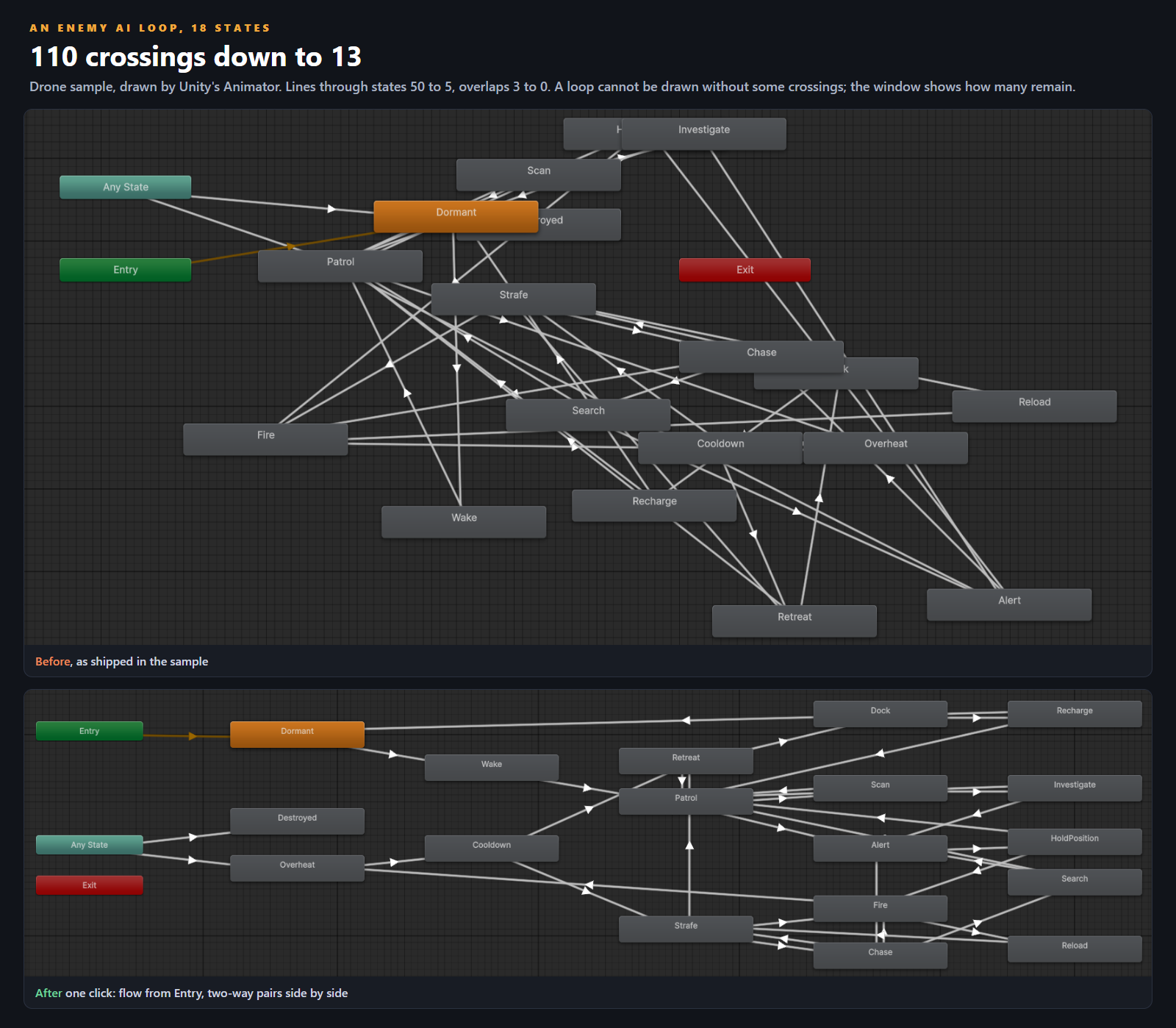
- Drone sample, an 18-state enemy AI loop: crossings 110 to 13, lines through states 50 to 5, overlaps 3 to 0.
- Shopkeeper sample, two layers: crossings 9 to 1, lines through states 14 to 3, overlaps 4 to 0.
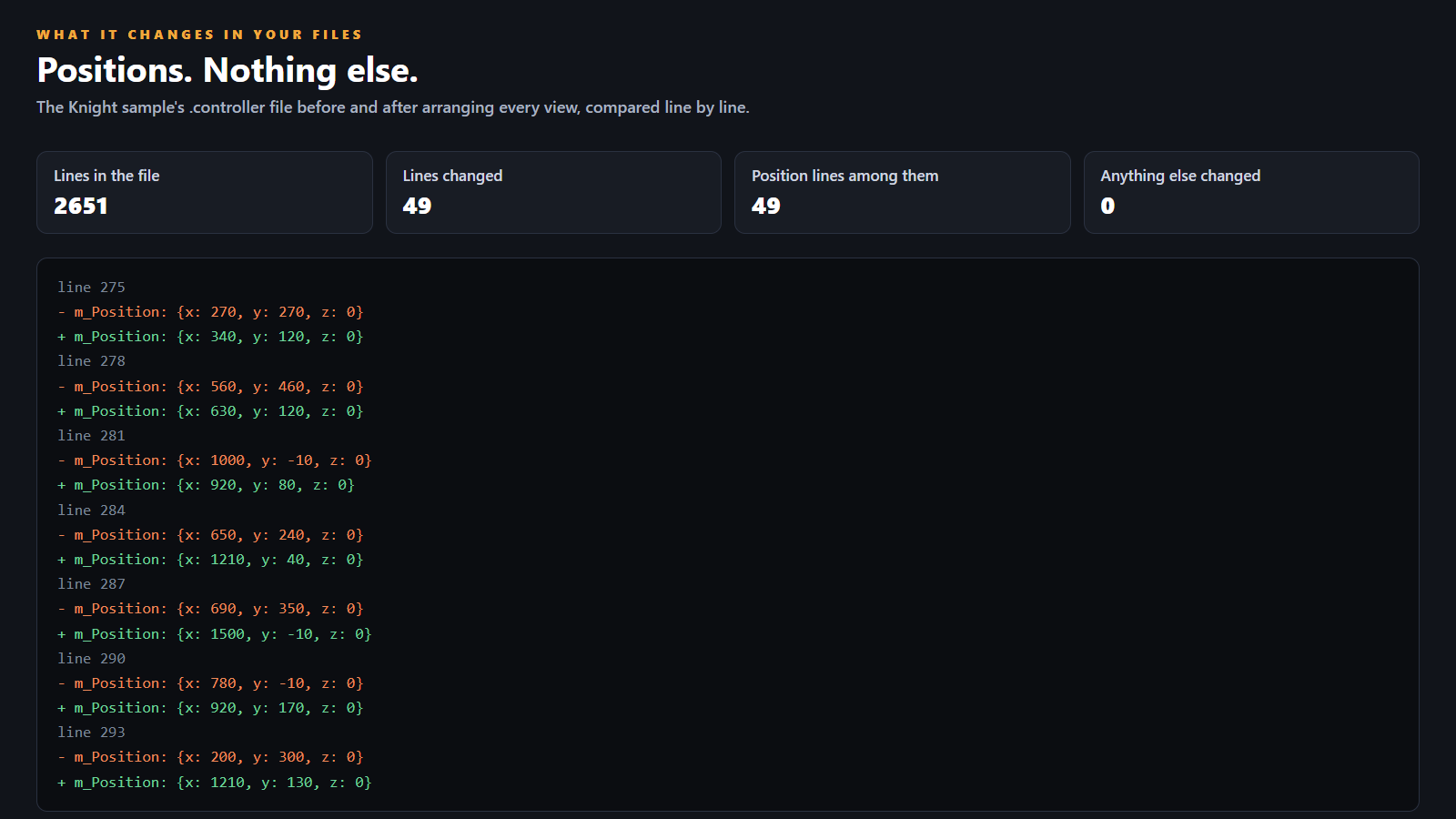
- The Knight .controller file before and after, line by line: 2,651 lines, 49 changed, every one of them a position line.
- Installed from the shipped .unitypackage into a blank project: 27 of 27 tests passed on the installed bytes, including one Undo step restoring every node, arranging twice moving nothing, a 300-state controller, and hostile input.
What you do with it
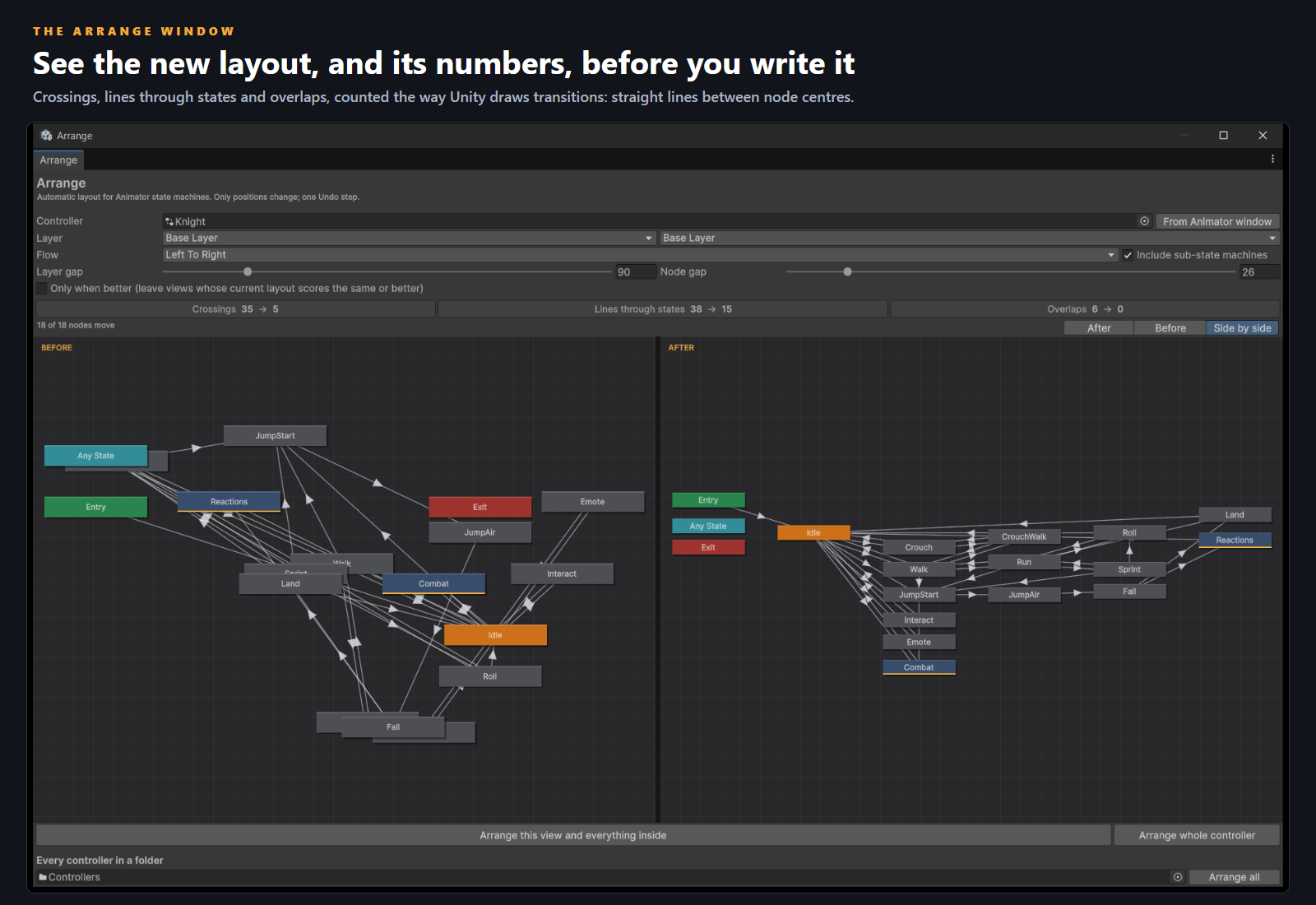
- Tools > CSAF > Arrange > Arrange Window. Drag in a controller, or press From Animator window.
- Pick the layer and the view (the root or any sub-state machine). The preview shows Before, After or both side by side, with crossings, lines through states and overlaps counted for each.
- Press Arrange this view and everything inside, or Arrange whole controller. Edit > Undo puts every node back.
- Whole project: select a folder and use Assets > CSAF > Arrange > Arrange Controllers In Folder. Only when better leaves alone any controller you laid out by hand that already scores better.
Good to know
- Only node positions change. States, transitions, conditions, parameters, motions and behaviours are never touched.
- Some crossings remain where a loop cannot be drawn without one, and fan-outs graze the edges of their neighbours. The window counts what remains instead of hiding it.
- The same controller always gives the same layout, and arranging an arranged view moves nothing.
- Blend trees are laid out by Unity itself; Arrange works on state machines. Synced layers are skipped (they show their source layer's graph).
- Tested on Unity 6000.5.7f1. Written against APIs available since 2022.3 but not run there. Editor only: nothing reaches your build.
What is in the download
A .unitypackage plus the same files as a plain folder: the editor source in C# in its own editor-only assembly, three sample controllers that ship tangled on purpose (Knight, Drone, Shopkeeper) with their clips, a demo scene where three figures run them on Play, the numbered offline guide, the Readme and the licence. No Resources folder.
Also from the studio
Statewright ($19.99): an Animator Controller workspace, with bulk transition editing and states built from clips. Arrange lays out what Statewright builds.
Clipwright ($14.99): trim, retime, mirror and loop animation clips in batch.
All of our Unity tools: Unity Editor Tools.
Arrange, its samples and its documentation were written with AI assistance (code and store images). Every store image is a capture of Unity's own Animator window or of the tool's window; the cover is a designed card over one of those captures. Tested by us as described above.
Purchase
In order to download this tool you must purchase it at or above the minimum price of $12.99 USD. You will get access to the following files:
Development log
Leave a comment
Log in with itch.io to leave a comment.