Plinth - Statues of Your Own Characters and Monsters, Live Petrify and Stone Battlers for RPG Maker MZ
Statues of your own characters, struck from their own sprites.
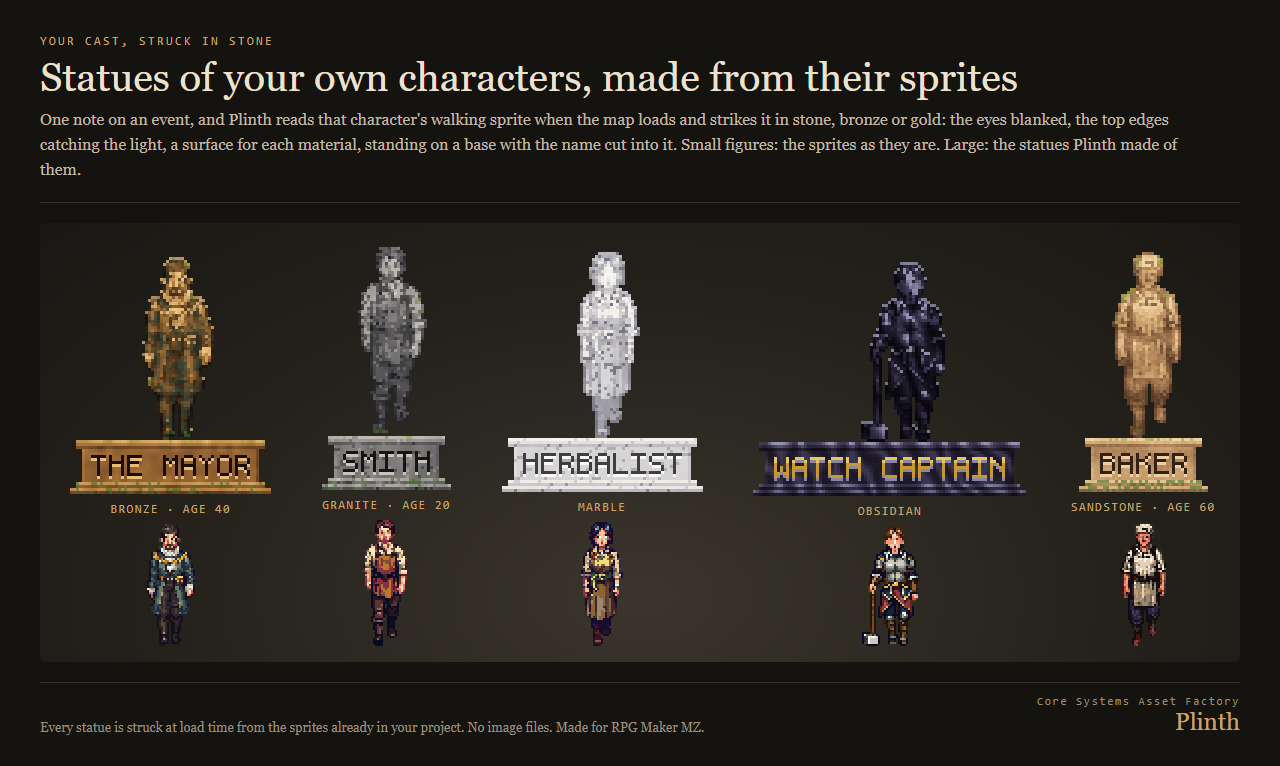
Plinth turns your cast and your monsters into statues. Give an event one note, <statue: actor 1, bronze, age 40>, and when the map loads Plinth reads that actor's walking sprite and strikes it in stone: the eyes blanked, the top edges catching the light, a surface for the material, weathering for its age, standing on a base with the name cut into it. No image files. Every statue comes from the sprites and battlers already in your project, so every character you have is a statue on day one.
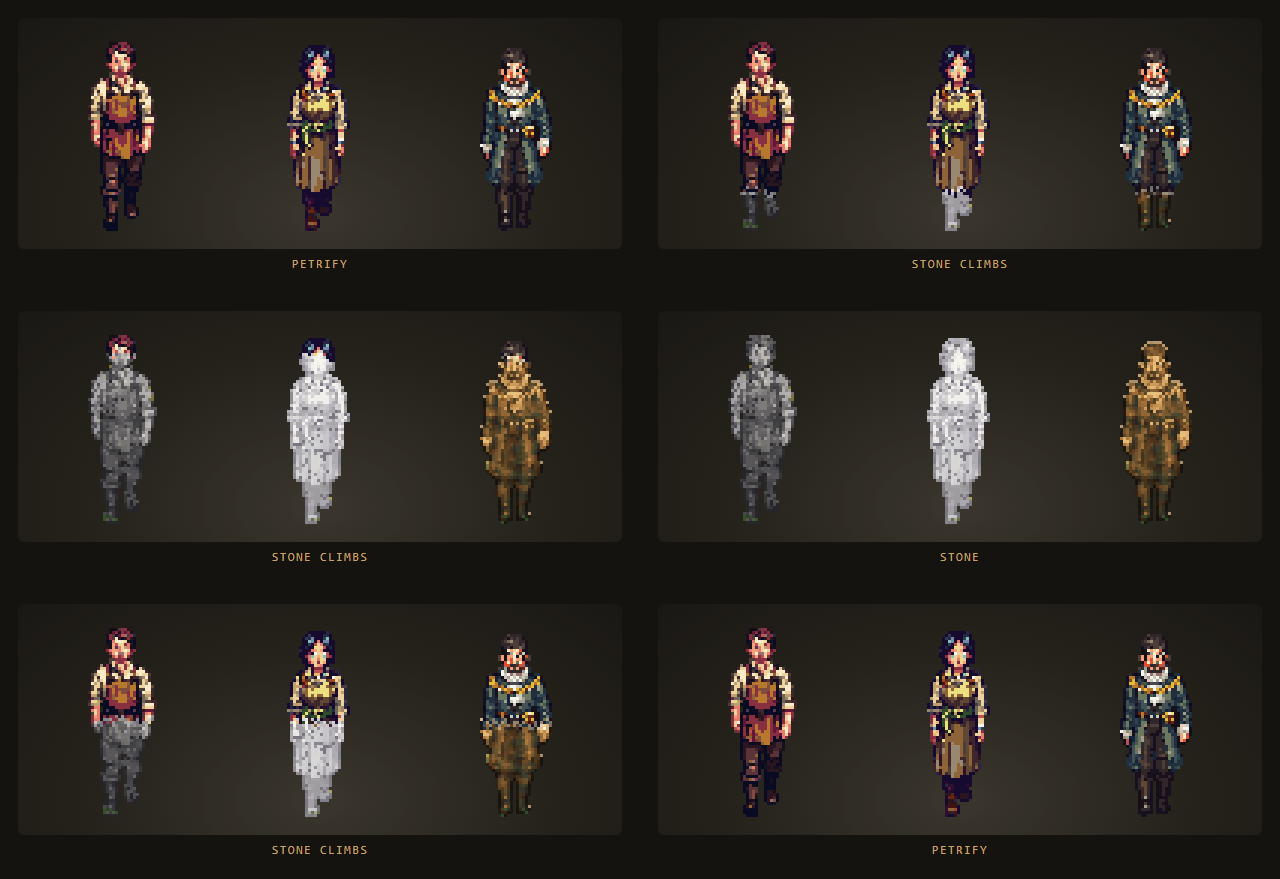
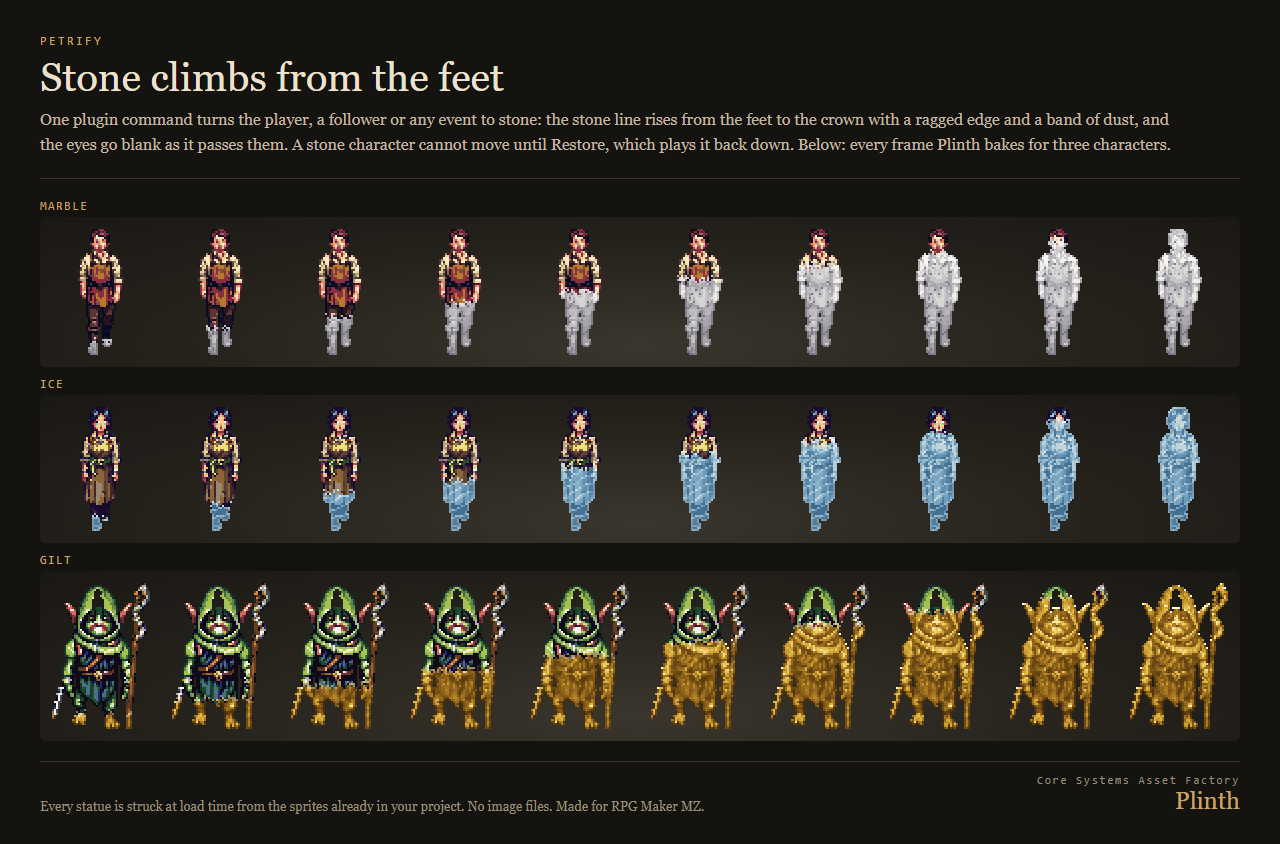
The same strike drives two more things: Petrify, a plugin command that turns the player, a follower or any event to stone from the feet up, right there on the map, and a state that turns a battler to stone in battle.
⚠️ Compatibility — the question you actually have
Tested against RPG Maker MZ with the stock scripts unmodified, verified by running the plugin in the real engine rather than only in tests.
Plugin Manager order:
PlinthCore.js— Plinth 1/2 - the statue: struck from each character's or enemy's own pixels in seven materials. No engine code.Plinth.js— Plinth 2/2 - statues of your own cast and monsters on the map, live petrification, and stone battlers.
This order reads sensibly in the list and nothing depends on it. Plinth.js finds PlinthCore.js the first time a statue or a petrify needs it, so either order works. That is tested in the real engine on the shipped zip: one session loads Plinth.js first (the alphabetical order you get by dragging the folder in) and another loads PlinthCore.js first, and both strike every statue. If PlinthCore.js is switched off, the first statue stops the game with a message naming the file to turn on. PlinthCore.js touches no part of RPG Maker; switch Plinth.js off and nothing is patched.
Core methods extended — 11 by saved-original prototype extension, none replaced: Spriteset_Map.prototype.createCharacters, Game_CharacterBase.prototype.update, Game_CharacterBase.prototype.updateAnimation, Game_Player.prototype.canMove, Game_Event.prototype.updateSelfMovement, Sprite_Character.prototype.updateBitmap, Sprite_Character.prototype.isEmptyCharacter, Sprite_Character.prototype.updateFrame, Sprite_Enemy.prototype.update, Sprite_Actor.prototype.update, Sprite_Actor.prototype.updateMotionCount.
Because nothing is clobbered, Plinth co-exists with other plugins that patch the same seams, including large suites.
It also defines 2 methods that their core class only inherited: Sprite_Enemy.prototype.destroy (inherited from Sprite), Sprite_Actor.prototype.destroy (inherited from Sprite). That touches those classes only, never the parent. If another plugin redefines the same method on the same class, load Plinth after it.
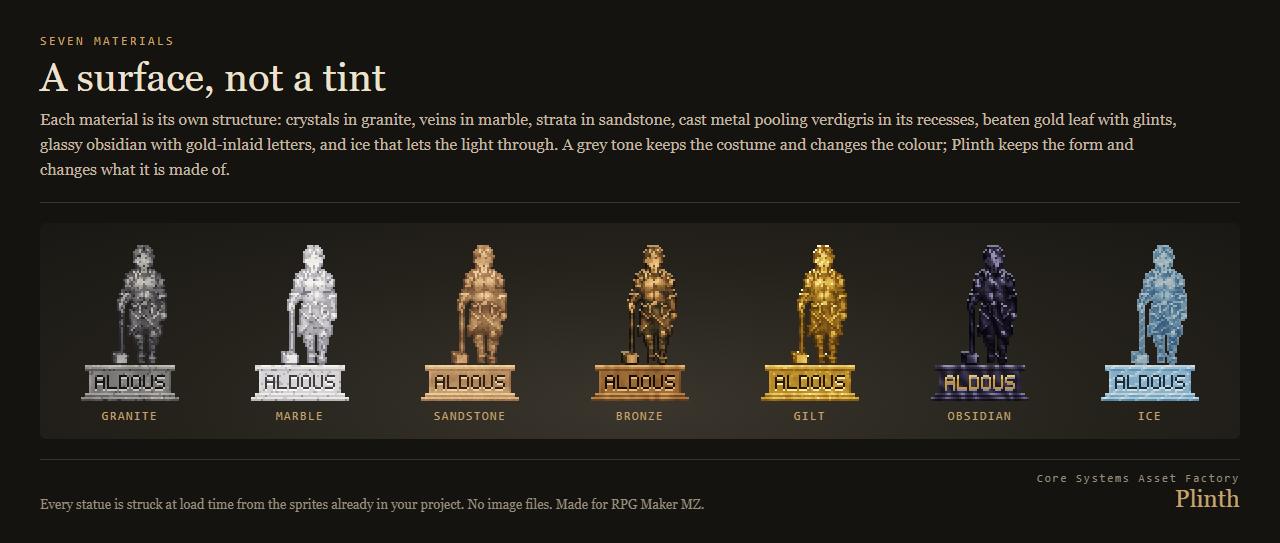
Seven materials: a surface, not a tint
Granite with crystals, veined marble, banded sandstone, cast bronze that pools verdigris in its recesses, gilt with beaten gold glints, glassy obsidian with gold inlaid letters, and ice that lets the light through. A grey state tone keeps the costume and changes the colour; Plinth keeps the form and changes what it is made of.
Age
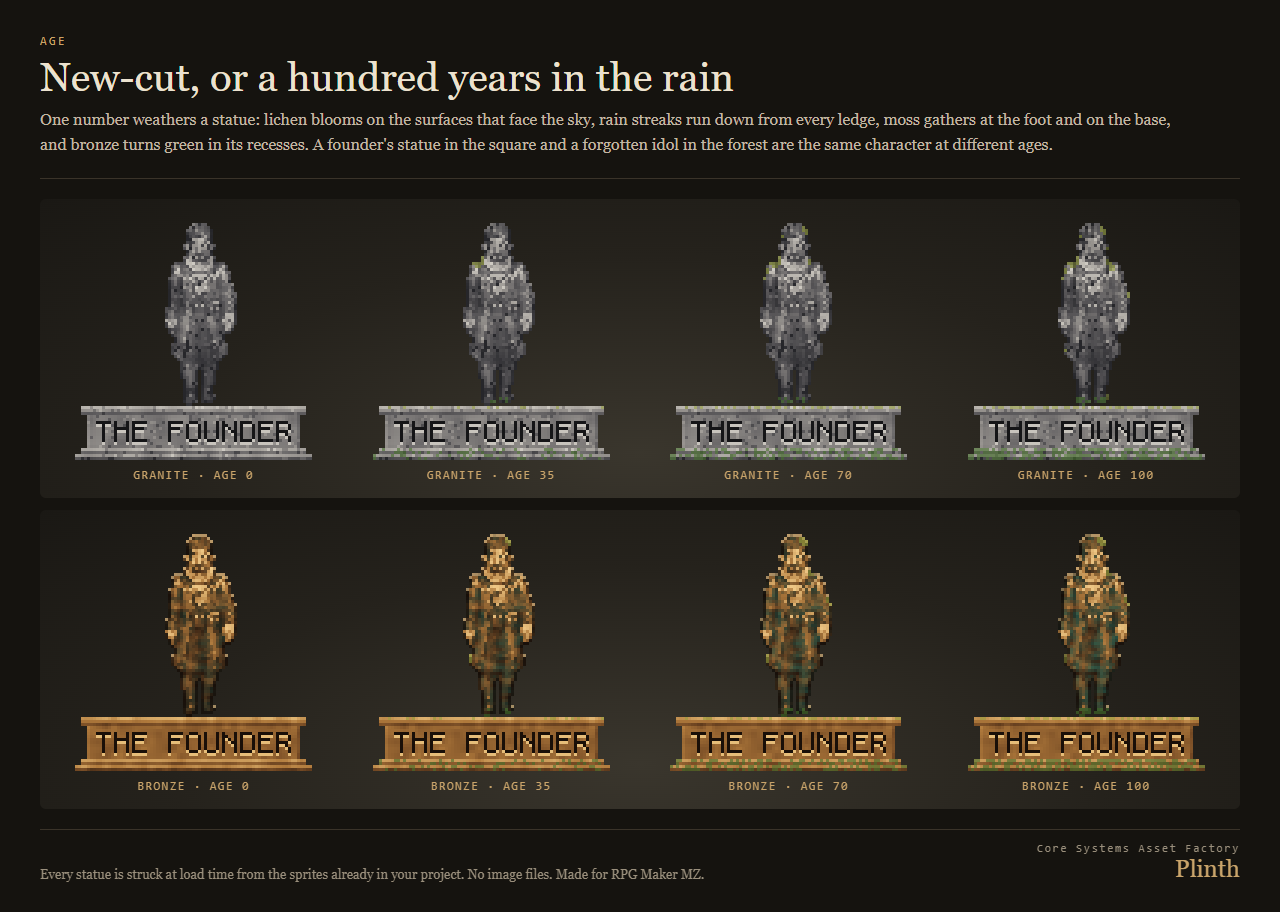
One number from 0 to 100 weathers a statue: lichen blooms on the faces that look at the sky, rain streaks run down from the ledges, moss gathers at the foot and on the base, bronze turns green. A founder's statue in the square and a forgotten idol in the forest are the same character at different ages.
Petrify and Restore
Stone climbs from the feet to the crown over the frames you choose, with a ragged edge and a band of dust, and the eyes go blank as it passes them. A stone player cannot move and a stone event stops walking until Restore plays the stone back down. Both commands can wait for completion. The player and followers stay stone across maps and in the save.
Stone in battle
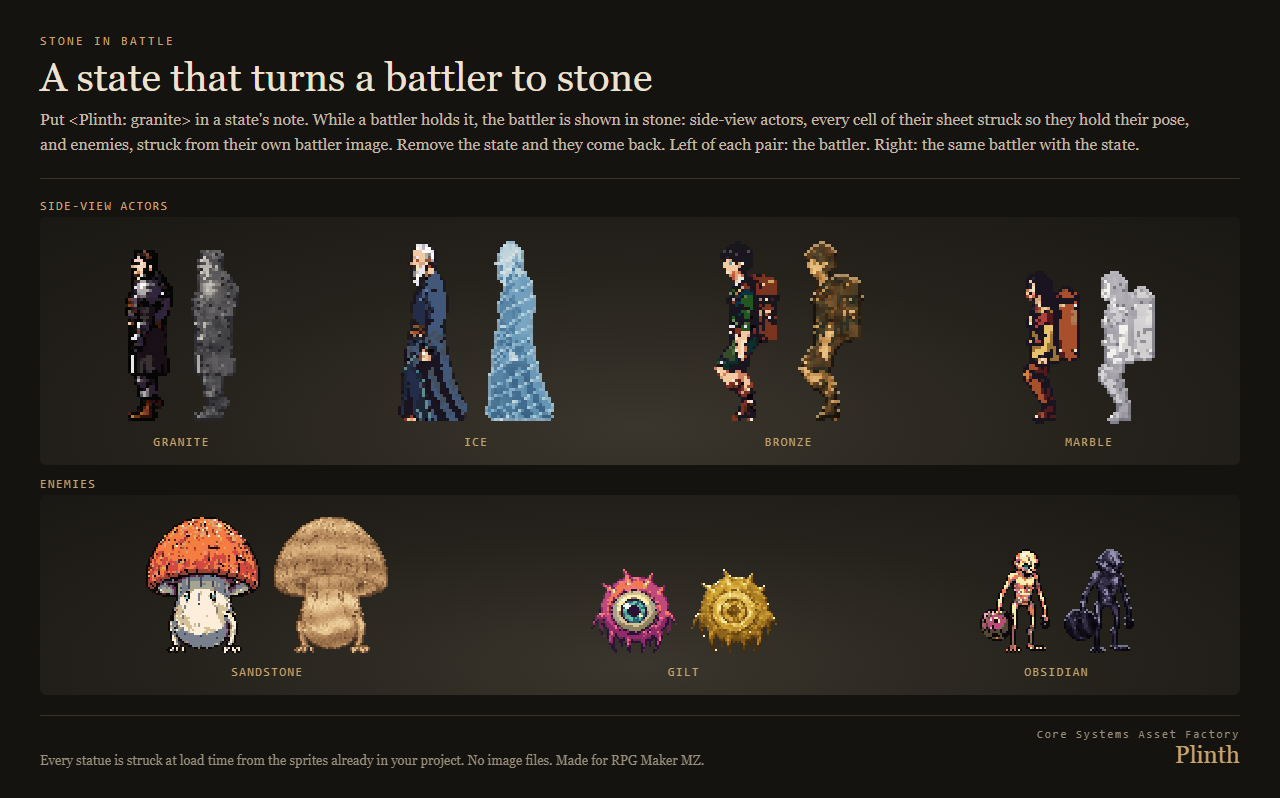
Put <Plinth: granite> (any material) in a state's note. While a battler holds that state, enemies and side-view actors are shown in stone, actors frozen in the pose they were in; remove the state and they come back. What the state does is still the state's own settings, exactly as in MZ.
Also
- Big battlers make big statues: a battler 380 pixels wide stands on a base in proportion to it, not on a plank.
- Names cut into the base, from the note, the actor or the enemy. Carving, bases and eye blanking can each be switched off.
- Every option is a parameter or a note word: material, age, name, petrify time.
- Light to run: each statue is struck once when its map loads, one per frame while the map settles, and then nothing is read or rebuilt. Measured in the real engine with six statues standing and a petrify running: 10 draw calls a frame and no texture uploads.
- Safe to remove: a save made with Plinth loads and plays with Plinth switched off. That is tested, not assumed.
- Raw, readable JavaScript in two files, with a Readme for every note word, command and parameter.
The figures in these pictures come from sprite packs by the same studio: townsfolk from Hearthhands 01: The Working Day and Hearthhands 03: Watch and Ward, goblins from Greenskin 01: The Muster, heroes from Wildmark Battlers and cave creatures from Deepwarren 01: The Living Dark. In your project they are your own characters.
More for RPG Maker MZ, made from your own sprites
- Stature: taller side-view battlers, re-proportioned pose by pose from your own sheets.
- Posture: your characters sit, kneel, sleep and wave, poses derived from the walking sprites you already have.
- Scathe: cracks, scorch, frost and cuts struck into each enemy's own battler by the element that hit it.
- Wrack: your own town burned, ruined, overgrown or abandoned, re-struck from your own tileset.
AI disclosure: the code, the drawing code, the store images and the cover were produced with AI assistance. Plinth contains no audio and no story text.
Purchase
In order to download this tool you must purchase it at or above the minimum price of $8.39 USD. You will get access to the following files:
Development log