Blueprint Default Surgeon - bulk reset and push Blueprint defaults (UE5)
A downloadable tool for Windows
The problem
A designer tweaks a property on a placed Blueprint actor. That tweak becomes a per-instance override, and from that moment the actor stops tracking the Blueprint default. Weeks later somebody changes the default and hundreds of placed actors quietly keep the old value.
Unreal can already fix this. It just cannot fix it at scale, and the limit is not a setting you can change:
- "Reset Instance Changes to Blueprint Default" appears only when exactly one actor is selected.
- "Apply Instance Changes to Blueprint" also takes exactly one actor.
- Both are all-editable-properties or nothing. You cannot say just the intensity.
- Both act on the currently loaded level.
- Neither ever tells you which properties it is about to overwrite.
So the honest version of the workflow today is: select an actor, right-click, reset, repeat. Two hundred and forty times. Across twelve maps. Hoping nobody had a good reason for one of those overrides.
What this does instead
Finds every placed actor whose properties have drifted from its Blueprint default, and moves the value in either direction — at N actors, per property, across every map, with a named preview first.
- Both directions. Reset instances back to the default, or push an instance's value up to become the default for every existing and future instance.
- Per property. Name the properties you mean.
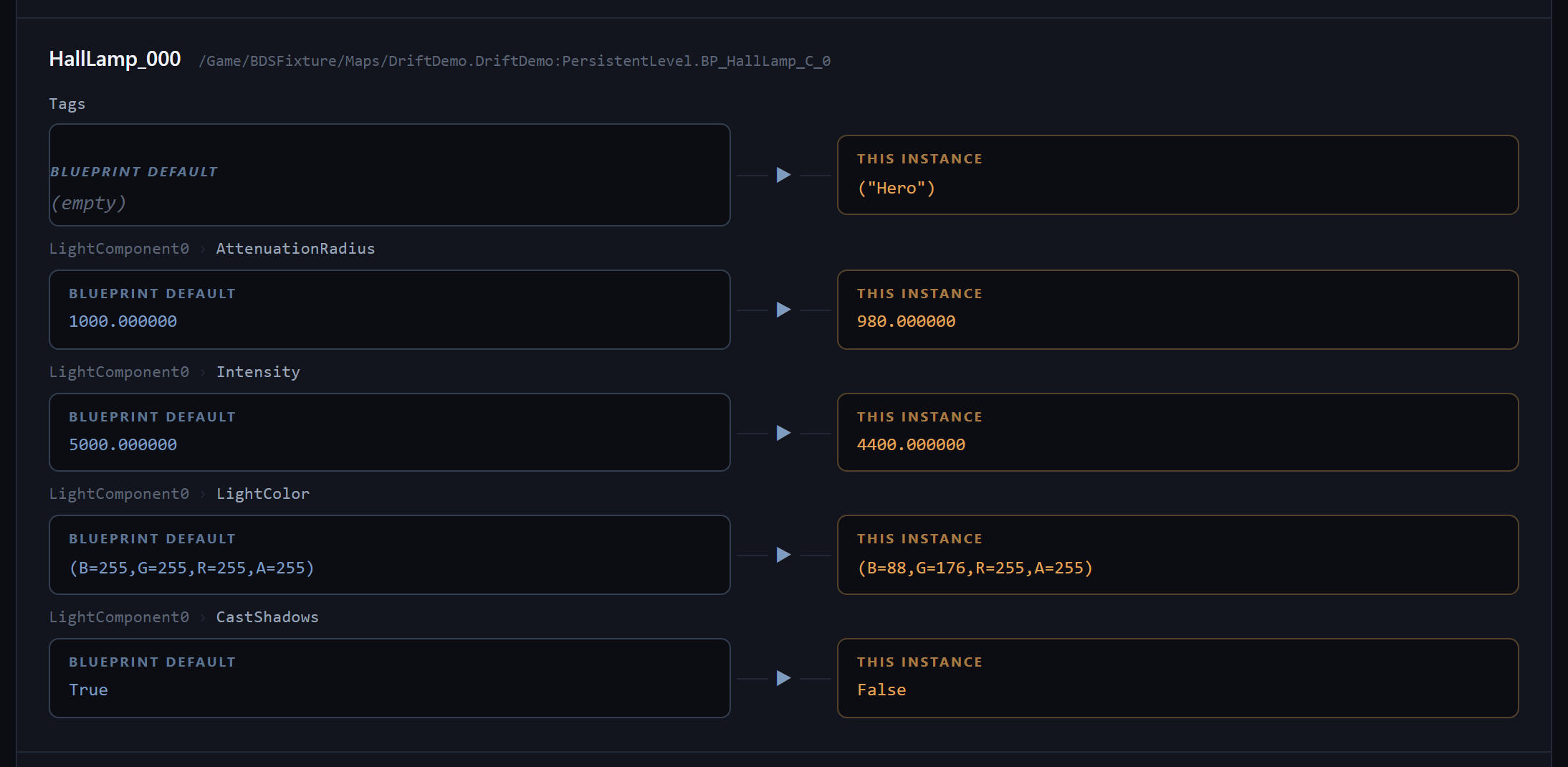
-Properties=Intensity+AttenuationRadiusmoves those and leaves every other override untouched. - Components included, and named. Most real overrides live on components rather than on the actor — a light's intensity, a mesh component's mesh, an override material. Every drifted property is reported against the component that owns it, so
PointLightComponent › Intensityis never confused with the actor's own. - Every map, not the open one. The scan walks the project through the asset registry and opens one map at a time, so a 240-map project is a scan rather than a morning.
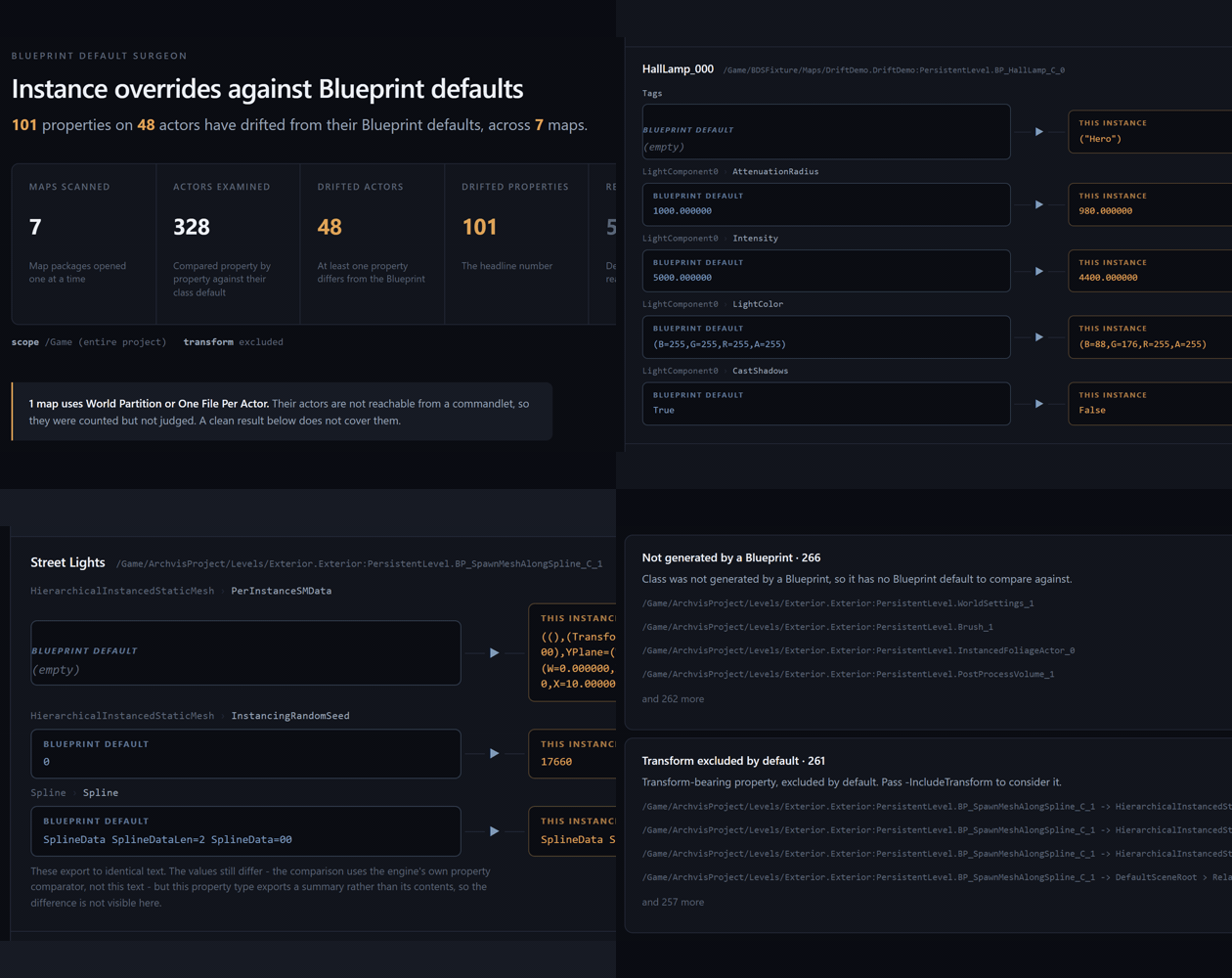
- A named preview, before anything is written. The actor, the property, the Blueprint default and the instance value side by side — then you decide.
- One undo. The whole batch is a single transaction.
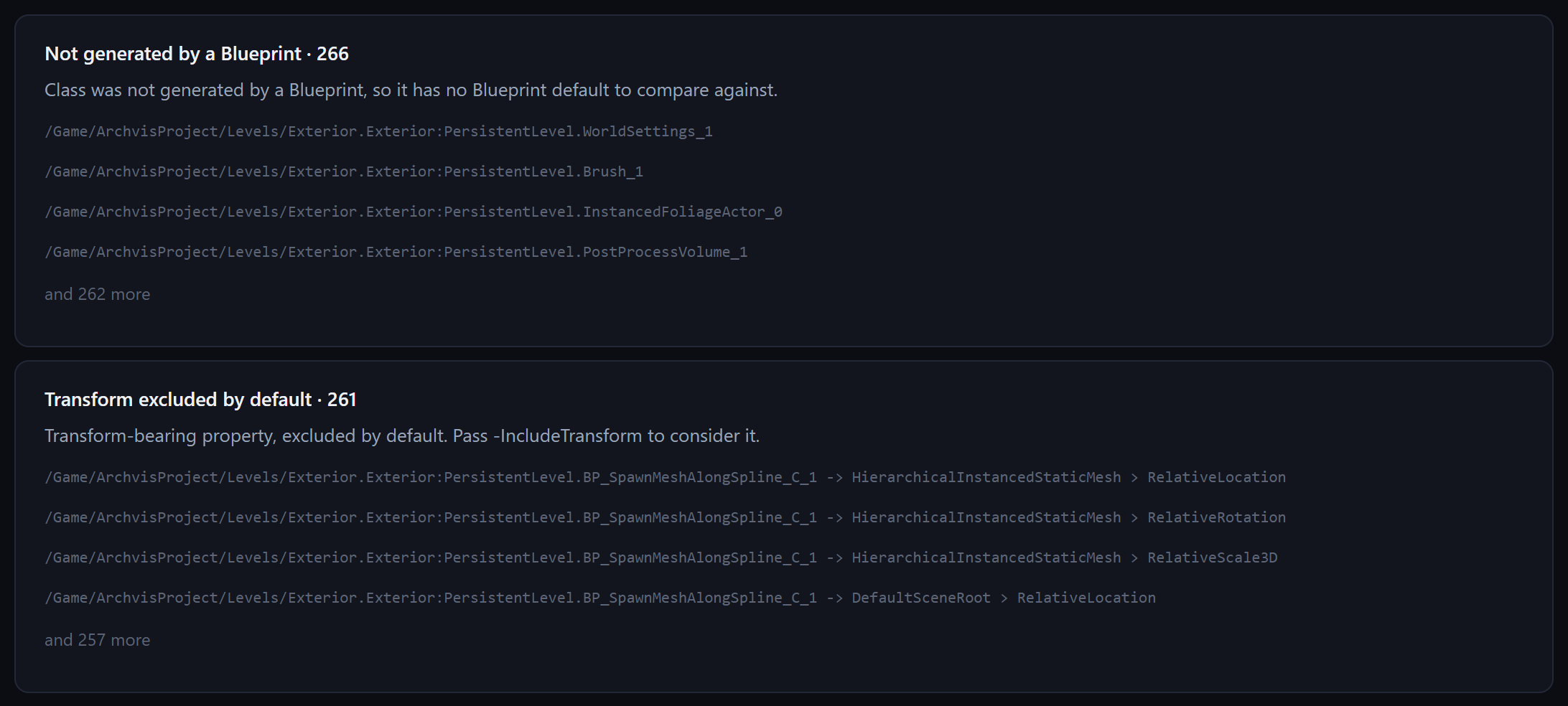
- It refuses what it cannot prove. An actor with no generating Blueprint, or whose default cannot be resolved, is reported by name and skipped. Never guessed at.
- Headless. A commandlet with documented exit codes, so it runs in CI on a branch rather than as a button somebody remembers to press.
The safety story, because this tool writes to your levels
The dangerous direction is not the obvious one. Missing a drifted property costs you nothing you were not already paying. Resetting a property that was a deliberate per-instance customisation destroys a designer's work — silently, across many actors at once. So:
- Dry run is the default. Writing requires
-Apply -Execute: two switches, deliberately, so one mistyped flag cannot change a project. - Transform properties are excluded by default. A placed actor is supposed to differ from its default in location, rotation and scale — that difference is the act of placing it. Including them is opt-in, and the tool says so in its usage text.
- Drift is decided by the engine's own comparator, the same one the details panel uses to draw its reset arrow — not a byte comparison, which reports false drift on padding and cached fields.
- Component references are never counted as drift. An instance's components are different objects from the default's, so a naive check reports every actor in your project as drifted. This one does not.
- The plan is a file you can review. Stable ordering, so two runs over an unchanged project produce identical bytes and a diff means something. It carries a predicate version, and the reader refuses a plan written by a version it does not implement rather than reconciling.
It shows you its own margin of error
This is the part most tools leave out, and it is the reason to trust the rest.
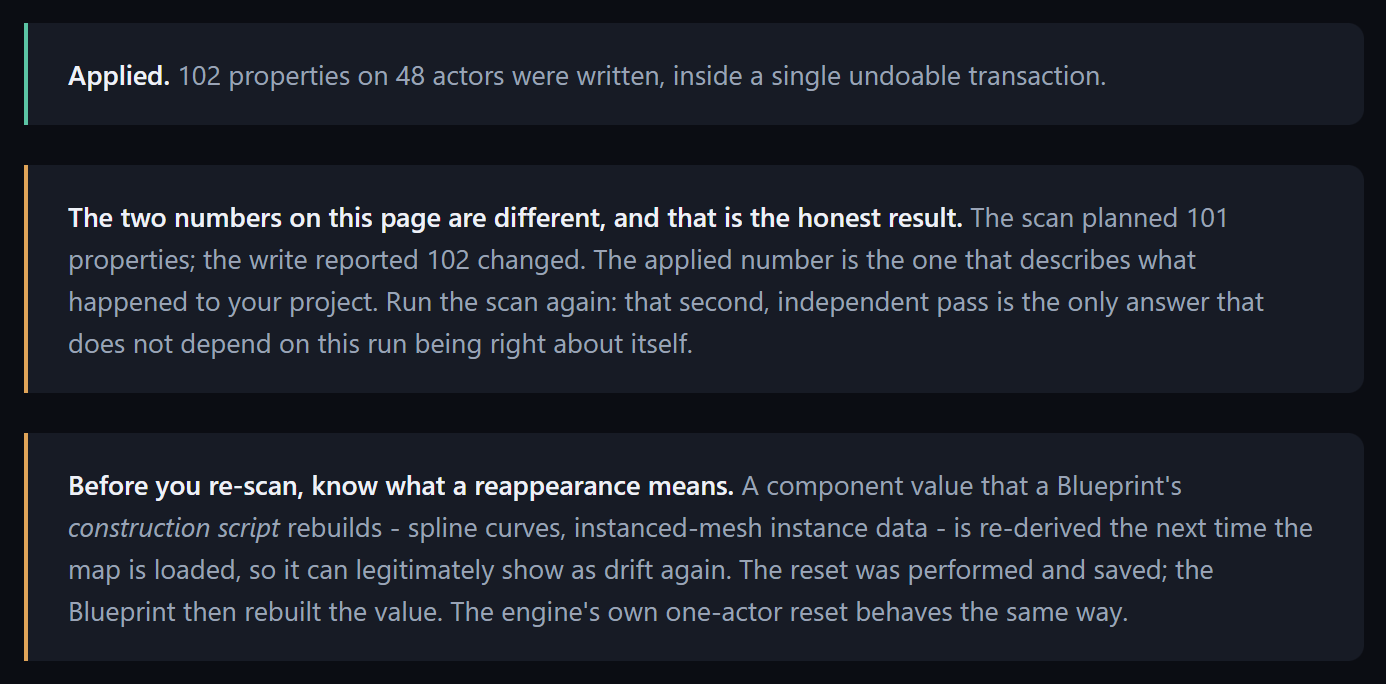
- It prints what it PLANNED and what it APPLIED, separately. They are not always equal — measured on the verification project in both directions, 174 planned against 167 applied on one run and 101 against 102 on another — so it never shows you one of them alone, and it names the gap when there is one.
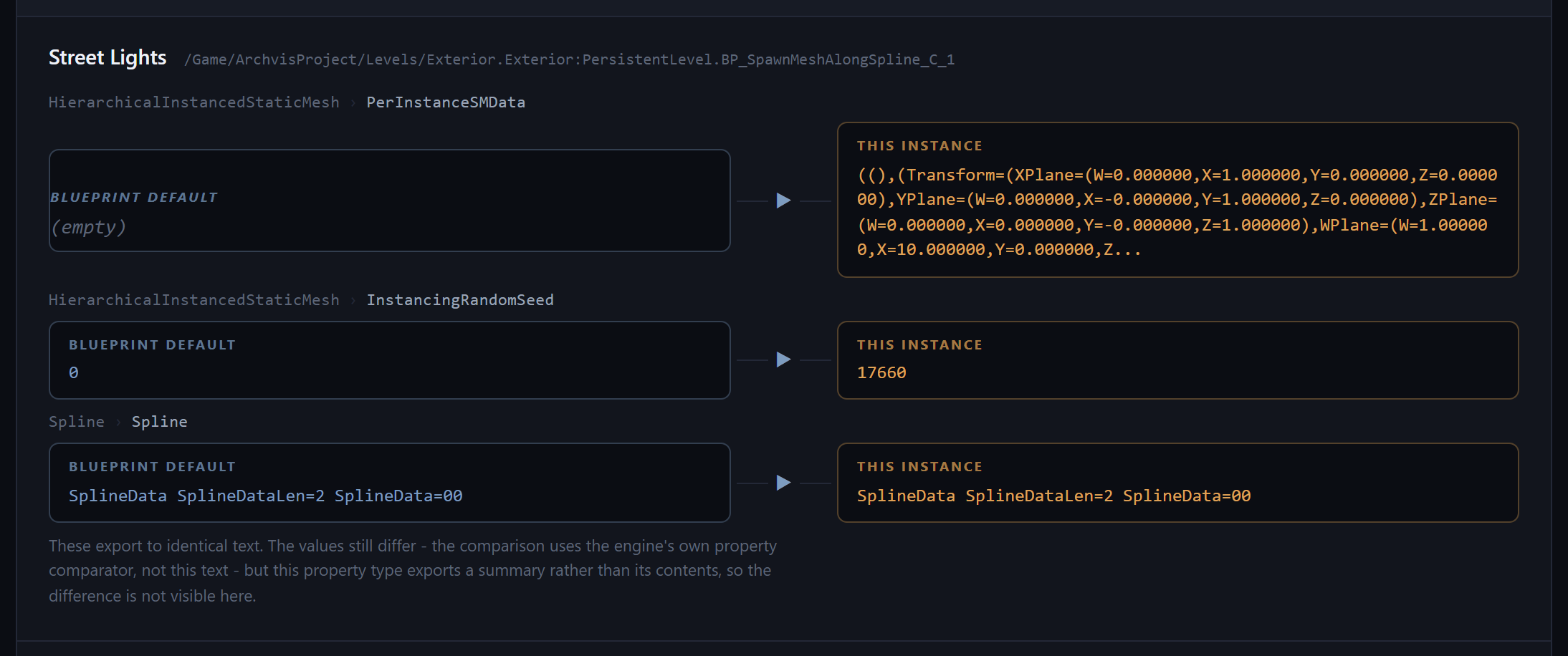
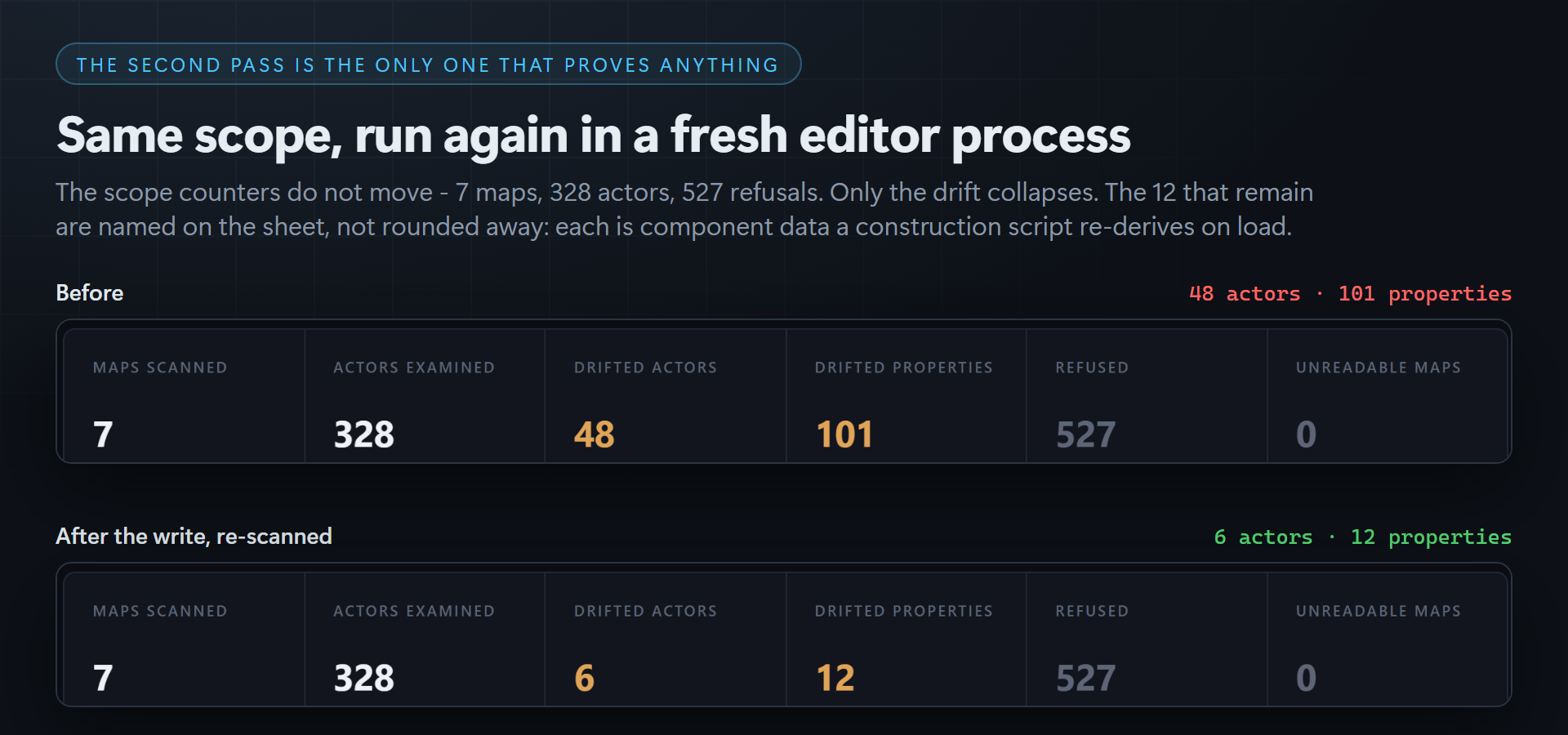
- It tells you to re-scan, and says what a reappearance means. Some drift legitimately comes back: a component value a Blueprint's construction script rebuilds — spline curves, instanced-mesh instance data — is re-derived when the map is next loaded. Measured on the verification project: of 101 properties reset, 12 reappeared on a fresh-process re-scan, all of them construction-script-derived, and Unreal's own one-actor Reset behaves the same way. Everything else stayed reset.
- The second scan is the only answer that does not depend on the first run being right about itself — so the tool asks for it rather than declaring victory.
What it reports
A self-contained HTML proof sheet — one file, no external fonts, no CDN, no script. Drift grouped by Blueprint, then by actor, with the Blueprint default and the instance value side by side.
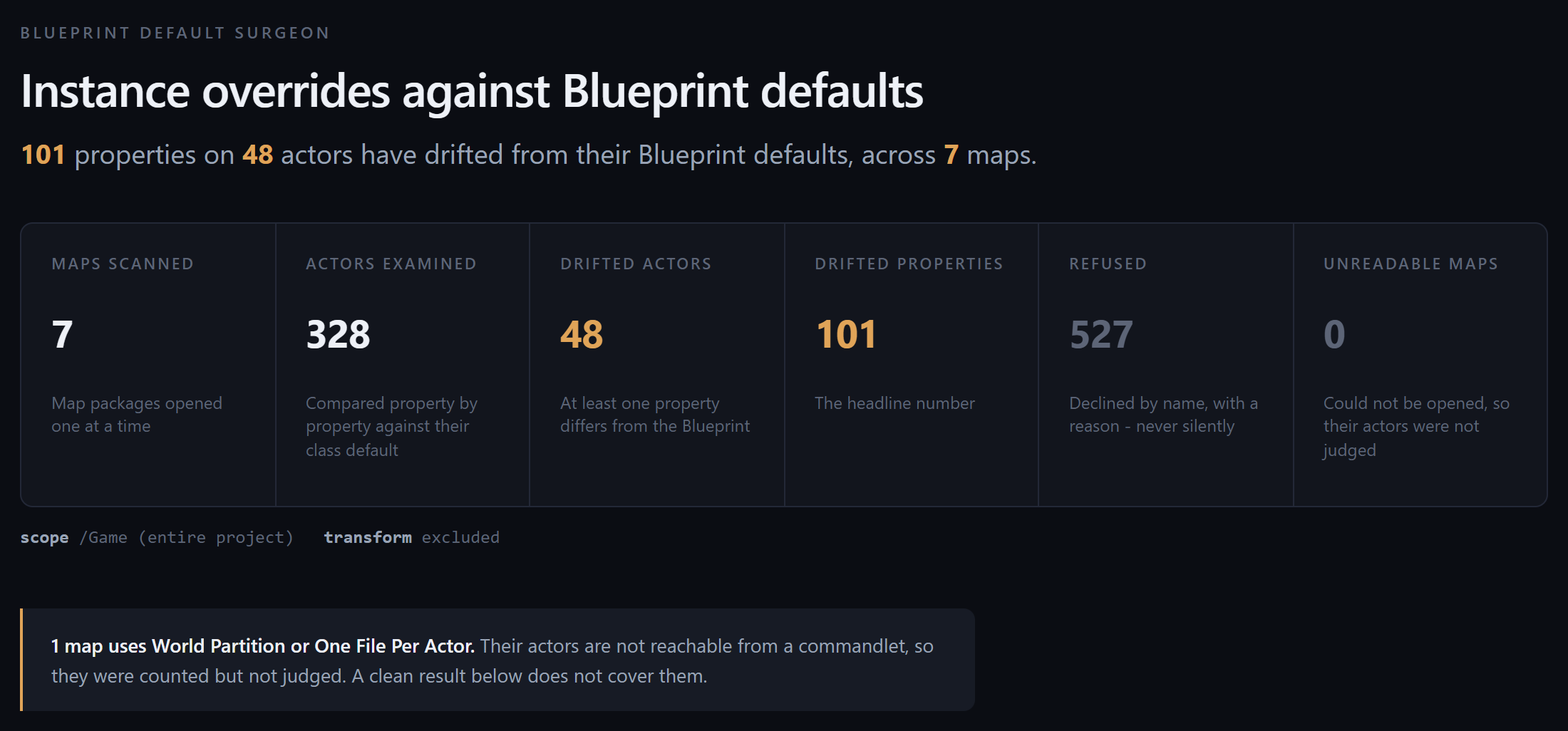
It also prints what it did not look at: maps scanned, actors examined, unreadable maps, World Partition maps it cannot reach from a commandlet, and every refusal by reason. If zero actors were examined it refuses to print a verdict at all — a confident "no drift" over an empty scan is worse than no report.
Compatibility
Built and verified against Unreal Engine 5.8 on Windows. That is the only engine installed on the build machine, so it is the only version claimed. Editor-only plugin: no runtime module, no content, no third-party dependencies beyond Epic's own engine modules.
Install into YourProject/Plugins/BlueprintDefaultSurgeon, or into the engine's Plugins/Marketplace folder. Full C++ source is included and is meant to be read.
Getting started
A dry run over the whole project, writing nothing:
UnrealEditor-Cmd.exe YourProject.uproject -run=BlueprintDefaultSurgeon -Report=Drift.html
Then the same scope, writing, inside one undoable transaction:
UnrealEditor-Cmd.exe YourProject.uproject -run=BlueprintDefaultSurgeon -Apply -Execute -Report=Drift.html
Full documentation, every switch and every exit code ›
What it is not
It is not a property spreadsheet. Bulk property editing is a solved and well-served category. This product is about override-versus-default semantics — reset, push, archetype, propagation — which is the part nothing else does.
More Unreal editor tools from CSAF
- UMG Binding Surgeon — rewrites the UMG bindings that poll every frame.
- Asset Sentinel — data-driven asset validation rules, without code-per-rule.
- Material Sprawl Collapser — collapses duplicate material instances.
- Overlap Warden — proves your overlap event chains actually fire.
Purchase
In order to download this tool you must purchase it at or above the minimum price of $14.99 USD. You will get access to the following files:
Development log
- Blueprint Default Surgeon 1.0.0 is live3 days ago